
May 20, 2026
For academic conference organizers, peer review is only half the process. Once papers, posters, and talks are accepted, the next challenge begins: turning hundreds—or even thousands—of submissions into a polished agenda.
Whova has been steadily building tools to simplify this transition from accepted submissions to a complete conference program. Our built-in Abstract Management System already helps organizers manage submissions, coordinate reviews, confirm speaker participation, organize accepted content with admin notes and custom tags, and automatically sync approved submissions into the Agenda Center and Poster Center. Organizers can also quickly publish schedules online using Whova’s customizable agenda webpage and embeddable agenda widget.
At the same time, we recognize that many academic conferences rely on specialized peer-review platforms designed for advanced workflows like multi-round reviews, rebuttals, committee discussions, and large-scale program committee collaboration. In these cases, organizers often continue using Whova for agenda management, attendee engagement, event websites, and onsite event operations after the review process is complete.
To support these workflows, Whova already allows organizers to import schedules or upload session lists to start building agendas. We also recently introduced our first direct integration with HotCRP to make session import even more seamless.
Now, we’re expanding that ecosystem even further with a new integration for OpenReview.
Organizers using OpenReview can now import accepted submissions directly into Whova, eliminating tedious copy-pasting, spreadsheet cleanup, and manual formatting. Instead of spending hours transferring data between systems, organizers can move directly from finalized review decisions to agenda building in just a few clicks.
With this quick import workflow, you can:
- Set up your agenda quickly. Export accepted submissions from OpenReview and import them directly into Whova to start scheduling—no copy-pasting or templates required.
- Reduce manual errors. Automatically pull in submission IDs, titles, and abstracts from the source, reducing errors from manual entry or copy-pasting.
- Track scheduling progress easily. After import, easily see which sessions are scheduled and which still need placement, so nothing is overlooked.
- Keep your agenda updated with less effort: Re-import updated submission data from OpenReview without disrupting existing scheduled times and session structure.
The result is a smoother, reliable path from accepted papers and posters to a complete event program—without the manual overhead in between.
Ready to see how it works? Read on.
Import Accepted Submissions from OpenReview in Seconds
When you’re ready to build your conference program, go to the Session Manager under the Agenda Center.
From there, click “Import from academic submission systems” and select OpenReview from the options to begin.
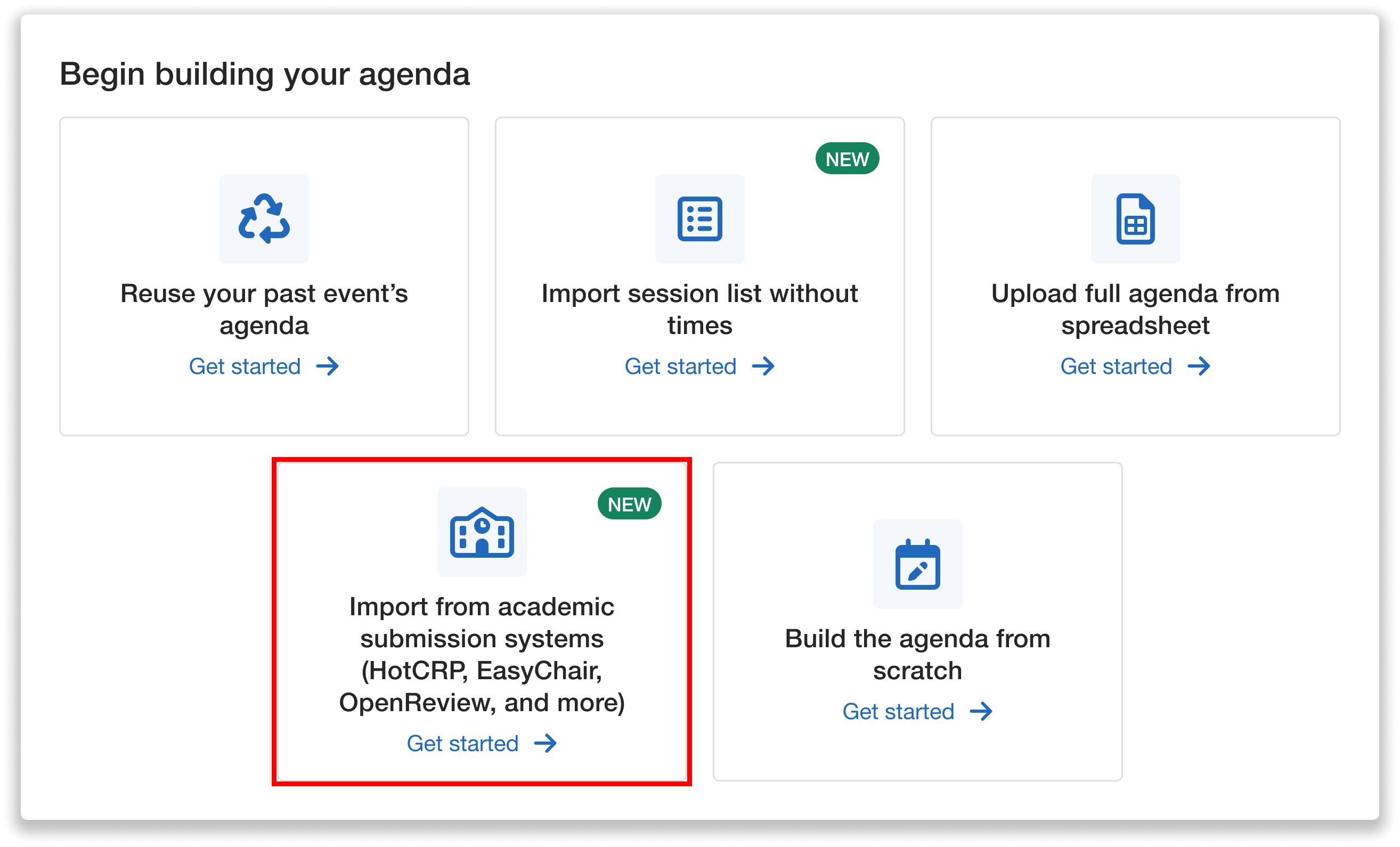
Import from your academic submission system to start building your agenda.
If your agenda is already in progress and you need to add additional content, you can access the same workflow at any time from the Import dropdown in the Session Manager by selecting: “Import from other platforms” → OpenReview.
To transfer your submissions, you’ll upload a file exported directly from your OpenReview account. Whova provides step-by-step guidance in the dashboard to help ensure you download the correct file.
In OpenReview:
- Search your submissions to find only accepted submissions
- Click Export to download your file
In Whova:
- Upload your exported CSV file into the upload area
- Click Import
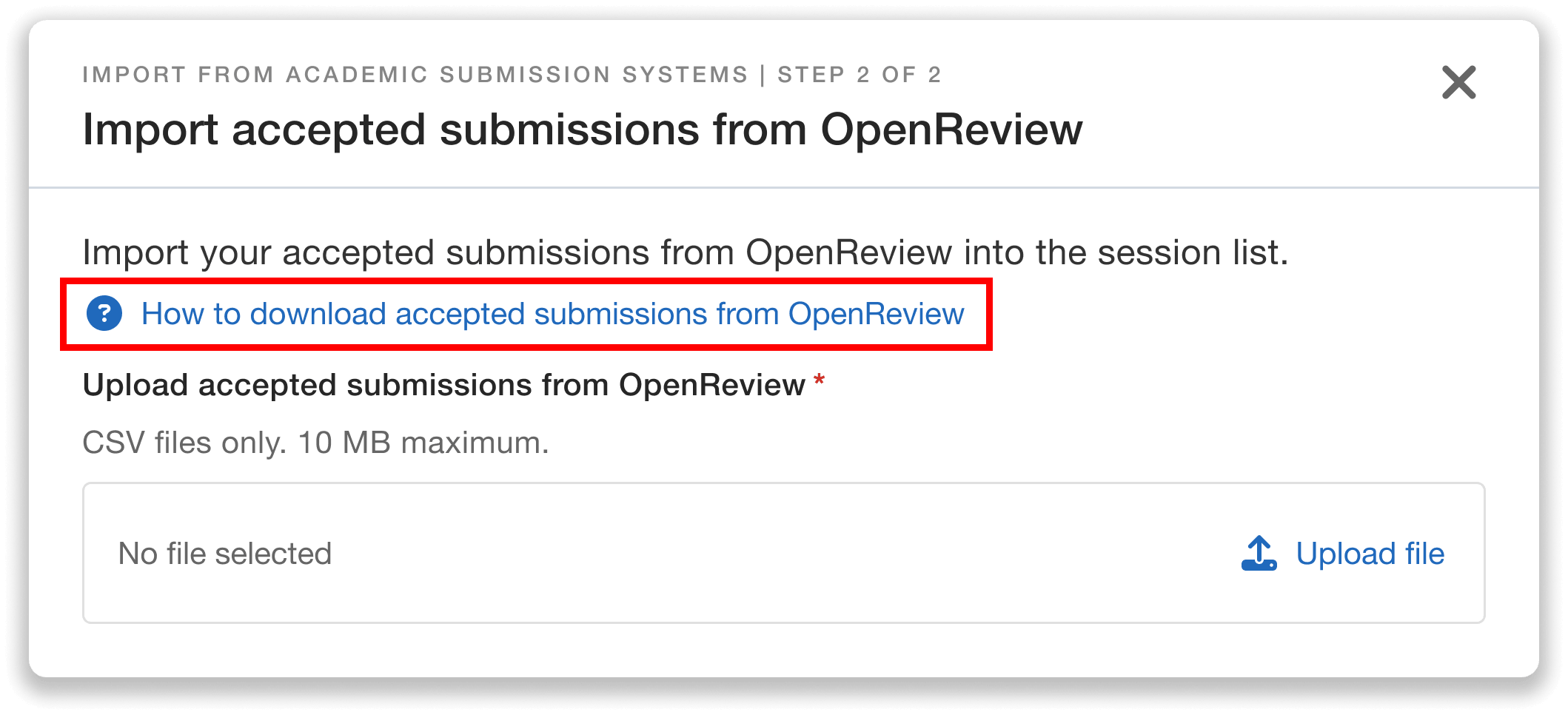
Upload your file—view a step-by-step guide on how to download accepted submissions from OpenReview.
Before proceeding, we’ll show you the exact number of submissions to be imported. Once confirmed, your session list will automatically populate with each paper’s number/ID, title, and abstract.
Seamlessly Schedule Sessions in Your Agenda
After import, Whova provides two flexible ways to schedule sessions.
Option 1: Schedule Directly From the Session Manager
To plan your program out visually, you can add sessions to specific time slots from the Session Manager’s schedule view.
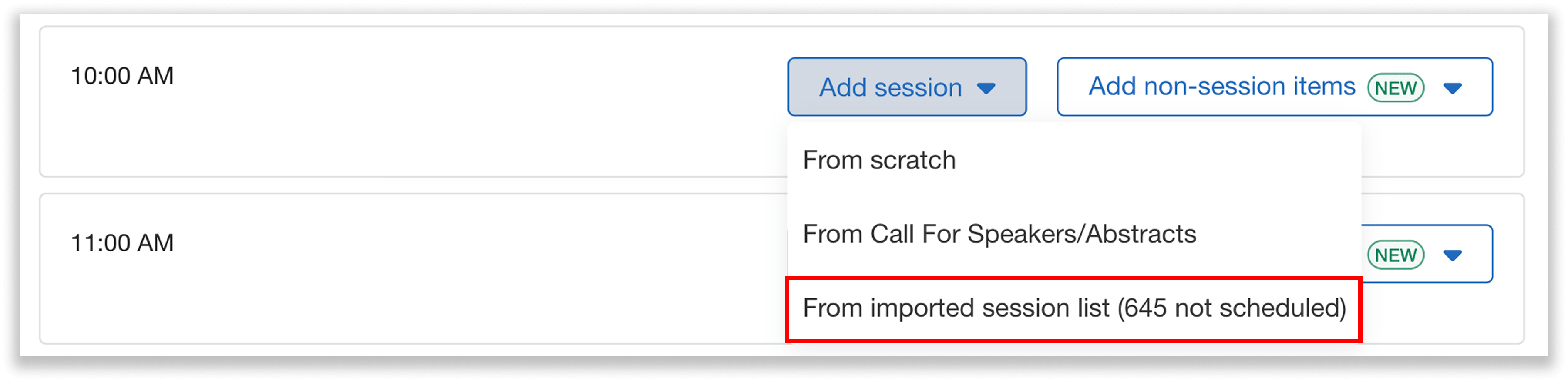
Select “From imported session list” to schedule sessions uploaded from OpenReview.
You can then view your uploaded sessions. Whova will show you exactly how many need to be scheduled, and you can search by title or OpenReview number/ID to quickly find specific papers.
When you select a session, the title and abstract (called description) will automatically populate the details for that time slot. You can then edit these details however you like without affecting the original session in your list.
Option 2: Manage and Schedule From the Session List
You can also manage all imported submissions in one place.
Click “See imported session list” to open the session list dashboard.
Key columns here include each session’s ID (number assigned by OpenReview), title, and date/time (if it’s been scheduled).
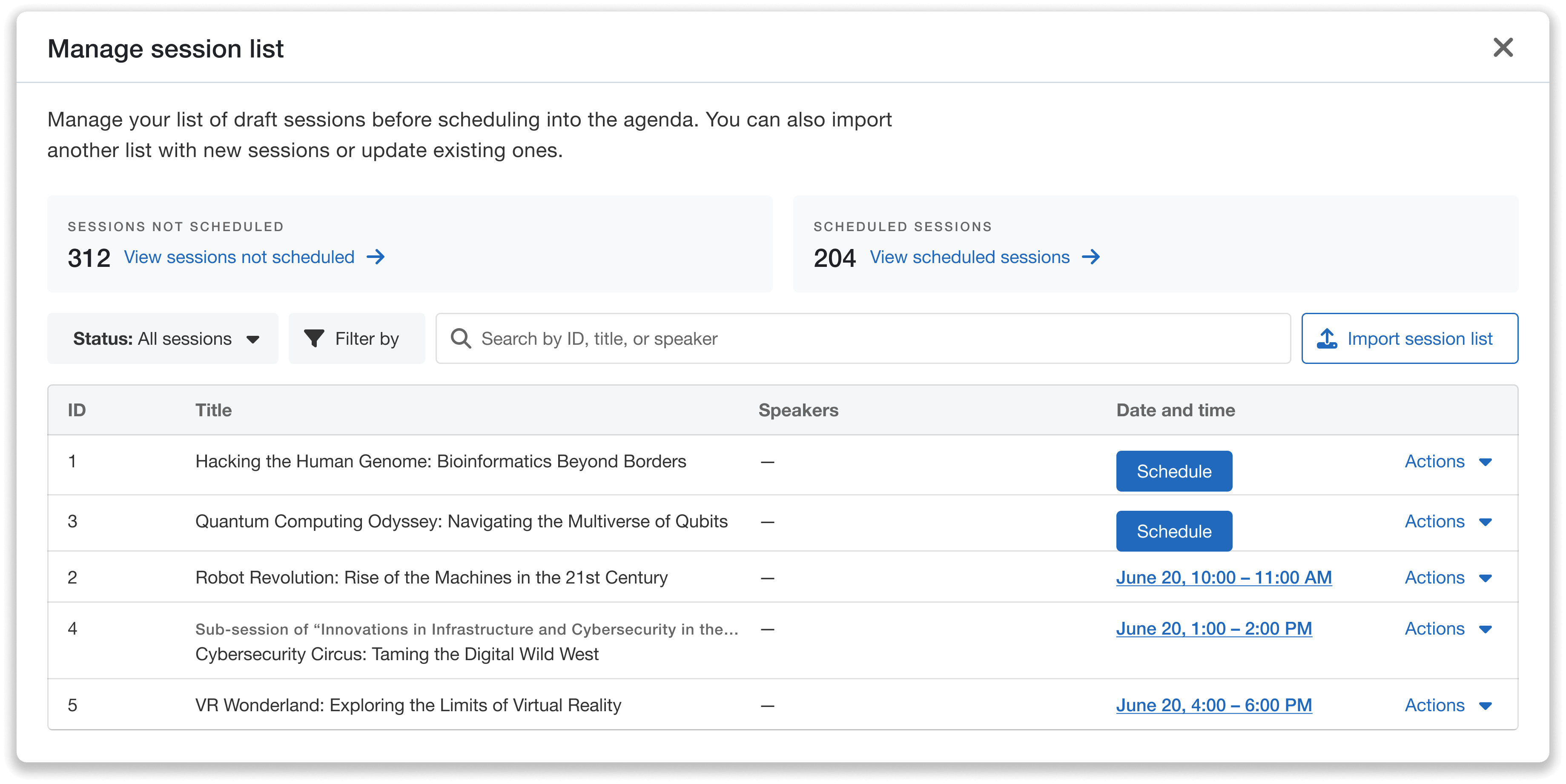
Manage all your imported sessions in one centralized dashboard.
From this view, you can filter, search, and even view scheduled and unscheduled sessions separately to quickly see what still needs to be scheduled.
Click the Schedule button to assign unscheduled sessions to a time slot. This will create a session in the agenda with the title and abstract prefilled. You can then edit any of the details without affecting the original session in your list.
Re-Import Anytime to Reflect Updates
Academic programs evolve constantly—abstracts might change, and new acceptances may arrive close to the event date.
Whova supports importing new files from OpenReview at any time. Simply upload another file to add accepted submissions and/or update existing session information.
How updates are handled:
- New sessions: Any new submissions (identified by their number/ID) are added to your list as unscheduled sessions, ready for placement.
- Existing sessions: If a matching ID already exists, Whova updates the corresponding record (e.g., title or abstract).
Even if a session is already scheduled, updates sync automatically. For example, if an import from OpenReview includes a revised abstract for a scheduled session, Whova will reflect that change in the agenda.
Effortlessly Turn Accepted Papers Into a Polished Program
Building an academic conference agenda often requires manually transferring accepted submissions between multiple systems. Whova’s OpenReview Integration eliminates that extra work by letting organizers import accepted submissions directly into your conference software.
Instead of working through spreadsheets or duplicating data across platforms, you can move directly from accepted papers to scheduling sessions. That means less manual work, fewer errors, and a faster path from peer review to a finalized program.
Start scheduling from your Whova dashboard today, or request a demo to learn more.