
By: Whova Team | Last Updated: September 18, 2026

Worried about double-booking a vendor at your next trade show?
Paper contracts, PDF layouts and email threads leave no shared record of what has sold. So two vendors get offered the same corner booth. Insurance certificates go missing the same way, and invoices sit unpaid because nobody can see which ones are open.
Exhibitor management software brings booth sales, floor plan layouts, document collection and lead retrieval into one centralized dashboard. Vendors reserve and pay for their own space. You get to see the whole floor.
If you are searching for the best exhibitor management software in 2026 to automate booth reservations and speed up vendor onboarding, here is your complete comparative guide.
Key Takeaways
- Enterprise platforms: Cvent and A2z Events, for multi-hall conventions with sponsor hierarchies, approval chains and contract-stage booth sales.
- Floor plan specialists: Expo FP and Map Your Show, for organizers who already have an event website and only need booths sold off a map.
- Single-function tools: Expo Pass for check-in and badge printing, Swapcard for buyer meetings, vFairs for 3D virtual halls.
- All-in-one platforms: Whova covers the whole exhibitor lifecycle, from booth selection through to lead export, covering what most trade shows and association expos need.
What Should You Look for in Exhibitor Management Software?
Event management software in this category ranges from standalone floor plan builders to full event platforms. Five capabilities decide whether a platform is worth a demo.
1. Centralized Exhibitor Management
One dashboard covering vendor registrations, booth assignments, payment status and booth staff passes. Without it you are cross-referencing a spreadsheet against your inbox every time someone asks whether a vendor has paid.
2. Floormap Management and Interactive Booth Selection
Vendors reserve and pay for their own space from a live floor plan rather than emailing to ask what is open. Tiered pricing runs off the same map, so a premium corner costs more than an interior booth without you having to explain why.
3. Exhibitor Portal with Dedicated Exhibitor Messaging
A self-serve space where vendors upload logos, company descriptions and certificates of insurance, and message organizers directly without leaving the portal. Check for certificate of insurance (COI) tracking with automated reminders on outstanding documents, because chasing COIs by email is where things can go wrong.
4. Online Exhibitor Booths
Digital storefronts where attendees browse products, watch a demo and request a meeting. Booths open the moment your event app publishes, so a vendor starts collecting leads weeks before anyone walks the floor.
5. Lead Retrieval and Lead Export
Badge scanning vendors run from their own phones, with notes and a quality rating saved against each scan. Exhibitors should be able to download their own lead list to Excel during or after the event.
How Do Exhibitor Software Options Compare at a Glance?
Feature lists look similar until you put them side by side. The table below covers what each platform is built for, its standout exhibitor feature, and how it is priced, so you can narrow your list.
How Do Exhibitor Portals and Interactive Maps Increase Revenue?
Vendors decide a premium tier depending on what surrounds the booth which could include the main entrances, the food stations and the presentation stages. A rate card gives them a price and nothing else, and a floor plan sent as an attachment goes out of date the moment another booth sells.
Interactive floor maps and tiered registration handle both. Organizers upload a plan with the entrances, pathways and food areas marked, then place the booths on it by exhibitor tier and pricing level. Each pin carries a booth number, a size and a description. The vendor opens the map during registration, clicks between booths to compare what each one offers, and picks their own space.
Premium corners and standard interior spaces carry their own prices on the same map, so the vendor sees what the better position costs while they are looking at its location, and they pay for whichever they choose before they leave the page. That is much more convenient than checking booth numbers on a rate card against a floor plan in a separate attachment, which may be out of date.
Exhibitors also want to know whether their booth paid off: CEIR found that 81% evaluate how well their attendee engagement worked, and 63% monitor those results in real time during the show. With lead retrieval and lead export built into the same platform that sold the booth, every scan links back to the exhibitor’s space, so they can see what the booth brought in before the show ends and have a reason to book again next year.
What Are the Top 8 Exhibitor Management Software Platforms in 2026?
1. Whova
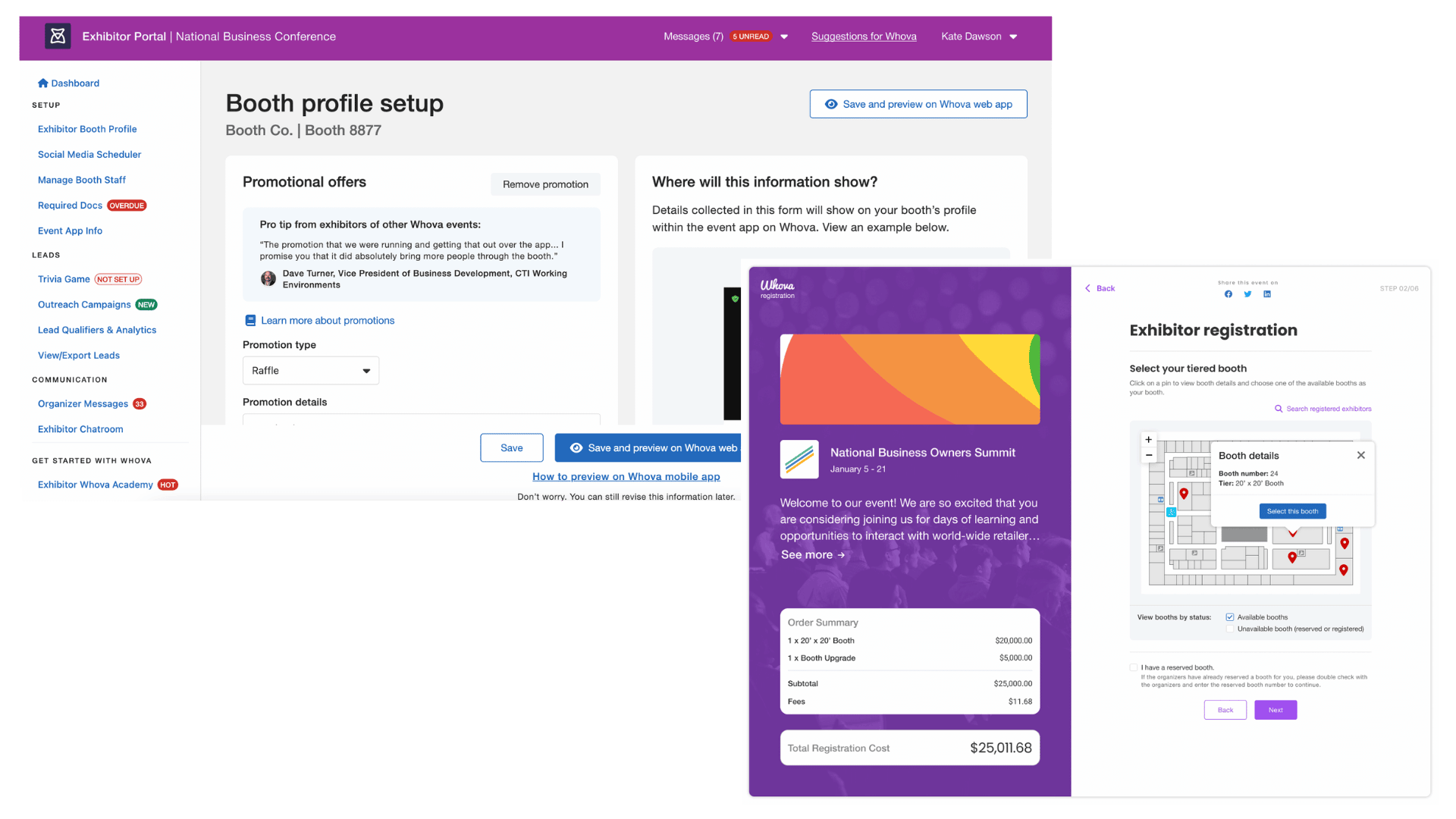
Quick Verdict: Whova is a top-rated, all-in-one event platform offering self-serve floor map reservations, dedicated exhibitor portals, and high-converting lead retrieval tools.
Whova’s exhibitor management runs booth sales, an exhibitor portal, document collection and lead retrieval through one platform. You upload the hall map as an image, place the booths on it with colored pins by tier, and publish.
Exhibitors then pick their own booth within the tier they bought and pay for it during registration by card, check, wire or invoice. Once a booth sells, the map marks it as taken so no one can book it twice. You can also hold booths for VIP exhibitors before the map goes live, and those booths appear under the VIP company’s name so other exhibitors can’t book them.
Best For: Trade shows, association expos, conventions, and conferences seeking a reliable and easy to use tool for booth and exhibitor management.
Standout Exhibitor Management Features:
- Centralized exhibitor management: Track vendor profiles, documents, and registrations in one view.
- Tiered exhibitor registration: Build a custom question form for each exhibitor tier to collect unique information to accommodate those exhibitors, such as equipment or shipping requirements, and fill in the exhibitor’s online booth automatically.
- Booth selection and reservation: Vendors choose exact booth numbers from a live floor map during signup based on their tier.
- Exhibitor portal and dedicated messaging: Exhibitors upload promotional videos, logos, product documents, and staff names while organizers are able to message exhibitors directly with important information.
- Lead retrieval and export: Vendors scan attendee badges using the Whova app and export lead data instantly to Excel or CSV.
- Online exhibitor booths: Showcase products to remote or early-arriving attendees via branded digital booths.
Pros and Cons:
Pros: Intuitive setup for non-technical event organizers; fast onboarding
Cons: Designed for event-wide execution rather than standalone floor plan visualizer tool.
Pricing: Flexible, transparent per-event quotes.
2. Cvent
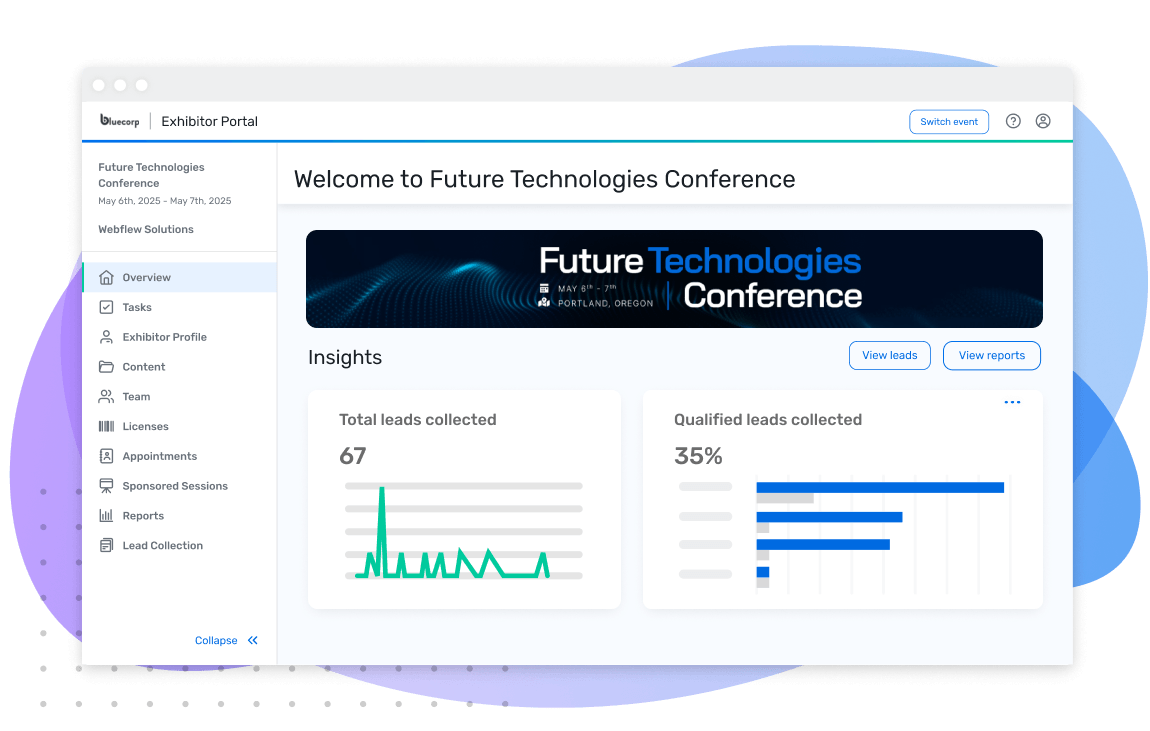
Image credit to Cvent
Quick Verdict: Cvent is an enterprise event platform suited for large convention centers and global trade show operations.
Cvent’s exhibitor management covers booth allocation, a portal, booth staff registration and lead capture. Booths are pinned to an uploaded floor plan, and you choose how they are delegated: assigned by you, first come first served, or requested by the exhibitor and approved on the map.
Eligibility rules control which booths each exhibitor sees, so the spaces held for gold sponsors stay invisible to everyone else. Lead capture runs through Cvent LeadCapture, which exhibitors buy as licenses or rent as devices instead of scanning from their own phones.
Best For: Enterprise organizations needing venue sourcing and large hall management capabilities.
Key Features:
- Floor plan mapping: Booths are created in the platform and pinned to an uploaded plan.
- Exhibitor portal: You can assign and track tasks, plus booth staff registration is included.
- LeadCapture: Lead scanning, qualification and export, sold as licenses or rented devices.
- Space allocation: Can configure booth spaces to be assigned by you, first come first served, or requested and approved on the map.
Pros and Cons:
Pros: Comprehensive logistical capabilities for multi-hall expos.
Cons: Requires additional onboarding time; structured around annual enterprise licensing.
Pricing: Custom annual contract.
3. A2z Events by Personify
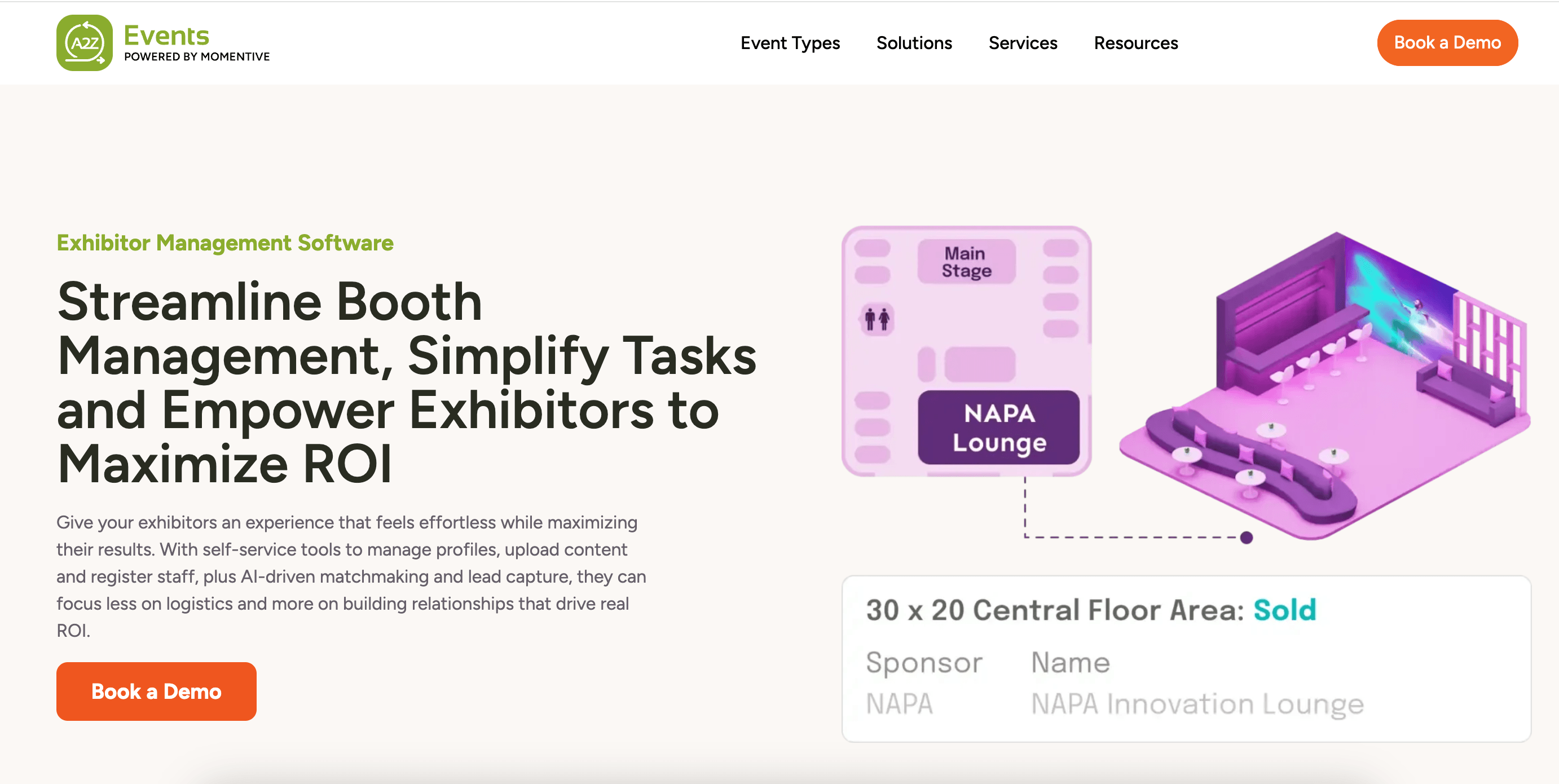
Image credit to A2Z Events
Quick Verdict: A2z Events is a trade show platform built specifically for large expo hall management, booth sales, and floor planning.
A2z starts the exhibitor relationship at the contract, not the checkout. The booth contract is online and configurable, so you can match it to how your sales team already sells space, and the payment runs through the same flow rather than as a separate invoice afterwards.
You build the hall layout yourself in a drag-and-drop editor, and once an exhibitor is signed they take over their own profile, documents and booth content in the exhibitor console. Badge scanning handles lead retrieval, and if you run several shows a year, every one of them saves in the same database, so you can report across all of them instead of per event.
Best For: Mid-to-large trade shows requiring dedicated financial tracking and contract management for booth sales.
Key Features:
- Interactive floor maps: Drag-and-drop editor, with booths color-coded available, reserved or occupied in real time.
- Exhibitor portal: Exhibitors manage profile, documents, booth content and contracts.
- Booth sales management: Configurable online booth contracts with payment collection
- Sponsor package tracking: Sponsorship contracting alongside booth sales, in the same financial reporting
Pros and Cons:
Pros: Specialized focus on trade show operations and floor plan sales.
Cons: User interface follows a structured setup that may require formal staff training.
Pricing: Custom annual quotes.
4. Expo FP
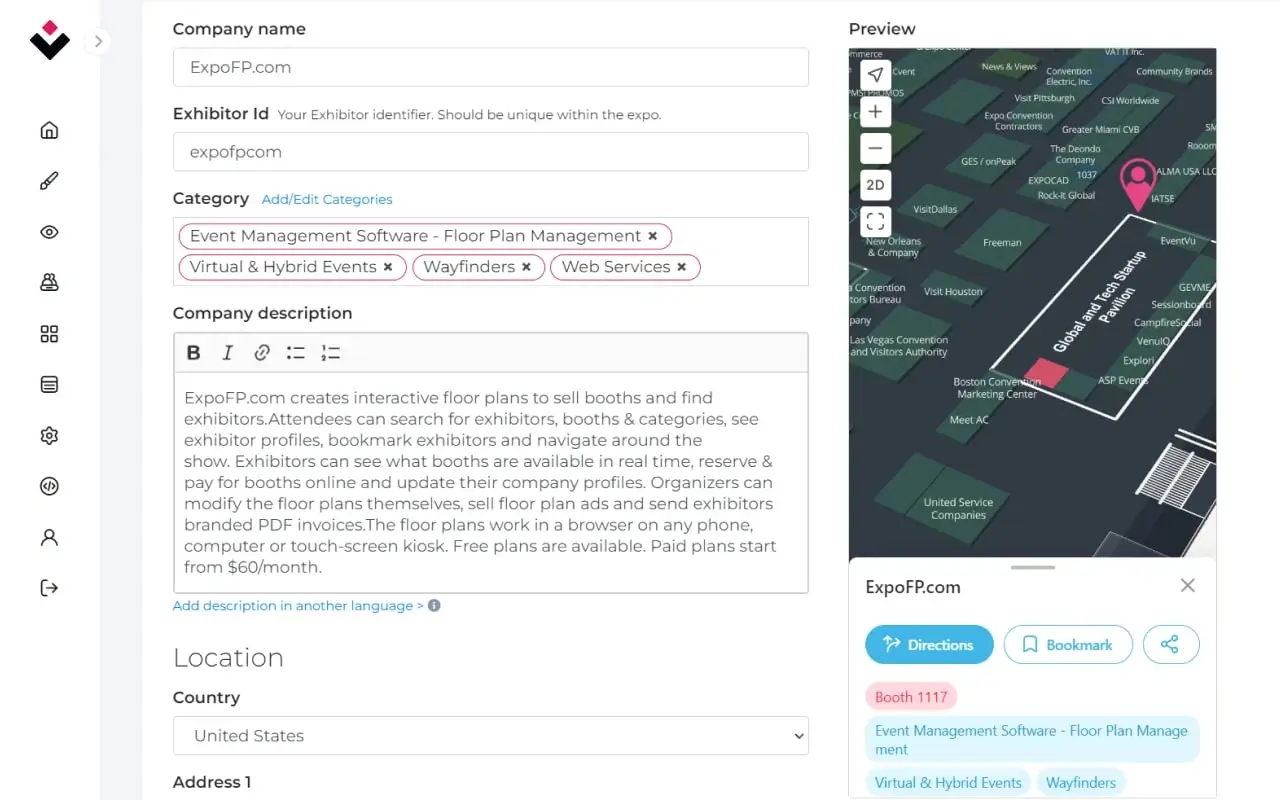
Image credit to Expo FP
Quick Verdict: Expo FP focuses on interactive floor maps and floor plan visualizers that integrate into event websites for online booth sales.
Best For: Event organizers who want an easy, visual floor map builder dedicated to booth reservations.
Expo FP gives exhibitors a portal for their booth details, their company profile and their invoice history. Everything runs off the floor plan you build in a drag-and-drop editor and embed in your own event website.
Vendors reserve and pay without leaving your site, and the invoice generates itself the moment they book and land in the portal. Staff names are collected there too, then exported for badges. Rebooking mode lets them hold their spot for next year before sales open. What you will not get is lead retrieval, so your vendors need something else to scan attendees with.
Key Features:
- Drag-and-drop floor map builder: Add, move and resize booths yourself, any time
- Online booth reservation: Exhibitors see availability, sizes and pricing, then reserve and pay from the map
- Exhibitor portal: Booth details, invoices, payments and company profile
- Exhibitor directories: Searchable listings linked to booth locations
Pros and Cons:
Pros: Intuitive map editing tools and fast setup.
Cons: Focuses on mapping and booth sales rather than full event registration or mobile app networking.
Pricing: Per event or annual subscription based on booth count.
5. Map Your Show
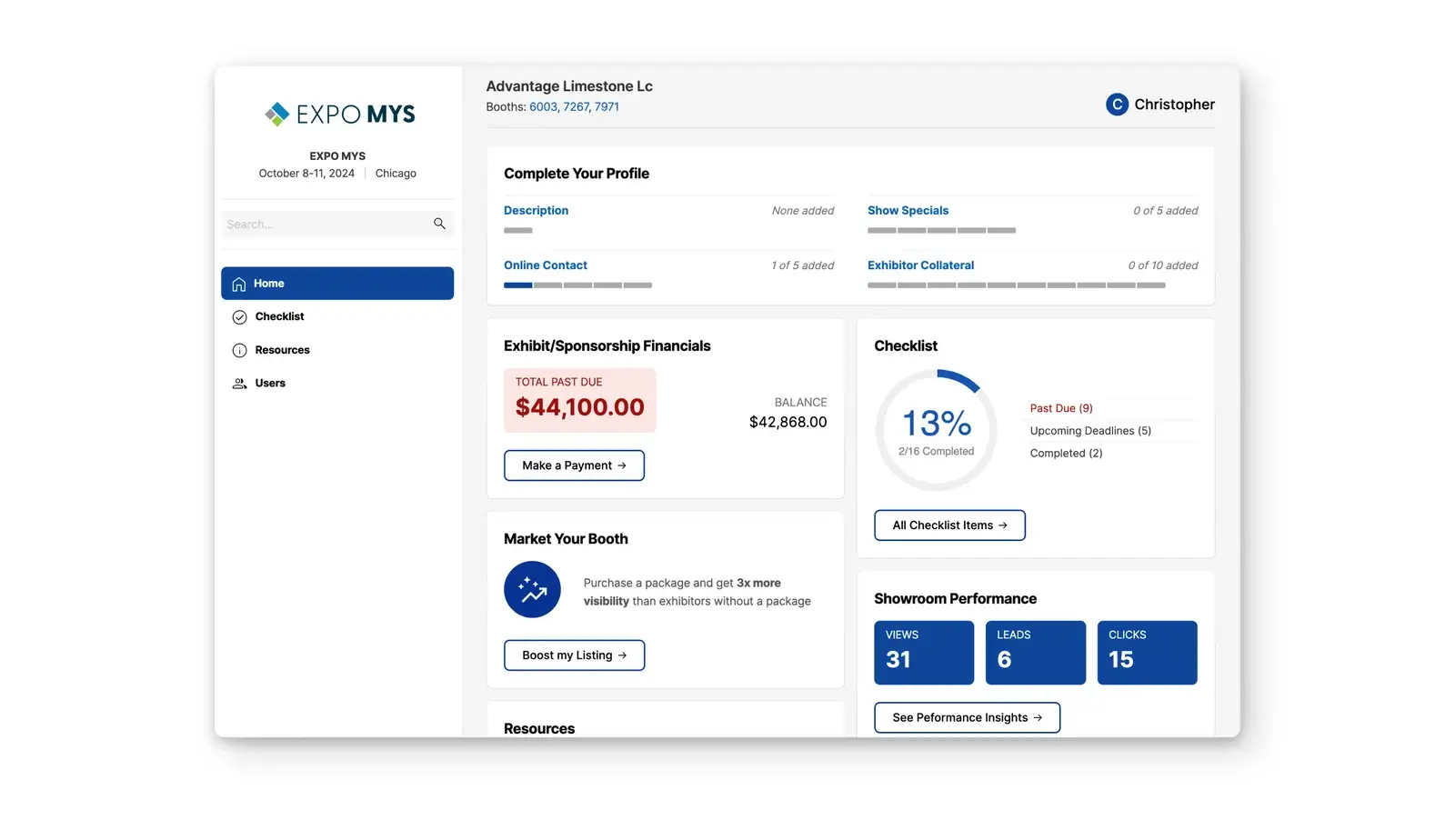
Image credit to Map Your Show
Quick Verdict: Map Your Show is trade show technology for large expo hall mapping and printed directory publishing.
Map Your Show puts you in charge of who gets which booth. Exhibitors tell you the spaces they want, along with the companies they want to be near or kept away from, and you assign the floor from there. They can see what each available space costs while they ask for it, so nobody ends up allocated a booth they were never going to pay for.
The portal covers their directory listing, the deadlines you set them and the promotional options you are selling. Badge scanning is included for lead capture. Rebooking runs during the show itself, so exhibitors commit to next year from inside this year’s booth.
Best For: Major industry trade shows requiring printed show guide generation alongside digital maps.
Key Features:
- Floor plan builder: Draw and edit the hall layout, with every booth assignment updating on the plan as it changes
- Booth sales management: Exhibitors apply for space, you assign it, and they can see what each available booth costs before they commit
- Exhibitor portal: Exhibitors update their own directory listing, track the deadlines you set them, and buy the promotional add-ons you’re selling
Pros and Cons:
Pros: Detailed hall mapping tools tailored for large expos.
Cons: Interface follows a traditional design layout compared to modern mobile-first applications.
Pricing: Custom quote.
6. Expo Pass
Image credit to Expo Pass
Quick Verdict: Expo Pass centers around simple on-site check-in, fast badge printing kiosks, and straightforward vendor lead capture.
Expo Pass is limited on exhibitor management compared to the other platforms. But it covers lead retrieval. Exhibitors scan attendee badges from their own phones, tag and note each lead at the stand, and export to their CRM. Booth staff register and get their badges through the same system.
Best For: In-person trade shows that prioritize fast morning registration lines and badge creation.
Key Features:
- Badge printing kiosks: On-demand printing at check-in, with iPads, printers and routers shipped to you
- Mobile lead retrieval app: Exhibitors scan badges from their own phones, add notes and ratings, then export leads
Pros and Cons:
Pros: Quick setup for on-site registration lines.
Cons: Booths are assigned through a spreadsheet upload rather than a map exhibitors can pick from, and lead retrieval costs extra for each exhibitor.
Pricing: Custom quote per event.
7. Swapcard
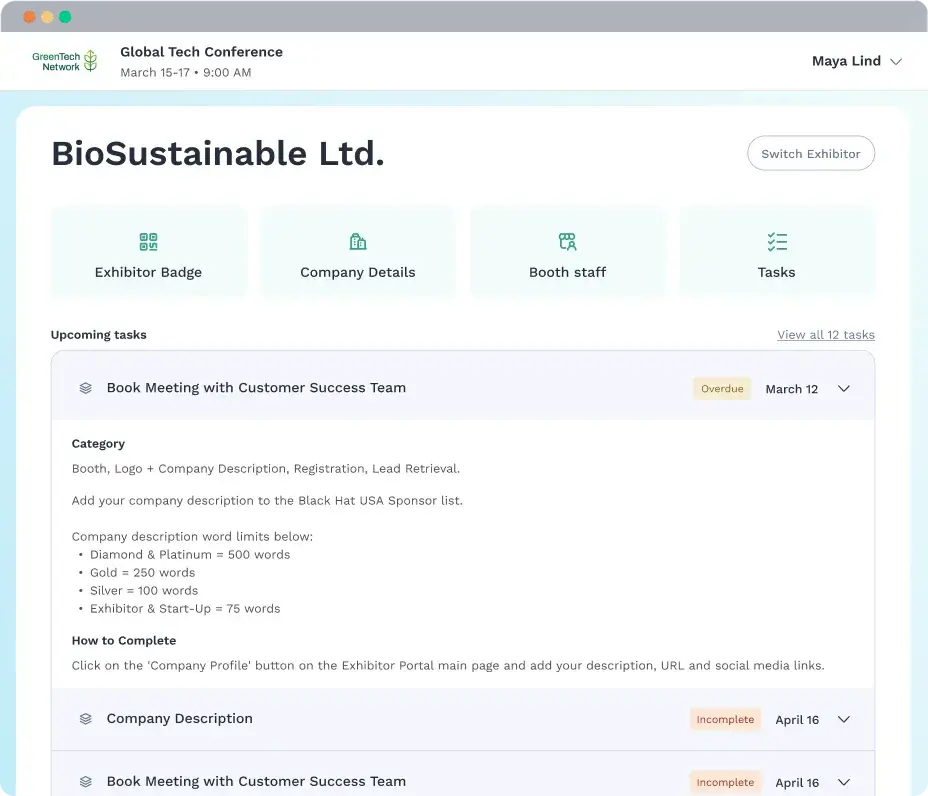
Image credit to Swapcard
Quick Verdict: Swapcard utilizes artificial intelligence to match attendees with relevant trade show exhibitors and schedule 1-on-1 meetings.
Best For: B2B expos focused heavily on pre-scheduled buyer meetings.
Swapcard runs exhibitor management through a self-service portal where exhibitors set up their profile, add their team and manage their meetings. The floor plan is interactive, so attendees click a booth to open that exhibitor’s profile and book a meeting from the map.
Badge scanning works on iOS and Android without signal, and profile views, meeting requests and chat messages count as lead signals alongside the badge scans. Exhibitors qualify each one, then export to their CRM.
Key Features:
- AI matchmaking: Suggests leads to exhibitors based on booth visits and engagement
- Interactive floor plans: Click a booth to open the exhibitor profile and book a meeting
- Digital vendor profiles: Exhibitors manage their own profile, products and team
- Lead scanning: QR and NFC badge scanning that works offline with CRM export
Pros and Cons:
Pros: Automated buyer-exhibitor meeting recommendations.
Cons: Configuration can require additional setup time for smaller teams.
Pricing: Tiered annual or per-event plans.
8. vFairs
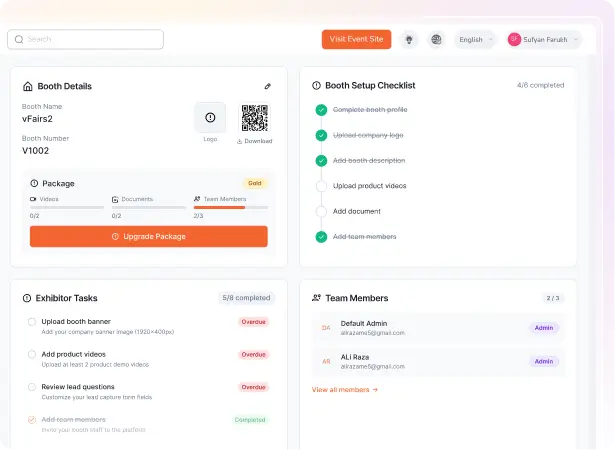
Image credit to vFairs
Quick Verdict: vFairs specializes in visually rich, 3D interactive virtual environments for trade shows and hybrid expos.
vFairs covers exhibitor management from the sale through to the leads. You design tiered packages with booth sizes and add-ons, and early-bird pricing applies itself on the dates you set, with the payment collected in the portal.
Exhibitors log in through a magic link and work through the tasks you assign them. They build the booth themselves in a drag-and-drop editor. Lead capture runs through an app that scans badges and business cards, takes voice notes and syncs to their CRM.
Best For: Organizations hosting digital-first virtual expos or 3D trade show halls.
Key Features:
- Package sales: Tiered booth sizes and add-ons, with early-bird pricing applied automatically
- Exhibitor portal: Magic-link login to see the tasks you set them with deadlines
- Booth builder: Drag and drop, so exhibitors design their own booths
- Lead capture: App that scans badges and business cards and syncs to CRM
Pros and Cons:
Pros: Immersive digital experience for remote attendees.
Cons: 3D asset creation requires additional preparation time. 3D exhibition halls might benefit remote events more than in-person.
Pricing: Custom quote.
Which Exhibitor Management Software Fits Your Event Best?
Multi-hall conventions with sponsor hierarchies and approval chains need a platform built for that scale, which is what Cvent and A2z Events offer. Expo FP sells booths off a plan if you already have an event website, while Map Your Show suits organizers who assign the floor themselves.
Swapcard is built for shows where the value is in pre-booked buyer meetings, and its AI does the matching. vFairs is for virtual and hybrid expos, where the hall itself is a 3D environment attendees walk through online.
For most trade shows and association expos the deciding factor is whether booth selection, the exhibitor portal, document collection and lead retrieval work together without using different tools.
That is where Whova offers the biggest advantage. Exhibitors pick their own booth off the floor map, upload documents and get messages from the same portal, then scan leads from their own phones. Over 50,000 events have run on our platform.
See how the interactive floor map and exhibitor portal work on your own floor plan: book a free Whova demo.

Frequently Asked Questions About Exhibitor Management Software?
What Is Exhibitor Management Software?
Exhibitor management software is a platform that event organizers use to sell, assign and administer exhibition space, while also manage the vendors who occupy it across the full life of an event.
Exhibitors pick their booth off an interactive floor map, upload documents like certificates of insurance, and manage their own profile and staff from a portal. Most platforms also include lead retrieval, so vendors scan attendee badges and export the results themselves.
How Do Exhibitors Collect Leads at an Event Using Software?
Vendors use a lead retrieval mobile app, such as the Whova app, on their smartphones to scan attendee badges (via QR codes). They can take notes, rate lead quality, and export their full lead list immediately after the show to CSV or Excel.
How Can Exhibitors Increase Their Booth Traffic Using Software?
Before the show, exhibitors can message attendees directly through outreach campaigns, set up promotional offers like coupons, raffles or giveaways that attendees claim in the app, and load their booth profile with videos and product details so people plan a visit. During the show, gamification does the rest. Passport contests send attendees round the floor collecting stamps at each booth, and anyone who claims an offer or scans in becomes a lead the exhibitor can follow up.
How Does Vendor Registration and Online Payment Work?
Most platforms let vendors pay while they reserve their booth, so the sale and the payment happen together instead of an invoice going out afterwards. Check that the platform accepts more than cards, since larger exhibitors often pay by check, wire or invoice.
How to Communicate Efficiently With Exhibitors and Booth Staff Members?
Use software that keeps communication on the platform. You can message exhibitors from the same place they manage their booth, so the thread sits with their profile and documents instead of an inbox. Set deadlines as tasks with automatic reminders, and let booth staff register themselves within the limits set for their booth.
Can Exhibitors Manage Their Own Documents and Booth Information?
Yes. The exhibitor portal is where vendors upload their logo, company description and certificate of insurance, and add their booth staff. Organizers set the deadlines and the platform sends the reminders, so nobody on your team is chasing a missing COI by email.
How Does an Interactive Floor Map Help Event Organizers?
Vendors see what is still available and pick their own booth during registration, which takes you out of the middle. Sold booths are marked, so the same space cannot go to two exhibitors. The map also shows you which tiers are selling and which are not, with enough time left to promote the ones that are sitting.