
By: Whova Team | Last Updated: September 18, 2026
Event lead capture apps allow booth staff to turn their smartphones into badge scanners, enabling real-time lead qualification, instant export, and quicker follow-up without renting external hardware.
CEIR’s Marketing Spend Decision Report found that B2B exhibitors spend 41% of their annual marketing budget on trade shows, and that lead generation is the main reason they go. Exhibitor ROI comes down to what happens to those leads once their badges are scanned.
If you are looking for the best event lead capture app in 2026 to help your exhibitors collect, rate, and follow up on booth contacts, here is how the top options compare.
Key Takeaways
- Lead capture apps are how exhibitors collect contacts at a trade show. Booth staff scan the QR code on a visitor’s badge and save the visitor’s name, company, and email as a lead.
- Mobly, iCapture, Captello, Conexa, and Perspective AI are independent apps the exhibitor brings to any show. They work regardless of what platform the organizer uses, and add features like contact enrichment, qualification forms, intent scoring, and CRM sync.
- Cvent LeadCapture, Eventleaf, and Whova are only available when the event organizer runs on their respective platforms. The exhibitor gets access via the organizer. Whova also supports virtual booths and allows lead exports during the show.
Why Do Event Organizers and Exhibitors Need a Dedicated Lead Capture App?
A dedicated lead capture app plays a big part in an event strategy for the following reasons.
You Don’t Have to Rent Hardware
Event organizers rent lead retrieval scanners out per device, so an exhibitor who wants every rep scanning pays for every rep. Mobile QR code scanning removes that cost, because staff use their own phones and sign in to the same exhibitor account. Multi-staff scanning is usually included in those apps.
You Can Capture Context, Not Just Contacts
A badge scan returns what the attendee gave at registration, so the lead stops at name, job title, company and email. Lead qualification and tagging add the rest, letting reps record buyer intent, budget and follow-up notes during the conversation. A rep can also rate the lead as they scan, so the list reaches the sales team already sorted by priority.
Instant Access for Fast Follow-Up
Rented scanners hand the lead file back after the event, so the first chance to work the list comes once everyone has gone home. Real-time viewing and export puts each lead in the exhibitor’s account the moment it is scanned, and the whole booth team sees the same list as it fills. Sales can pull a CSV data export or sync contacts to a CRM, which means reaching out while the visitor still has the interaction fresh on their mind.
How Do the Top Event Lead Capture Apps Compare in 2026?
What Key Features Should You Look for in an Event Lead Capture App?
These are the five features worth checking before you commit to a platform.
1. Mobile QR Code Scanning and Multi-Staff Scanning
Check how many staff can scan QR codes at once and whether the app runs on both iOS and Android. Some platforms charge per user or cap the number of logins per booth, so it is worth asking what the limit is.
2. Automatic Lead Collection in Virtual Booth Exhibits
Many events give each exhibitor a page on the event platform alongside their physical stand, where attendees watch a demo video, download a brochure or send an inquiry. Nobody scans a badge for any of that, so look for a platform that turns those actions into lead entries on their own, landing in the same lead list as the scans from the stand.
3. Lead Qualification and Custom Tagging
Ask whether exhibitors write their own qualifying questions or choose from a fixed set, since a standard form rarely suits every stand at a show. Reps should also be able to tag a lead hot, warm or cold at the moment they scan it.
4. Exhibitor Portal and Outreach Campaigns
An exhibitor portal is where a booth manager adds staff, sets access and watches leads arrive during the show. Some portals offer exhibitor outreach campaigns, so they can message attendees before doors open and follow up during the event.
5. Real-time Data Export
Some platforms release contacts as they are scanned, and others hold the file until the show closes, which decides whether reps follow up on day one or once they are home. For teams working out of Salesforce or HubSpot, a direct CRM export saves the reformatting a spreadsheet needs before anyone can use it.
What Are the 8 Best Event Lead Capture Apps for 2026?
1. Whova
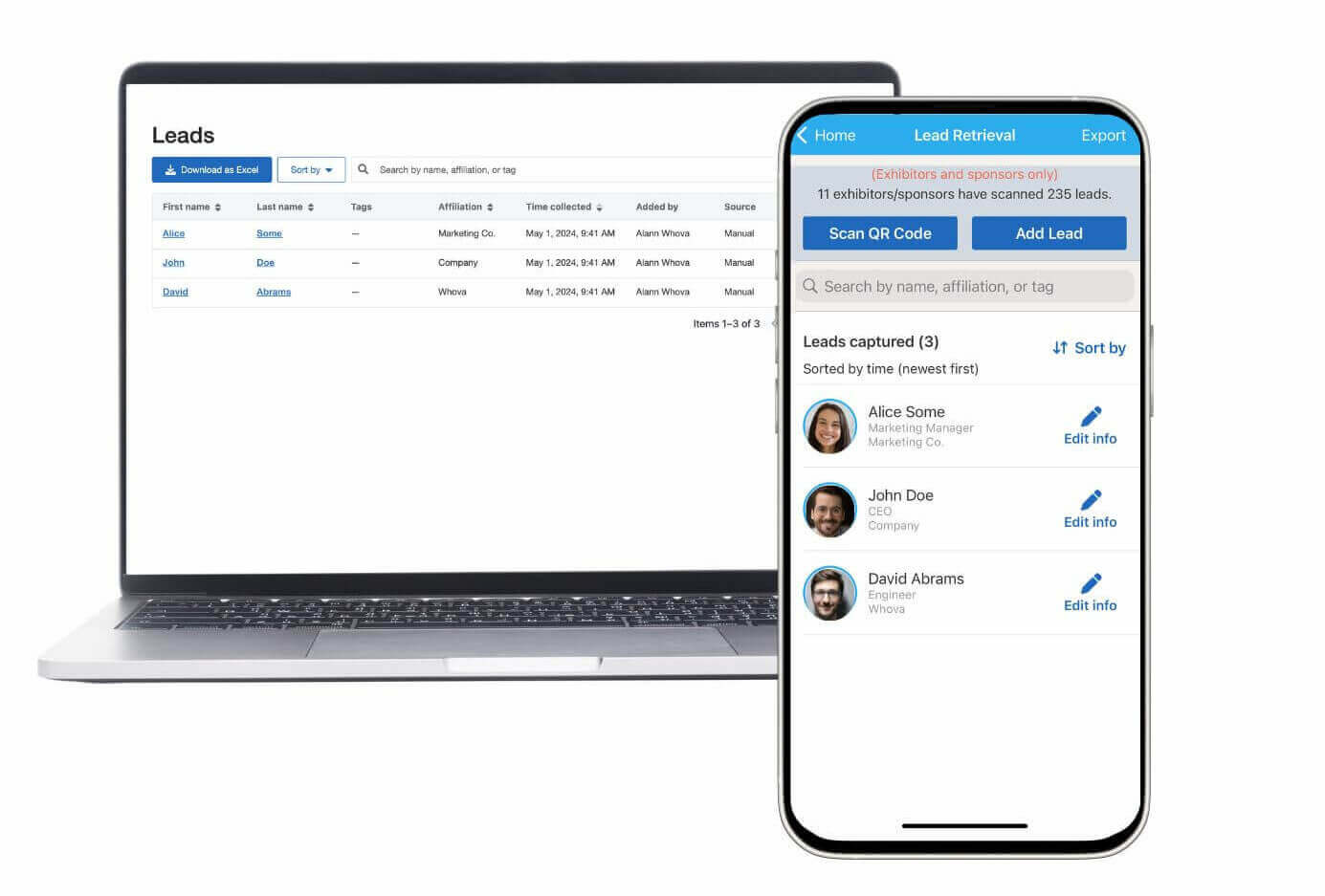
Quick Verdict: Whova is a top-rated event management platform offering mobile lead retrieval, multi-staff scanning, and automated online booth capture within an easy-to-use exhibitor portal.
Best For: Trade shows, expos, conferences, and hybrid events seeking a complete lead retrieval software for all exhibitors.
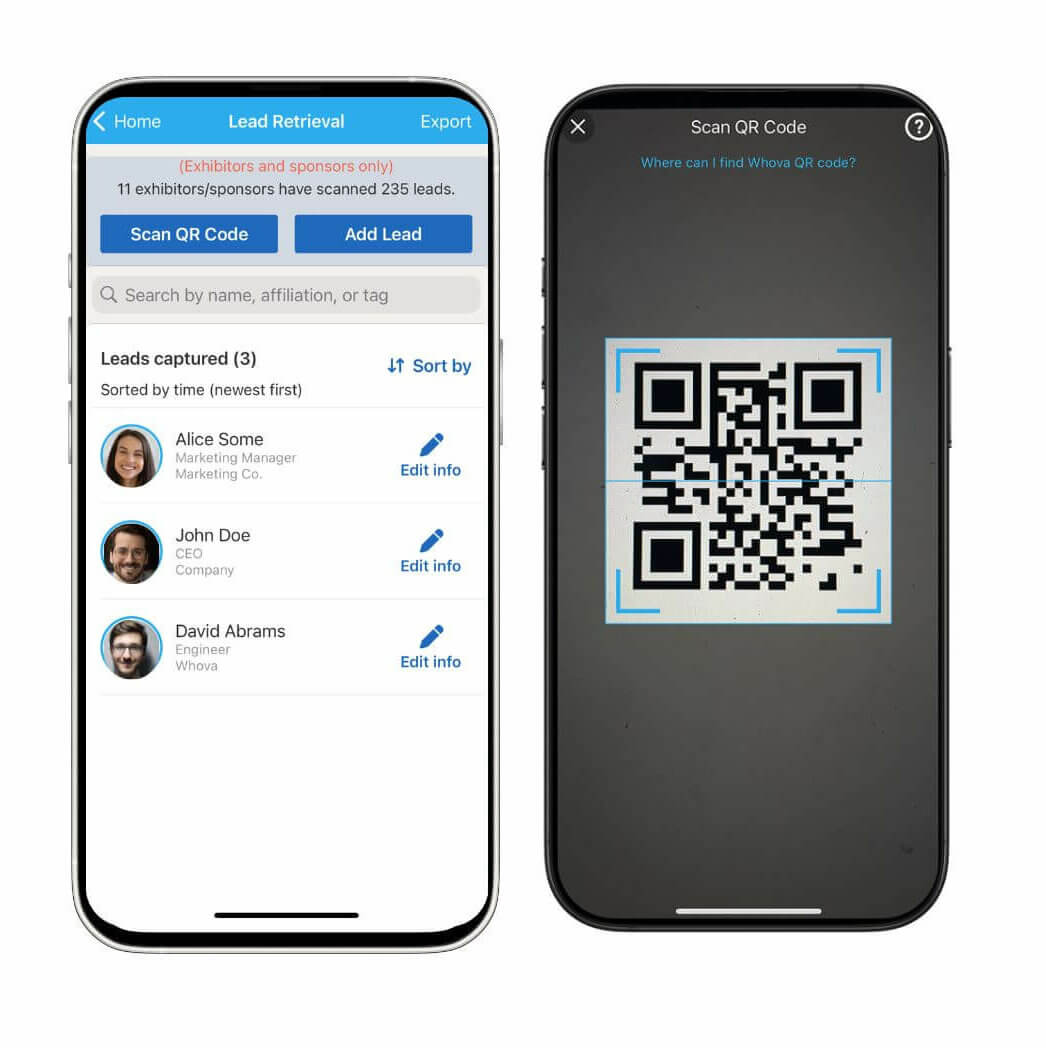
Lead Capture Performance: Booth staff use mobile QR code scanning on their own smartphones to capture attendee badges. Multi-staff scanning means every rep on the stand works into one shared account.
Exhibitors can also pick up leads through the event app. Each one gets an online exhibitor booth, a page where they can post promotional offers such as giveaways or coupons. When an attendee claims one of those offers, or replies to the exhibitor’s outreach message, that attendee goes into the same lead list.
Key Features:
- Real time viewing and export on the Lead Retrieval page. Leads appear as they are scanned, and exhibitors can download the list as a spreadsheet at any point during the event.
- Lead qualification and tagging through custom Lead Qualifier tags. Exhibitors create and edit their own tags and apply them at the booth or in the portal afterward, then see the spread across tags on a Lead Qualifiers and Analytics page. They can also add additional notes to each lead to remember important information during the interaction.
- Built-in exhibitor outreach campaigns for messaging attendees before and during the show. Attendees can reply by sharing their contact details or opening the booth page.
- A dedicated exhibitor portal for booth setup, lead qualifier management and social media scheduling. The main contact invites booth staff by email and sets whether each person sees only their own leads or everything the team collected.
Pros and Cons:
Pros: Highly intuitive interface, eliminates lead retrieval hardware rentals, and provides extensive tools for exhibitors aside from lead collection.
Cons: Designed for events managed through Whova rather than as a standalone single-booth app.
Pricing Format: Custom quote per event
2. Eventleaf
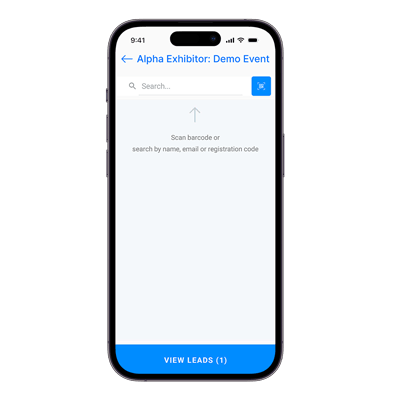
Image credit to Eventleaf
Quick Verdict: Eventleaf offers straightforward badge scanning and registration tools suited for event entry check-in and basic lead collection.
Best For: Organizers seeking simple check-in and standard badge scanning.
Lead Capture Performance: Booth staff scan the barcode on an attendee’s badge through the Eventleaf Leads app, then rate the lead and add notes on the spot. Eventleaf splits its tools into three apps, one for leads, one for check-in and one for attendees, and organizers pre-authorize which exhibitor staff can use the Leads app and decide which attendee fields show up on the scan.
Key Features:
- Lead ratings and notes saved against each scan, with the list exported as a file or emailed out.
- Badge scanning and onsite printing at check-in through the Check-In app, working offline and syncing once the connection returns.
- Role-based permissions, so organizers assign check-in to their own staff and the Leads app to exhibitors.
- Attendee details, session selections and badge data syncing across all three apps from one dashboard.
Pros and Cons:
Pros: Check-in, attendee and lead retrieval are three apps from the same company, and they all read the same attendee list. Organizers keep control of who gets access.
Cons: Lead capture focuses on scanning, rating and notes. Advanced gamification and outreach campaigns for exhibitors might be limited.
Pricing Format: Pricing Format: Per attendee per year, unlimited events and users. Free to 100 attendees, then $1 or $2 an attendee, with Ultimate quoted. Mobile apps need Professional or above.
3. Mobly
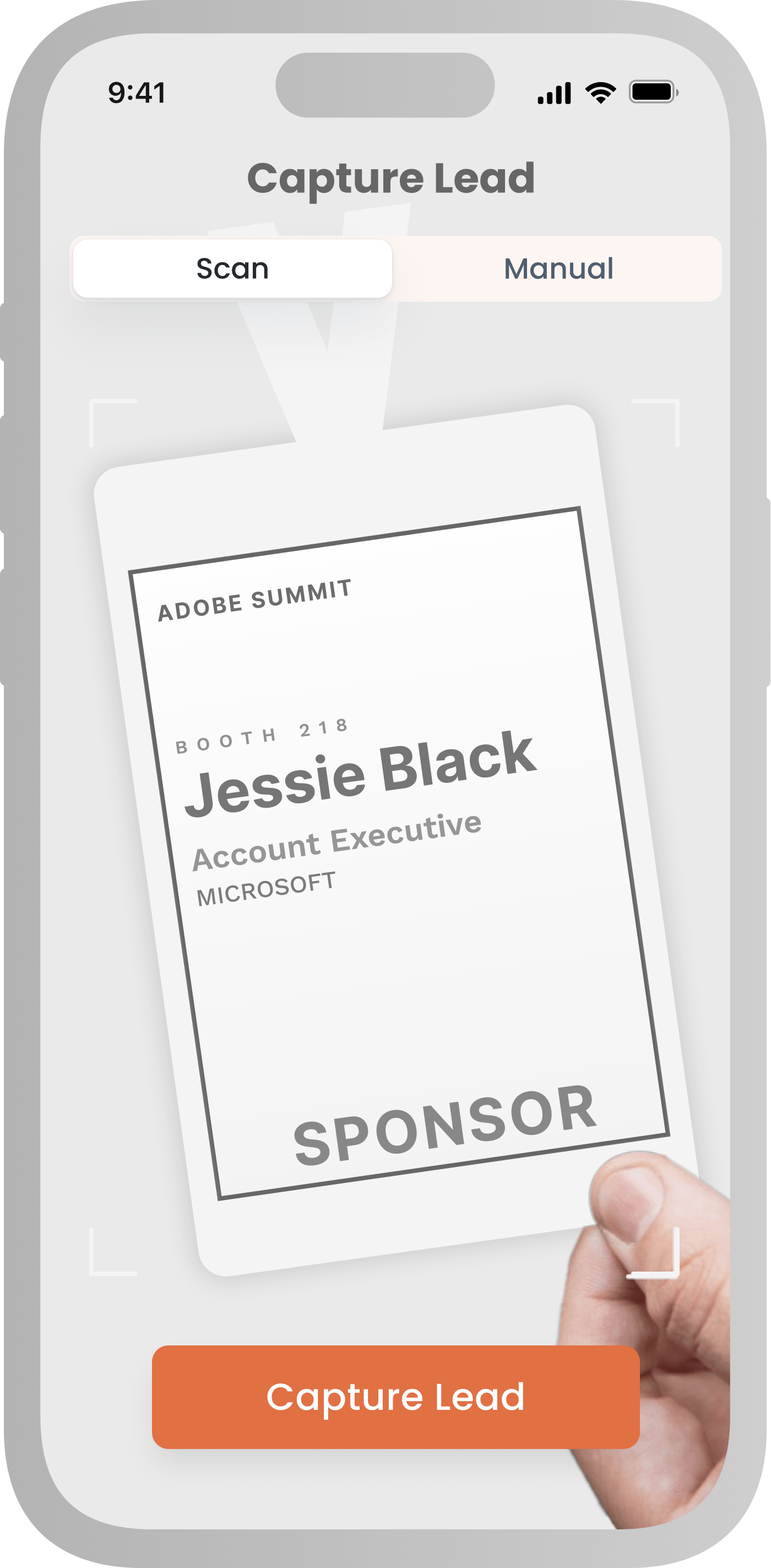
Image credit to Mobly
Quick Verdict: Mobly is for reps who work a full season of trade shows, replacing the rented scanner with a single app and a permanent CRM connection.
Best For: Individual sales reps and BD teams attending multiple trade shows per year.
Lead Capture Performance: Reps scan badges, business cards or even a handwritten name through one app that works at every show. Its contact enrichment capabilities then matches the name and company against more than 20 external data providers, filling in a verified work email, phone number and job title before the record syncs to the CRM.
Key Features:
- Native CRM export to Salesforce, HubSpot and Marketo.
- Contact enrichment built on OCR with human verification
- Offline scanning mode that captures on the floor and syncs once the connection returns.
- Dashboards covering leads, reps and events across the season.
Pros and Cons:
Pros: One app works at every show, scans business cards and handwritten names as well as badges, and syncs to Salesforce and HubSpot without a manual import.
Cons: Enrichment could take longer to complete, pricing is not published, and there is no exhibitor portal, since it is sold to exhibitors and not organizers.
Pricing Format: Annual subscription with unlimited events and users, quoted directly by Mobly.
4. iCapture (Acquired by Cvent)
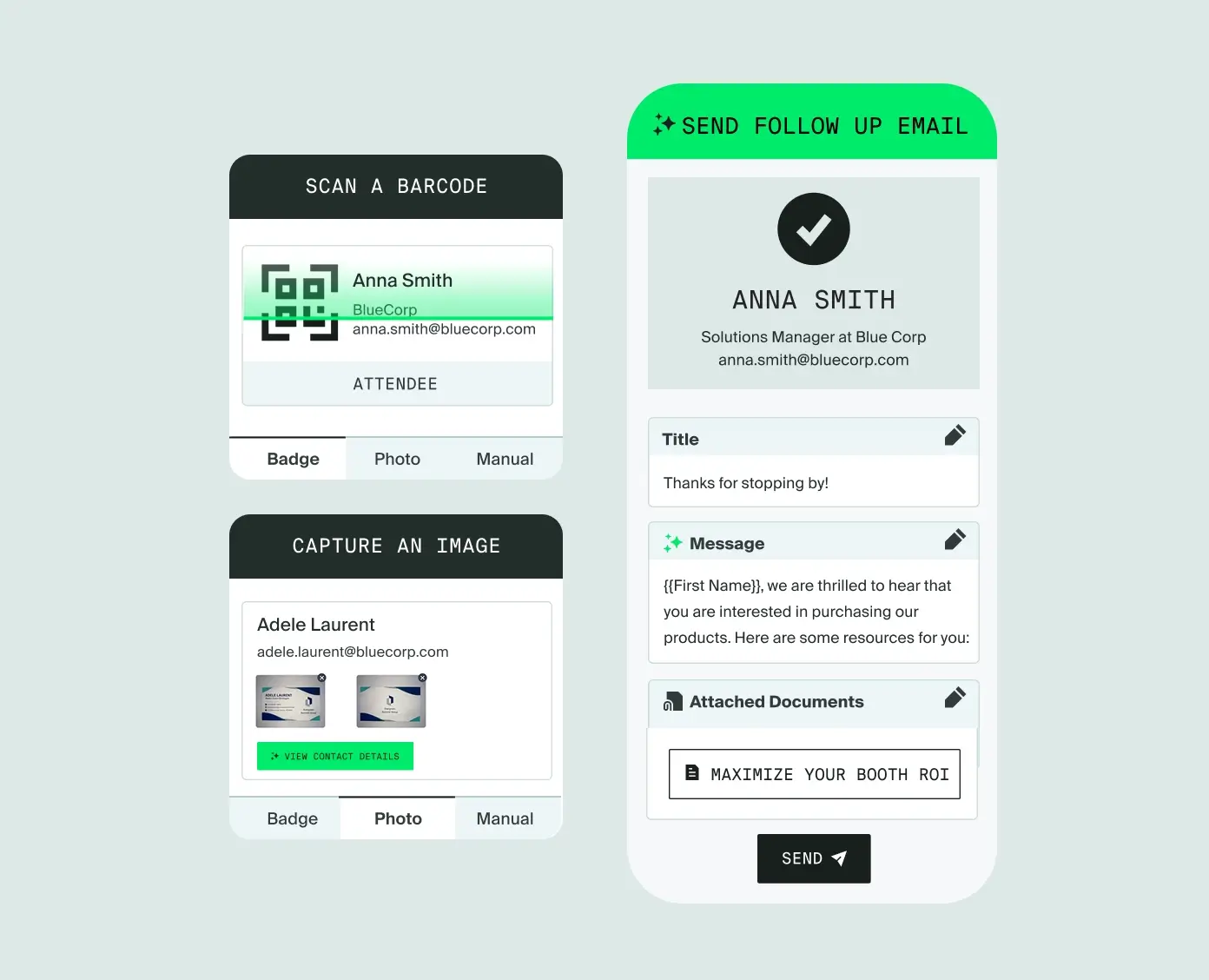
Image credit to Cvent
Quick Verdict: iCapture is an enterprise lead capture application for large companies exhibiting across independent trade shows.
Best For: Enterprise sales teams needing standardized lead capture forms for diverse show environments.
Lead Capture Performance: iCapture connects to more than 100 badge providers, so an exhibitor sets up each show themselves rather than waiting on the vendor to configure it, and a scan returns the registration record the organizer holds behind the badge. Badges, business cards and photos of handwritten details all feed one standardized form, with OCR and human validation checking what comes through, so every rep collects the same fields at every show.
Key Features:
- Custom qualification questions built into the scan form, so reps capture interest level, product line and follow-up owner alongside the contact details.
- Native CRM export to Salesforce, HubSpot and Marketo.
- Offline scanning mode captures leads if the venue Wi-Fi drops.
Pros and Cons:
Pros: Reps use one workflow across every show on the calendar, whatever badge system each organizer runs. Lead data arrives in the same fields each time, which makes reporting across events possible.
Cons: Annual pricing suits a heavy show calendar more than a couple of events. Badge kits also need configuring ahead of each show.
Pricing Format: Annual enterprise contract based on event volume.
5. Conexa
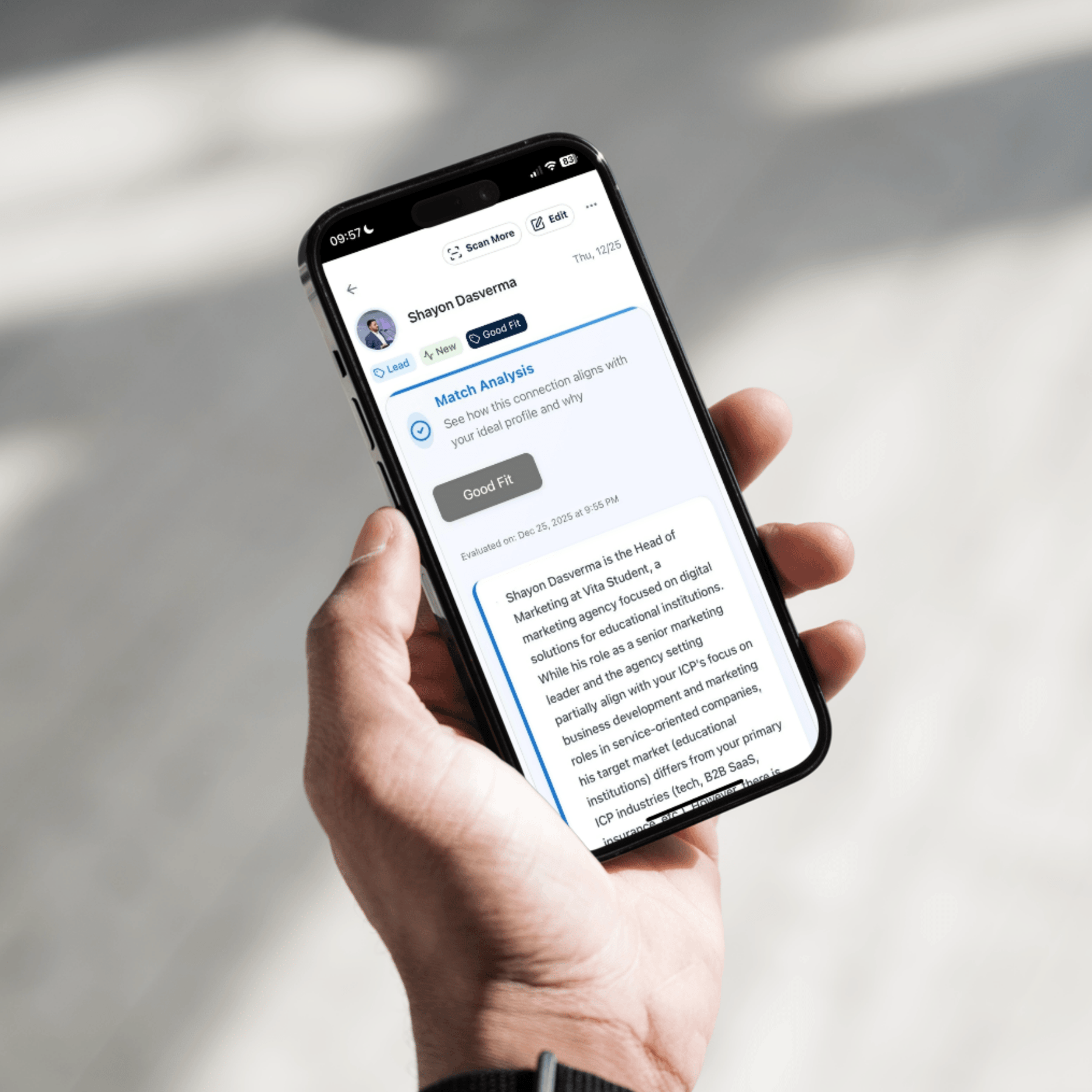
Image credit to Conexa
Quick Verdict: Conexa pairs mobile contact capture with automated profile enrichment to turn badge scans into structured contact records.
Best For: Individual reps and small business development teams working an event circuit.
Lead Capture Performance: Reps capture contacts from business cards, badges and QR codes, and contact enrichment then fills in the record automatically, pulling job title, company and LinkedIn details. Notes get structured at the same time, and a follow-up sequence can trigger the moment the contact is saved.
Key Features:
- Digital business card exchange through an NFC sticker on the rep’s own phone.
- Smart notes that capture conversation points automatically, keeping the detail of what was discussed alongside the contact.
- Team dashboards covering what each rep brought back from each event.
- Contact list sync to Salesforce and HubSpot, which the paid tier adds.
Pros and Cons:
Pros: Contacts arrive enriched, which saves the manual filling-in. Post-event follow-up automation triggers at the moment of capture.
Cons: Conexa is built for individual networking. Therefore, there is no exhibitor portal or multi-staff booth setup.
Pricing Format: Monthly credits, with a free tier at 100 and a paid tier at 1,000 that adds CRM sync.
6. Perspective AI
Image credit to Perspective AI
Quick Verdict: Perspective AI uses short in-booth conversational prompts to qualify attendee intent before sales reps follow up.
Best For: High-traffic booths needing to rank visitor budget, timeline, and buying intent quickly.
Lead Capture Performance: A 90-second AI conversation at the stand qualifies each visitor from a tablet or a QR code. The same exchange captures contact details and the reasoning behind the visit, then delivers each lead as a summary ranked by intent.
Key Features:
- Lead scoring rated on the need, urgency and budget signal the visitor expressed.
- Real-time qualification ranking, so reps work from a triaged list.
Pros and Cons:
Pros: Records why someone stopped at the stand. Works at any show, with no badge integration or hardware to arrange.
Cons: It does not scan badges, and Perspective AI suggests running it alongside a scanner for verified contact details.
Pricing Format: Credit-based subscription. Free to start with 250 credits, then from $99 a month for 1,000. Enterprise plans quoted directly.
7. Captello
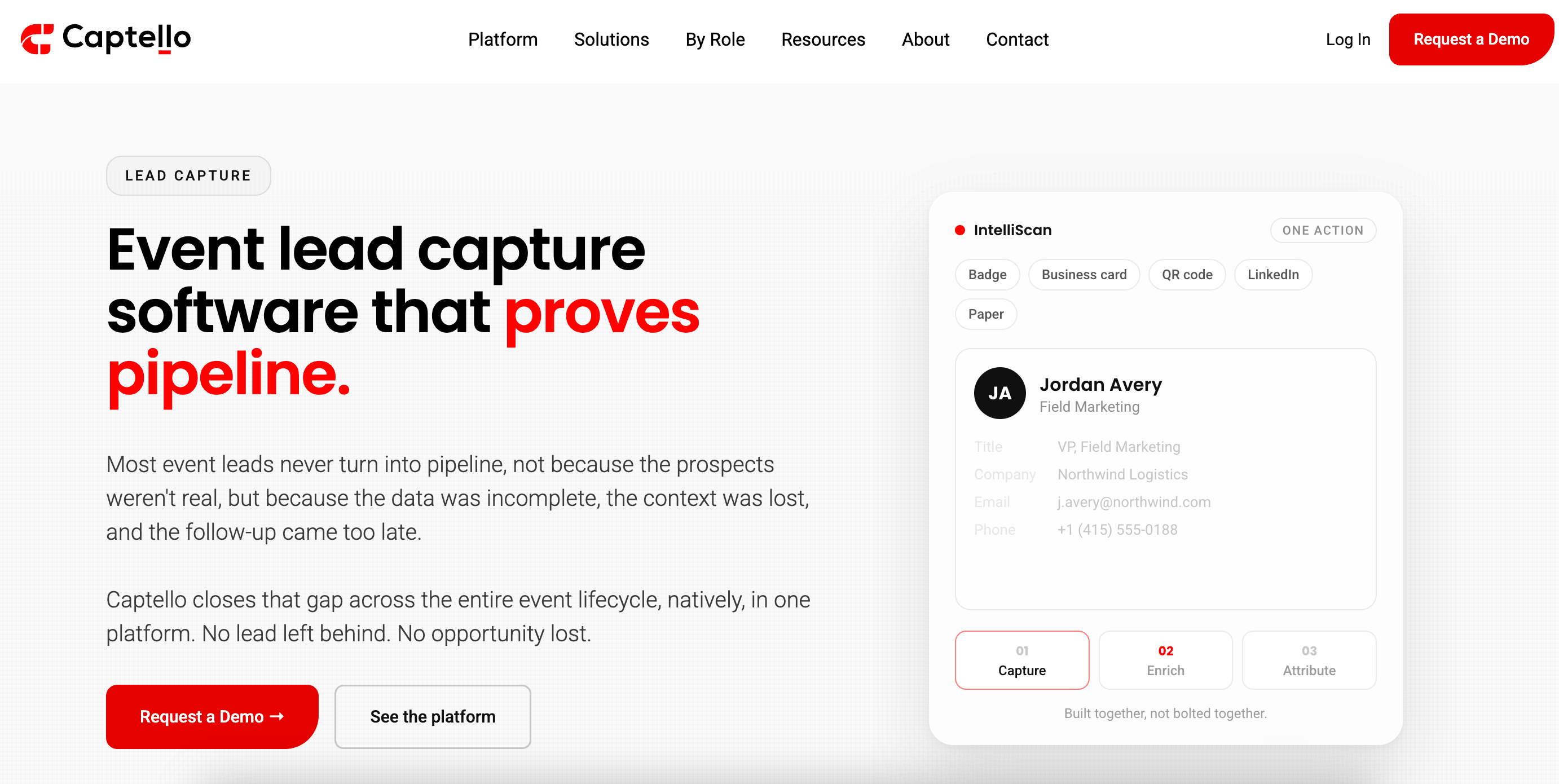
Image credit to Captello
Quick Verdict: Captello blends badge scanning with customized booth games and interactive screens to capture leads through engagement.
Best For: Brands using giveaways and activations to pull traffic to the stand.
Lead Capture Performance: Leads reach Captello two ways. A rep fills out a lead form, populating the contact fields by scanning a badge, a QR code or a LinkedIn profile, photographing a business card, or typing the details in. Or a visitor enters themselves by playing a booth game, and Captello scores that player as a ranked lead in the same portal as the rep’s scans.
Key Features:
- More than 60 game templates covering spin-to-win, trivia, scavenger hunts and leaderboards.
- A Rewards Center that fulfills e-gift cards and prizes automatically once someone wins.
- Custom lead scoring rules that apply across both the scans and the game entries.
- CRM export to Salesforce, HubSpot and Marketo, with thousands of further connectors available.
Pros and Cons:
Pros: Games give visitors a reason to stop, and every entry becomes a lead. Capture covers live and digital channels.
Cons: Setup takes preparation before the show, and reviewers mention the admin learning curve often.
Pricing Format: Quoted directly, based on seats, events and modules.
8. Cvent LeadCapture
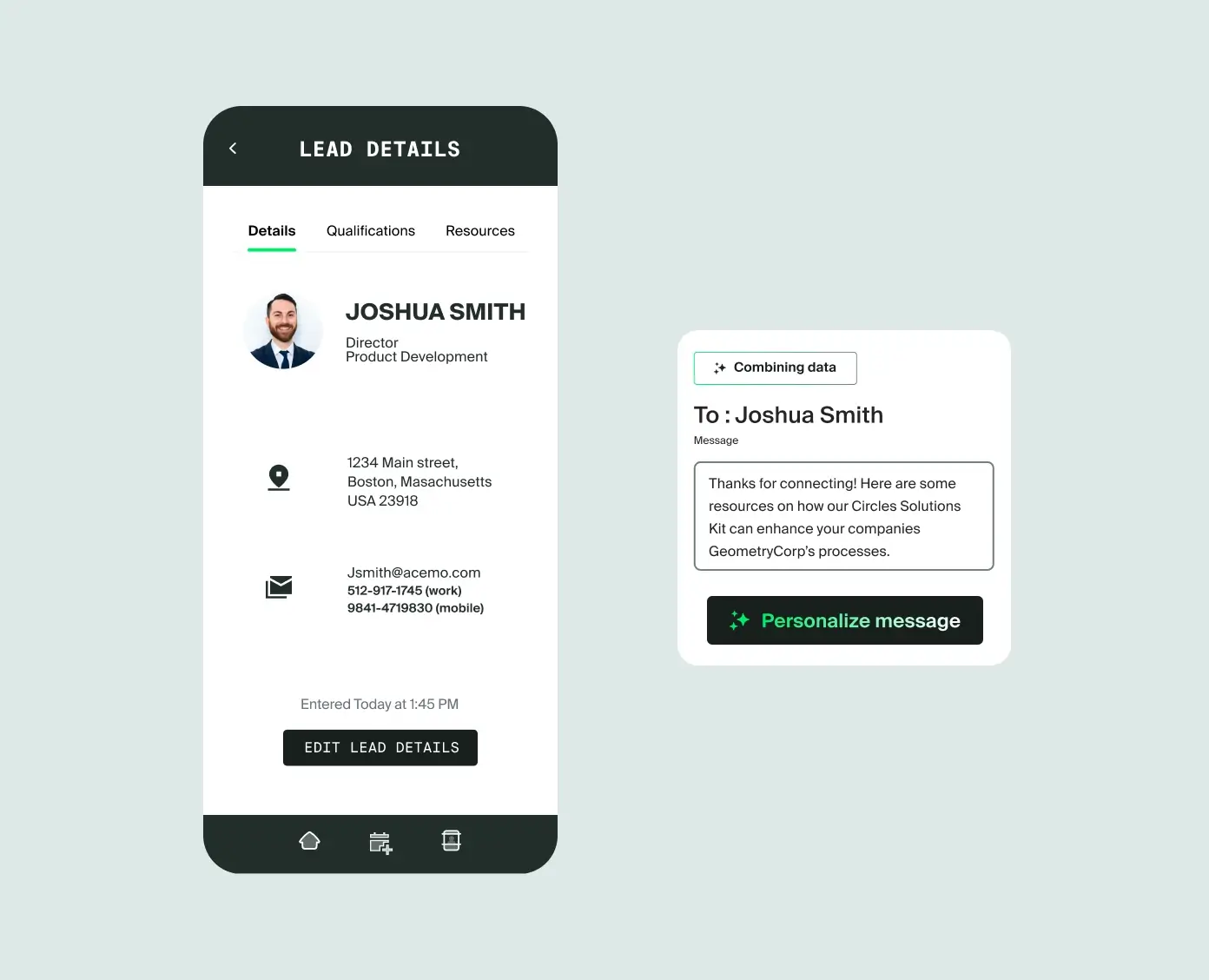
Image credit to Cvent
Quick Verdict: Cvent LeadCapture is an enterprise lead retrieval option for organizations utilizing Cvent’s broader event platform.
Best For: Corporate exhibitors participating in large conferences powered by Cvent.
Lead Capture Performance: Booth staff scan badges and the contact details come from Cvent’s registration record. Reps rate the lead and work through qualification questions set before the show, and they can send product literature to the visitor from the floor. Manual entry covers anyone without a scannable badge.
Key Features:
- Leads land in Cvent’s event reporting without an import.
- Custom qualification questions and lead ratings applied at the moment of capture.
- Offline scanning mode for capture, with leads syncing once the connection returns.
- Analytics showing scan volume by rep and how many leads were qualified.
Pros and Cons:
Pros: Registration and lead data live in the same platform, so nothing needs reconciling afterward. The organizer handles configuration, not the exhibitor.
Cons: Licensed per event, at the higher end of the market. Reviewers describe the setup as slow to work through, and it only runs at shows the organizer has licensed.
Pricing Format: License add-on per event or annual contract.
How Can Event Organizers Unify Physical Badge Scans and Online Booth Interactions?
An exhibitor working a hybrid show gets two lead lists, one from the stand and one from the online booth, with no way to tell which visitors appeared on both. Platforms that only scan badges leave out the half of a hybrid audience that never walks the floor, so nobody logs the person who watched a demo from home. Real-time viewing and export puts both kinds of leads on one dashboard, so exhibitors can log in during the show, see the scans and the online leads together, and download one file.
Captello and Whova are the two platforms here that capture both types of leads.Captello works from the exhibitor’s side, with lead capture forms and games that run at live, virtual and hybrid events. That suits teams who exhibit at shows on a different platform every time. With Whova, the online booths and the lead scanning are part of the event app the organizer is already using, so exhibitors get one lead list without setting anything up.
Which Event Lead Capture App Is Right for Your Event?
Exhibitors working a calendar of shows on different platforms want something that travels, which is what iCapture, Mobly and Conexa are built for. Perspective AI is worth adding if what a visitor came for matters more than how many badges got scanned.
Captello is the one to look at if your exhibitors run games and giveaways to pull traffic to their stands. Eventleaf suits a small expo where setup speed matters more than features.
For everything else, and for most events, the answer is Whova, with mobile QR scanning, online booth capture, exhibitor outreach campaigns, sponsorship engagement and multi-staff access in the app your attendees already use for the schedule.
Book a Whova demo and see how easy it is to collect leads at in-person, virtual and hybrid events.
Frequently Asked Questions About Event Lead Capture Apps
What is Event Lead Capture?
Event lead capture is the collection of contact and interest data from attendees who visit an exhibitor’s booth at a trade show or conference. It usually happens through a badge scan, and staff can add tags and notes to the record during the conversation. Those records are what the sales team follows up on after the show.
What Are the Benefits of Using a Mobile Lead Capture App?
The main benefits are cost and convenience. Booth staff scan with the phones they already carry, so there is no per-device rental fee and nothing to collect at the end of the day. With an app like Whova, the whole team scans into one shared list, and exhibitors can pull that list while the show is still running.
How Does a Mobile Lead Capture App Work at Trade Shows?
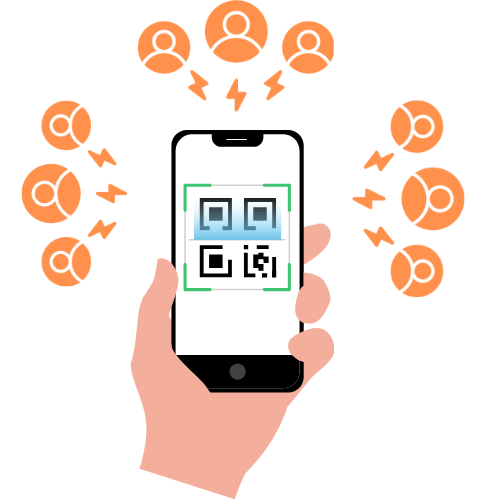
A mobile lead capture app turns standard smartphones into badge scanners. Booth staff open the app, scan the attendee’s QR code on their badge or event app, and instantly view their contact details. Staff can then tag the lead, add notes, and save the record to a shared team list in real time.
How Can Mobile Lead Capture Apps Help Qualify and Score Leads?
Qualifying happens at the booth, while the conversation is still fresh. Instead of saving a name and a job title, staff can attach extra detail to each scan so the record shows how interested that person was and what they asked about. Whova even lets exhibitors set their own lead qualifiers, score each contact against them and add additional notes, so the exported list can be sorted by score before anyone starts making calls.
How Do Exhibitors Export Captured Leads After an Event?
Many platforms let you log into an exhibitor portal where your leads update live, so you are not waiting on a file to arrive once the show wraps up. Download the list as a spreadsheet, usually a CSV or an Excel file. And if your team works out of a CRM, you can send the contacts straight into Salesforce or HubSpot from there.
What Is the Difference Between Simple Badge Scanning and Lead Qualification?
Badge scanning gives you the registration data: a name, a company, an email address. Lead qualification is what you add to that record during the conversation, like how soon the person is buying, what budget they have, and which product they came to ask about. One tells you who visited the booth. The other tells you which visits were worth having.
Can Multiple Booth Staff Members Use a Lead Capture App at the Same Time?
Yes. Multi-staff scanning means everyone working the booth installs the app on their own phone, logs into the exhibitor account, and scans at once. Every scan goes to the same lead list, so you can see what the whole team has collected while the show is still running.