
By: Whova Team | Last Updated: August 03, 2026
Looking for an event app to facilitate your work and engage attendees more easily?
Choosing the wrong app can derail an entire conference. If your platform crashes when the venue internet slows down, or if your attendees find the menus too confusing to navigate, you lose your biggest channel for real-time announcements and crowd engagement.
A good conference app gives attendees their agenda, speaker bios, and venue maps without a single staff intervention. Attendees can message each other, join live polls, and follow session updates from their phones in real time. On the organizer side, check-in, announcements, and engagement data are all live in one place, giving the team a clear view of how the event is running at any given moment.
To save you time, we’ve reviewed the ten best event apps for conferences in 2026 with a breakdown of features, pricing, and what each platform does best.
Key Takeaways
- Current trends indicate that Whova, Bizzabo, Cvent, vFairs, and EventMobi are the strongest options for conference organizers.
- Every platform on this list covers the core features: agenda management, check-in, networking, and sponsor tools. The difference is in the quality of execution and how much support you get when something goes wrong on the day.
- Attendees have to open the app for it to deliver value. Ease of use and adoption rate are worth weighing as heavily as the feature list.
The Quick-Choice Guide: Which App Fits Your Event?
| Event App | Best For | Main Differentiator |
| Whova | Conferences, corporate events, expos, & association summits | Active community boards and networking tools that get attendees talking weeks early. |
| Cvent | Enterprise corporations with massive budgets | Direct connections to massive global venue-sourcing databases. |
| EventCube | Festivals and ticketed music events | Total ownership of your own payment gateways and branded ticketing. |
| vFairs | Fully remote or hybrid trade shows | Visual 3D-rendered virtual booths that mimic real exhibit halls. |
| Bizzabo | Data-focused marketing teams | Smart-badge tracking to monitor exactly how attendees move across sessions. |
| EventMobi | Mid-size corporate meetings | Predictable, flat per-event packaging tiers that keep budgets stable. |
| Guidebook | Higher education & recurring campus tours | Straightforward, no-code schedule templates built for simple layouts. |
| Eventee | Small-scale workshops & seminars | A clean, minimalistic interface with swipe-to-match networking. |
| Zoom Events | Digital-only internal company webinars | Uses the familiar Zoom screen layout that remote workers already know. |
| Eventify | Planners on tight budgets | “AI-powered” event app with networking and management features. |
What is an Event App?
An event app is a mobile application that helps organizers run live events and gives attendees access to required event resources during the event.
Imagine managing a live conference with paper schedules, printed attendee lists, and scattered emails. Schedules change or rooms need to be reassigned during an event. Printed materials cannot be updated in real time. As a result, attendees may miss important announcements, have difficulty finding sessions, or experience longer wait times for assistance.
An event app exactly addresses these challenges by providing a single place for all your event information. Participants can view interactive agendas, browse speaker profiles, connect with other attendees, receive event announcements, and participate in live polls or Q&A sessions.
Meanwhile for organizers, the app allows them to perform administrative tasks such as:
- Sending push notifications about schedule changes
- Updating agendas in real time
- Moderating community discussions
- Tracking attendance
- Scanning attendee QR codes for faster check-in
Why Do Event Organizers Need Mobile Apps for Live Events?
Mobile event apps help organizers manage changing event schedules, improve attendee communication, and streamline on-site operations.
Organizers can send instant push notifications when schedules change, while check-in staff can use smartphones or tablets to scan attendee QR codes for faster entry.
Additionally, many event apps also include engagement features such as:
- Live audience polling
- Text-based Q&A
- Session discussion boards
- Networking tools
These features encourage attendee participation and make it easier for organizers to collect feedback during sessions.
As a final benefit, some organizers report reduced paper usage and higher engagement after replacing printed schedules with digital agendas, although results vary depending on the event and platform.
How to Choose the Best Event App?
Choosing the right event app shapes how smoothly your event runs and how engaged your attendees are. Here is what to look for.
- White Label vs Single App: The first decision is whether you need a white-label app at all. A branded app looks polished, but it takes longer to build, costs more to maintain, and often runs behind on updates. For most events, a single shared platform where your event lives alongside others delivers better usability and faster support. The branding trade-off rarely justifies the operational headache.
- Effective networking: Some platforms offer basic messaging while others include full attendee profiles and matchmaking based on industry or interests. The more your event relies on connection-making, the more this feature matters.
- Quality engagement features: Live polls, Q&A, and gamification are fairly standard now, but the quality of implementation will decide the winner.
- Quick information sharing: Dynamic updates are essential for the best event experience. Agendas, speaker bios and any event information should reflect changes from the backend instantly, and not require a manual refresh.
- On-site mangement tools: Check-in, announcements, and community moderation are what your team leans on most when things get busy. They need to be intuitive under pressure, not just in a demo environment.
- Robust security: Event apps collect personal data, so before committing to any platform, ask the vendor directly about encryption, access controls, and how they handle a breach. Look for platforms with SOC 2 or ISO 27001 certification, which means their security practices have been audited by third-party assessors. If your event draws international attendees, GDPR and CCPA compliance are non-negotiable.
- Reliable support: Events run on tight schedules and technical problems do not wait for business hours. Before signing with any platform, check reviews specifically for how they handle urgent issues mid-event. A provider with genuine dedicated support and fast response times is worth the premium. Pro tip: reviews will tell you whether that promise holds up in practice.
- Verify the offline performance: Ask the software vendor to show you how the app behaves when internet connections drop. Ensure the schedule data and venue maps are saved directly to the device so attendees aren’t left stranded on a dead screen if the venue Wi-Fi slows down.
Best Event Apps for Conferences
| Platform | App Type | Standout Features | Security | Support |
| Whova | Single app | Networking and gamification features to connect attendee profiles
Instant updates on event information + event management tools |
SOC 2 Type II, GDPR | Responsive business hours chat and call support + daily email support |
| Cvent | Single app | Built-in venue sourcing alongside registration and event management | SOC 2, GDPR | Selected hours for call support + 24/7 virtual assistant |
| EventCube | White label | Full brand control with custom domain and brand-free checkout | GDPR | Business hours |
| vFairs | White label | Dedicated support rep assigned to every event | SOC 2, GDPR | Dedicated rep per event |
| Bizzabo | White label | Klik SmartBadge wearables tracking attendee movement in real time | SOC 2, GDPR, ISO 27001 | Dedicated account manager |
| EventMobi | Single app | Transparent per-event pricing with no long-term contracts | SOC 2, GDPR | Responsive, not 24/7 |
| Guidebook | Single app | No-code drag-and-drop app builder with AI-powered matchmaking | GDPR | <20 sec chat response |
| Eventee | Single app | Swipe-based matchmaking that unlocks private chat on mutual interest | ISO 27001, GDPR | Chat, business hours |
| Zoom Events | Single app | Built on Zoom infrastructure — no new platform for attendees to learn | SOC 2, GDPR, ISO 27001 | Business hours + paid priority |
| Eventify | White label (add-on) | AI copilot for attendees with 98% check-in adoption at large events | ISO 27001, SOC 2, GDPR | Priority on higher plans |
1. Whova
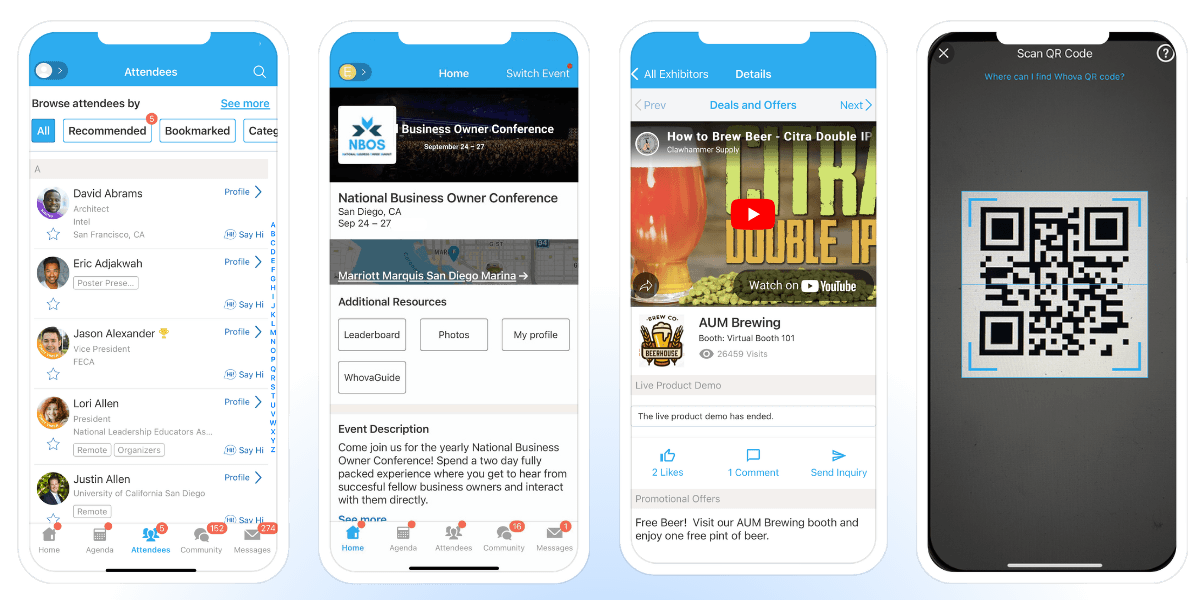
Whova has powered over 50,000 conferences and events across 100+ countries. Whova is built specifically to turn passive audiences into active communities. Instead of treating an app like a digital paper pamphlet, this app focuses heavily on the human connections happening on the event floor. Additionally, the app includes all of your basic event app functionalities such as agenda scheduling, exhibitor profiles, check-in tools, announcements and more.
Best for:
Multi-day conferences, association events, corporate events, expos, and trade shows across in-person, virtual, and hybrid formats.
Features:
- Networking: In-app messaging, attendee profiles, attendee matchmaking, meet-up scheduling, QR contact exchange, and more.
- Engagement: Live polls, Q&A sessions, discussion topics, leaderboard, trivia gamification, and more.
- Information sharing: Digital agendas, speaker bios, venue maps, exhibitor/sponsor profiles, and more.
- Management tools: Check-in, community moderation, real-time notifications announcements, virtual profile editing, and more.
Where this app shines:
- Pre-Event Connection Hub: Attendees don’t have to wait for day one to network. The app’s community boards allow participants to coordinate ride-shares, discuss topic threads, or plan casual coffee meetups weeks in advance.
- Instant Backend Syncing: If a speaker cancels or an agenda time changes at the last minute, you can make the change on your organizer dashboard and it reflects on every attendee’s screen immediately.
- All-in-One Venue Logistics: It handles check-in scanning, custom name-badge design, and sponsor display tracking within the same system, meaning you don’t have to juggle five separate software subscriptions.
Things to keep in mind:
- Universal App Container: Your event lives inside the main Whova app. If your company requires a completely standalone app published entirely under your private developer license, you will run into limitations.
- Fixed UI/UX Layout: The app is designed to provide a simple UI/UX layout for better reliability. Specific customizations in the UX side won’t be possible.
Pricing:
Request a demo to find the right pricing for your event
2. Cvent
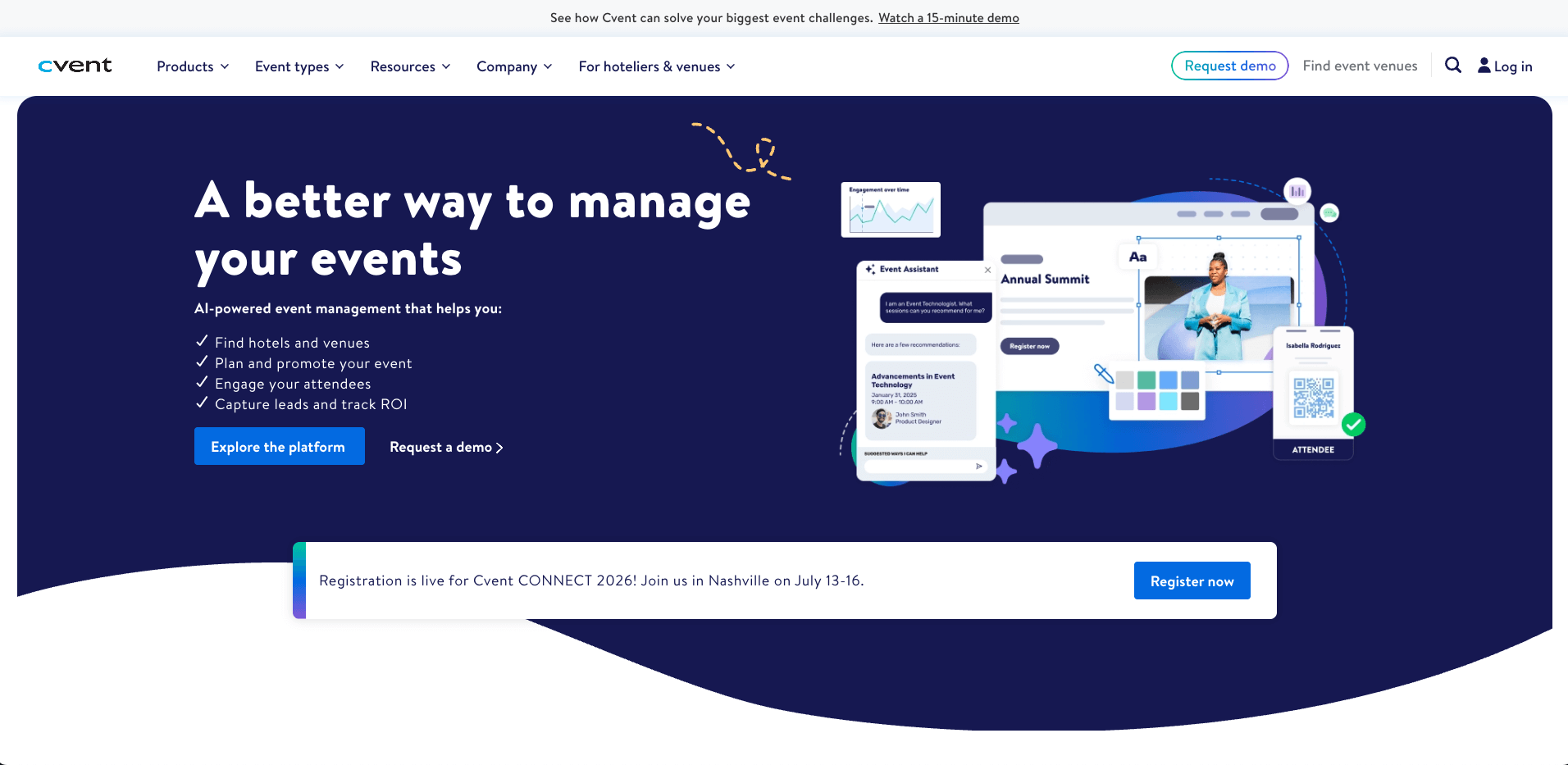
Image credit to Cvent
With decades in the event management space, Cvent is a massive platform built to handle enterprise-level event coordination from sourcing to analytics. It is one of the most trusted event management platforms on the market. For large-scale conferences, it is hard to find a platform that matches the depth of what it offers: registration, venue sourcing, attendee engagement, and post-event analytics without needing to patch in a second tool.
Best for:
Fortune 500 corporations and global summits with large budgets that need to manage venue RFPs and hotel blocks alongside their mobile app.
Features:
- Networking: In-app messaging and meeting scheduling
- Engagement: Live polls, Q&A, and gamification
- Information sharing: Agendas, speaker bios, and venue maps with push notifications
- Management tools: Check-in, registration, and automated attendee communications
Where this app shines
- Massive Corporate Ecosystem: It acts as a central database for booking massive venue contracts, managing multi-hotel room blocks, and tracking global registration data.
- Custom Enterprise Reporting: Data compliance managers can generate highly detailed, custom tracking sheets to monitor attendee metrics across international offices.
Things to keep in mind
- Long Setup Windows: The back-end system is incredibly large and complex. Designing your event inside their framework often requires weeks of staff training and dedicated configuration time.
- Premium Enterprise Pricing: The pricing structure is built for major corporate budgets, which frequently prices out mid-sized associations and smaller non-profits.
Pricing:
Cvent prices on request. Expect an annual license fee plus a per-registrant charge.
3. EventCube
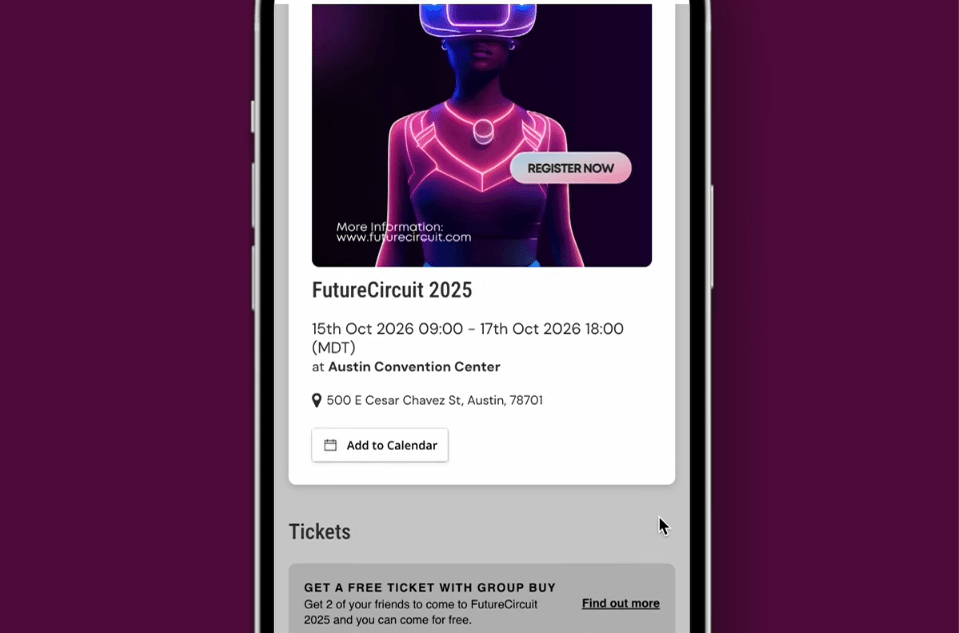
Image credit to EventCube
Over 100,000 events and 15 million attendees later, EventCube has earned its place among the more serious white-label options on the market. It is the platform of choice for organizers who want their branding front and center, with full customization across ticketing, virtual events, and membership management. EventCube approaches events from a ticketing-first perspective, giving organizers deep control over their financial transactions and checkout flows.
Best for:
Independent event organizers, festivals, and ticketed community gatherings that need complete control over their event branding and ticketing.
Features:
- Networking: Video networking and breakout rooms, primarily for virtual events
- Engagement: Live chat and interactive elements during live streams
- Information sharing: Real-time ticket sales and attendee engagement analytics
- Management tools: Check-in, customizable registration, and brand-free checkout flows
Where this app shines
- Payment Gateway Ownership: You maintain complete control over your cash flow and branding during the entire ticket purchase, keeping your company name front and center.
- Clean Buyer Dashboard: The customer interface is focused on ticket management, making it incredibly simple for public buyers who just want to access their entry passes.
Things to keep in mind
- Light B2B Conference Features: The app lacks deeper corporate conference tools like abstract submission management, detailed speaker bios, or native session check-in trackers.
- Basic Attendee Profiles: While users can view an event directory, it doesn’t offer active discussion forums or pre-event community boards.
Pricing:
A free Starter plan is available, with a Pro plan at $99 per month on an annual basis and custom Enterprise pricing for high-volume requirements.
4. Vfairs
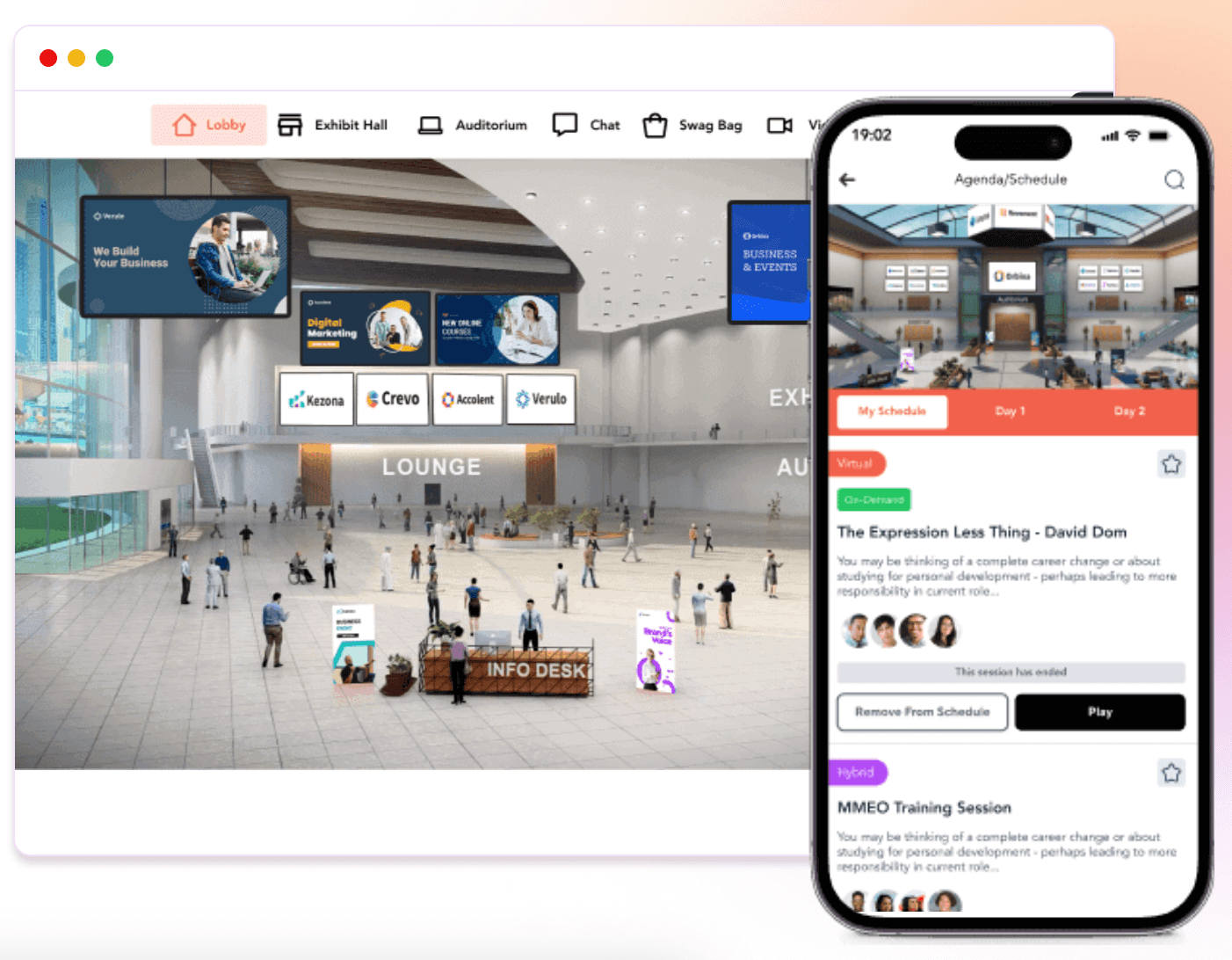
Image credit to Vfairs
vFairs is an event management platform built for conferences and hybrid events with customers across 100 countries and 100 million attendees. Every event comes with a dedicated support rep available from setup to the final session. vFairs specialized early in visual environments, making it a well-known name for organizations that want to replicate a physical space on a computer screen.
Best for:
Fully remote or hybrid trade shows that require simulated 3D exhibit halls and visual sponsor booths.
Features:
- Networking: Interest-based matchmaking and 1:1 or group chat
- Engagement: Live polls, Q&A, surveys, and gamification with a leaderboard
- Information sharing: Interactive agendas, speaker bios, and venue floor maps
- Management tools: QR-based check-in, badge printing, and multi-event dashboard
Where this app shines
- Visual Sponsor Displays: It sets up interactive digital rooms where online attendees can click on visual booths to watch videos or collect corporate brochures.
- Hands-on Account Managers: Every organizer is matched with a dedicated support person to help build and test the 3D spaces before the event goes live.
Things to keep in mind
- Heavy for 100% In-Person Events: The core features focus on online simulations. If your event is entirely face-to-face, these 3D models don’t provide much value on a small mobile screen.
- High Graphic Deadlines: Collecting, formatting, and rendering custom 3D booths requires gathering heavy design assets from your sponsors weeks before launch day.
Pricing:
Custom quotes only, based on event format, features, and attendee volume.
5. Bizzabo
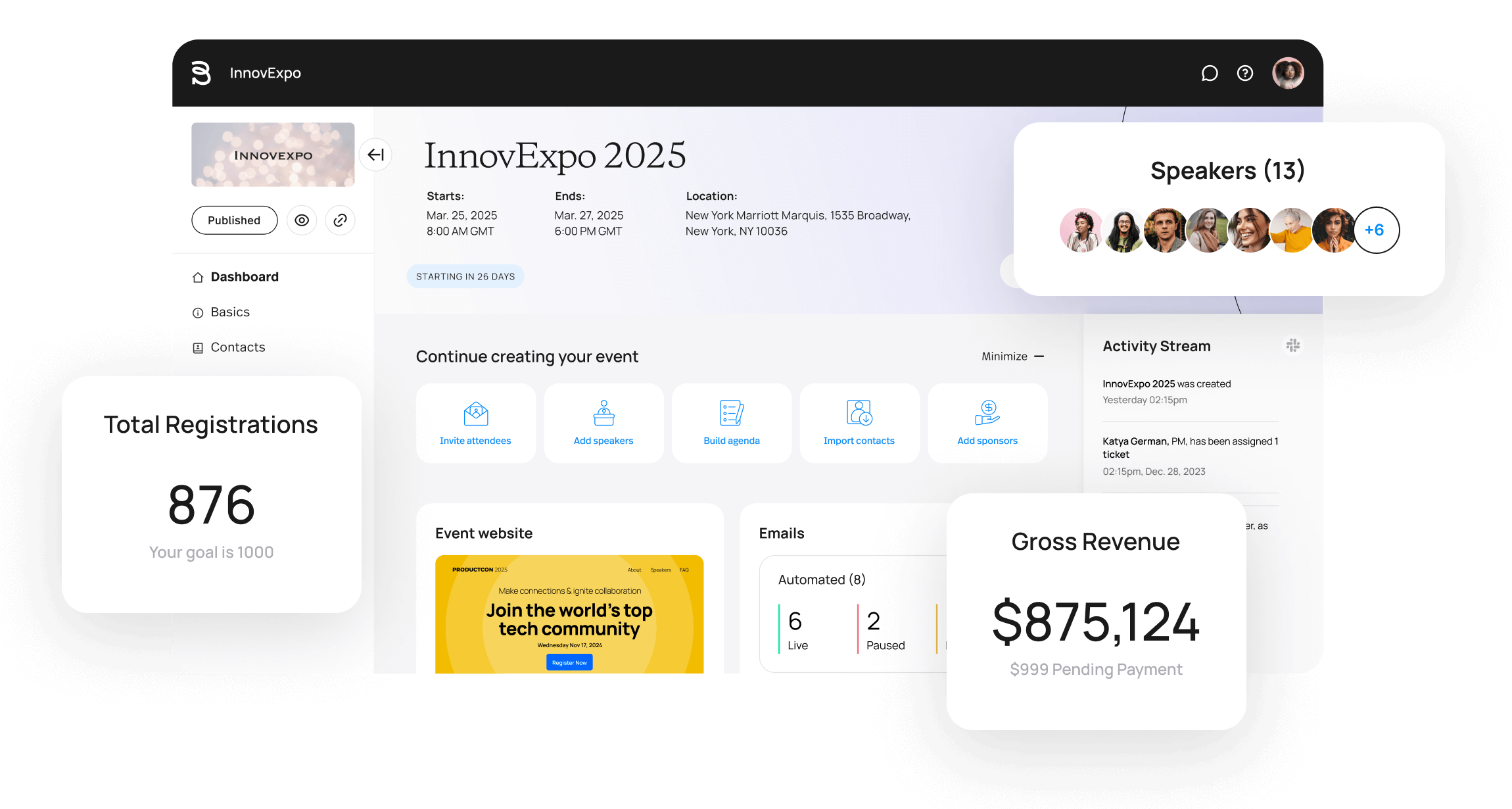
Image credit to Bizzabo
Bizzabo targets modern corporate marketing teams by treating a live event as a major engine for collecting sales leads and tracking customer data. Bizzabo is built specifically for B2B conferences, and the client list reflects that focus. Amazon, Bloomberg, and the Financial Times all run their events on Bizzabo, which holds the rare distinction of being named both a Leader in the 2025 Gartner Magic Quadrant and the Customer Favorite in the 2024 Forrester Wave.
Best for:
Data-driven corporate marketers who need to tie live attendee behavior directly into their existing sales tracking systems.
Features:
- Networking: AI-powered matchmaking, 1:1 messaging, and meeting scheduling
- Engagement: Live polls, Q&A, and session chat channels
- Information sharing: Personalized agendas and real-time updates
- Management tools: Check-in, registration, and post-event analytics
Where this app shines
- Wearable Integration Sync: The platform connects smoothly with smart badge tracking sensors, allowing organizers to see real-time attendee traffic patterns across different session rooms.
- Clear ROI Dashboards: It gives corporate marketing teams clear data sheets showing exactly which sponsor booths and sessions drew the most engagement.
Things to keep in mind
- Complex for Small Operations: The heavy data focus requires a team that has the time to interpret analytics dashboards to get actual value out of the purchase.
- Multi-Year Licensing: Their sales contracts usually focus on annual or multi-year agreements rather than single, per-event software rentals.
Pricing:
Subscription-based, starting from $17,999 per year.
6. EventMobi
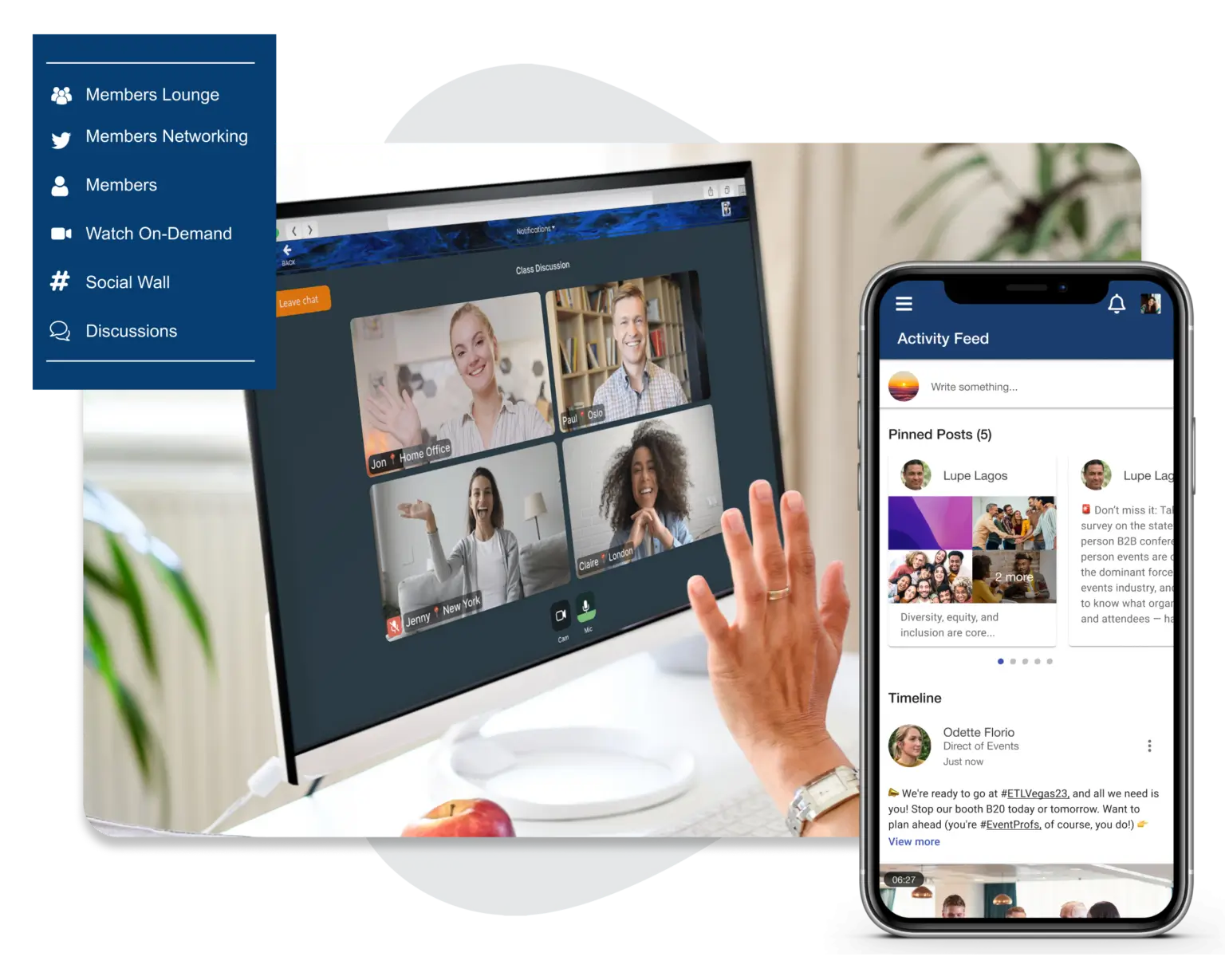
Image credit to EventMobi
Conference organizers running on tight budgets and smaller teams rarely get a platform built with them in mind. EventMobi is one of the few that has transparent pricing, no long-term contracts, and a support team that reviewers consistently describe as the best part of the experience.
Best for:
Mid-sized corporate training sessions and internal company meetings looking for straightforward, per-event packaging.
Features:
- Networking: 1:1 messaging, group discussions, and appointment booking
- Engagement: Live polls, Q&A, and gamification
- Information sharing: Personalized agendas, maps, and push notifications
- Management tools: Check-in, lead capture, and multi-event dashboard
Where this app shines
- Predictable Packaging Tiers: They offer straightforward, flat-rate pricing based on your feature needs, protecting your budget if your registration numbers suddenly spike.
- Easy Screen Customization: Event staff can quickly swap out color palettes and rearrange the home screen layout using a visual editor.
Things to keep in mind
- Basic Organic Chat: While the platform offers live polling and basic games, the chat tools don’t spark the same level of self-sustaining community discussion as networking-first apps.
- Manual Build Steps: Arranging custom layouts and setting up specific icon grids requires more manual dragging and dropping from your team during the design phase.
Pricing:
Starts at $3,500 for a single event or $9,000 annually. Special pricing available for nonprofits and multi-year contracts.
7. Guidebook
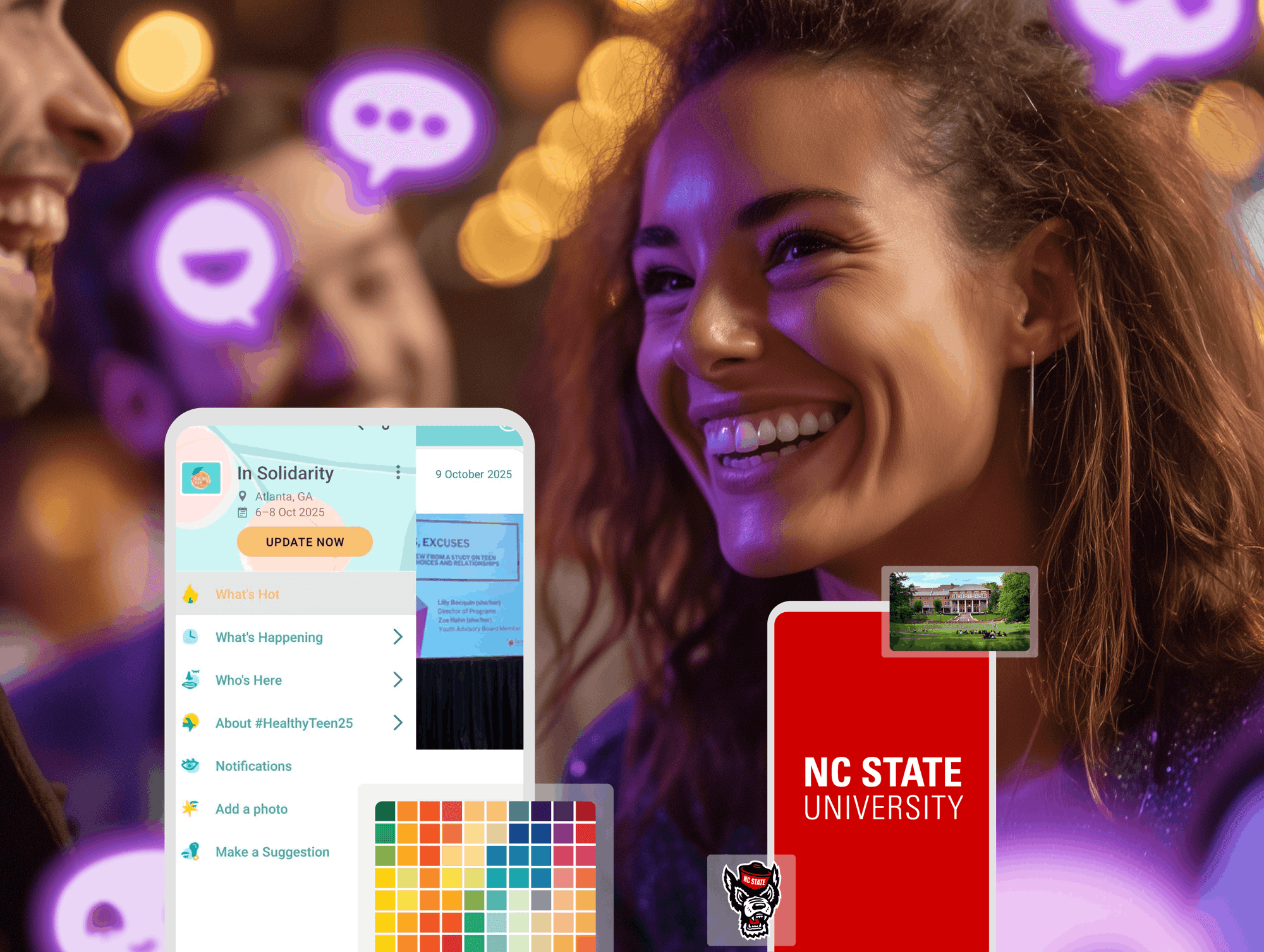
Image credit to Guidebook
Most conference apps require a developer or a long onboarding process. Guidebook’s drag-and-drop interface is built on the premise that if you can put together a slide deck, you can build a custom event app. The more interesting differentiator is on the networking side: attendees select interests from an organizer-defined list, and AI-powered matchmaking connects them with relevant people for private chats or 1:1 meetings.
Best for:
Conferences, associations, universities, and enterprise teams who need a fast setup without technical resources.
Features:
- Networking: AI-powered matchmaking and direct messaging
- Engagement: Live polls and Q&A
- Information sharing: Schedules, maps, and push notifications
- Management tools: Exhibitor lead capture and sponsor metrics dashboard
Cons:
- Analytics and reporting are limited
- Inconsistencies between mobile and desktop views
Where this app shines
- Simple Layout Builder: The back-end software is highly accessible, allowing student volunteers or temporary event staff to build a basic schedule guide with minimal training.
- Fast Template Copying: You can duplicate an older event layout with a single click, which works perfectly for repetitive weekly or monthly schedules.
Things to keep in mind
- Surface-Level Business Networking: It works well as a digital agenda, but it does not offer the deep, multi-layered B2B matchmaking hubs required for major industry trade shows or conferences.
- No Native Virtual Streaming: The platform is built squarely for physical foot traffic; it lacks native live video hosting frameworks and virtual trade show spaces.
Pricing:
Custom quotes on request.
8. Eventee
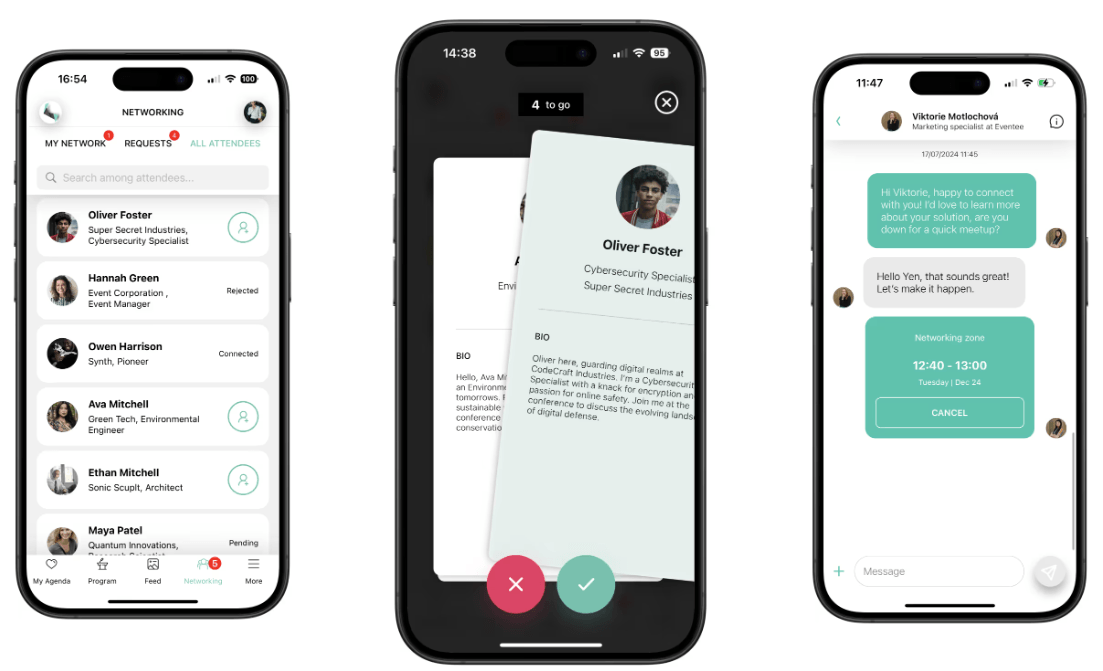
Image credit to Eventee
Eventee is a self-service conference app that organizers can set up in under two hours, with app adoption rates reaching up to 90%. The networking feature is what separates it from other platforms on this list: attendees swipe through profiles, and only mutual matches unlock private messaging and meeting scheduling.
Best for:
Small-scale workshops, single-track creative seminars, and groups that want a highly casual, visual interface.
Features:
- Networking: Swipe-based matchmaking with 1:1 chat and meeting scheduling
- Engagement: Live Q&A with upvoting, live polls, gamification, and a social wall
- Information sharing: Interactive schedules, personal agendas, and push notifications
- Management tools: Check-in via ticket scanning and attendee analytics
Where this app shines
- Minimalist Interface: The mobile layout is stripped of all administrative clutter, making it intuitive for audiences who rarely use event software.
- Swipe-to-Match Networking: It uses a familiar swipe feature where two attendees must both show mutual interest before a private message screen opens.
Things to keep in mind
- Restricted Scale: As soon as an event expands to include multi-track agendas, large exhibition halls, or dozens of corporate sponsors, the simple layout begins to feel too tight.
- Basic Backend Controls: The analytics packages and data tracking tools are thin compared to full-scale event management suites.
Pricing:
Pay-per-event on the Solo plan, with Business covering 6 events annually and Enterprise covering 12, capped at 3,000 attendees per event.
9. Zoom Events
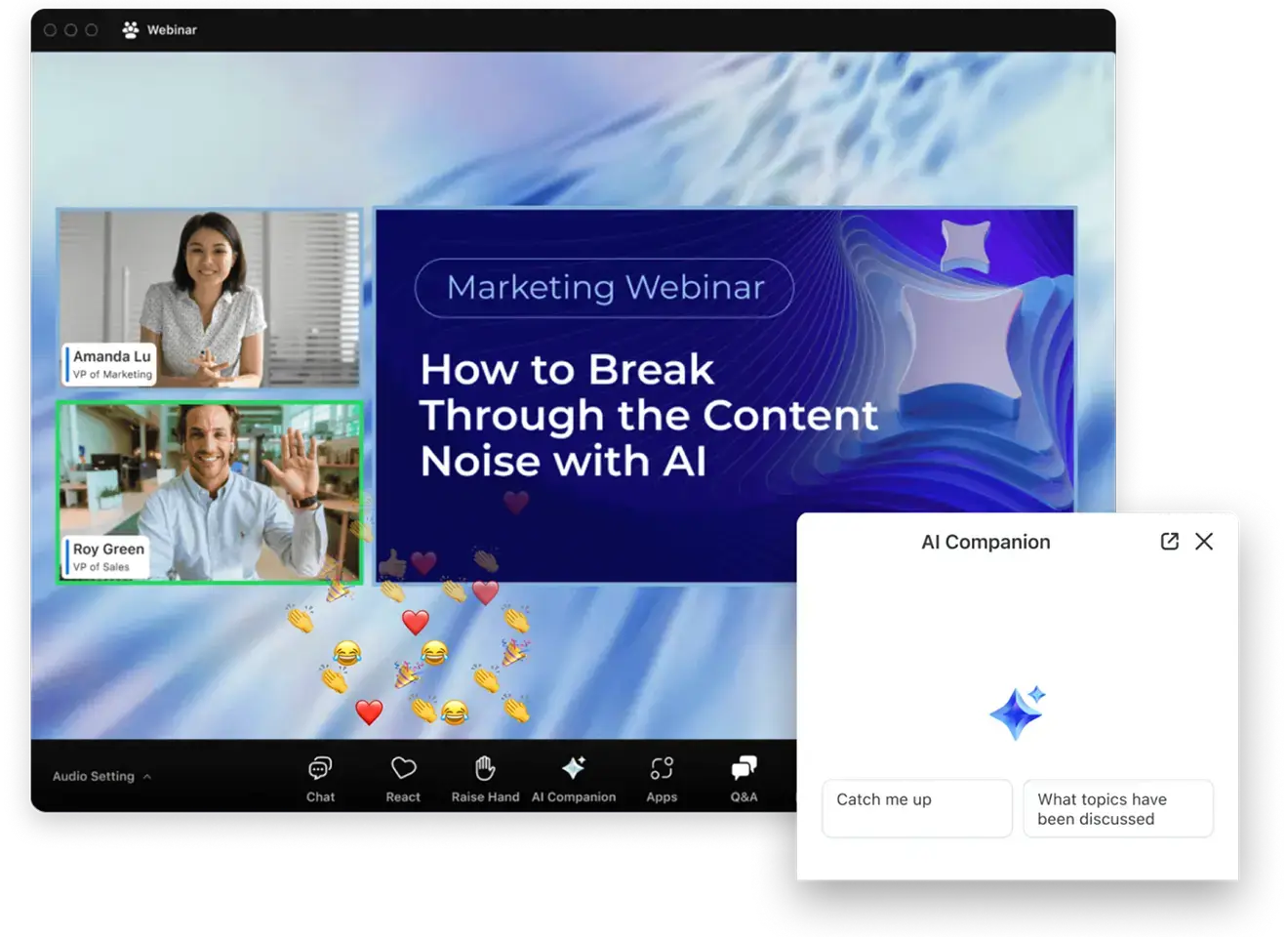
Image credit to Zoom Events
Zoom Events layers event management tools onto Zoom’s existing video infrastructure to create event hubs, customizable registration and ticketing, attendee networking, and reporting. Attendees join the same way they join any Zoom call, which means no downloads, no new accounts, and no explanation needed.
Best for:
100% remote webinars and internal company town halls hosted by teams where attendees are already in the Zoom ecosystem.
Features:
- Networking: In-lobby chat, attendee directory, and 1:1 messaging
- Engagement: Live Q&A, polls, and breakout rooms
- Information sharing: Multi-session agendas and on-demand session recordings
- Management tools: Registration, ticketing, and post-event engagement analytics
Pros:
- No new downloads or accounts needed — attendees join through existing Zoom
- AI Companion automatically summarizes and generates post-event follow-up content
Cons:
- Limited app customization
- Mobile app is designed for virtual attendees, not in-person events
Where this app shines
- Zero User Learning Curve: Because nearly every modern office worker already understands how to operate a Zoom call, attendees don’t need to learn a new video interface.
- Stable Streaming Core: The background infrastructure handles massive spikes in simultaneous live video streams reliably without dropping video feeds.
Things to keep in mind
- Weak On-Site Application: The tool is a digital video room at its core. It offers very little practical utility for an attendee walking a physical convention floor looking for indoor maps or local badge printing.
- Fixed Visual Brand: The interface looks exactly like a standard corporate call, making it difficult to establish a unique, premium brand identity for high-ticket public summits.
Pricing:
The Pro Event plan starts at $149 per month per organizer for up to 500 attendees, with the Business Event plan starting at $499 per month for up to 1,000 attendees.
10. Eventify
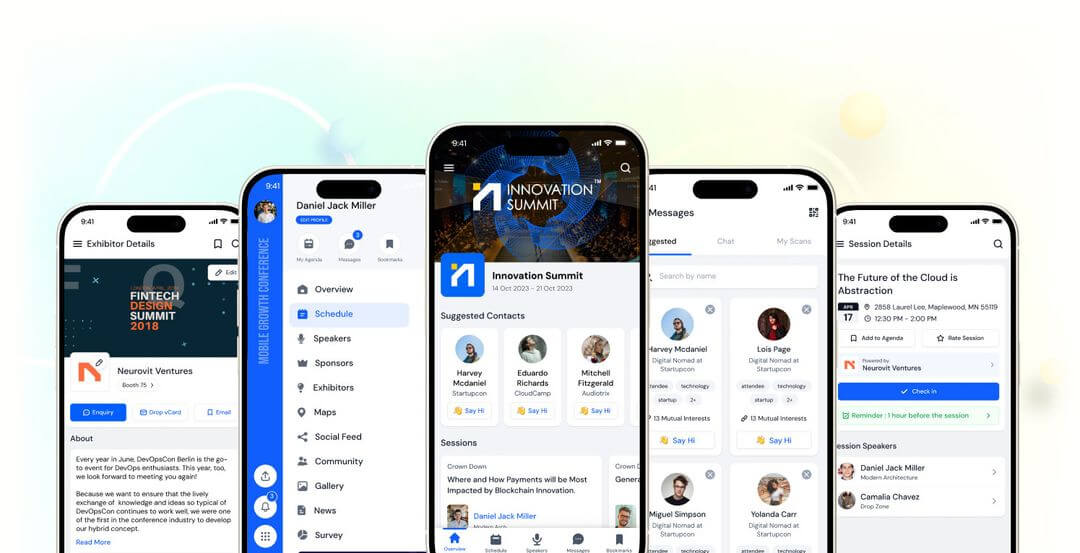
Image credit to Eventify
Eventify offers a streamlined mobile schedule app with basic automated attendee matching trusted by over 5,000 event managers. The app is built around the assumption that exhibitors and sponsors need as much attention as attendees, with dedicated tools for each on the same platform.
Best for:
B2B conferences, trade shows, and expos across in-person, virtual, and hybrid formats.
Features:
- Networking: Tag-based matchmaking with 1:1 chat and meeting scheduling
- Engagement: Live polls, Q&A, gamification, and a private social feed
- Information sharing: Agendas, speaker profiles, venue maps, and push notifications
- Management tools: QR-based check-in, badge printing, and exhibitor lead scanning
Pros:
- Private social feed for attendees
- QR-driven check-in achieves 98% adoption at large events
Cons:
- White label is a paid add-on rather than included in standard plans
- Lead scanning, floor plans, and CRM integrations are locked to higher plans
Where this app shines
- Automated Recommendations: The platform features a basic matching system that suggests relevant sessions to attendees based on the interests listed in their profiles.
- Extra Customizations for Attendee Profiles: Customizable attendee profiles that include short voice notes in the profile card.
Things to keep in mind
- Tiered Customer Service: Fast chat support response times and priority event-day help are locked behind their more expensive subscription plans.
- Fewer Hardware Connections: It does not integrate as smoothly with on-site hardware systems like heavy badge printers or attendance tracking sensors.
Pricing:
Four plans are available, scaling from basic registration tools up to a full AI-powered suite. Contact Eventify directly for current figures.
Which Event App Is Right for Your Conference?
Large enterprises with high budgets find Cvent’s mobile app covers personalized agendas, networking, and real-time updates across the full event lifecycle. Teams that need easy quick setup lean toward Guidebook’s no-code builder. For virtual and hybrid conferences mostly focusing on streaming, Zoom Events gives attendees access through an app already on their phone.
And for organizers who prioritize attendee engagement, networking, ease of use, and reliability across event types, Whova consistently comes out at the top of G2, App Store, and Google Play Store.
Use the best-rated event app from organizers and attendees. Request a demo to see Whova in action.
FAQs About Event Apps
What are the key features of an event app?
A solid event app needs to handle the basics well: agenda, maps, speaker info, and the ability to push updates when things change. Beyond that, networking tools make a real difference — attendees come to conferences to meet people, and an app that helps them connect adds obvious value. Live polls and Q&A keep sessions from being one-way, and on the organizer side, check-in and real-time analytics save a lot of manual work on the day.
What are the best apps based on specific needs?
The best choice depends on your event size, budget, and what you need most from the event app — platforms like Cvent and vFairs suit larger enterprises, while Eventee and Guidebook work well for smaller teams prioritizing quick setup and high adoption rates. Whova is the strong all-around option for most conference organizers with ease of use, networking and management features.
Are event apps difficult to set up for non-technical organizers?
No. Many modern event apps use drag-and-drop schedule builders, spreadsheet import tools, and accessible dashboards that reduce the need for technical expertise. Depending on the event size and available content, organizers can often configure an event app within a few hours.
How do mobile event apps increase session participation?
Mobile event apps can increase participation with interactive features such as live Q&A, audience polling, and discussion boards. Attendees will be able to submit questions from their phones, vote in polls, and keep discussions through the chat without interrupting the presentation.
Can organizers check in attendees using an event app?
Yes. Many event apps allow organizers to use smartphones or tablets as check-in devices. Staff can scan attendee QR codes from the mobile app and also connect to their badge printing software to print name badges instantly.
What admin tools are most important on event day?
Common event-day administration tools include QR code check-in, notification pushes for schedule updates, attendance tracking, community moderation, and session management.
Choosing an event app involves matching your event requirements with features that support attendee communication, check-in, agenda management, and engagement. Features such as offline agenda access, real-time schedule updates, networking tools, and QR code check-in in Whova can help organizers manage live events more efficiently.