
Whova Releases
Streamline Member-Only Tickets with Whova’s New iMIS Integration
Connect your iMIS account to create member-only tickets with Whova’s all-in-one registration system, protecting your exclusive perks.
Save Time with New Exhibitor Message Templates
Craft professional, comprehensive communication in just a few clicks with Whova’s new templates: provide shipping instructions, request that exhibitors bring prizes, and offer sponsorship opportunities.
Share Event Templates Across Organizers with Whova’s Latest Release
Whova now supports sharing templates and settings from your events with other organizers—facilitate collaboration and maintain consistency.
Whova Now Integrates with SharePoint and OneDrive for Easy Document Uploading
Our new SharePoint and OneDrive Integration makes it easy to upload your files directly into Whova.
Announcing MemberClicks Integration: A New Member-Only Ticket Option
Verify attendee membership status and level by integrating with MemberClicks to create secure member-only tickets.
Invite-Only Ticketing Enhanced: Restrict By Organization Types in Just a Few Clicks
Whova now offers ticket restriction by organization types—create tickets for broad categories like students, nonprofit employees, goverment workers, and more.
Secure Your Lineup: Email Accepted Speakers to Confirm Their Presentation
Our newest release gives you extra peace of mind; you can now send a confirmation form to accepted speakers to confirm their availability for your event.
Turn Attendees into Ambassadors: Boost Registrations with Whova’s Referral Contest
Boost event awareness and ticket sales with Whova’s Registration Referral Contest, which turns attendees into your event’s best promoters.
Attendee Segments Enhanced: New Categories to Cover All Bases
Learn how the expansion of Whova’s Attendee Segments gives you more flexibility and helps you save time coordinating logistics.
Whova Is a Finalist For 7 Awards at the “Oscars of Event Technology”
We are honored to be recognized at the Event Technology Awards, or the “Oscars of Event Technology,” for the 10th year in a row.
Unveiling Whova’s Join the Crowd: See How Else Your App is Used
Boost engagement with Whova’s new feature, giving attendees a peek at how others are using the app.
Streamline Poster Workflow: From Submission to Presentation, All in One Place
Learn how to easily streamline poster setup and presentation with Whova’s Call for Speakers import.
From Posts to Notes: Turn Community Sharing into Personal Takeaways
Discover how Whova’s Notes help attendees save key takeaways and boost learning during the event.
Introducing Whova’s Cross-Event Comparison: Quickly Spot Differences and Trends
Easily compare your event data side-by-side with Whova’s new Cross-Event Comparison Report – turning hours of manual work into instant, actionable insights.
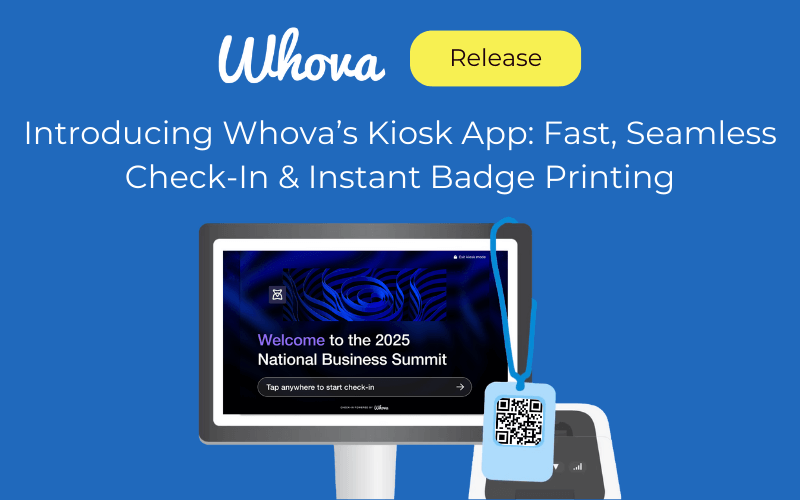
Introducing Whova’s Kiosk App: Fast, Seamless Check-In & Instant Badge Printing
Discover how the new Whova Kiosk simplifies large-scale event check-in, shortens lines, and creates a seamless first impression for attendees.
From Hours to Minutes: Reuse Sponsor & Exhibitor Registration Setup
Whova’s Exhibitor and Sponsor Registration Reuse feature helps you quickly relaunch proven setups from past events — keeping tiers, pricing, and questions consistent while saving time and reducing manual errors.
Introducing Whova’s Organizer Co-Promotion: Boost Registration Through Your Network
Discover how to simplify event promotion through seamless collaboration with your trusted network.
Smarter Submission Management: Add Custom Tags and Filters
Discover how submission tags streamline abstract management by simplifying workflows and boosting proposal organization.

Flexible Registration for Pre-Paid Exhibitors? Whova’s Got You Covered
Whova now supports flexible registration for pre-paid exhibitors, giving you more control and ensuring a smoother experience for your exhibitors!
Never Missed Organizer Emails — Exhibitors Access Them Easily in Whova
Discover how Whova’s enhanced Exhibitor Messaging keeps your exhibitors informed and on track.