
By: Whova Team | Last Updated: August 31, 2026

Top-rated association event management software includes Whova, Bizzabo, Cvent, EventMobi, Neon One, Fonteva, and Glue Up.
Associations need functionality most event platforms don’t prioritize. Member pricing has to apply automatically at registration. Session attendance needs to log against CEU requirements, so certificates go out without staff chasing each one down. And sponsors need engagement data specific enough to bring back to their team and justify renewing.
Weighing platforms for your next conference? Here’s how all seven compare.
Key Takeaways
- Dedicated association event management software can help reduce the administrative setup and time to easily bring more engaging events.
- Whova, Cvent, Bizzabo and EventMobi are event management software that can provide a more comprehensive set of tools including registration, check-in, attendance tracking and event networking
- Neon, Fonteva and Glue Up already have membership data integrated with basic event management tools.
What is Association Event Management Software?
Association event management software is a category of software designed specifically for membership organizations to plan and run events. It connects directly to membership records, so member pricing applies at registration, session attendance logs against CEU requirements, and certificates go out without staff generating each one manually.
Staff manage everything from a web dashboard: registration setup, ticketing, agenda. Attendees typically get a mobile app for check-in, session following, and networking. Because the system is tied to membership data, pricing and access apply correctly after registration without manual intervention.
Association event management software is also distinct from an Association Management System (AMS). An AMS manages the membership itself: dues, renewals, and member records. Some can handle basic event ticketing, but most don’t offer comprehensive event management capabilities.
Why Is Choosing the Right Association Event Management Software Critical in 2026?
A Smithbucklin survey found 54% of association members joined primarily to expand their professional network, and events are where that networking happens. For many members, the annual conference or regional meetup is one of the main reasons they renew.
When registration is clunky, check-in is slow, or a certificate doesn’t arrive after a session, members notice. Those friction points add up over time. Associations that give the right experience keep members engaged and coming back. Those that don’t risk losing them to other networks and communities competing for the same attention.
How Do Top Association Event Management Software Options Compare?
Why Do Association Event Organizers Need Specialized Event Software?
Standard association management software (AMS) is great for handling dues, renewals, and member directories well, but events are rarely a priority. Generic ticketing platforms run events, but they’re built for the general public, not a membership-based community with pricing tiers, compliance requirements, and sponsor obligations.
Neither fully covers what association event planning actually requires. That’s where specialized association event software comes in.
- Member vs. Non-Member Registration Flows apply distinct pricing automatically at checkout and custom questions based on membership status. No one needs to verify a list or adjust a rate manually.
- Continuing Education Credits get verified against session attendance. Certificates are generated and delivered without a manual scramble after the event closes.
- Sponsor ROI is easy to prove. Sponsor lead retrieval tools and attendee data give sponsors clear metrics on reach and engagement before renewal conversations happen.
For association organizers running complex, multi-track events, having registration, CEU tracking, and sponsor reporting in one system keeps the work out of spreadsheets and off someone’s to-do list.
What Features Should You Look For in Association Event Software?
Feature lists on vendor websites all look alike, so it helps to know which capabilities differentiate the platforms. These six are worth checking before you book a single demo.
- Member Record Synchronization: Registration forms connect directly to your AMS. Active members are recognized at checkout without anyone manually cross-referencing a list.
- Flexible Registration Controls: Invite-only access, group bookings, and tiered pricing all need to work out of the box. Custom question fields matter too, especially when you are collecting member-specific information at registration.
- On-Site Check-In: A slow entrance kills the vibe. On-site QR badge printing and scanning keep check-in moving.
- Sponsor and Exhibitor Portals: Get branded placements, lead scanning, and post-event analytics in one place. The custom experience and ROI data will make renewal conversations much easier to have.
- Pre-Event Member Engagement: Look for attendee matchmaking and networking tools: meeting scheduling, discussion threads, and icebreakers that get members talking before the event starts.
- CEU and Certificate Automation: Session attendance is tracked and certificates are generated automatically. Your education team stops spending the week after every event catching up on paperwork.
What Are the 7 Best Association Event Management Software Options in 2026?
1. Whova
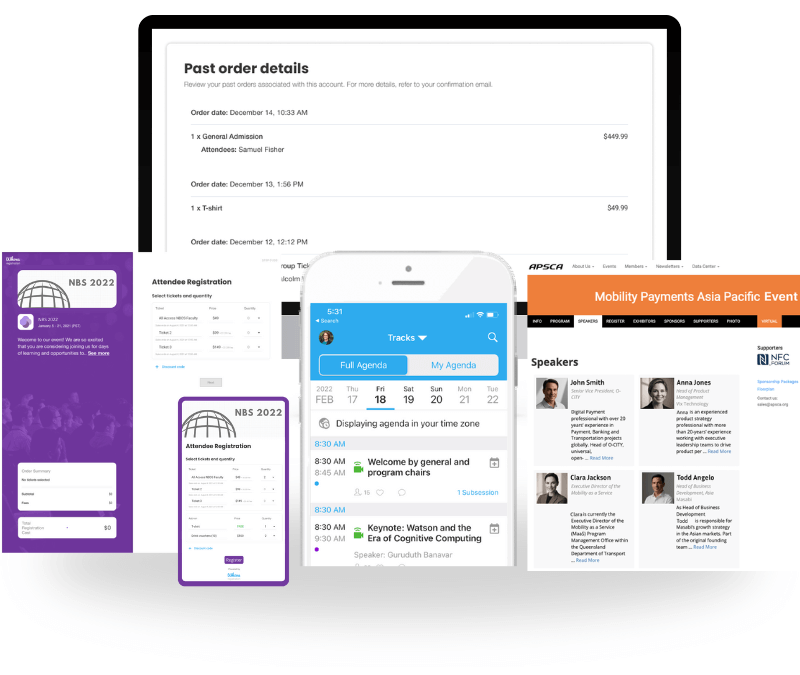
Quick Verdict: Whova is an all-in-one event management platform that combines powerful attendee engagement with effortless registration, on-site logistics, and seamless AMS integration.
Best For: Associations running conferences, annual meetings, and expos looking for maximum member participation and simple setups.
Switch Factor: Most associations move to Whova from a basic registration tool and a spreadsheet with too many tabs: one for member rates, one for CEU sign-ins, one for sponsor leads. Whova replaces that patchwork; one organizer, Michigan Historic Preservation Network’s executive director, reports cutting over 200 hours of labor after switching.
Key Features for Associations:
- AMS Data Synchronization: Effortlessly connects with popular membership software like WildApricot, MemberClicks, iMIS, and Glue Up to pull member statuses during registration.
- Comprehensive Registration Setup: Supports member-only ticket pricing, invite-only passes, group ticketing, and custom question forms.
- On-Site Check-In & Badge Printing: Enables instant QR code scanning and direct name badge printing.
- Sponsor Visibility & ROI Tools: Offers targeted sponsor banners, digital booth showcases, and sponsor lead retrieval tools.
- Pre-Event Community Building: Features an active Community Board, discussion topics, and icebreakers to keep members connected.
- Automated CEU Certificates: Tracks attendance across sessions to generate personalized certificates for continuing education units (CEUs).
- Launch Microevents: Launch smaller events such as networking events, workshops or webinars faster with the same familiar tools.
Pros & Cons:
Pros: Customizable and personalized registration, quick setup, robust pre-event engagement, end-to-end event logistics.
Cons: Built specifically for professional events rather than casual social gatherings.
Pricing: Custom quote per event.
2. Bizzabo
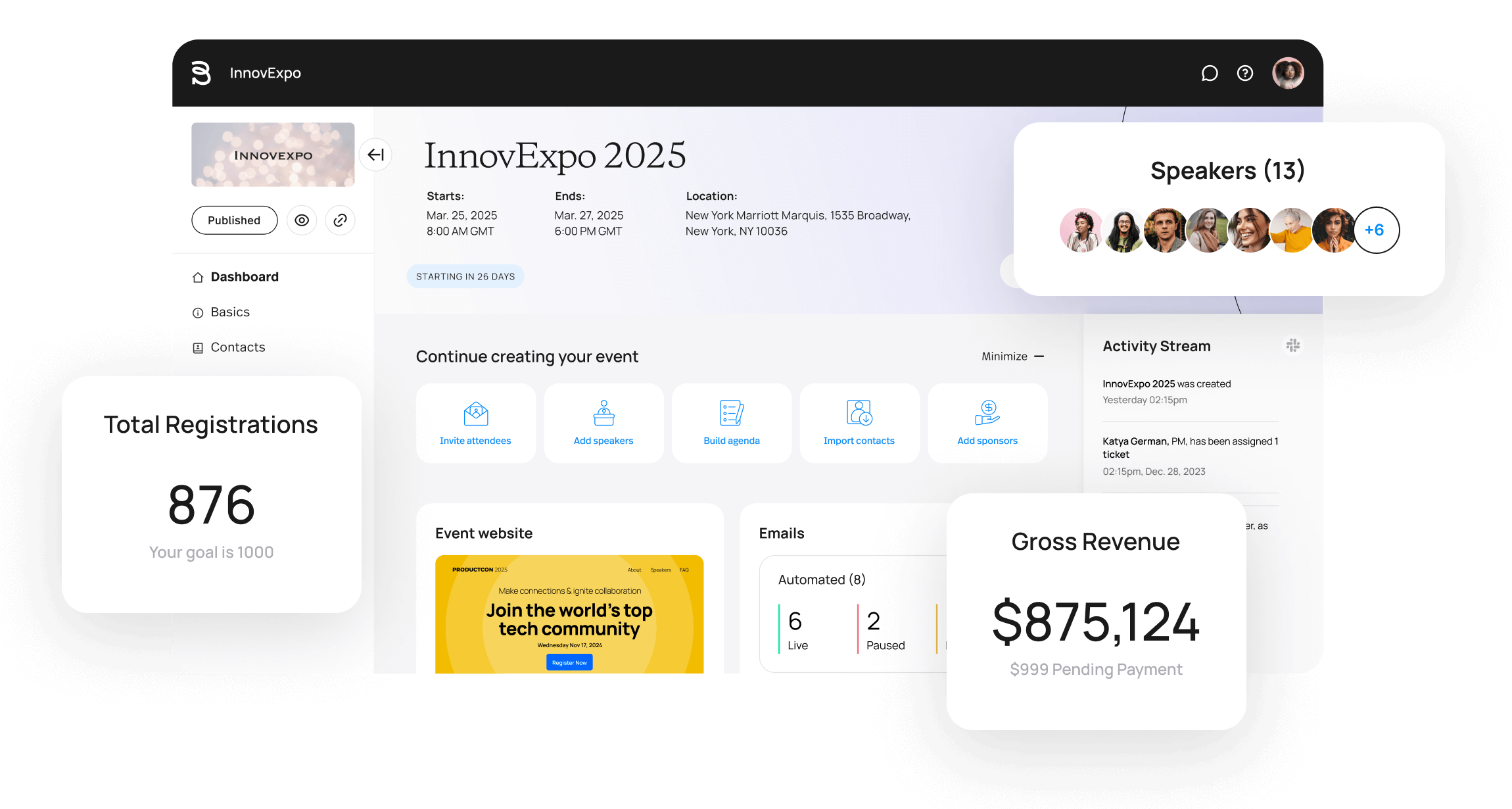
Image credit to Bizzabo
Quick Verdict: Bizzabo is a B2B event experience platform that treats events as a sales channel. Registration data flows into CRM systems, and Klik SmartBadge wearables capture leads on-site.
Best For: Trade associations and professional societies hosting B2B conferences with heavy sponsor participation.
Switch Factor: Associations tend to move to Bizzabo when sponsors want lead data, which its badge hardware collects. However, that capability comes with an enterprise contract, so it only makes sense if your sponsor revenue justifies the cost.
Key Features for Associations:
- Klik SmartBadge wearables: Attendees tap badges to exchange contact details, and sponsors capture booth visits as leads without scanning anyone. Note: Bizzabo says Klik suits larger events best, around 500 attendees and up.
- Customizable registration pages: Branded pages with tracking built in, so organizers can see which email or channel drove each signup.
- Real-time analytics dashboards: Session attendance, booth traffic, and engagement data update live during the event.
Pros & Cons:
Pros: High-tech on-site networking experience for B2B attendees.
Cons: Higher price point with annual enterprise contract requirements.
Pricing: Annual subscription model starting around $17,999/year.
3. Cvent
Image credit to Cvent
Quick Verdict: Cvent lets event organizers source venues, negotiate hotel room blocks, and manage contracts within its platform.
Best For: Large international associations wanting complex venue sourcing and hotel block management.
Switch Factor: The move to Cvent usually happens when a convention outgrows a single hotel. You can find venues and negotiate room blocks inside the platform, so that work stops living in email threads and spreadsheets. No other platform on this list does venue sourcing.
Key Features for Associations:
- Venue sourcing marketplace: Organizers post event requirements and receive proposals from hotels and conference centers directly.
- Complex session management: Organizers set capacity limits, waitlists, and registration rules for hundreds of sessions across concurrent tracks.
- Multi-event reporting: One dashboard shows attendance and revenue for every event the association runs in a year.
- CRM connectors: Registration and attendance data sync with Salesforce, HubSpot, and Microsoft Dynamics, with more available through Cvent’s App Marketplace.
Pros & Cons:
Pros: Unmatched logistical scale for massive global conventions.
Cons: High annual cost, steep learning curve, longer implementation timelines.
Pricing: Annual enterprise contract plus per-registrant fees.
4. EventMobi
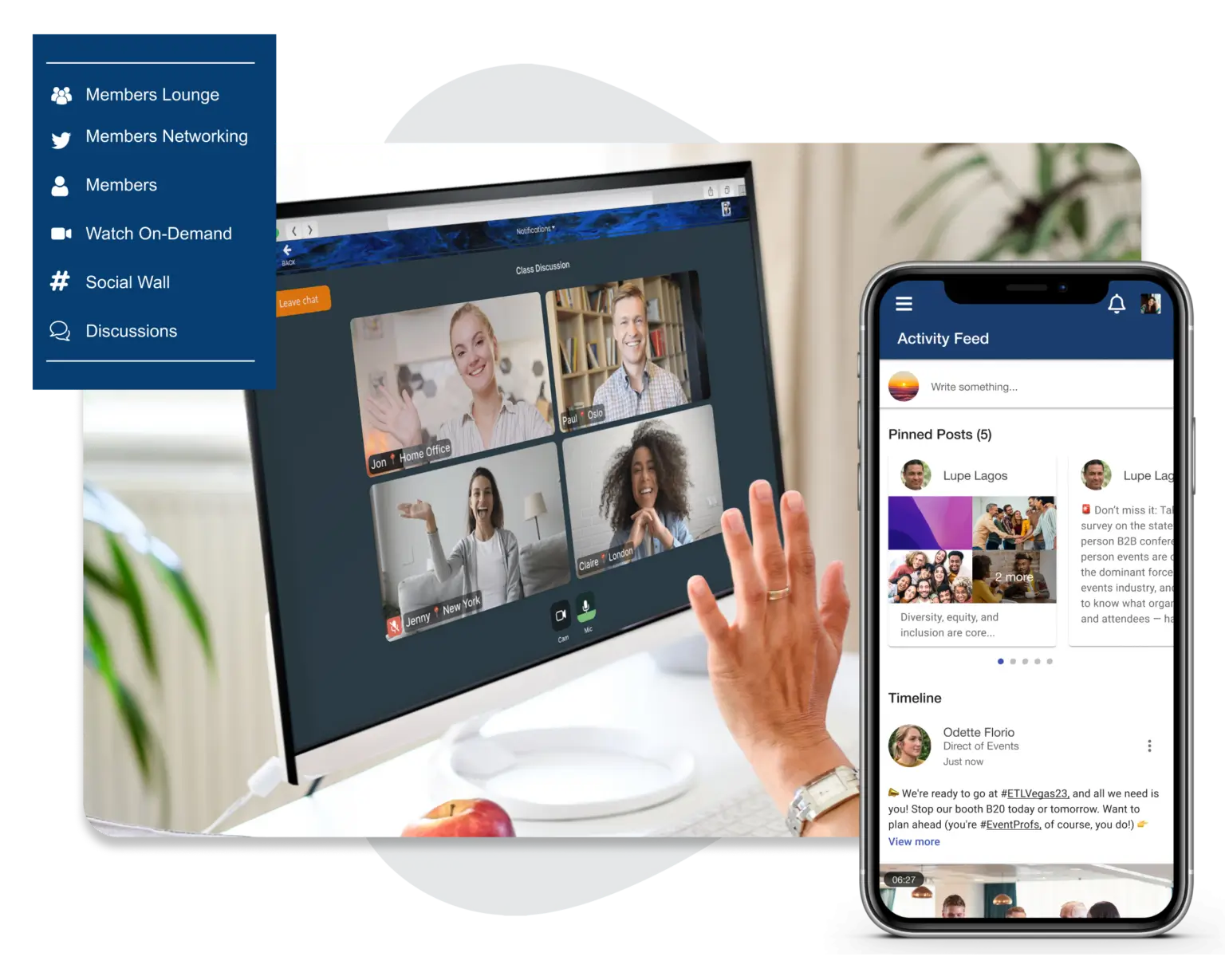
Image credit to EventMobi
Quick Verdict: EventMobi delivers an interactive mobile app experience tailored for participant engagement.
Best For: Associations prioritizing live polling, gamification, and video content libraries.
Switch Factor: : Associations switch to EventMobi when they want the event itself to be interactive and want control over how members take part. You can assign different point values to different activities, which shapes where members spend their time on-site.
Key Features:
- Gamified leaderboards: Attendees earn points for sessions, booth visits, and networking.
- Real-time push announcements: Send schedule changes and reminders straight to attendees’ phones.
- Digital document hubs: Session slides, handouts, and recordings live in the app.
- Interactive floor maps: Attendees find rooms and exhibitor booths from a tappable venue map.
Pros & Cons:
Pros: Great gamification tools, transparent pricing tiers.
Cons: Limited multi-user administrative access on entry plans.
Pricing: Starts around $3,500 per event or annual packages.
5. Neon One (Neon CRM)
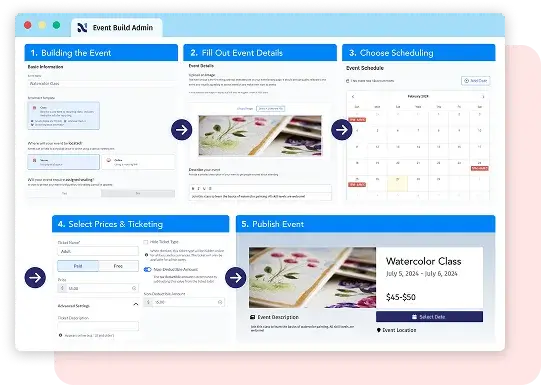
Image credit to Neon One
Quick Verdict: Neon One is a software ecosystem combining donor management, member portals, and basic event ticketing.
Best For: Nonprofits and trade associations seeking unified fundraising and member database management.
Switch Factor: Associations rarely adopt Neon One for events alone. They choose it as the membership and fundraising database, and the ticketing comes along with that. It covers the basics but stops short of on-site badge printing, session tracking, and an attendee app.
Key Features for Associations:
- Native membership database: Member records and dues status live in Neon CRM itself.
- Donation tracking: Fundraising campaigns run alongside membership records, so donor and member histories stay in one place.
- Automated email workflows: Renewal reminders send automatically based on member status.
- Member portals: Members log in to update their own details or renew without contacting staff.
Pros & Cons:
Pros: Membership, donation and email history all live on one record — no reconciling exports between systems.
Cons: On-site event logistics and mobile app features are limited compared to dedicated event platforms.
Pricing: Monthly or annual subscription models.
6. Fonteva
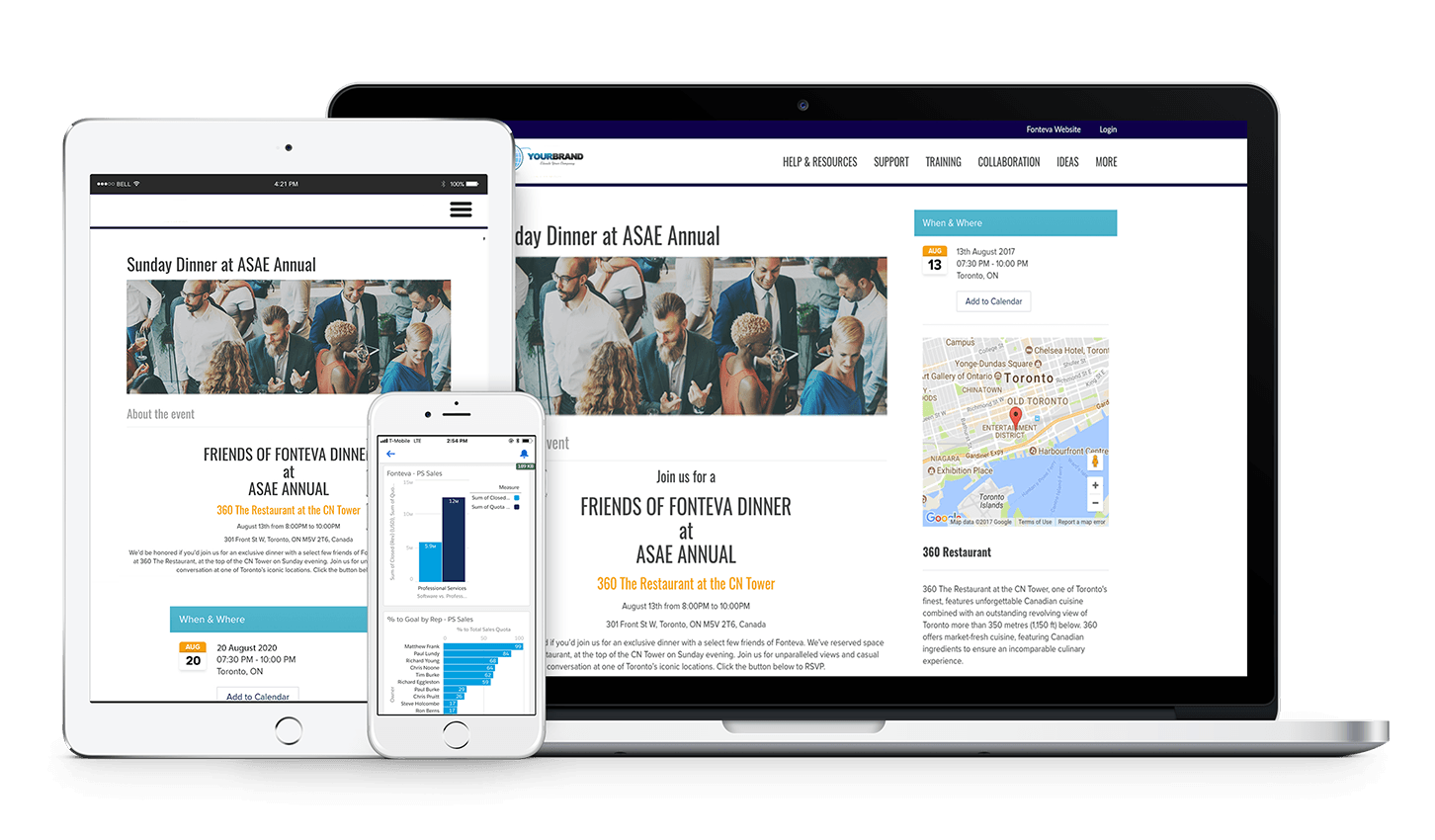
Image credit to Fonteva
Quick Verdict: Fonteva is a Salesforce-native membership and event management solution.
Best For: Enterprise associations already using Salesforce as their main organizational database.
Switch Factor: Associations move to Fonteva in two situations: they already use Salesforce and are tired of syncing event data back into it, or they’re consolidating their operations onto Salesforce and want events included.
Key Features for Associations:
- Native Salesforce reporting: Event and membership data appear in Salesforce dashboards automatically.
- Complex tier management: Supports layered membership structures such as chapters, corporate memberships, and individual levels.
- Financial ledger integration: Event payments post to the association’s financial records automatically.
- Custom event page creation: Organizers build branded registration pages within Salesforce.
Pros & Cons:
Pros: Eliminates data sync delays by storing everything inside Salesforce.
Cons: Requires Salesforce technical expertise to manage effectively; premium pricing.
Pricing: Custom annual enterprise license.
7. Glue Up
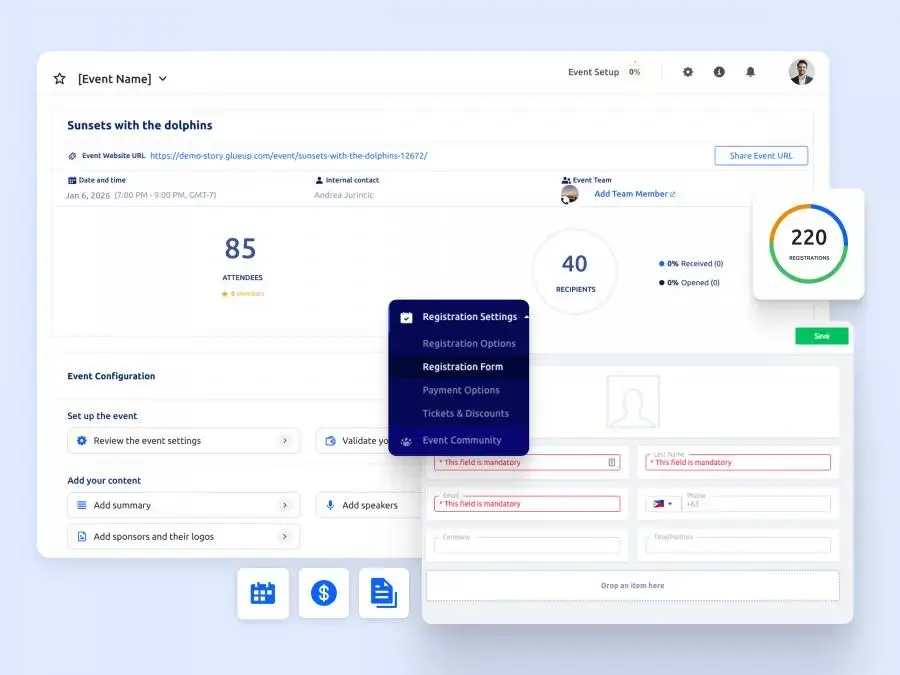
Image credit to Glue Up
Quick Verdict: Glue Up is built for chapter-based organizations, letting a national or international headquarters oversee regional chapters that run their own members and events.
Best For: Regional trade associations and chambers of commerce seeking year-round member engagement.
Switch Factor: Glue Up wins when one database for members and events beats best-in-class at either. Ticketing is the weak spot — limited add-ons, limited session registration, and no cart for buying into multiple events at once. It’s fine for a monthly chapter meetup, painful for a multi-track association meeting.
Key Features for Associations:
- Integrated membership management: Records, renewals and dues in one database with events and email.
- Automated newsletter tools: Campaigns sent to member segments.
- Digital business card exchange: Attendees swap details in-app; connections land in the CRM.
- Event ticketing: Registration and payment run natively, attendance attaches to the member record.
Pros & Cons:
Pros: Great for managing member subscriptions alongside event registrations.
Cons: On-site badge printing and advanced conference management tools are less specialized.
Pricing: Annual subscription based on active member records.
How Can Associations Automate CEU Tracking and Instant Certificate Generation?
In the same Smithbucklin survey cited earlier, 82% of members rated continuing education among the most valuable things their association offers. For association staff, though, credits mean admin: checking who attended which session, working out the totals, sending every certificate by hand. Done manually, it’s slower and prone to error, and when a certificate is late or wrong, it’s a member’s license renewal on the other end.
Event software can now run this whole sequence on its own. The setup works in four steps:
- Decide which sessions count for credit. Organizers choose the sessions or tracks eligible for CEU or CPE credit during setup.
- Scan attendance at the door. Staff scan attendee QR codes as people enter, or attendees check themselves in through the event app. Either way, the platform records entry and exit times.
- Let the software confirm who qualifies. The platform checks each attendee’s record against the credit rules and awards credit to the ones who meet them.
- Certificates go out on their own. Qualified attendees get a branded PDF by email showing their name, credit total, and completion date.
Note: Whova and Glue Up both issue certificates automatically once attendance criteria are met. Cvent tracks credits and designs certificates and session tracking is a paid upgrade in its OnArrival check-in app. EventMobi captures the richest attendance data — session check-in and check-out with timestamps — but leaves certificate issuing to you. Neon One’s public documentation shows event-level check-in only.
Which Association Event Management Software Fits Your Needs Best?
The best fit depends on how your association runs and what your events demand:
If your association runs on Salesforce, Fonteva keeps event and member data inside the system your staff already work in.
If your conference fills hotels across a city, Cvent’s venue sourcing and room block tools were built for that scale.
If year-round engagement matters more than any single event, Glue Up combines membership and events in one platform.
If you need defensible attendance records for accreditation, EventMobi captures check-in and check-out with timestamps, though you’ll issue certificates yourself.
If fundraising runs alongside membership, Neon One keeps donor and member histories in one record, though event tracking stops at the door.
For mid-sized associations that need member verification, fast check-in, AMS sync and automated CEU certificates, Whova is a complete option here with end-to-end event management, priced per event, and simple enough for a small team to run without IT support.
Book a Whova demo and see how well it fits your next event.

Frequently Asked Questions About Association Event Management Software
How Does Association Event Software Integrate with an Association Management System (AMS)?
Association event software reads member records straight from your AMS, whether that’s WildApricot, MemberClicks, or iMIS, at the moment someone registers. When an active member signs up, they are able to buy the ticket at the discounted rate. Non-members see standard pricing, and some platforms prompt them to join at that point.
Why Is CEU Credit Tracking Important for Association Events?
Because many members attend for the credits. Professionals who need continuing education units to keep a license expect their attendance verified and their certificate delivered. Doing that manually means staff reconciling sign-in sheets for days after the event. Automated tracking does it through QR scans at the session door.
What Is the Difference Between an AMS and Event Management Software?
An AMS manages the membership: dues, renewals, committee records. Event management software runs the event itself: mobile event check-in through the attendee app, badge printing, session scheduling, and attendee networking. Most associations connect the two rather than choosing between them.
Can Event Software Help Increase Non-dues Revenue for Associations?
Yes, mainly through sponsors. Platforms like Whova give sponsors paid visibility like banner placements and digital booths, plus lead retrieval that shows them who they reached. Sponsors who can measure results renew, and that renewal money is non-dues revenue.