
By: Whova Team | Last Updated: March 23, 2026

Looking for an event app to facilitate your work and engage attendees more easily?
A good conference app gives attendees their agenda, speaker bios, and venue maps without a single staff intervention. Attendees can message each other, join live polls, and follow session updates from their phones in real time. On the organizer side, check-in, announcements, and engagement data are all live in one place, giving the team a clear view of how the event is running at any given moment.
Below are the ten best event apps for conferences in 2026, with a breakdown of features, pricing, and what each platform does best.
Key Takeaways
- Current trends indicate that Whova, Bizzabo, Cvent, vFairs, and EventMobi are the strongest options for conference organizers.
- Every platform on this list covers the core features: agenda management, check-in, networking, and sponsor tools. The difference is in the quality of execution and how much support you get when something goes wrong on the day.
- Attendees have to open the app for it to deliver value. Ease of use and adoption rate are worth weighing as heavily as the feature list.
How to Choose the Best Event App?
Choosing the right event app shapes how smoothly your event runs and how engaged your attendees are. Here is what to look for.
White Label vs Single App
The first decision is whether you need a white-label app at all. A branded app looks polished, but it takes longer to build, costs more to maintain, and often runs behind on updates. For most events, a single shared platform where your event lives alongside others delivers better usability and faster support. The branding trade-off rarely justifies the operational headache.
Features
- Networking: Some platforms offer basic messaging while others include full attendee profiles and matchmaking based on industry or interests. The more your event relies on connection-making, the more this feature matters.
- Engagement: Live polls, Q&A, and gamification are fairly standard now, but the quality of implementation will decide the winner.
- Information sharing: Dynamic updates are essential for the best event experience. Agendas, speaker bios and any event information should reflect changes from the backend instantly, and not require a manual refresh.
- Management tools: Check-in, announcements, and community moderation are what your team leans on most when things get busy. They need to be intuitive under pressure, not just in a demo environment.
Security
Event apps collect personal data, so before committing to any platform, ask the vendor directly about encryption, access controls, and how they handle a breach. Look for platforms with SOC 2 or ISO 27001 certification, which means their security practices have been audited by third-party assessors. If your event draws international attendees, GDPR and CCPA compliance are non-negotiable.
Support
Events run on tight schedules and technical problems do not wait for business hours. Before signing with any platform, check reviews specifically for how they handle urgent issues mid-event. A provider with genuine dedicated support and fast response times is worth the premium. Pro tip: reviews will tell you whether that promise holds up in practice.
Best Event Apps for Conferences
| Platform | App Type | Standout Features | Security | Support |
| Whova | Single app | Networking and gamification features to connect attendee profiles
Instant updates on event information + event management tools |
SOC 2 Type II, GDPR | Responsive business hours chat and call support + daily email support |
| Cvent | Single app | Built-in venue sourcing alongside registration and event management | SOC 2, GDPR | Selected hours for call support + 24/7 virtual assistant |
| EventCube | White label | Full brand control with custom domain and brand-free checkout | GDPR | Business hours |
| vFairs | White label | Dedicated support rep assigned to every event | SOC 2, GDPR | Dedicated rep per event |
| Bizzabo | White label | Klik SmartBadge wearables tracking attendee movement in real time | SOC 2, GDPR, ISO 27001 | Dedicated account manager |
| EventMobi | Single app | Transparent per-event pricing with no long-term contracts | SOC 2, GDPR | Responsive, not 24/7 |
| Guidebook | Single app | No-code drag-and-drop app builder with AI-powered matchmaking | GDPR | <20 sec chat response |
| Eventee | Single app | Swipe-based matchmaking that unlocks private chat on mutual interest | ISO 27001, GDPR | Chat, business hours |
| Zoom Events | Single app | Built on Zoom infrastructure — no new platform for attendees to learn | SOC 2, GDPR, ISO 27001 | Business hours + paid priority |
| Eventify | White label (add-on) | AI copilot for attendees with 98% check-in adoption at large events | ISO 27001, SOC 2, GDPR | Priority on higher plans |
1. Whova
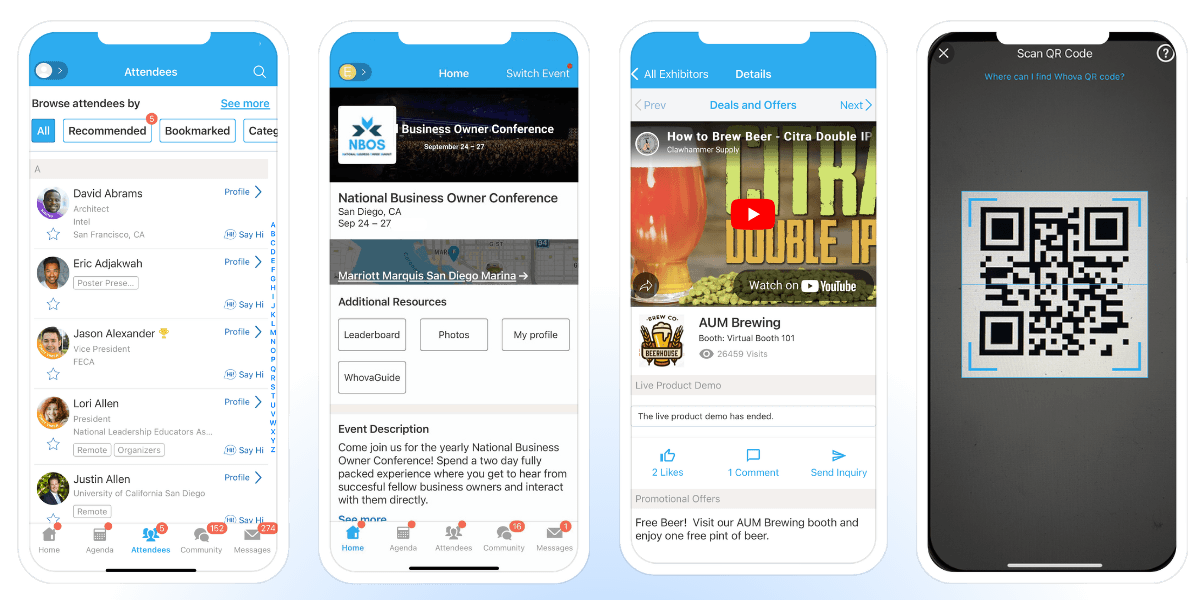
Whova has powered over 50,000 conferences and events across 100+ countries, earning a 4.8 out of 5 on G2 across more than 1,800 reviews, with 94% giving it five stars. The Event Technology Awards has recognised Whova nine years running, with wins including People’s Choice and Best Event App.
Best for: Conferences, association events, corporate events, expos, and trade shows across in-person, virtual, and hybrid formats.
Features:
- Networking: In-app messaging, attendee profiles, attendee matchmaking, meet-up scheduling, QR contact exchange, and more.
- Engagement: Live polls, Q&A sessions, discussion topics, leaderboard, trivia gamification, and more.
- Information sharing: Digital agendas, speaker bios, venue maps, exhibitor/sponsor profiles, and more.
- Management tools: Check-in, community moderation, real-time notifications announcements, virtual profile editing, and more.
Pros:
- Easy to use for all organizers, attendees, speakers, exhibitors and sponsors
- Instant updates when updated in backend
- One single app for all events managed in Whova
- Community board actively encourages attendee connections before the event opens
- Provide visibility to all our event components (sponsors, exhibitors, speakers, sessions)
- End-to-end coverage from registration to post-event reporting
Cons:
- No white label
- No extensive UX customization
Pricing: Request a demo to find the right pricing for your event
2. Cvent
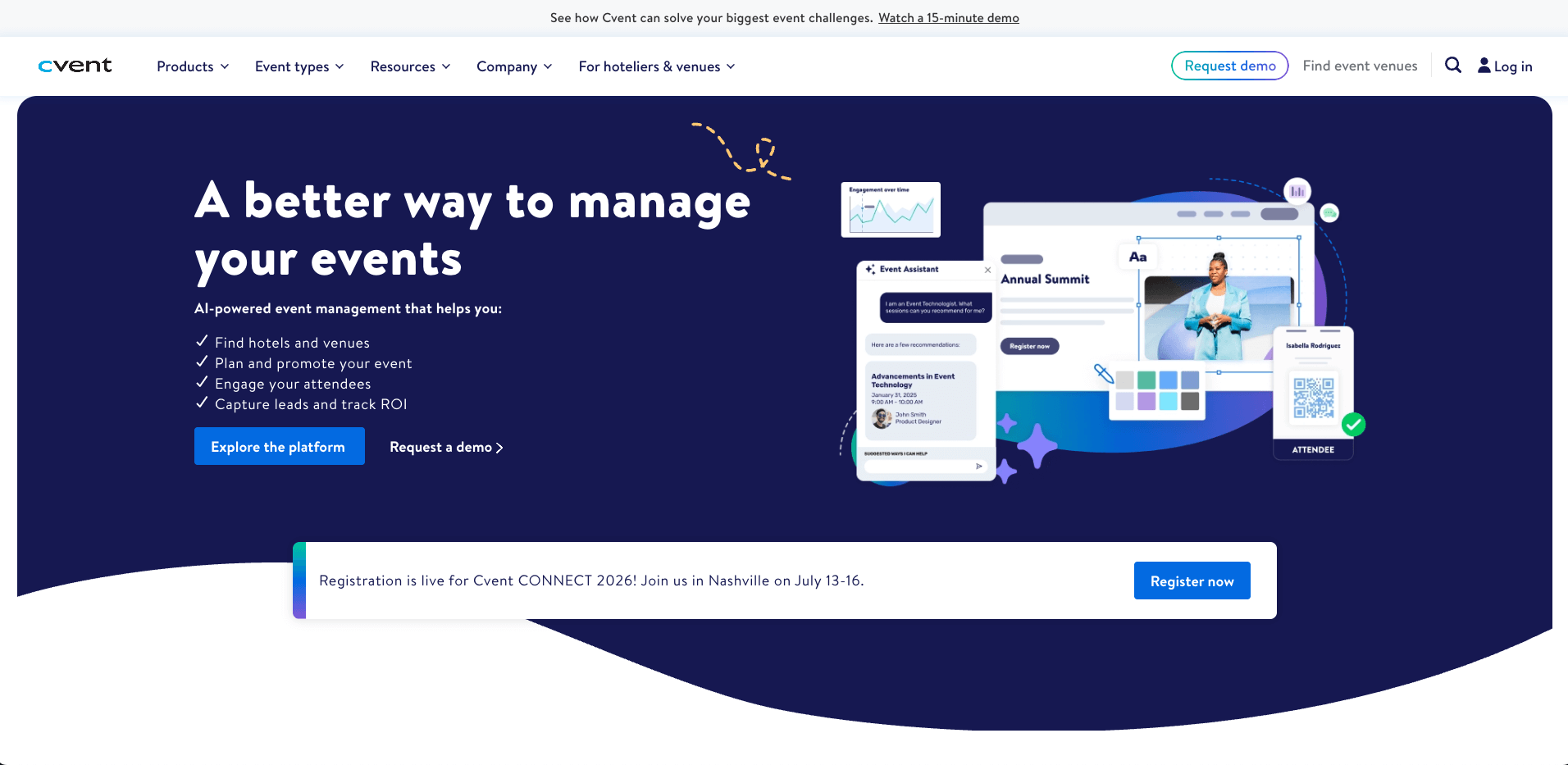
Image credit to Cvent
With a 4.3 out of 5 rating on G2 across more than 2,100 reviews, Cvent is one of the most trusted event management platforms on the market. For large-scale conferences, it is hard to find a platform that matches the depth of what it offers: registration, venue sourcing, attendee engagement, and post-event analytics without needing to patch in a second tool.
Best for: Large enterprises, associations, and corporate teams running high-volume conferences, trade shows, and hybrid events.
Features:
- Networking: In-app messaging and meeting scheduling
- Engagement: Live polls, Q&A, and gamification
- Information sharing: Agendas, speaker bios, and venue maps with push notifications
- Management tools: Check-in, registration, and automated attendee communications
Pros:
- 24/7 client services support
- End-to-end coverage from registration to post-event reporting
Cons:
- Networking and matchmaking tools are limited relative to the price point
- Add-on pricing for core features like the mobile app makes budgeting unpredictable
Pricing: Cvent prices on request. Expect an annual license fee plus a per-registrant charge.
3. EventCube
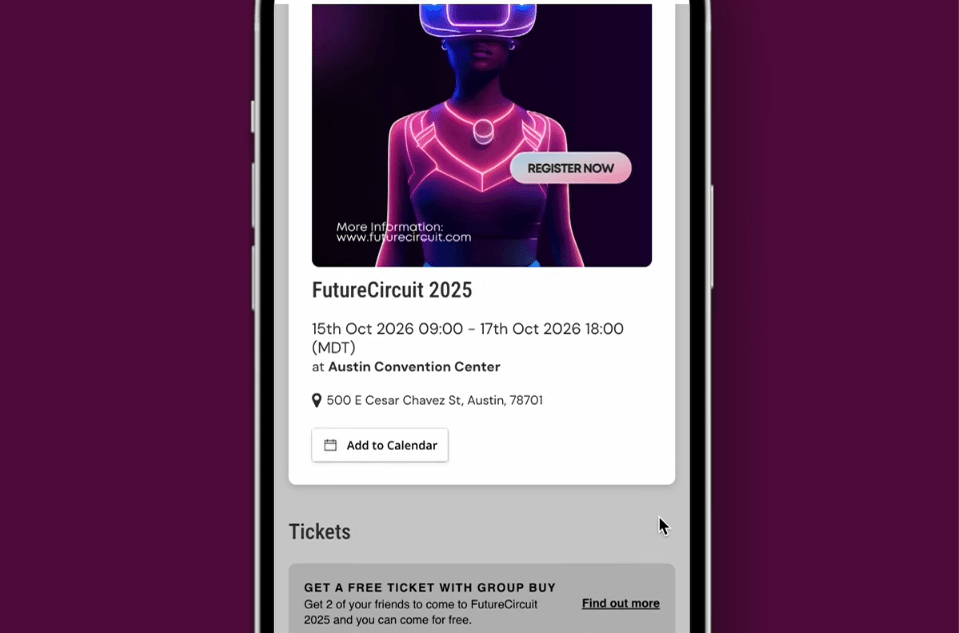
Image credit to EventCube
Over 100,000 events and 15 million attendees later, EventCube has earned its place among the more serious white-label options on the market. It is the platform of choice for organizers who want their branding front and center, with full customization across ticketing, virtual events, and membership management.
Best for: Small businesses through to enterprise-level organizers who need complete control over their event branding and attendee experience.
Features:
- Networking: Video networking and breakout rooms, primarily for virtual events
- Engagement: Live chat and interactive elements during live streams
- Information sharing: Real-time ticket sales and attendee engagement analytics
- Management tools: Check-in, customizable registration, and brand-free checkout flows
Pros:
- Full ownership and control of attendee data
- Full white-label control with custom domain and brand-free checkout
Cons:
- Post-event reporting is limited
- Networking features are light, mainly suited to virtual events
Pricing: A free Starter plan is available, with a Pro plan at $99 per month on an annual basis and custom Enterprise pricing for high-volume requirements.
4. Vfairs
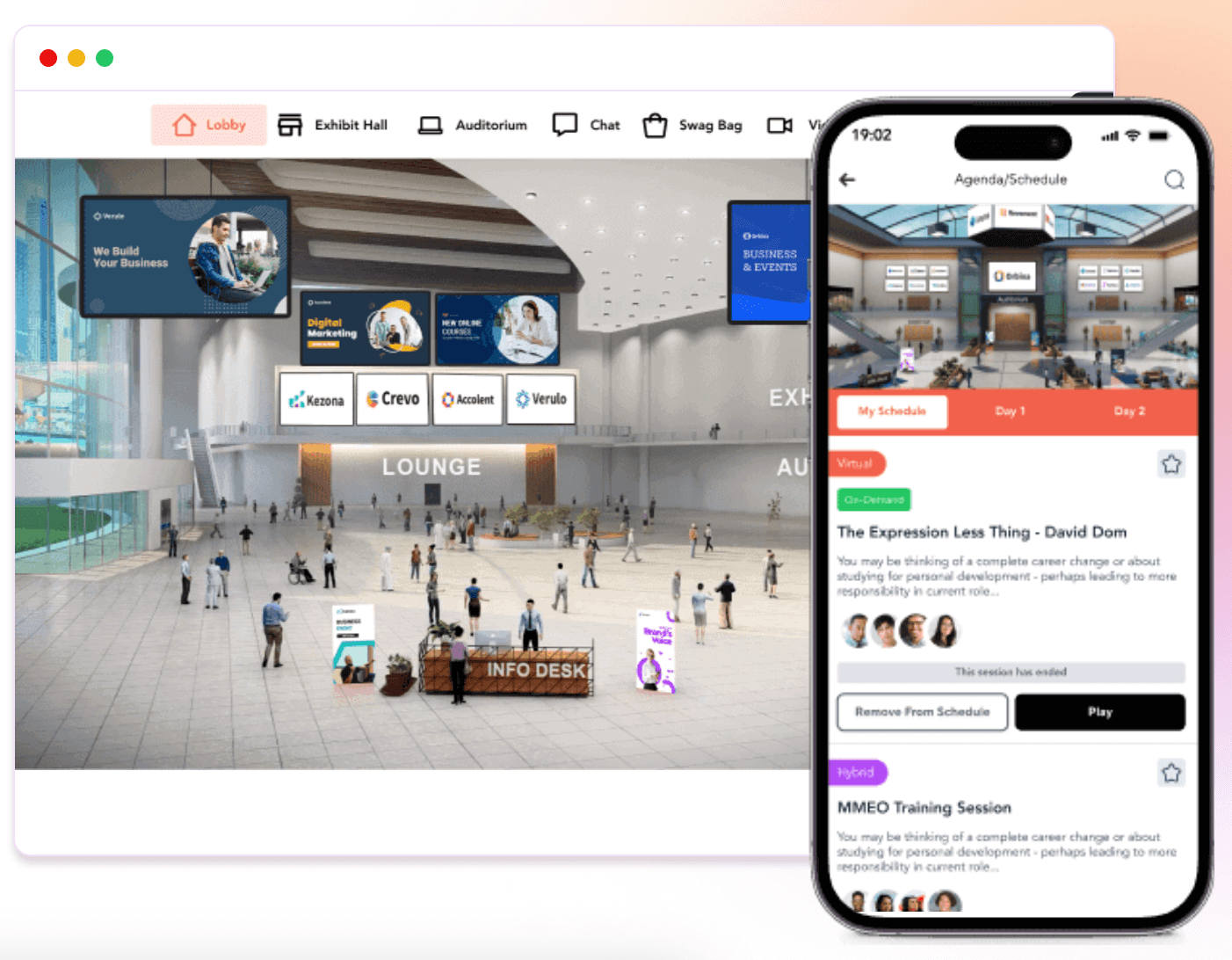
Image credit to Vfairs
vFairs is an event management platform built for conferences and hybrid events, with a 4.7 on G2 and a spot in the 2025 Gartner Magic Quadrant across 100 countries and 100 million attendees. Every event comes with a dedicated support rep available from setup to the final session.
Best for: Mid-size to enterprise organizations running conferences and hybrid events who want hands-on platform support.
Features:
- Networking: Interest-based matchmaking and 1:1 or group chat
- Engagement: Live polls, Q&A, surveys, and gamification with a leaderboard
- Information sharing: Interactive agendas, speaker bios, and venue floor maps
- Management tools: QR-based check-in, badge printing, and multi-event dashboard
Pros:
- Dedicated support rep assigned to every event
- Single dashboard for multi-event management with team permissions
Cons:
- The mobile admin app is limited to check-in.
- Backend has a steep learning curve and often requires vFairs support
Pricing: Custom quotes only, based on event format, features, and attendee volume.
5. Bizzabo
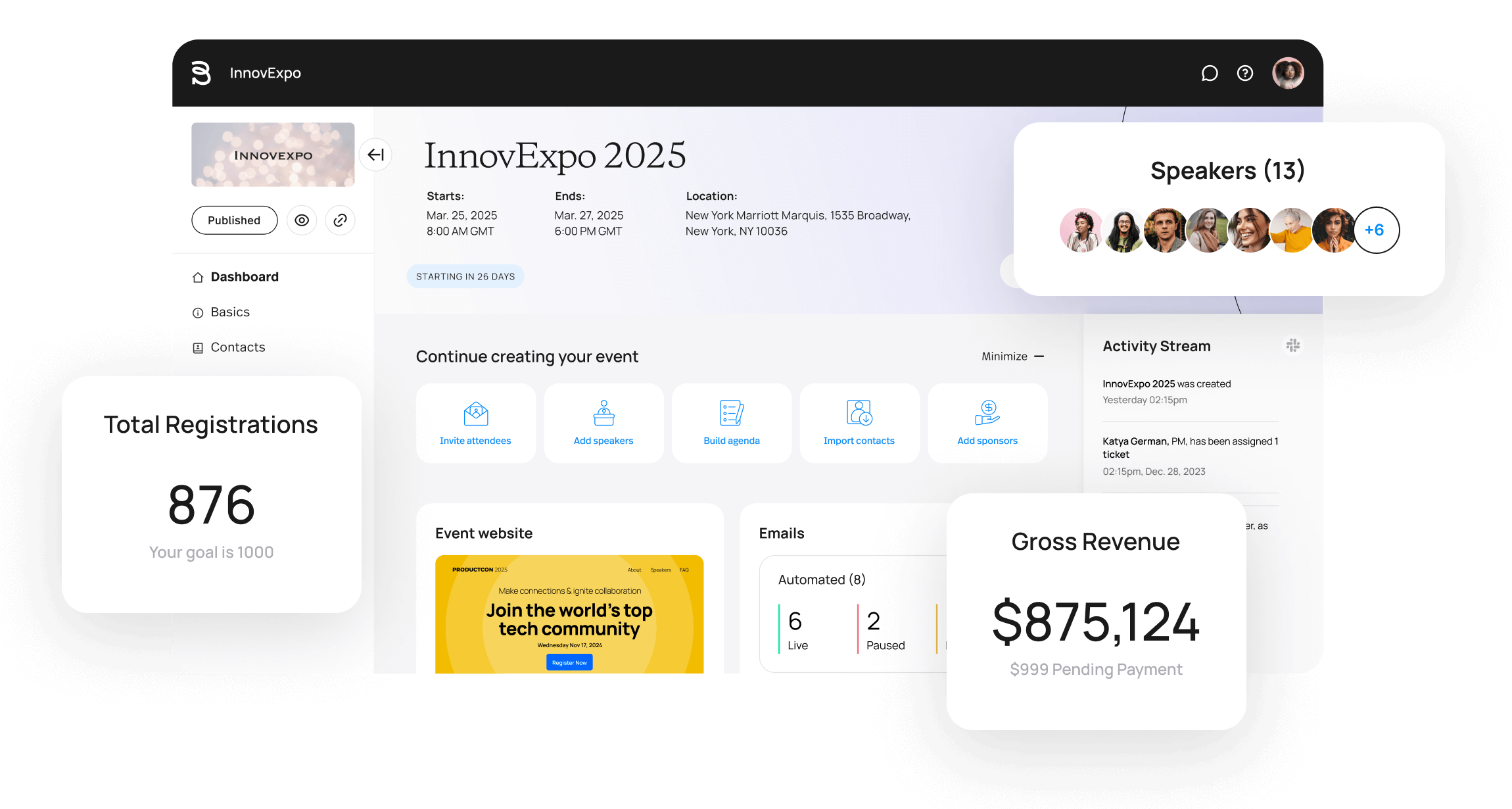
Image credit to Bizzabo
Bizzabo is built specifically for B2B conferences, and the client list reflects that focus. Amazon, Bloomberg, and the Financial Times all run their events on Bizzabo, which holds the rare distinction of being named both a Leader in the 2025 Gartner Magic Quadrant and the Customer Favorite in the 2024 Forrester Wave.
Best for: B2B conference teams producing mid-size to large-scale in-person, hybrid, and virtual events.
Features:
- Networking: AI-powered matchmaking, 1:1 messaging, and meeting scheduling
- Engagement: Live polls, Q&A, and session chat channels
- Information sharing: Personalized agendas and real-time updates
- Management tools: Check-in, registration, and post-event analytics
Pros:
- Klik SmartBadge lets attendees exchange contacts with a tap
- Web updates automatically sync to the mobile app in real time
- Scores 8.7 on G2 for ease of use
Cons:
- Mobile app offers limited functionality compared to desktop
- Mobile app has no iPad optimization and crashes in low-connectivity environments
Pricing: Subscription-based, starting from $17,999 per year.
6. EventMobi
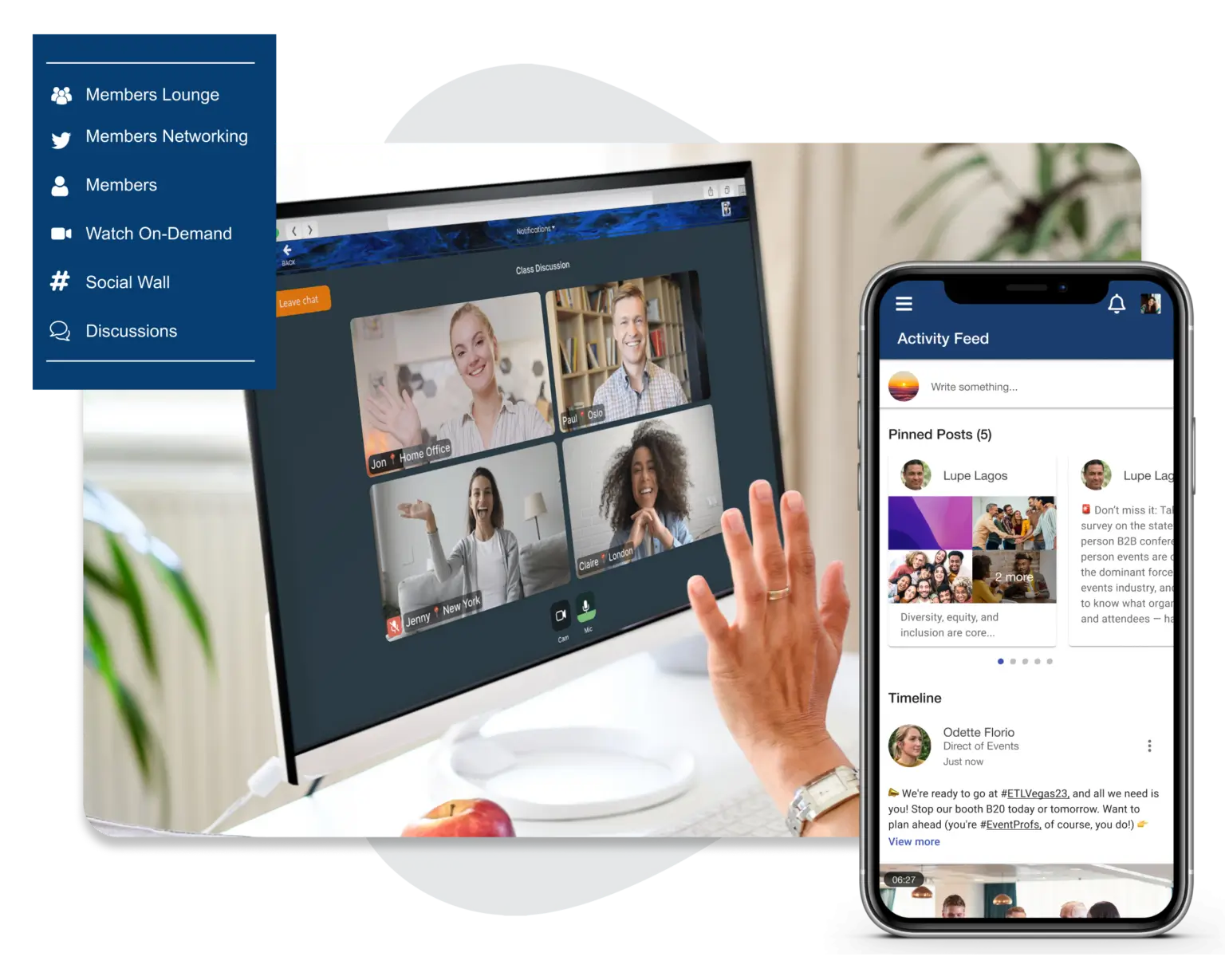
Image credit to EventMobi
Conference organizers running on tight budgets and smaller teams rarely get a platform built with them in mind. EventMobi is one of the few that has transparent pricing, no long-term contracts, and a support team that reviewers consistently describe as the best part of the experience.
Best for: Teams running conferences and hybrid events who need a reliable platform without enterprise-level complexity.
Features:
- Networking: 1:1 messaging, group discussions, and appointment booking
- Engagement: Live polls, Q&A, and gamification
- Information sharing: Personalized agendas, maps, and push notifications
- Management tools: Check-in, lead capture, and multi-event dashboard
Pros:
- Attendee app access stays live for up to 12 months post-event
- Responsive support with transparent pricing and no hidden fees
Cons:
- Single-user access only, which slows setup for larger conferences
- Limited app customization, with some options carrying additional fees
Pricing: Starts at $3,500 for a single event or $9,000 annually. Special pricing available for nonprofits and multi-year contracts.
7. Guidebook
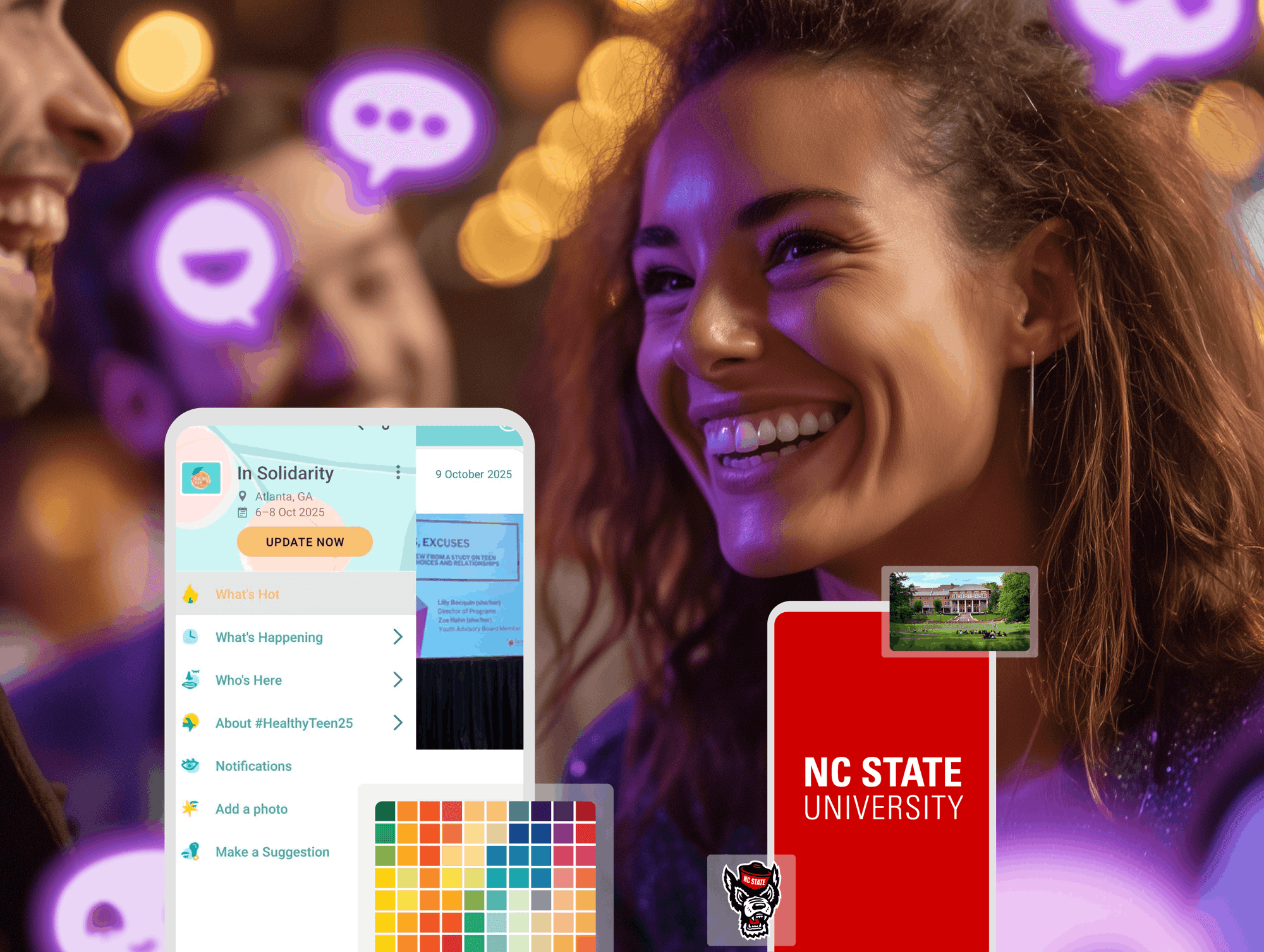
Image credit to Guidebook
Most conference apps require a developer or a long onboarding process. Guidebook’s drag-and-drop interface is built on the premise that if you can put together a slide deck, you can build a custom event app. The more interesting differentiator is on the networking side: attendees select interests from an organizer-defined list, and AI-powered matchmaking connects them with relevant people for private chats or 1:1 meetings.
Best for: Conferences, associations, universities, and enterprise teams who need a fast setup without technical resources.
Features:
- Networking: AI-powered matchmaking and direct messaging
- Engagement: Live polls and Q&A
- Information sharing: Schedules, maps, and push notifications
- Management tools: Exhibitor lead capture and sponsor metrics dashboard
Pros:
- No-code builder that anyone on the team can manage
- G2 Easiest to Use and Easiest Admin in Mid-Market, Winter 2025
Cons:
- Analytics and reporting are limited
- Inconsistencies between mobile and desktop views
Pricing: Custom quotes on request.
8. Eventee
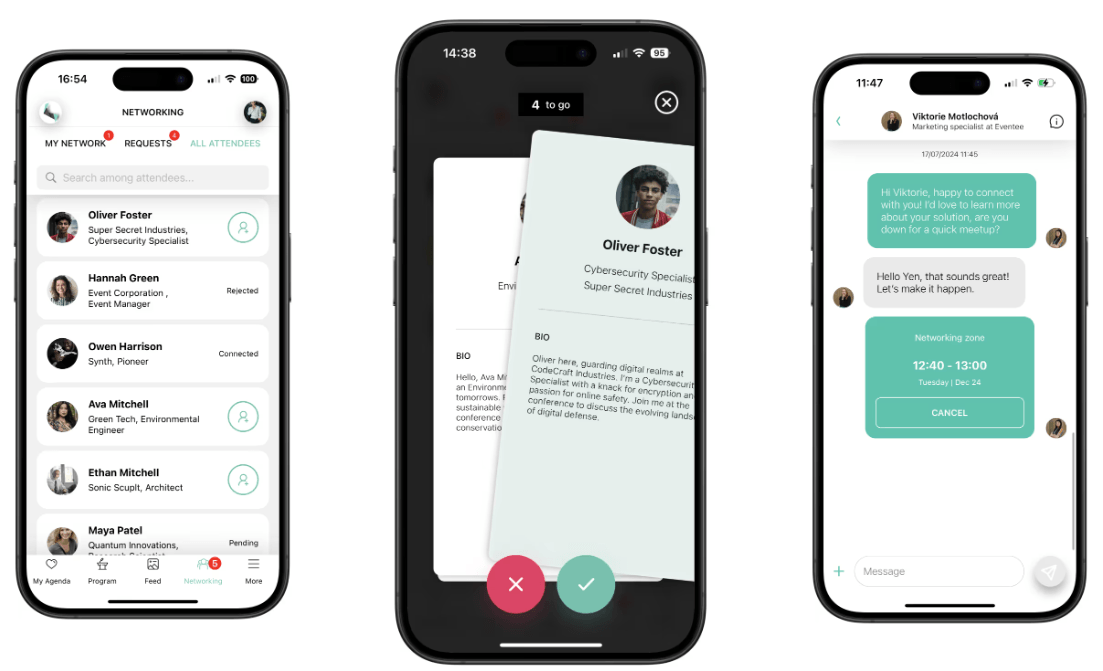
Image credit to Eventee
Eventee is a self-service conference app that organizers can set up in under two hours, with app adoption rates reaching up to 90%. The networking feature is what separates it from other platforms on this list: attendees swipe through profiles, and only mutual matches unlock private messaging and meeting scheduling.
Best for: Conferences and hybrid events where quick setup and high attendee adoption are the priority.
Features:
- Networking: Swipe-based matchmaking with 1:1 chat and meeting scheduling
- Engagement: Live Q&A with upvoting, live polls, gamification, and a social wall
- Information sharing: Interactive schedules, personal agendas, and push notifications
- Management tools: Check-in via ticket scanning and attendee analytics
Pros:
- App adoption rates reach up to 90%
- One setup publishes across mobile app, web app, and event website simultaneously
Cons:
- Attendee caps are low on entry-level plans
- White label is only available on enterprise pricing and SSO is not yet live
Pricing: Pay-per-event on the Solo plan, with Business covering 6 events annually and Enterprise covering 12, capped at 3,000 attendees per event.
9. Zoom Events
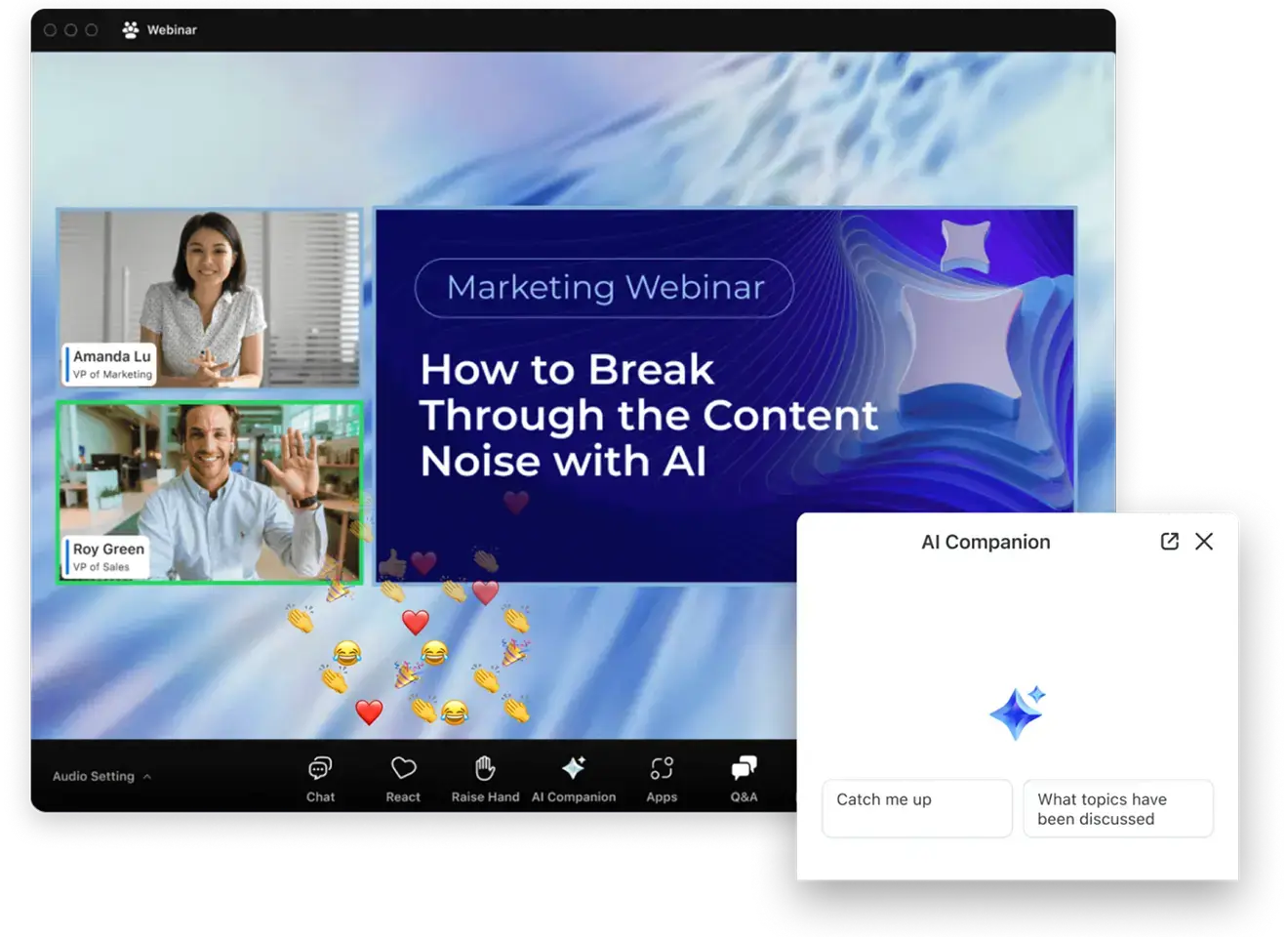
Image credit to Zoom Events
Zoom Events layers event management tools onto Zoom’s existing video infrastructure — event hubs, customizable registration and ticketing, attendee networking, and reporting. Attendees join the same way they join any Zoom call, which means no downloads, no new accounts, and no explanation needed.
Best for: Virtual and hybrid conferences where attendees are already in the Zoom ecosystem.
Features:
- Networking: In-lobby chat, attendee directory, and 1:1 messaging
- Engagement: Live Q&A, polls, and breakout rooms
- Information sharing: Multi-session agendas and on-demand session recordings
- Management tools: Registration, ticketing, and post-event engagement analytics
Pros:
- No new downloads or accounts needed — attendees join through existing Zoom
- AI Companion automatically summarizes and generates post-event follow-up content
Cons:
- Limited app customization
- Mobile app is designed for virtual attendees, not in-person events
Pricing: The Pro Event plan starts at $149 per month per organizer for up to 500 attendees, with the Business Event plan starting at $499 per month for up to 1,000 attendees.
10. Eventify
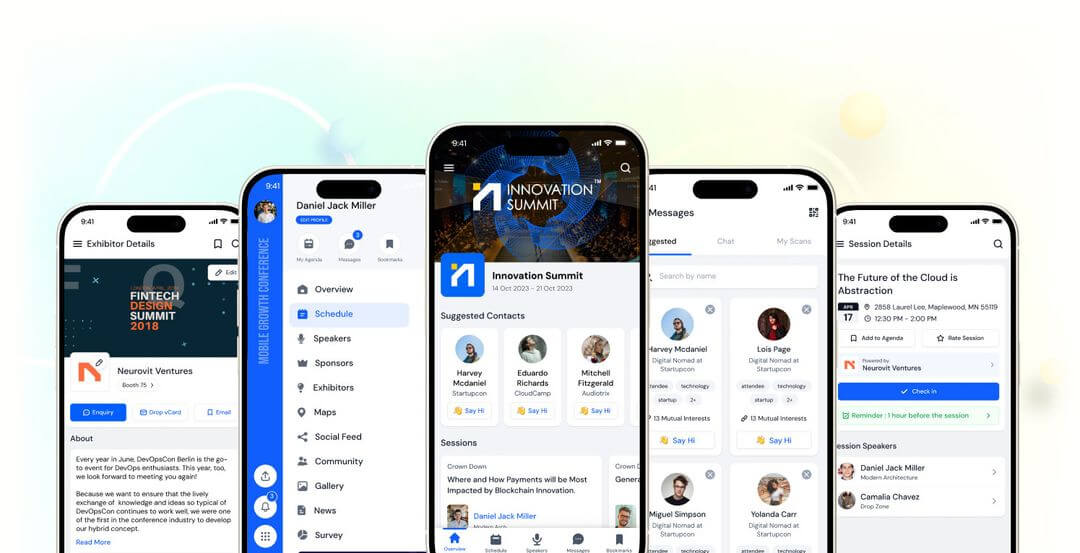
Image credit to Eventify
Eventify is trusted by over 5,000 event managers and holds 99% positive reviews on G2. The app is built around the assumption that exhibitors and sponsors need as much attention as attendees, with dedicated tools for each on the same platform.
Best for: B2B conferences, trade shows, and expos across in-person, virtual, and hybrid formats.
Features:
- Networking: Tag-based matchmaking with 1:1 chat and meeting scheduling
- Engagement: Live polls, Q&A, gamification, and a private social feed
- Information sharing: Agendas, speaker profiles, venue maps, and push notifications
- Management tools: QR-based check-in, badge printing, and exhibitor lead scanning
Pros:
- Private social feed for attendees
- QR-driven check-in achieves 98% adoption at large events
Cons:
- White label is a paid add-on rather than included in standard plans
- Lead scanning, floor plans, and CRM integrations are locked to higher plans
Pricing: Four plans are available, scaling from basic registration tools up to a full AI-powered suite. Contact Eventify directly for current figures.
Which Event App Is Right for Your Conference?
Large enterprises with high budgets find Cvent’s mobile app covers personalized agendas, networking, and real-time updates across the full event lifecycle. Teams that need easy quick setup lean toward Guidebook’s no-code builder. For virtual and hybrid conferences mostly focusing on streaming, Zoom Events gives attendees access through an app already on their phone.
And for organizers who prioritize attendee engagement, networking, ease of use, and reliability across event types, Whova consistently comes out at the top of G2, App Store, and Google Play Store.
Use the best-rated event app from organizers and attendees. Request a demo to see Whova in action.
FAQs About Event Apps
What are the key features of an event app?
A solid event app needs to handle the basics well: agenda, maps, speaker info, and the ability to push updates when things change. Beyond that, networking tools make a real difference — attendees come to conferences to meet people, and an app that helps them connect adds obvious value. Live polls and Q&A keep sessions from being one-way, and on the organizer side, check-in and real-time analytics save a lot of manual work on the day.
What are the best apps based on specific needs?
The best choice depends on your event size, budget, and what you need most from the event app — platforms like Cvent and vFairs suit larger enterprises, while Eventee and Guidebook work well for smaller teams prioritizing quick setup and high adoption rates. Whova is the strong all-around option for most conference organizers with ease of use, networking and management features.