
By: Whova Team | Last Updated: July 14, 2026

When registration, ticketing, and on-site check-in live in separate systems, errors compound at every handoff point and usually surface at the worst possible time. More corporate teams are ditching multi-vendor app stacks in favor of unified platforms built for ease of use and reliability.
If you’re a corporate event planner searching for the best corporate event management software in 2026, or trying to protect your next event from data errors, this guide breaks down five of the leading options so you can make an informed call.
Why Do Corporate Event Organizers Need a Single System in 2026?
Corporate event management software is an all-in-one platform that connects registration, scheduling, on-site check-in, and post-event reporting inside a single system. Rather than pushing attendee data between separate tools, it routes every record automatically from the moment someone registers through to the check-in gate, so nothing is lost or out of sync.
And not every corporate event planner plans events for a living. Many are employees who get tasked with it on top of their regular workload, expected to meet high expectations with limited resources. A single platform helps them do more while saving time.
How Do the Top Corporate Event Management Platforms Compare?
Setup time, system architecture, and pricing structure look very different across these five platforms. Here’s a side-by-side breakdown:
Key Takeaways
- Whova suits teams that need registration and on-site badge printing to work together without manual intervention, running everything from ticket sales through to name badge generation inside one system.
- Cvent is built for large organizations managing multi-venue event programs across international markets. The setup process and contract commitment reflect that scale.
- Swoogo is the better fit for teams that want full control over how registration forms look and behave. White-label design and conditional form logic are what it does best.
What Primary Challenges Do Corporate Event Organizers Face?
Pressure tends to show up in the same places every time: at the check-in desk, in the registration system, and in the inbox waiting on a sponsor to send their logo.
How Do Separate Software Tools Cause Checking Errors and Data Leaks?
When your ticketing platform and check-in system don’t share a database, someone on your team has to manually export attendee data and import it into the other system. Any registration that comes in after that export won’t exist at the door.
That means on the day of the event, your staff are working from a list that’s already out of date. Attendees get held up at entry, bookings go missing, and the whole check-in process stalls — not a great start.
That’s where an all-in-one event management platform makes the difference. When registration and check-in run from the same database, every booking is visible at the door the moment it’s made. Plus, most integrated platforms come with built-in data security compliance (SOC 2 / GDPR) standards, so attendee data stays protected.
Why Do Slow Check-in Desks Damage Corporate Credibility?
Traditional check-in desks rely on manual name searches or pre-printed alphabetized badges. It’s a system that works fine until too many people arrive at once, and at most events, they usually do.
Long entry lines create a chaotic first impression for high-value delegates and place real stress on your registration staff. Every minute spent searching a printed list is a minute your attendees spend waiting instead of networking, sitting down, and getting value from the event.
When check-in is built into the same platform as registration, attendee data is already there on arrival. QR code scanning and self-service kiosk check-in verify registrations instantly and print badges on the spot, so attendees move through entry in seconds.
How Does Chasing Down Exhibitors and Sponsors Derail Timelines?
Tracking down company graphics and team lists from corporate sponsors can eat up dozens of hours. When assets arrive late, sponsor profiles sit empty and agenda scheduling gets pushed back.
Dedicated self-service upload portals put that process in the partners’ hands. Sponsors and exhibitors can submit what’s needed directly by a set deadline, keeping exhibitor and sponsor registration and management on track without your team having to constantly follow up. Additionally, the event management software will allow you to send bulk email reminders to all your sponsors and exhibitors so you don’t miss sending out any emails.
What Criteria Are Used to Evaluate Corporate Event Management Platforms?
Each platform in this guide was assessed against four criteria.
- All-in-one system integration: Registration, partner asset management, on-site check-in and event app all need to run from the same system.
- Ease of use and onboarding speed: The backend should be straightforward enough for any team member to configure without specialist skills or weeks of onboarding.
- Partner management portals: Sponsors and trade vendors should have the option to handle their own booth assets and descriptions. The organizer shouldn’t need to be the go-between for every edit and change.
- System reliability and compliance: SOC 2 and GDPR certification are the baseline for any platform handling sensitive attendee and payment data.
What Are the Best Corporate Event Management Software Options in 2026?
Not every platform is built for the same kind of event. Here’s how five of the leading options stack up for corporate teams.
1. Whova
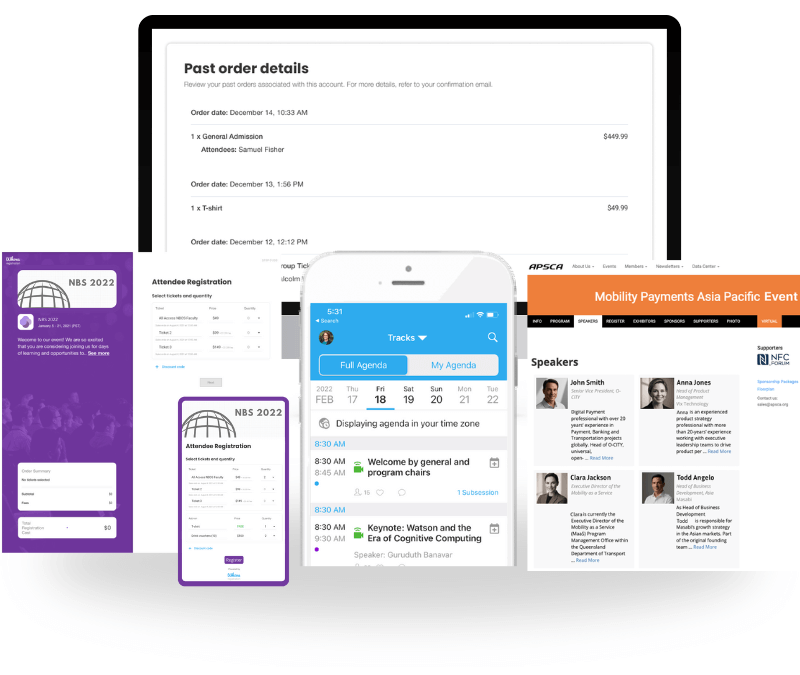
Quick Verdict: Whova is an all-in-one event management platform engineered for exceptional ease of use and reliability, connecting branded registration pages directly to other management tools such as on-site check-in and name badges.
Solving the Pain Points: Exhibitors and sponsors each get their own portal for lead retrieval and booth management, keeping that process off your team’s hands. Attendee data collected at registration flows directly into ticketing, scheduling, and check-in, so every tool in the system is working from the same record.
Companies that use HubSpot, Mailchimp, or Zoom will be pleased to know those integrate directly, so attendee data flows into the tools they already rely on for outreach and follow-up. The event app also handles networking and engagement, with attendee matchmaking, direct messaging, live polls, and a community board that keeps people connected before, during, and after the event.
Core Features:
- Custom registration forms, branded registration pages, and secure invite-only ticketing
- On-site kiosk check-in with QR code scanning or email address lookup
- Custom name badge design with integrated attendee data
- Dedicated exhibitor registration and management hub
- Independent sponsor registration and management portal
- Smart professional attendee matchmaking and networking features
Criteria Ratings:
- All-In-One System Integration: 9/10
- Ease of Use & Onboarding Speed: 10/10
- Partner Management Portals: 9/10
- System Reliability and Compliance: 10/10
Pricing Format: Custom per-event quote tailored to your specific attendee volume and feature add-ons.
Pros & Cons:
- Pros:
- Setup takes under one day
- Attendee data syncs directly to on-site badge printing
- Staff can get up to speed without any formal training
- Cons:
- Not the right fit for casual internal meetings or informal social get-togethers.

2. Cvent
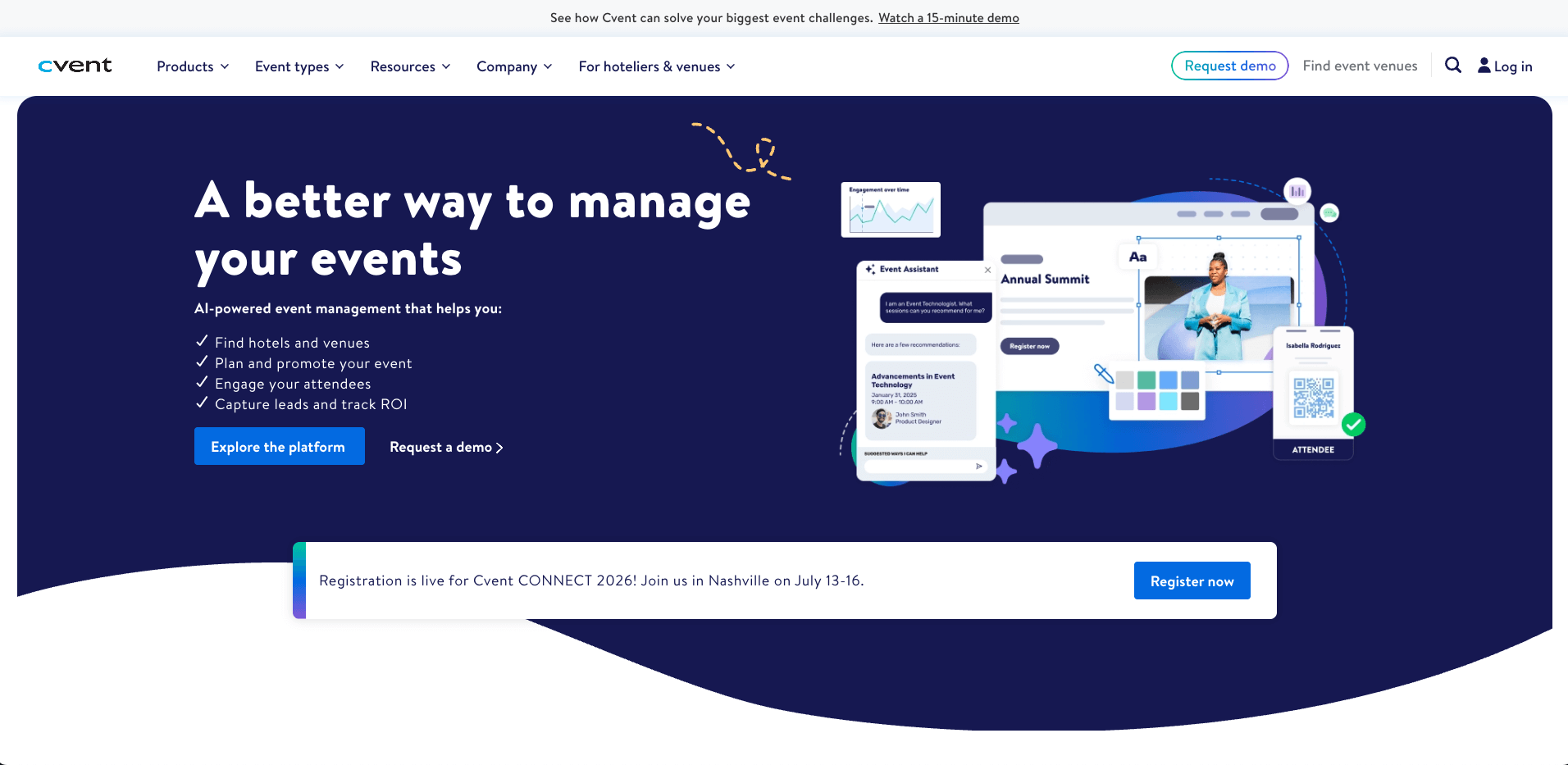
Image credit to Cvent
Quick Verdict: Cvent is a large-scale enterprise system designed for international venue procurement and complex global events.
Cvent has been around since 1999 and now counts over 30,000 organizations as customers, including more than 60% of the Fortune 500. It tends to be the platform large multinational corporations reach for when internal procurement teams need to manage event calendars across multiple regions from one system.
Solving the Pain Points: Enterprise teams running events across multiple regions rarely get a clear performance picture until it’s too late to act on it. Cvent’s Group Business Intelligence surfaces that data in real time, and CventIQ uses historical registration patterns to forecast final attendance before your budget is locked in.
Core Features:
- On-site check-in and badge printing via OnArrival
- Customizable registration flows and branded event websites
- Budget tracking across multiple events with financial reporting
- CRM integration (Salesforce / HubSpot).
- Venue sourcing across 340,000+ venues with built-in RFP management
Criteria Ratings:
- Partner Management Portals: 8/10
- All-In-One System Integration: 9/10
- Ease of Use & Onboarding Speed: 4/10
- System Reliability and Compliance: 10/10
Technical Diagnostic Breakdowns (Low-Score Explanations):
Ease of Use & Onboarding Speed (4/10): Cvent has a lot of moving parts, and getting a single event live means working through a long setup process. New users on G2 and Capterra regularly mention it takes months of hands-on use before it starts to feel manageable.
Pricing Format: Multi-tiered annual enterprise contracts with variable registration usage add-on fees.
Pros & Cons:
- Pros:
- One of the largest venue sourcing networks in the industry
- Strong cross-event reporting
- Deep CRM integration with Salesforce and HubSpot for enterprise teams.
- Cons:
- The interface takes months to navigate confidently, and enterprise-only pricing comes with additional per-registrant fees on top of the annual contract.
3. Bizzabo
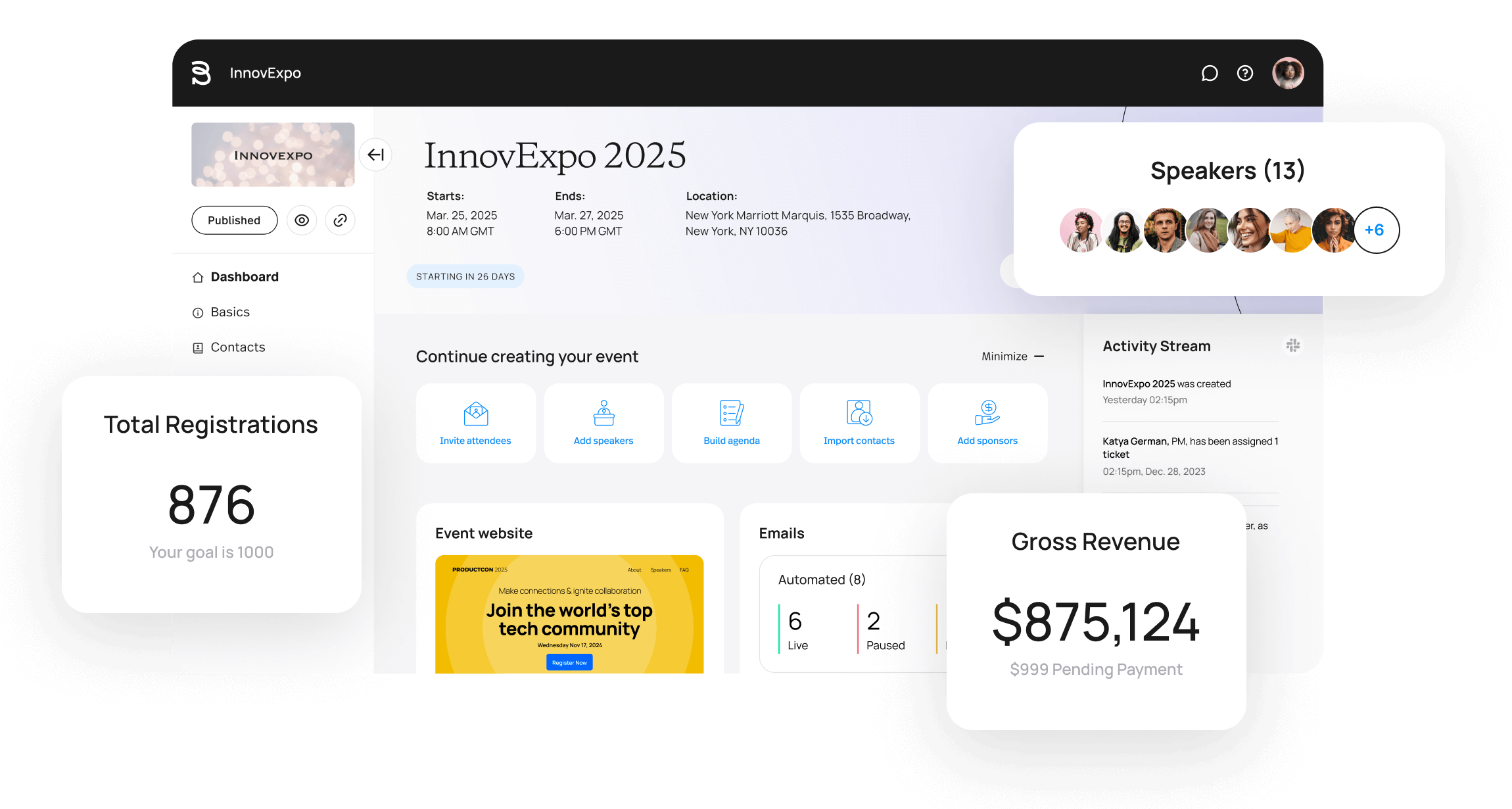
Image credit to Bizzabo
Quick Verdict: Bizzabo centers its platform around pipeline marketing attribution and real-time reporting and analytics.
Bizzabo is for B2B marketing teams that treat events as a demand generation channel. It’s trusted by Fortune 100 companies and financial institutions, making it one of the more enterprise-grade options in this guide for pipeline-focused teams.
Solving the Pain Points: Bizzabo’s built-in email sequences help bring back prospective attendees who started registration but didn’t complete it, and pixel tracking on the event website lets teams build retargeting audiences for ad campaigns.
For in-person events, the Klik SmartBadge gives organizers a deep layer of analytics. Attendees tap to exchange contacts, sponsors capture leads without manual scanning, and organizers get a live heatmap of foot traffic and session attendance across the venue.
Core Features:
- Drag and drop event website builder
- Hotel room management software
- Custom wearable smart-badge hardware systems.
Criteria Ratings:
- Partner Management Portals: 8/10
- All-In-One System Integration: 8.5/10
- Ease of Use & Onboarding Speed: 8/10
- System Reliability and Compliance: 9.5/10
Pricing Format: Annual variable subscription pricing configured on number of users and added features.
Pros & Cons:
- Pros:
- Clear, robust tracking tools for corporate demand generation events
- Analytics for on-site foot traffic and attendee engagement
- Cons:
- Relying on custom wearable tracking badges can increase platform costs for smaller events
4. Eventify
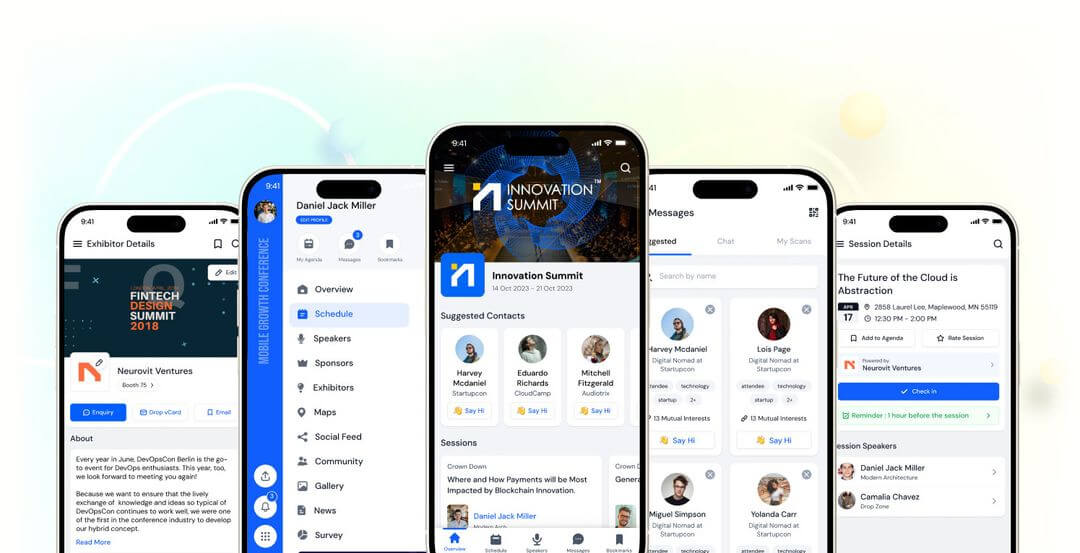
Image credit to Eventify
Quick Verdict: Eventify is a lightweight software platform focused on ticketing, attendee engagement and badge printing.
Eventify is a straightforward pick for teams that need a standalone corporate trade show or business meetup without a lengthy setup. The interface is clean and G2 reviewers note that staff can pick it up without much training. However, customization is limited once you move past the basics and want to host complex events.
Solving the Pain Points: Eventify cuts out the backend complexity that slows down smaller teams. A clean event page with ticketing and event app with attendee profiles can be live in a matter of hours.
Core Features:
- Integrated check-in with name badges
- Straightforward registration form response field setups
- Tag-based attendee profile classification.
Criteria Ratings:
- Partner Management Portals: 5/10
- All-In-One System Integration: 8/10
- System Reliability and Compliance: 8/10
- Ease of Use & Onboarding Speed: 8.5/10
Technical Diagnostic Breakdowns (Low-Score Explanations):
Low Score Explanation (5/10): There’s no dedicated portal for sponsors or exhibitors to manage their own booth assets. Logos, bios, and staff lists all have to come through the organizer, which usually means a long email chain and someone on your team chasing people down.
Pricing Format: Tiered plan rates paired with flat per-attendee fees and feature add-ons.
Pros & Cons:
- Pros:
- Simple, fast configuration for single standalone corporate gatherings.
- Cons:
- Lacks built-in exhibitor management workflows necessary to automate large-scale professional trade show floors.
5. Swoogo
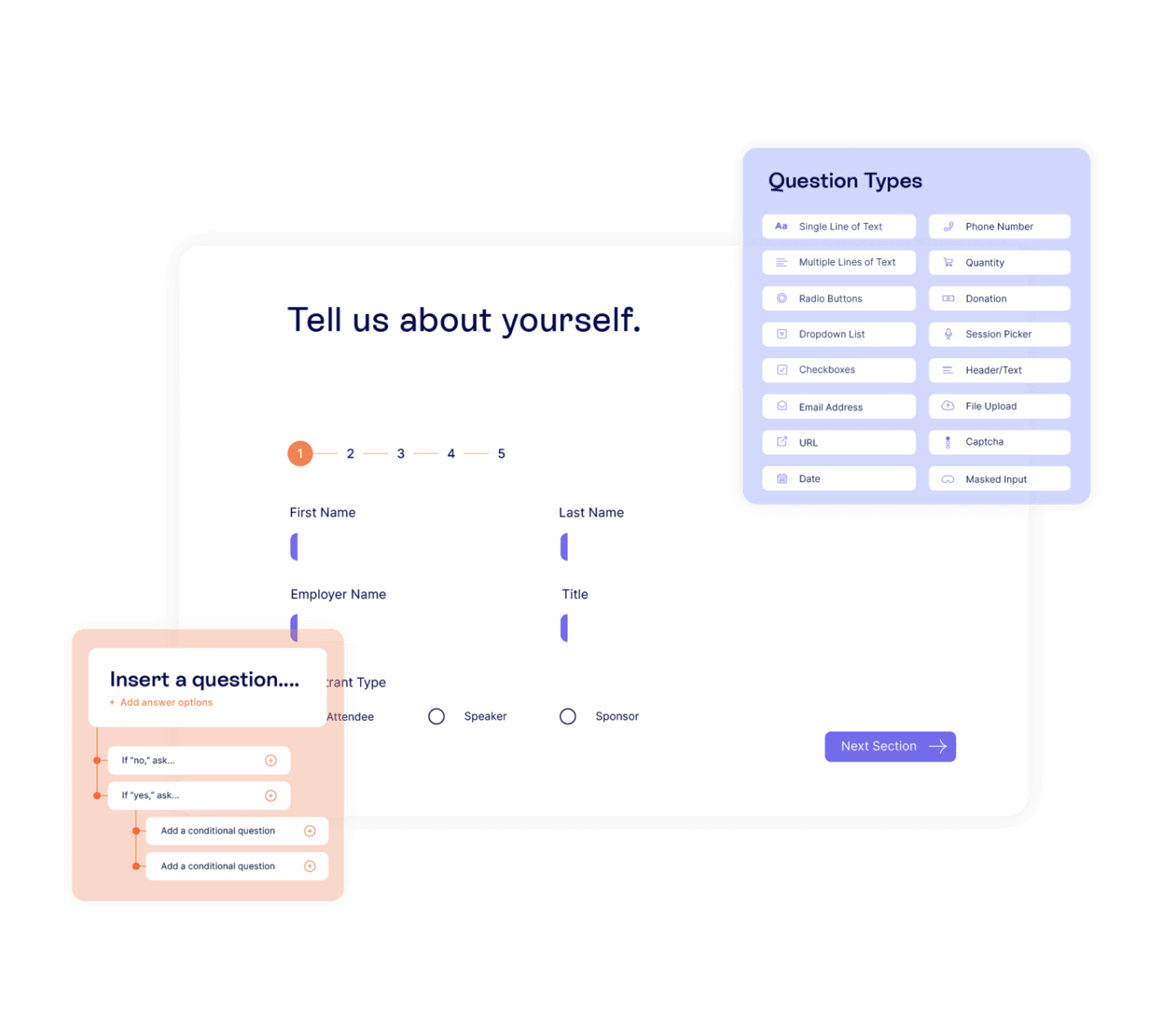
Image credit to Swoogo
Quick Verdict: Swoogo is an event management system built to give front-end web teams full control over custom registration workflows.
A registration-first platform built around conditional form logic, Swoogo adapts fields and attendee type options automatically based on what a registrant selects. It works well for organizations running several branded events a year, and its drag-and-drop website builder means registration pages can be fully customized without any developer involvement.
Solving the Pain Points: Corporate brands with strict style guidelines often run into challenges with standard event platforms. Swoogo’s white-label page builder lets planners match registration pages to brand manuals without workarounds or developer support.
Core Feature Profile:
- Multi-tier pricing structures
- Open database API frameworks
- Conditional registration form paths
- Advanced drag-and-drop website builders
Criteria Ratings:
- Partner Management Portals: 8/10
- All-In-One System Integration: 6/10
- Ease of Use & Onboarding Speed: 7.5/10
- System Reliability and Compliance: 9.5/10
Technical Diagnostic Breakdowns (Low-Score Explanations):
All-In-One System Integration (6/10): The platform is strong on pre-event registration and web building, but on-site check-in runs through separate apps — Go Attend and Go Onsite — rather than natively inside Swoogo. For teams that want everything under one roof on event day, that’s worth factoring in.
Ease of Use & Onboarding Speed (7.5/10): The basics are straightforward, but building out complex configurations on other features might require time. Marketing teams without someone technical on hand can hit delays getting those flows set up correctly.
Pricing Format: Annual subscription models based on active internal users.
Pros & Cons:
- Pros:
- Unmatched design control over customer registration experiences.
- Cons:
- Does not have dedicated sponsor or exhibitor management tools
- Need to manage different apps for attendees and check-in
Which Corporate Event Management Software Fits Your Team’s Needs?
Cvent makes sense for large enterprises managing multi-venue procurement across international markets, where deep infrastructure and cross-event reporting matter more than speed. Swoogo is the stronger pick for teams that need precise control over registration form logic and white-label page design.
For most corporate teams, though, the priority is getting registration and on-site check-in working together without manual intervention and without a months-long onboarding process. That’s where Whova has a clear edge. Everything from ticket sales through to QR check-in runs inside one system, and setup takes just a few hours.
Request a free Whova demo and see how fast your event comes together.
Frequently Asked Questions About Corporate Event Software
1. What Features Simplify Sponsor Tracking in Corporate Event Management Software?
Dedicated sponsor portals simplify tracking sponsor information collection. In Whova, sponsors and exhibitors access their own forms to upload company details, manage booth staff, and submit assets directly. That information flows straight into the Sponsor Center and event app without the organizer manually transferring anything.
2. How Can Teams Streamline On-site Entry Logistics on Event Day?
Use a platform where event registration and check-in run from the same system. Whova handles this through QR code scanning and self-service kiosk check-in. Attendees scan their QR code from the app or confirmation email, and their badge prints instantly. Because it’s all one system, every registration is verified at the door the moment someone checks in.
3. Can You Restrict Registration Access to Specific Company Stakeholders?
Yes. Whova’s invite-only ticketing locks registration behind a private link or invite code. Only recipients with access can get through. And customizable question forms on branded registration pages let you collect information from those approved stakeholders during the same registration flow.