
By: Whova Team | Last Updated: July 14, 2026
Running a multi-track conference on a tool built for agenda calendar display works well until your program expands. Once you’re managing simultaneous tracks, multiple registration tiers, and a sponsor exhibition floor, you need infrastructure that holds all of that together without forcing your team to manually sync data between tools.
Sched is great for organizations that need a clean, visual schedule their attendees can browse. It delivers a straightforward experience without much setup friction. But organizers tend to outgrow the platform when registration complexity, attendee engagement, and post-event reporting start to matter as much as the schedule itself.
If you’re evaluating sched alternatives in 2026, the strongest options are true all-in-one event management platforms where every part of your event runs from a single system. This guide reviews five alternatives so you can find the right fit.
Which Sched Alternative Fits Your Specific Goals?
The platform that works for a trade show manager won’t necessarily work for an academic association chair. Use the table below to match your primary operational need to the right alternative.
Why Do Event Organizers Look for Sched Alternatives?
Limited registration tools, shallow attendee engagement, and minimal post-event insights are three reasons organizers look for Sched alternatives.
Limited Registration Tools for Complex Events
Sched handles basic ticket sales. The problem shows up when your registration needs to do more than collect a name and a payment. There’s no conditional logic, so a sponsor signing up follows the same form path as a general attendee, with no way to route them differently based on ticket type.
Even after registration, exhibitors and sponsors will require control of their booth profile. Booth preferences and company profiles are not native in Sched, so organizers end up managing it separately and reconciling the data manually afterward.
Shallow Attendee Engagement Features
Sched does what a static agenda tool is supposed to do: attendees open it, find their sessions, and show up. It has basic messaging and group chat, but no smart matchmaking, no structured icebreakers, and no way for attendees to organize informal meetups around shared interests. For organizers where attendee networking is part of the event’s value, Sched doesn’t do much to actively facilitate it.
Minimal Insights into Event Performance
Sched’s post-event reporting stops at attendee feedback, session performance and overall event metrics. It might be fine for a simple community event, but professional conferences need more comprehensive data. Exhibitor lead generation, detailed check-in numbers, and sponsor impressions fall outside what the platform captures, leaving organizers to reconstruct the bigger picture from data scattered across other tools.
How Should You Compare Sched Alternatives?
These four criteria separate a capable Sched alternative from one that replicates the same limitations you’re trying to move past.
Look for a true all-in-one data ecosystem
In an all-in-one event management ecosystem, registration data, speaker bios, exhibitor profiles, and session details all live in the same system. A change made in the organizer dashboard pushes instantly to the attendee app and any embedded web widgets, with no CSV exports or manual reconciliation required.
Attendee networking software should be part of that same infrastructure. If matchmaking and community tools require a different platform, you’re managing two systems that attendees will not care to use.
Evaluate Advanced Registration Conditional Logic
Conditional registration logic should adapt automatically to whoever is signing up — a sponsor filling out the same form as a general attendee is a sign that your event registration workflow might need some improvement.
Ticket tier should connect directly to session access as well. A VIP registrant automatically sees different tracks and sessions than a standard attendee, without anyone on your team manually adjusting it afterward.
Check for Native On-site Operational Tools
Confirm the platform has native check-in tool built in, covering self-service QR code scanning or on-site kiosk, and on-demand badge printing on the same platform your registration data lives in.
Demand Full-funnel Post-event Reporting
A comprehensive platform pulls ticket sales, session attendance, exhibitor lead retrieval metrics, and live engagement data into a real-time data analytics dashboard. That report should be exportable in formats that work for different audiences: a high-level summary for leadership, granular session data for your planning team, and sponsor-specific metrics for your exhibitors.
Quick Comparison of Sched and Its Competitors
Here’s how Sched compares to its five main alternatives across registration logic, on-site check-in, and post-event reporting.
The 5 Best Sched Alternatives for Event Planning
Here’s how the five strongest Sched alternatives stack up across registration, on-site logistics, engagement, and post-event reporting.
1. Whova
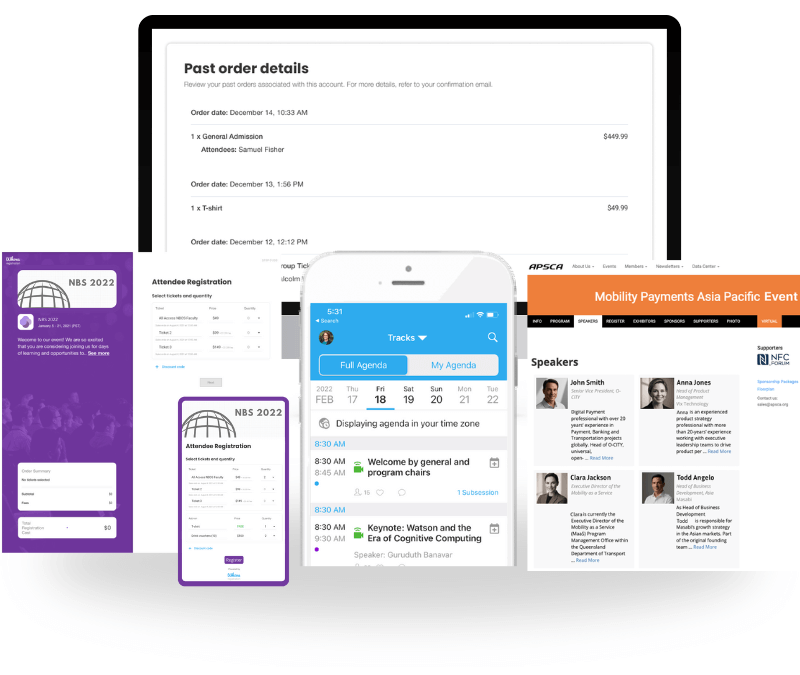
Quick Verdict: Whova is an all-in-one event management platform that combines powerful multi-track agenda scheduling with a highly active, integrated attendee community.
Managing complex conferences forces organizers to spend weeks chasing down speakers for headshots, processing ticket payments, and building digital schedules across separate platforms. A single last-minute room assignment change or a speaker cancellation can create data discrepancies between your registration, event website, and mobile attendee app if not handled properly.
Whova covers the entire event cycle from one organizer dashboard, handling customizable registration flows, abstract submission management, multi-track agenda scheduling, streamlined attendee management, self-service check-in with QR code scanning, event networking, and automated post-event reporting within a single system.
Criteria Ratings:
- Agenda Architecture: 9.7/10
- Registration Pipeline: 9.5/10
- On-Site Logistics Flow: 9.6/10
- Data Intelligence Scope: 9.7/10
- Engagement Capabilities: 9.8/10
Key Features:
- Advanced Dynamic Agenda Scheduling: Handle intricate multi-track agendas using custom tracks and tags and allow attendees to build personalized event schedules.
- Conditional Registration Mapping: Customize question fields and connect ticket types directly with session access, targeted announcements, and check-in.
- On-Site Logistics Infrastructure: Streamline check-in lines via fast, self-service QR code check-ins or dedicated tablet kiosk setups.
- Comprehensive Post-Event Report: Instantly view live data through the dashboard and get access to multi-layered event metrics with ticket revenue, attendee engagement, event website views, and exhibitor lead retrieval success after the event ends.
- Deep Audience Engagement Tools: Immerse attendees even before your event doors open through a native Community Board, discussion groups, icebreaker contests, smart match-making, and 1-on-1 meeting scheduling.
Pros & Cons:
- Pros: Complete data integration across the entire event planning lifecycle from registration to post-event.
- Cons: Standardized design templates prioritize intuitive navigation over aesthetic modifications.
Pricing Format: Custom per event quotes tailored transparently to your specific event volume and feature requirements.

2. Eventee
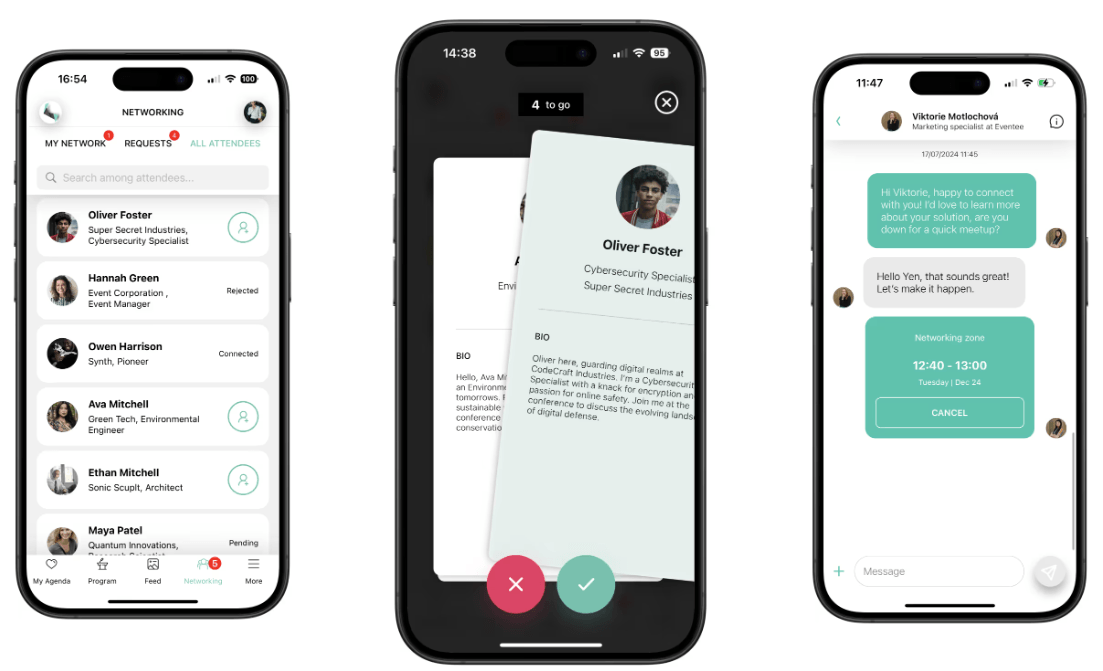
Image credit by Eventee
Quick Verdict: Eventee is an elegant, mobile-first scheduling software engineered for event organizers who want to release user-friendly digital agendas quickly.
Most multi-track conference apps are clunky on mobile. Attendees hit confusing menus, lose confidence in the app, and stop using it altogether. When adoption drops, organizers end up printing paper programs as a fallback, which can’t be updated when a session moves or a speaker cancels.
Eventee takes Sched’s visual simplicity and builds a more intuitive mobile experience. The interface is clean enough that attendees can find their sessions and navigate the schedule without any instruction or onboarding.
Criteria Ratings:
- Agenda Architecture: 9.2/10
- Registration Pipeline: 8.0/10
- On-Site Logistics Flow: 6.8/10
- Data Intelligence Scope: 8.0/10
- Engagement Capabilities: 8.1/10
Technical Diagnostic Breakdowns (Low-Score Explanations):
On-Site Logistics Flow (6.8/10): Eventee is primarily a mobile scheduling tool. Self-service kiosk check-in and badge printing at the arrivals desk aren’t part of what it offers.
Key Features:
- Swipe-to-Match Networking: Connects attendees through a profile-based matching interface they can browse and interact with directly from the mobile app.
- Web Widget Publishing: Syncs schedule updates across multiple platforms automatically, so any change made in the dashboard reflects on your event website instantly.
- Live Q&A with Question Upvoting: Lets attendees submit and vote on questions in real time during a session.
Pros & Cons
- Pros: Eventee sets up quickly, and its easy to use interface tends to drive higher app adoption than more complex platforms.
- Cons: It wasn’t built for large physical trade shows, or conferences.
Pricing Format: Transparent per-event pricing or multi-event annual subscriptions.
3. EventMobi
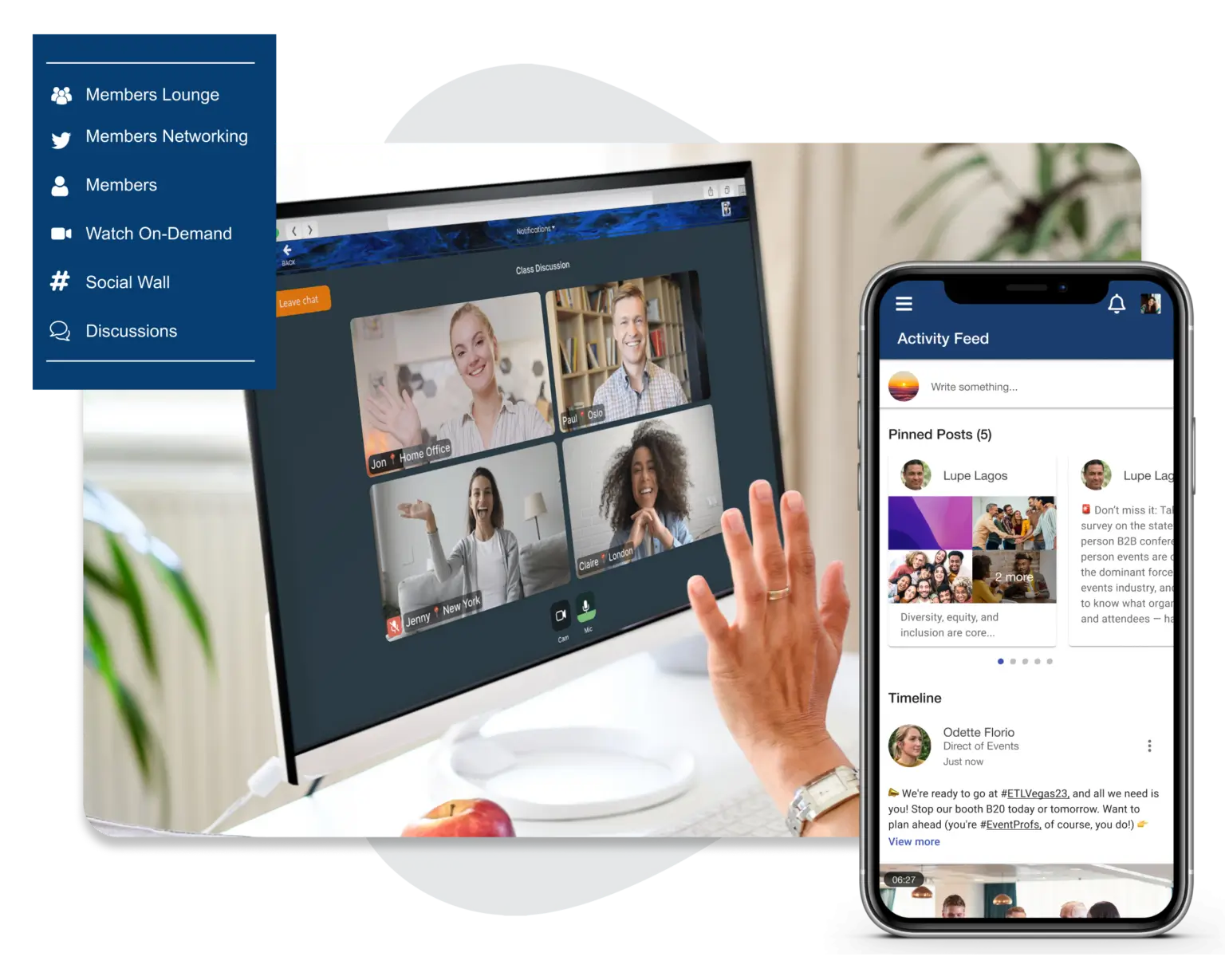
Image credit by EventMobi
Quick Verdict: EventMobi delivers a highly informative corporate platform that combines robust mobile schedule apps with flexible on-site check-in capabilities.
Corporate events with multiple breakout tracks give attendees a lot to choose from, but choice alone doesn’t keep people in the room. Without interaction built into sessions, disengagement is a real risk — and at a full-day conference, it tends to compound as the schedule goes on.
EventMobi addresses this by weaving gamification directly into the event agenda. Session attendance becomes part of a points challenge, participation gets tracked, and live leaderboards give attendees a reason to stay engaged across every track.
Criteria Ratings:
- Agenda Architecture: 8.9/10
- Registration Pipeline: 8.4/10
- On-Site Logistics Flow: 8.5/10
- Data Intelligence Scope: 8.6/10
- Engagement Capabilities: 9.0/10
Key Features:
- Native BadgeON Printing App: Drives seamless check-in through direct name badge generation.
- Gamified Team Spaces: Boosts active audience participation through custom points challenges and live leaderboards.
- Flexible Registration Pipeline: Supports custom ticketing questions and conditional fields control for separate participant groups.
Pros & Cons:
- Pros: Engagement tools for team-building events; comprehensive multi-track agenda scheduling.
- Cons: The platform dashboard is considered to have a steeper learning curve that can be challenging for smaller, first-time event planning teams.
Pricing Format: Per-event packages or customized annual licensing contracts.
4. Guidebook
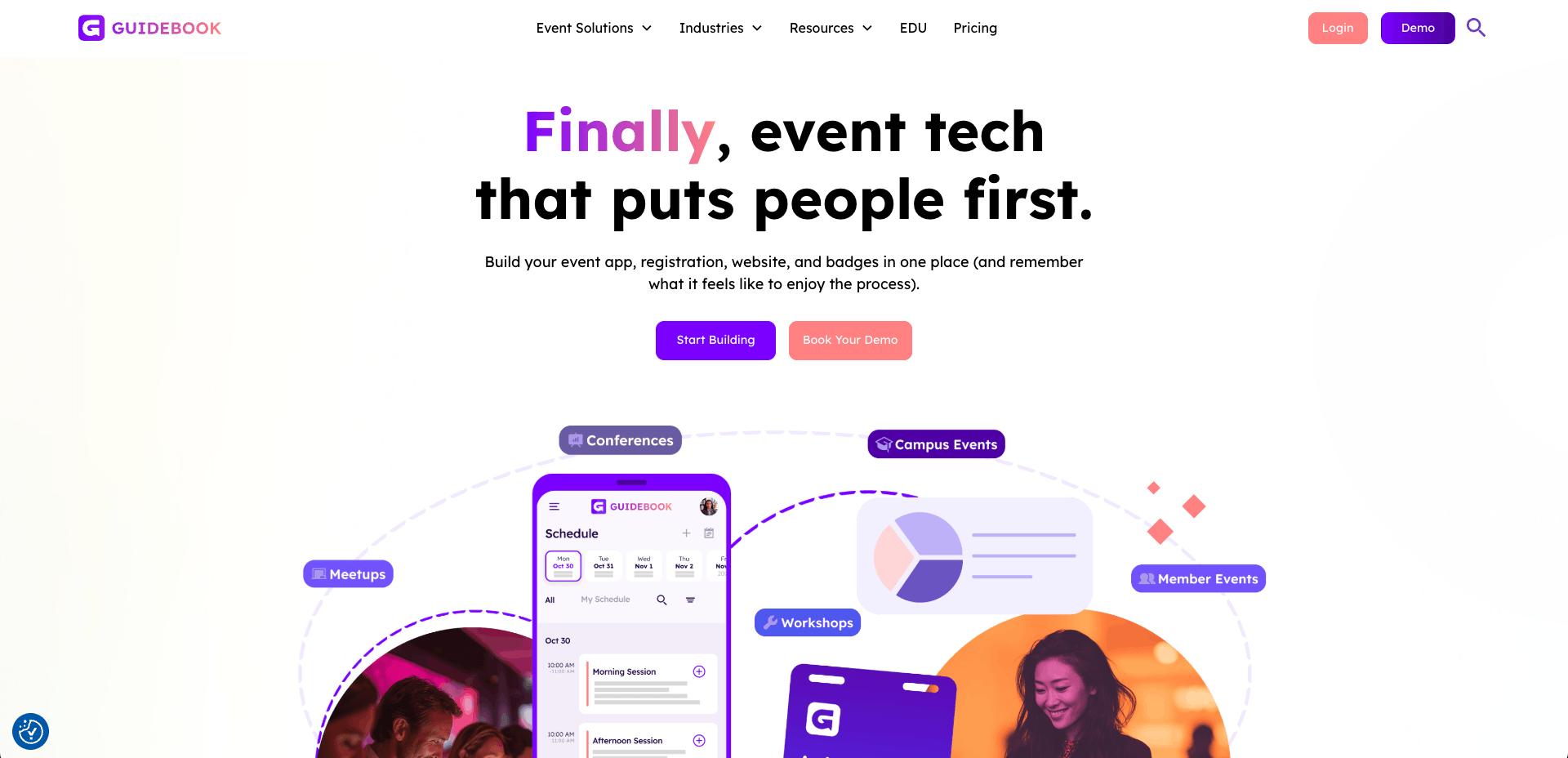
Image credit by Guidebook
Quick Verdict: Guidebook is a simple mobile directory workspace that allows organizers to assemble mobile event guides using pre-built layout blocks.
Building a custom mobile event app takes months and a budget most planning teams don’t have. Even when the build is ready, new app submissions can sit in app store review queues for days before going live.
Guidebook skips all of that. Its drag-and-drop workspace requires no coding, and organizers can have a working schedule app published in hours.
Criteria Ratings:
- Agenda Architecture: 8.4/10
- Registration Pipeline: 8.0/10
- On-Site Logistics Flow: 6.0/10
- Data Intelligence Scope: 7.8/10
- Engagement Capabilities: 7.5/10
Technical Diagnostic Breakdowns (Low-Score Explanations):
On-Site Logistics Flow (6.0/10): The platform doesn’t natively support self-service kiosk check-in and on-demand badge printing which require tools outside the platform.
Data Intelligence Scope (7.8/10): It tracks app activity and menu interactions well enough, but other event data points fall outside what it monitors, which limits how complete a post-event picture it can give you.
Engagement Capabilities (7.5/10): The app only has a few networking and engagement tools such as social feeds and messaging. It seems to lack more active and engaging features such as gamification or discussion groups to keep attendees interacting with each other.
Key Features:
- Drag-and-Drop Layout Editor: Lets organizers build and adjust the app structure quickly using pre-built content blocks, with no coding required.
- Offline Database Access: Stores schedule and session data locally so attendees can view event details without a wifi or cellular connection.
- Real-Time Schedule Updates: Pushes live changes to the app instantly, so attendees see all last-minute session adjustments.
Pros & Cons:
- Pros: Highly effective for simple informational layouts, university campus guides, or local community events.
- Cons: Limited flexibility for complex B2B attendee networking workflows or conferences.
Pricing Format: Tiered custom package based on single event, branded app or multi events.
5. Fourwaves

Image credit by Fourwaves
Quick Verdict: Fourwaves is a specialized academic conference architecture optimized to coordinate paper submissions, peer review matrices, and scientific presentation schedules.
Standard digital calendars weren’t built to handle the volume or complexity of a research convention. When abstracts and poster presentations get forced into a generic schedule format, they become hard to find and harder to navigate, and audiences disengage before the session even starts.
Fourwaves is built specifically for that environment. Its peer-review engine takes accepted papers and routes them directly into organized, multi-track presentation paths without the manual indexing work that typically falls on the organizing committee.
Criteria Ratings:
- Agenda Architecture: 8.8/10
- Registration Pipeline: 8.2/10
- On-Site Logistics Flow: 6.5/10
- Data Intelligence Scope: 8.2/10
- Engagement Capabilities: 7.0/10
Technical Diagnostic Breakdowns (Low-Score Explanations):
Engagement Capabilities (7.0/10): The platform prioritizes presentations over active attendee conversation. It has no mobile matching rooms, icebreaker questions, or conversational discussion boards.
On-Site Logistics Flow (6.5/10): Fourwaves provides minimal support for real-world venue logistics, lacking structural features to run fast self-service kiosks or check-in desks.
Key Features:
- Blind Peer-Review Submission Engine: Manages the full abstract submission and review process with anonymized author details, keeping the grading process impartial across reviewers.
- Custom Abstract Grading Scales: Lets organizing committees build scoring criteria specific to their discipline, so submissions are evaluated against standards that actually reflect the field.
- Digital Poster Presentation Showcases: Displays accepted research in a clean, browsable format that attendees can explore directly from the event app or web portal.
Pros & Cons:
- Pros: Professional structural workflow for highly technical research and medical symposia.
- Cons: Not well-aligned with commercial trade shows, product expos, or corporate sales meetings.
Pricing Format: Starts with a free-tier with limited abstract submissions with higher annual tiers with more features.
Which Sched Alternative Should You Choose?
For academic conferences built around a call-for-papers pipeline, Fourwaves handles peer-review and presentation scheduling better than any general-purpose tool. For smaller events where getting a clean schedule app live quickly is the priority, Eventee is the more straightforward call.
However, professional conferences, corporate gatherings, and association events rarely have just one aspect to take care of. For teams that need registration, scheduling, on-site check-in, and attendee networking running in one place, Whova is the most complete option in the market, rated 4.8 on Capterra across more than 2,400 verified reviews.
Request a free Whova demo and see how easily one system handles your entire event.
FAQs: Frequently Asked Questions About Sched Alternatives
1. Can I create custom ticketing paths based on attendee types?
Yes. Whova’s role-based database segmentation lets you build registration forms that change based on who’s signing up. A sponsor sees different fields and question sets than a general attendee, and ticket selection automatically determines which sessions and tracks that person can access inside the app.
2. How do Sched alternatives handle on-site check-in logistics?
Most full-featured alternatives handle check-in directly from the organizer dashboard. Staff can scan attendee QR codes on a mobile device or set up dedicated self-service QR code scanning kiosk stations with badge printers running alongside them on arrival.
3. Which platform is best for managing multi-track conference schedules?
Whova handles multi-track agenda scheduling through a filtering and tagging system that supports densely programmed conferences. Attendees sort by track, tag, or session type directly from the mobile app and build a personalized daily schedule as they go.