
By: Whova Team | Last Updated: June 16, 2026
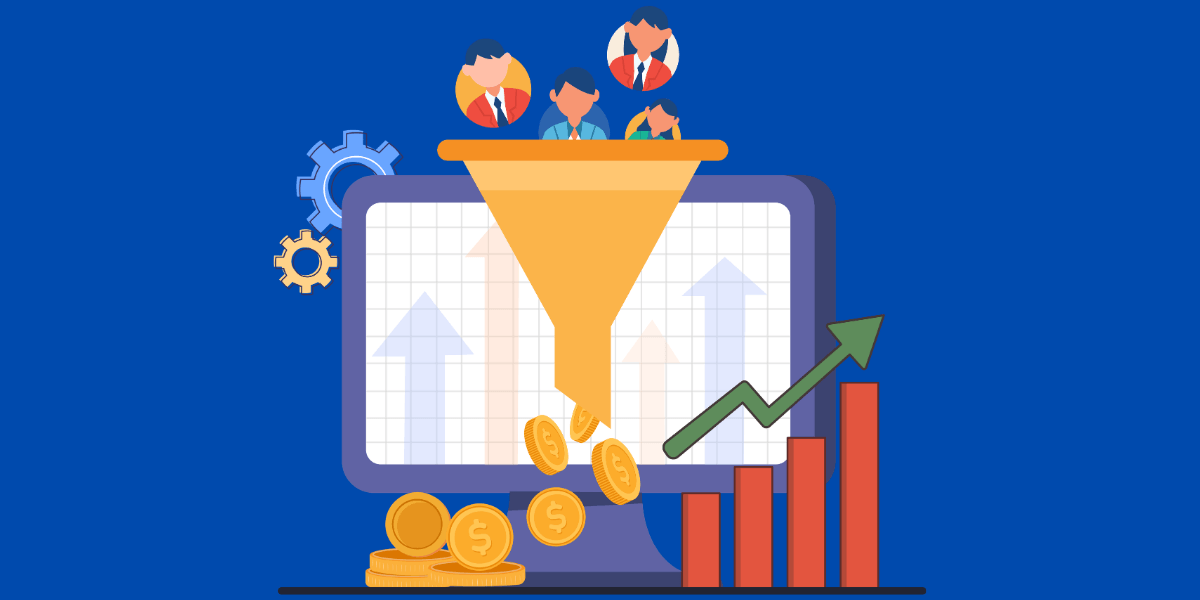
Events marketing is the practice of using an event as a marketing campaign. Instead of running an ad, you host a digital or physical experience that puts your brand or product in front of your target audience.
This guide covers the full event lifecycle: the pre-event promotion that gets your audience there, the during-event engagement that delivers the brand experience, and the post-event follow-up that turns attendees into leads and customers.
What is Events Marketing?
Events marketing covers three things: the promotion that sells the ticket, the experience attendees have on the day, and the community that forms around the event and outlasts it. Promotion gets people to show up once. The experience they have is what decides whether they come back next year.
Events marketing serves three goals:
- Brand awareness puts your name and point of view in front of an audience that chose to show up.
- Lead generation and registration turns that attention into sign-ups, and sign-ups into leads your sales team can use.
- Attendee engagement and retention keeps people involved during the event and connected after it, so the next one opens with a warm audience.
Why is Events Marketing Important?
According to Business Wire, 88% of marketers identify events as key revenue drivers, with event-led growth strategies showing they drive stronger customer relationships, improve brand visibility, and increase lead generation.
And event marketing has an edge most marketing doesn’t: it pays back in numbers you can see. Every registration ties to a channel and a cost, so you can show what your event returned and make the argument for next time’s budget.
5 Essential Steps to Build Your 2026 Event Marketing Strategy
These five steps follow the user journey from first impression to completed registration, each one building on the last.
Step 1: Define Your Value Proposition. Why should someone attend?
Every prospect asks the same thing before they sign up: what’s in it for me? Your value proposition is the answer. Specificity matters. ‘Join us for a conference’ doesn’t move people. ‘Network with hiring leaders from Fortune 500 companies and learn their 2026 talent strategy’ does.
That message is what you repeat across email, social, and your website. Prospects need to hear the same promise at every touchpoint where they encounter your event.
Step 2: Build a High-Converting Event Hub
Every email, social post, and ad should route back to one event webpage where prospects register. Whova’s Event Webpage Builder helps you create professional, branded sites with real-time updates. Your registration portal, speaker bios, and agendas sync live, so prospects always see current information.
The Agenda Web Widget also tracks engagement, showing you which sessions get viewed and which speaker profiles get clicked, so you know what’s drawing interest while there’s still time to promote it.
Step 3: Multi-Channel Promotion (Email & Social)
No single channel fills an event on its own, which is why multi-channel marketing is the default. Email is a good tactic because people have already opted in to hear from you. Social media is different because you’re fighting for attention in a crowded feed, where visuals tend to outperform text alone. Managing both means building templates, keeping a consistent schedule, and tracking what converts.
Whova provides email templates, trackable links, and email automation, so a reminder sequence or a follow-up goes out on schedule without you sending each one by hand. You also get Social Media Integration that generates ready-to-post images to showcase your event.
Have email and social both running from one dashboard, where you can schedule everything ahead of time. Then use UTM parameters on your tracking links to show which channel drove your registrations, so you can put more budget behind whatever worked.
Step 4: Leverage Existing Communities
There’s an audience for your event that your own channels will never reach: people who don’t know you yet but are already looking for something to attend. Event listings such as Whova’s In-App Event Listing puts your event in front of millions of users. These will most likely be attendees actively searching for events, so you reach them right as they’re deciding.
This is where a multi-channel mix becomes an omni-channel strategy: your owned channels and a borrowed audience pulling in the same direction. Email, social, and your event hub reach the people who already know you; the listings add the ones who don’t. The right interested people will explore your event and ultimately become valuable sign-ups.
Step 5: Frictionless Registration
Registration is where interest turns into commitment, and any friction costs you sign-ups. When the page looks like the rest of your event, people trust it, and more of them follow through. That’s what Whova’s Customizable Registration Pages are for: the form carries your branding and customizes the experience for specific attendees.
Next, keep it short. Every extra field is one more reason to abandon the form, so ask only for what earns its place. Additionally, the details you do collect such as ticket type, company, early-bird status, let you group registrants and tailor your follow-up.
From there, CRM synchronization takes over. The page feeds straight into your CRM, so the moment someone registers, their details are in your system and your sales team has the lead right away.
Advanced Tactics: Maximizing ROI with Data & Integrations
Using data and integrations can increase your event’s ROI by taking the right choices to maximize your event’s business value.
Campaign Link Tracking
A registration on its own doesn’t tell you whether someone clicked through from LinkedIn, Facebook, or one of your email lists. Turn each promotional URL into a campaign tracking link, using Whova’s Campaign Link Tracking. so every registration traces back to the exact source that sent it.
The dashboard pulls those click counts into one place, so you’re not logging into LinkedIn analytics, then Facebook insights, then hoping your email platform exported the numbers right. Each link reports its own traffic, side by side, and pairing those clicks with your registration totals gives you the conversion metrics worth acting on.
Say you spend $500 on LinkedIn and get 20 registrations, then $200 on email and get 35. That’s a CPA (cost per acquisition) of $25 on LinkedIn against about $6 on email. Now you know where to put your money next time, instead of funding the channel that just feels important.
Tech Stack Consolidation
An event management software (EMS) like Whova connects through API integrations with MailChimp, Constant Contact, and Zapier, so data flows between systems instead of sitting in silos. Registrant information lands in your CRM, campaign performance shows up in your analytics dashboard, and none of it takes a manual export or an afternoon spent reconciling mismatched numbers. The data architecture works for you instead of against you.
| Aspect | Traditional Marketing | Integrated 2026 Marketing (Whova) |
| Tracking & attribution | Per-platform (LinkedIn, Facebook, email separately); unclear which channel converted | Campaign Link Tracking in one dashboard; clear per-channel ROI |
| Data visibility | Scattered across 5+ disconnected tools | Unified analytics dashboard, real-time updates |
| Registrant data | Siloed in registration, CRM, email tools | Flows seamlessly via integrations (MailChimp, Constant Contact, Zapier) |
| Time Investment | Hours per month on manual export, reconciliation, analysis | Automated; focus on strategy |
Make Adjustments While the Event Is Running
The next layer of data covers what they do once they’re inside, and it updates while the event runs, so you can fix problems on the day instead of reading about them in the feedback.
With Whova, on the day, you can:
- Track session attendance live: QR check-ins at the door show who’s in each room, so when one session overflows while another sits half empty, you can point people to the open seats and plan accordingly for future events.
- Watch discussion activity: The community board and session Q&A show which topics attendees are talking about, so hosts and speakers can pick up on points that are resonating to maximize engagement.
- Monitor live polls as responses come in: Get poll results in real time, so you can get a headcount before the evening reception or let attendees vote on what an open slot covers.
Post-Event Marketing: Using Engagement to Feed Your Next Cycle
Marketing doesn’t stop when the event ends, but it doesn’t start from zero either. By the time the doors close, you’re holding next year’s raw material: photos, testimonials, engagement data, and clear analytics on what worked.
Capture Content & Social Proof
The event itself is your best content source. Live polls and Q&A sessions show attendees engaging in real time, and Whova captures every vote, question, and exchange as it happens. The questions and conversations become the testimonials and case studies you’ll use to sell next year’s event, and the vote counts prove how engaged the room was. The Photo Gallery does the same job visually, collecting candid shots straight from attendees instead of staged photos you’d have to commission.
Analyze What Worked
Use a post-event report like Whova’s post-event report to break down how the event performed: attendee interaction, networking, marketing, sponsors, exhibitors, and logistics.
You can see which channels drove the most registrations, which discount codes converted, and which sessions filled up. The dashboard keeps ticket sales, promo links, and website visits in the same place.
It also breaks attendance down by demographic, so you know who actually showed up. All of it points to how this year’s event performed and how next year’s event should be improved.
Reuse & Iterate
Rebuilding everything each event cycle is wasted effort. Whova’s Shared Templates lets you reuse settings that worked for past events: your registration form, email schedule, gamification settings, and more. You can even request templates from other organizers running similar events. Next year’s event starts with momentum instead of a blank page.
Build a System, Not Just a Campaign
The hard part of event marketing has always been connecting spend to outcomes. Money goes into the event, leads and customers come out the other end, and what happens in between is difficult to account for. That changes when the whole lifecycle runs through one system, with promotion, engagement, and follow-up data in one place. You can walk into a budget meeting, show exactly what your last event returned, and say where the next one will do better. Everything in this guide is built into Whova.
Frequently Asked Questions (FAQ Section)
What are the 4 Ps of event marketing?
Product (the event experience), Price (ticket pricing), Place (venue and access), and Promotion (how people find out). Event marketers often focus heavily on Promotion, but neglecting the other three undermines your best campaigns.
How do you market an event with a small budget?
Prioritize low-cost, high-conversion channels: email (you own the list), organic social (free posting), and partnerships (co-promote). Skip paid ads until you exhaust organic reach. More importantly, avoid tool bloat. Using five separate event platforms for email, social, registration, and analytics drains budget on redundant subscriptions. Whova consolidates these into one comprehensive tool for actual promotion.
What is the most effective event marketing channel in 2026?
It depends on your audience. As a rule of thumb, use LinkedIn for B2B, Facebook for consumer events, and email for conversion. The best strategy is always multi-channel. But don’t guess which works best: use Whova’s Campaign Link Tracking to test across channels and measure which drives the most registrations at what cost.
How do you promote an event to maximize registrations?
Use three channels in parallel: an SEO-optimized event website (discoverability), email campaigns (conversion), and social scheduling (top-of-mind). Whova handles Event Website Builder, Email Campaigns, and Social Media Integration from one dashboard, ensuring consistent messaging everywhere.
What is the best way to maximize event marketing ROI across LinkedIn, email, and search channels simultaneously?
Optimize each channel separately: event website for search, segmented email campaigns for conversion, consistent LinkedIn scheduling for engagement. Track performance with UTM parameters.
How do you reduce registration form drop-off rates for high-ticket marketing events?
Keep forms short, load times fast, and next steps clear. For people who abandon mid-form, follow up immediately. Send automatic email reminders to incomplete registrations and win back prospects on a second attempt. Each of those tactics helps lift your registration conversion rate.