
May 04, 2026
From liability waivers to media consent, event teams often juggle dozens (or hundreds) of required documents with signatures. One spreadsheet for speakers, another for volunteers, email reminders going out manually…and still, someone shows up onsite without signing. It’s stressful, time-consuming, and easy for things to slip through the cracks.
At Whova, we’ve been steadily building tools to simplify these challenges. If you’ve used our Exhibitor Compliance Documents to collect Certificates of Insurance and exhibitor agreements, or explored ways to streamline quick consent with our Kiosk Check-In, you’ve seen how powerful centralized workflows can be.
Now, we’re taking it a step further.
Originally introduced during COVID for health waivers, our Waiver Forms feature has evolved far beyond its original purpose. Organizers are now using it for a wide range of real-world scenarios, such as:
- Collecting media release forms from speakers before they present
- Getting photo and video consent from attendees for future marketing
- Requiring a code of conduct acknowledgment for all participants
- Distributing liability waivers for volunteers or staff
- Securing permissions for session recordings or special activities
To better reflect this versatility, we’re renaming the feature to Release & Consent Forms—a more flexible, all-in-one solution for managing any type of event agreement. To make setup even easier, we’re also adding more built-in templates so you can get started quickly without creating forms from scratch.
With Release & Consent Forms, you can centralize, automate, and enforce your compliance process, so nothing gets missed, and your team can focus on delivering a great event experience instead of chasing paperwork.
Release and Consent Forms help you:
- Integrate compliance with check-in. Our system turns your check-in desk into an automated gatekeeper, notifying staff instantly if an attendee’s required signature is missing, and they can easily sign on the spot directly via Whova event app.
- Target the right audience for your form. Require forms for specific groups, such as speakers (e.g., media release forms), in-person attendees, or other categories. You can also share forms broadly—or narrow them down to a specific attendee segment!
- Consolidate your form management. Distribute, track, and collect signatures from one comprehensive dashboard—instantly view each attendee’s completion status and submission time. No more chasing scattered signatures!
- Eliminate manual follow-ups. Send reminders to those who haven’t signed yet using ready-to-go contact lists and templates, saving your team hours of administrative work.
From speaker media release forms to attendee consent and volunteer waivers, you can tailor each form to fit your event’s needs—while keeping everything organized, accessible, and enforceable in one place.
Ready to streamline compliance paperwork? Read on.
Create and Publish Your Form
To get started, navigate to the Attendees tab and open the Release and Consent Forms page. After enabling the add-on, you’ll follow two simple steps to set up your form:
Step 1: Build Your Form
You’ll have three options to get started:
- Create from blank: Build your own form from scratch.
- Create from template: Choose from Whova’s three ready-to-use templates.
- Reuse from a past event: Copy and modify a past form.
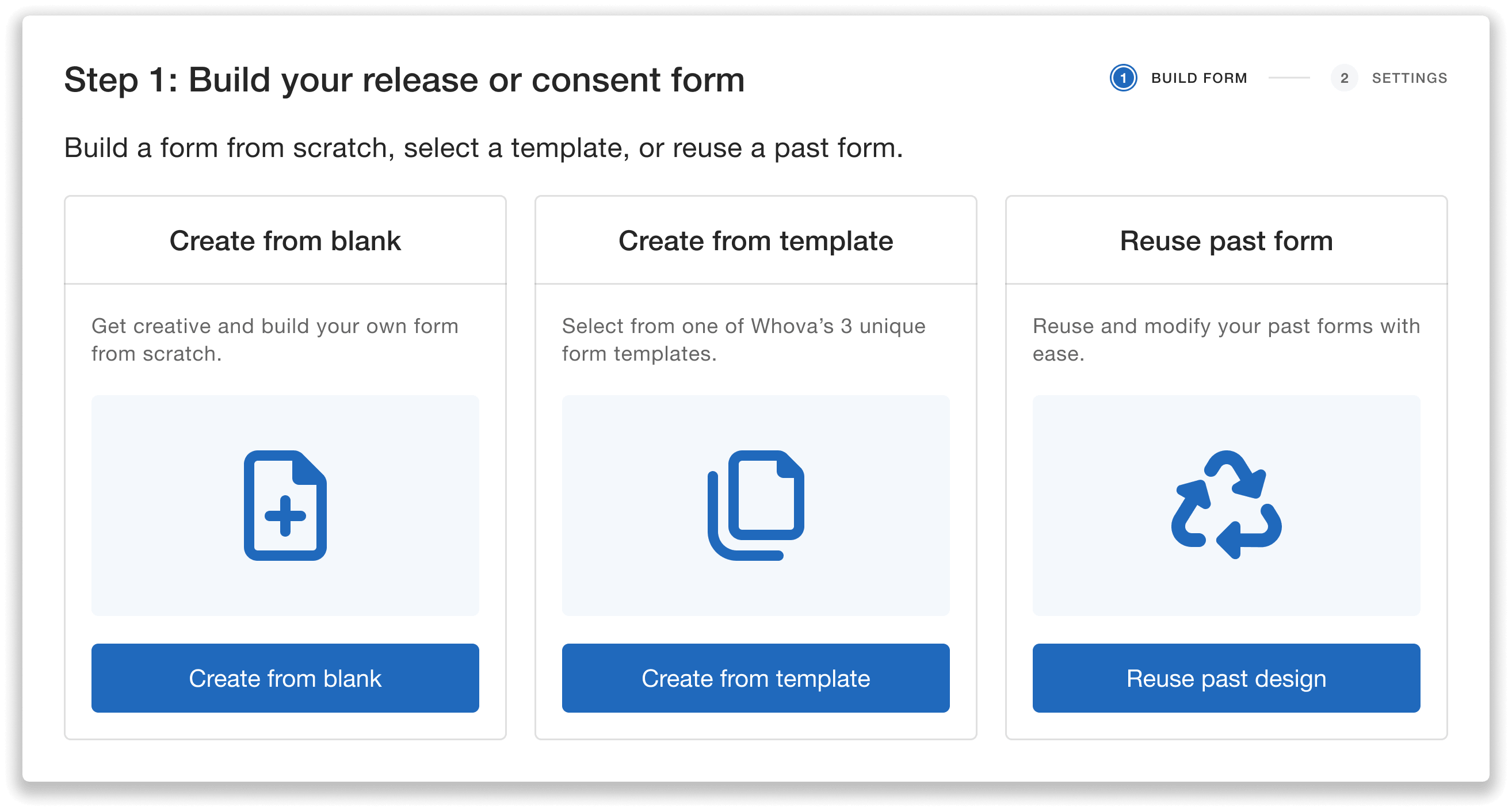
Start from scratch, use a ready-made template, or reuse and edit a past form.
To create your form, simply add a title and your questions or information, such as checklists, acknowledgments, or disclaimers. Each form will require attendees to print their name and sign.
If you’re starting from a template or past form, you can easily edit the existing fields to fit your needs.
Important note: While we provide these templates to help you get started, organizers are responsible for ensuring they are suitable for your event needs. We are not legal experts—our templates are for references only and should be carefully examined and revised when used in your event.
Step 2: Configure Form Settings
Next, set up how your form is shared and ensure it reaches the right attendees. You can choose:
- Whether attendees must sign before check-in
- Which participants are required to submit the form:
- All attendees
- Specific attendee categories (e.g., speakers, sponsors, exhibitors)
- Specific ticket types
- Specific attendee segments
- When to start accepting submissions
- How the form will be labeled in the Whova app
For example, if you’re setting up a speaker media release form, you can require only speakers to submit. Or, if you’re setting up an excursion liability waiver, you can require only attendees who purchased the excursion add-on to sign.
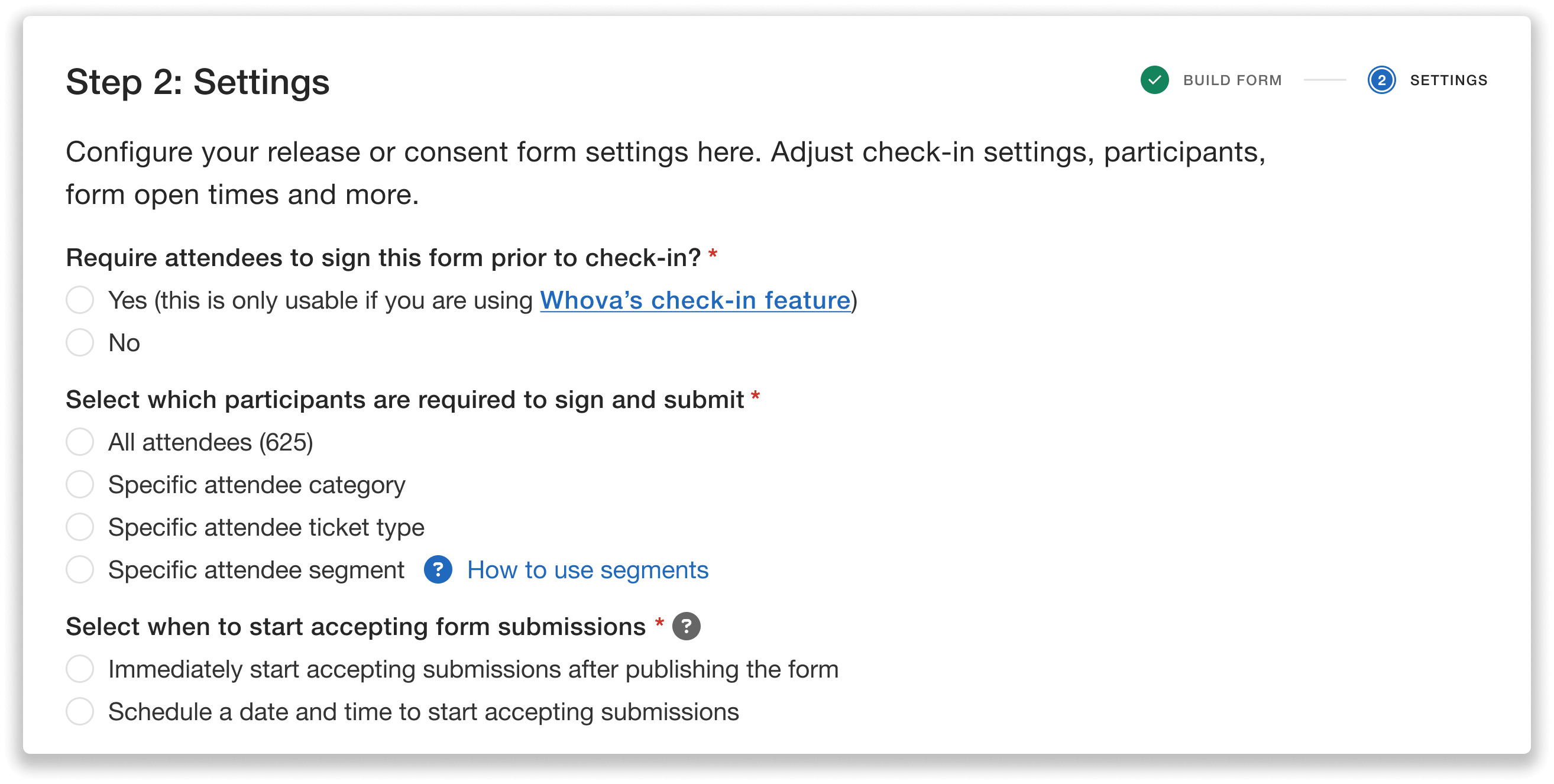
Configure key form settings, including whether signatures are required before check-in, audience details, and when submissions open.
Once you’ve chosen your form settings, you can preview the form and even test it before publishing.
When you’re ready, you’ll publish the form and send a signature request email to your selected recipients with a customizable, ready-to-go message.
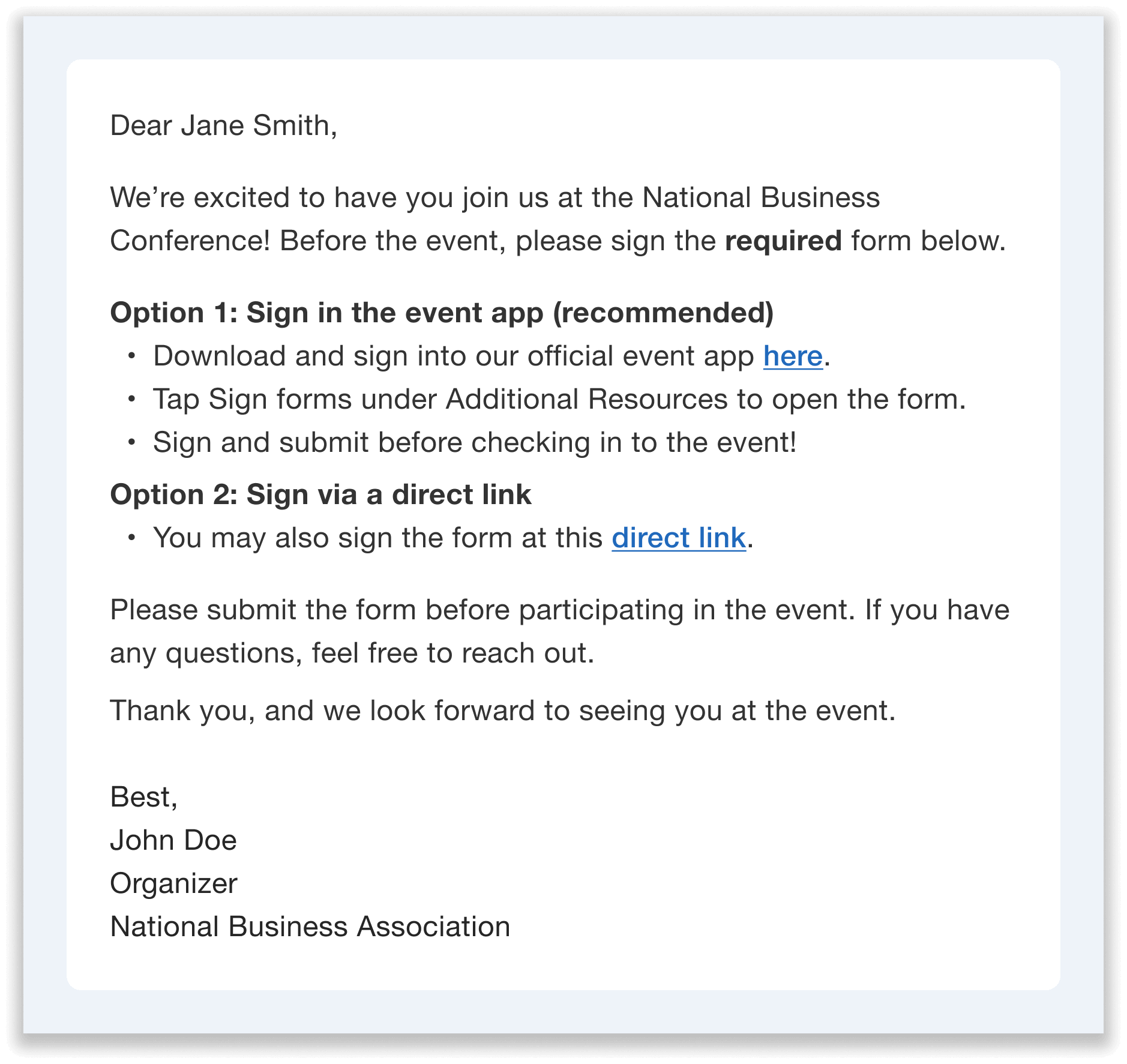
Request signatures with an email template—fully customizable to match your event’s details.
Track Completion Right From The Dashboard
After publishing the form, you can monitor responses in real time from a centralized dashboard.
For each attendee, you’ll see their:
- Name, profile, and email
- Form status (e.g., Submitted or Not Submitted)
- Submission time
You can also quickly filter by completion status, as well as search by name or email, to find specific attendees.
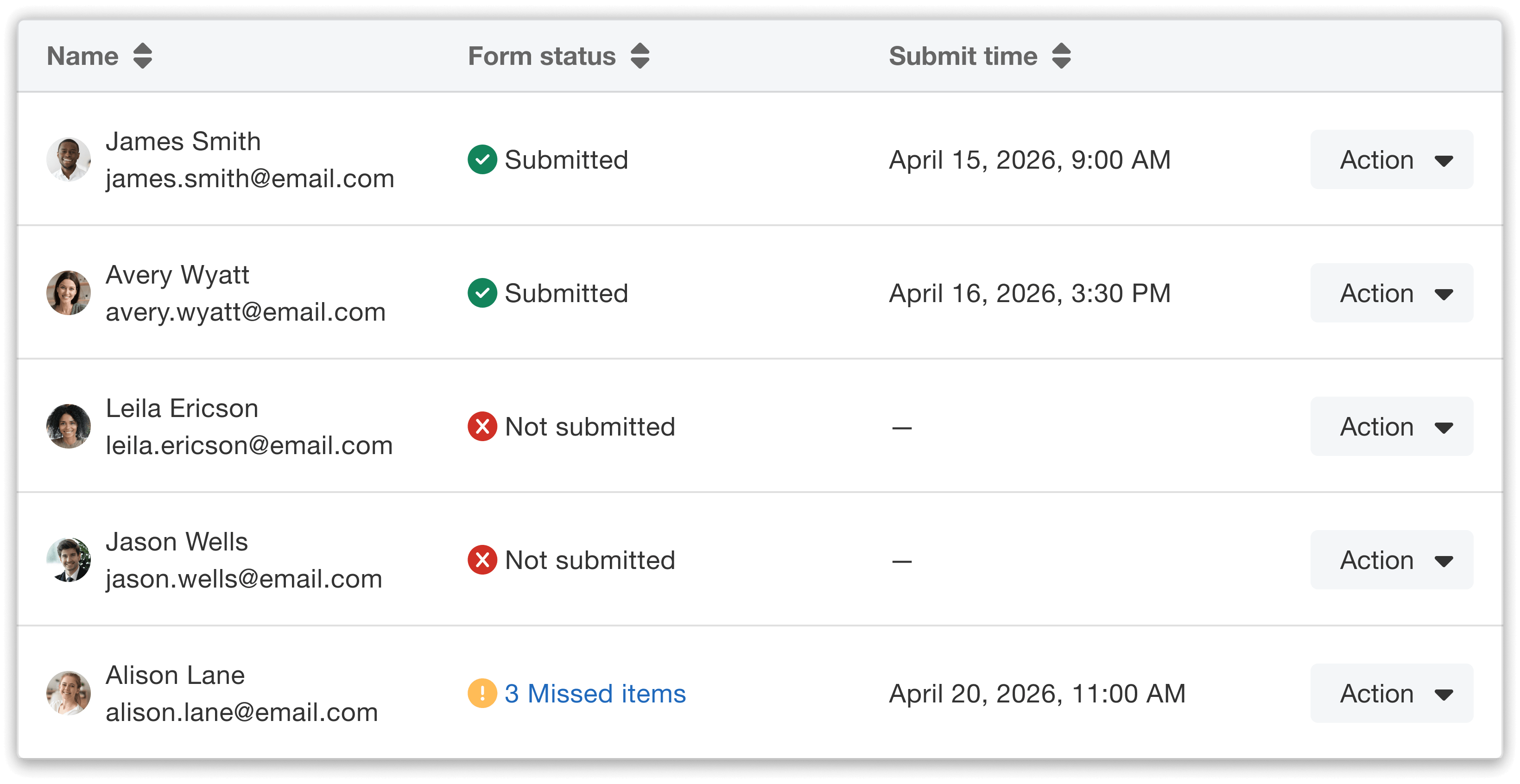
Track each attendee’s form status all in one place.
Need to maintain an audit trail for event compliance? Simply export submissions as an Excel file or PDF for easy record-keeping.
You can also preview the form and edit its settings as needed directly from this dashboard.
Easily Send Reminder Emails
Follow-up is simple and efficient with built-in reminder tools.
From the dashboard, click “Send reminder.” You’ll then choose your audience:
- All attendees required to complete the form
- Only those who have not yet submitted
You can customize the subject line and message starting from a ready-made template—reducing time spent on drafting emails.
If your form is for speakers, we now have a dedicated media release email template designed specifically for speaker outreach.
You’ll also have the option to send the email immediately or schedule it for later.
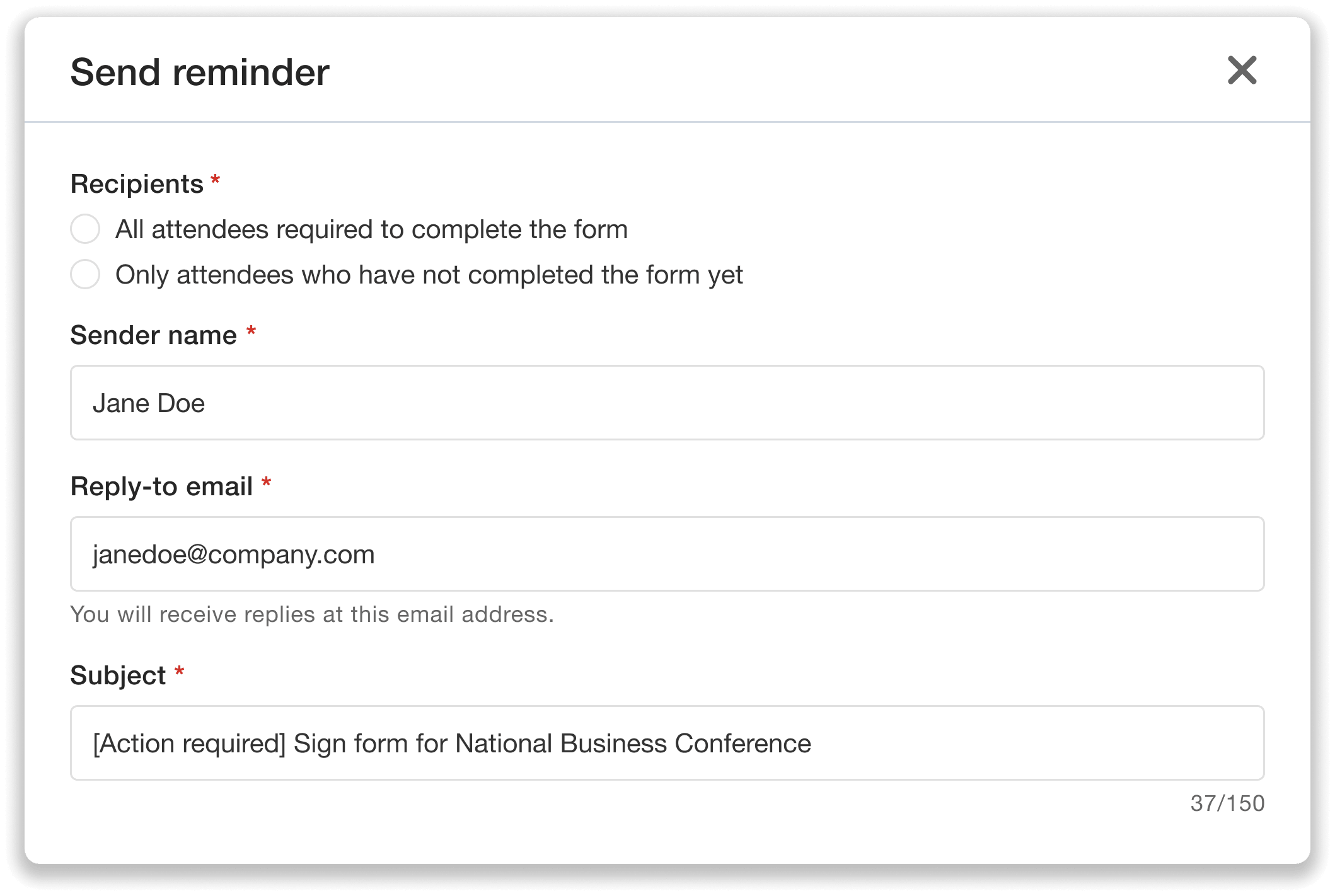
Quickly follow up with attendees—customize recipients and email messages with ease.
Require Signatures Before Check-In
For critical forms, you can require completion before attendees check in to the event,
If this setting is enabled when configuring form settings, your check-in team can see each attendee’s form status in real time in both the Organizer Dashboard and the Whova app.
If a speaker hasn’t signed their media release form, for example, your staff will be alerted during check-in.
From there, you can decide how to handle exceptions. You can pause check-in until the form is signed, or bypass the warning for specific individuals when needed—giving you flexibility for edge cases or special situations.
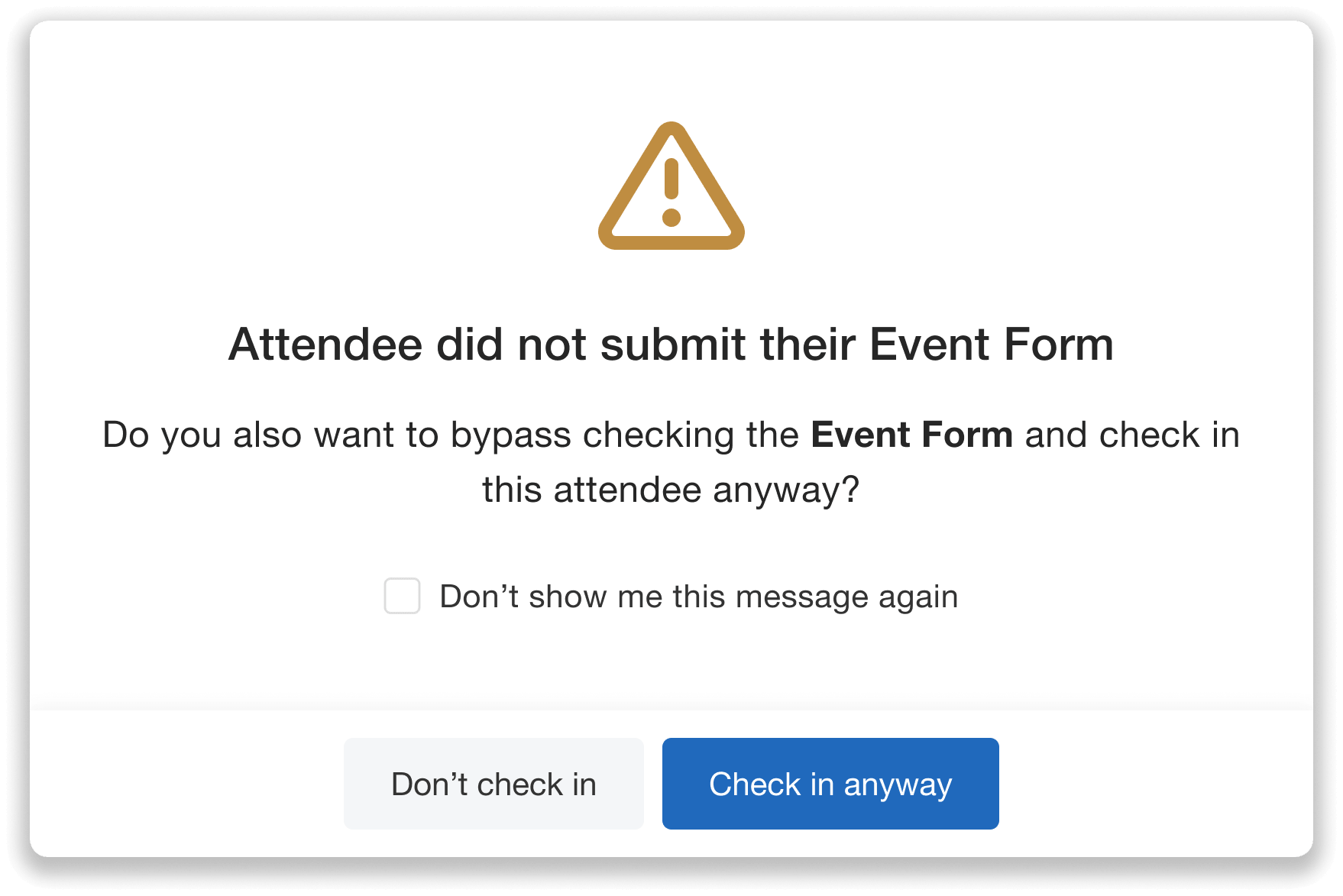
Get automatic alerts at check-in if an attendee hasn’t completed a required form.
Attendees can quickly sign the form in the app’s Additional Resources section, keeping check-in lines moving smoothly.
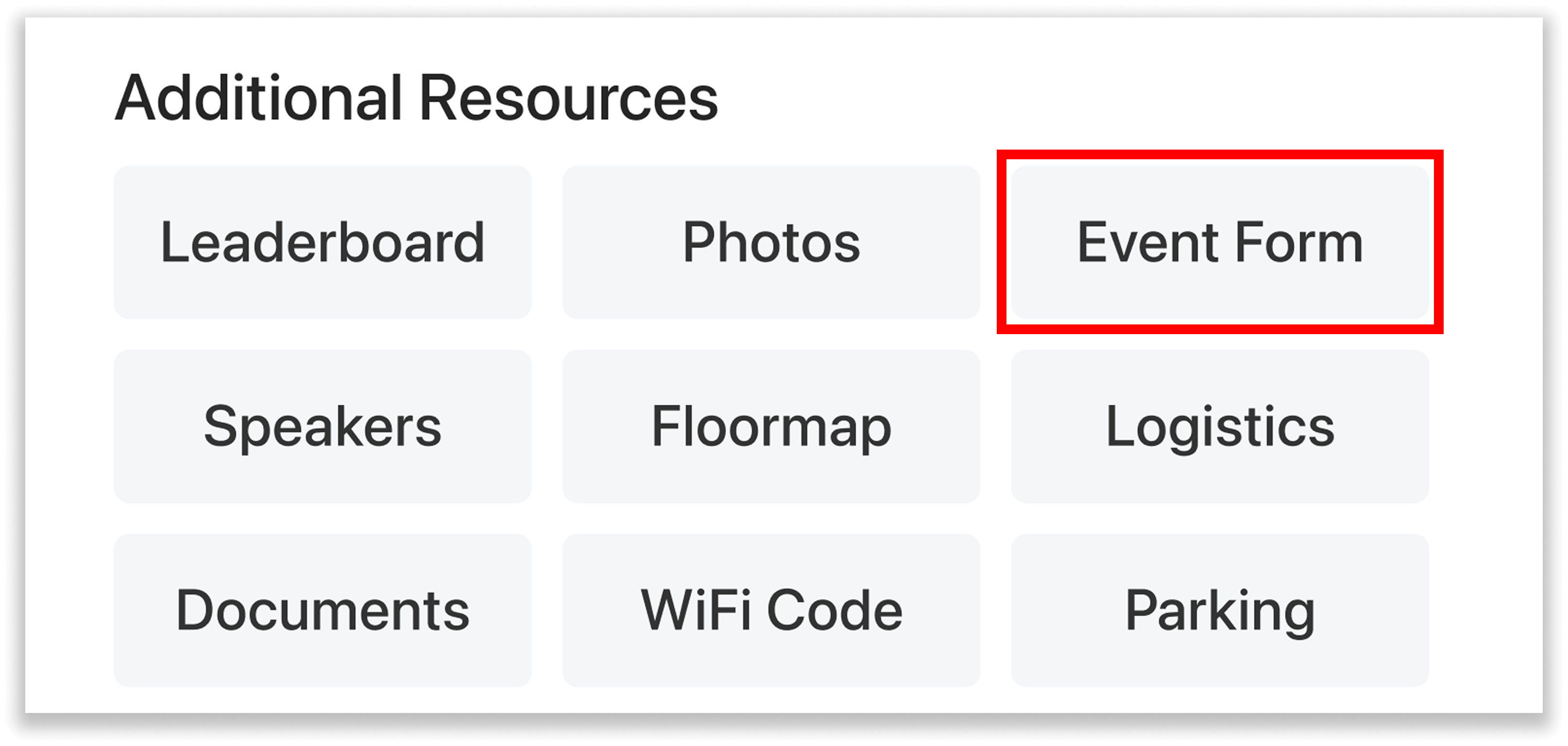
The form is readily available in the app under Additional Resources.
This option transforms your check-in desk into a built-in compliance checkpoint, while letting your team make real-time decisions as needed.
Simplify Compliance the Smart Way
Managing event paperwork doesn’t have to be a manual, error-prone process. With Release and Consent Forms, you can centralize every step—from creation and collection to compliance verification—in a single, streamlined workflow.
The result? A clear view of who needs to sign, fewer last-minute scrambles, and more time to focus on delivering a great event experience—all while staying organized and in control.
Ready to simplify your form management? Request a demo today!