
By: Whova Team | Last Updated: November 24, 2025

In the fast-paced and evolving landscape of virtual events, choosing the right platform for your business and event can heavily impact its success. The needs of a virtual event platform goes beyond the conventional Zoom conference calls. Virtual events aim to deliver the same immersive experience and dynamics as in-person events.
As the virtual space continues to expand, it’s important to understand the key factors that can make your virtual conferences stand out and elevate the overall experience for both you, as the organizers, and your attendees.
Choosing the Right Platform for Your Virtual Events
Selecting the perfect virtual event platform is not just a technical decision; your decision will influence participants’ engagement, interaction, and overall satisfaction. The right virtual event platform can enhance networking opportunities, provide valuable insights and analytics, and keep attendees actively involved throughout the event.
What to Look for in a Virtual Event Platform?
Let’s take a look at what you need to consider when choosing your virtual conference platform:
- User-Friendly Interface: A powerful virtual event platform should have an intuitive and user-friendly interface. Navigating the platform on the front and back end should be seamless for both parties. An easy-to-use and aesthetically pleasing platform contributes to a positive user experience and allows participants to focus on the content rather than struggling with the platform’s functionalities.
- Scalability: The virtual event platform should be able to accommodate events of different sizes, from a one-hour webinar with 20 participants to a full-scale 2-day conference with more than 500 participants. The platform you choose should provide that flexibility without having to switch to a different platform. Additionally, it should seamlessly integrate with scalable event registration tools to handle varying attendee volumes.
- Customizations: Tailoring the virtual event to match your brand and specific event requirements is crucial to a successful event. Having a collection of customizations will allow you to create a more personalized experience for participants and increase overall engagement and brand recognition.
- Integrations with Other Software: This is an important feature as most companies will use more than one software when planning a virtual event. Ensuring your chosen platform can seamlessly integrate with the software you’re using will help with the planning and management of your virtual event. Whether it’s integrating with customer relation management (CRM) systems, marketing automation platforms, social media platforms, or email providers, a dependable integration can ensure smoother workflow and data synchronization.
- Recording and Playback Capabilities: One of the main takeaways a participant is looking for when attending an event (aside from the goodies) is a recording of the session they just attended. Having a recording and playback capability within your virtual event platform will allow participants to revisit sessions and organizers to repurpose event content for future use.
Now that we’ve listed the key things you should consider when choosing a virtual event platform, let’s explore some of the best options available:
What is the best virtual conference platform?
1. Whova
Overall rating: 4.8 out of 5
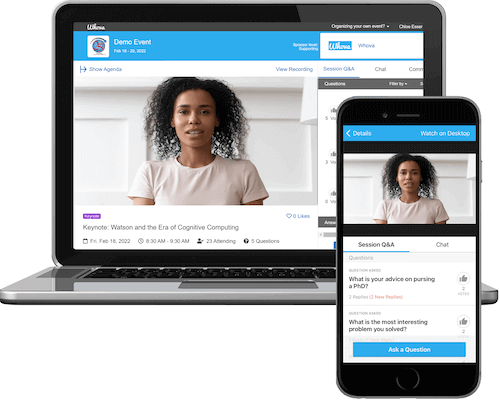
Whova sets the standard for excellence in virtual event platforms with a comprehensive suite of solutions. It provides an intuitive interface to drive attendee engagement and stands out with its powerful analytics that can significantly enhance online participation for your events. Whova also integrates with Zoom Meeting and Webinar, making it a versatile and reliable choice for various virtual events. Aside from virtual features, Whova also provides additional registration, marketing and reporting features that get your event going from the very start.
Features
- Livestream sessions with reserved seatings.
- Facilitate event-wide discussions in a community board.
- Gain new insights with detailed attendee profiles.
- Make virtual connections for specific groups.
- Allow your attendees to find and connect with others with common interests and backgrounds.
- Easily moderate a virtual event with just a few clicks.
- Offer exclusive sessions with different tiered tickets.
- Event gamification and networking features to increase attendee engagement.
- Provide video on demand with integrated registration and payment
- Tiered ticket pricing for webinars
Pros
- All-in-one event management that can handle registration, live streaming, marketing and attendee management in one place
- Easy to use interface for both organizers and attendees.
- Diverse virtual networking features to keep the event alive.
- Event app completely free with event package.
Cons
- Not ideal for virtual events requiring complicated designs and 3d spaces.
Pricing
- Get the right quote for your event type here!
Best for
All-in-one management for hybrid or virtual conferences, expos and trade shows.

2. Zoom Events
Overall rating: 4.4 out of 5
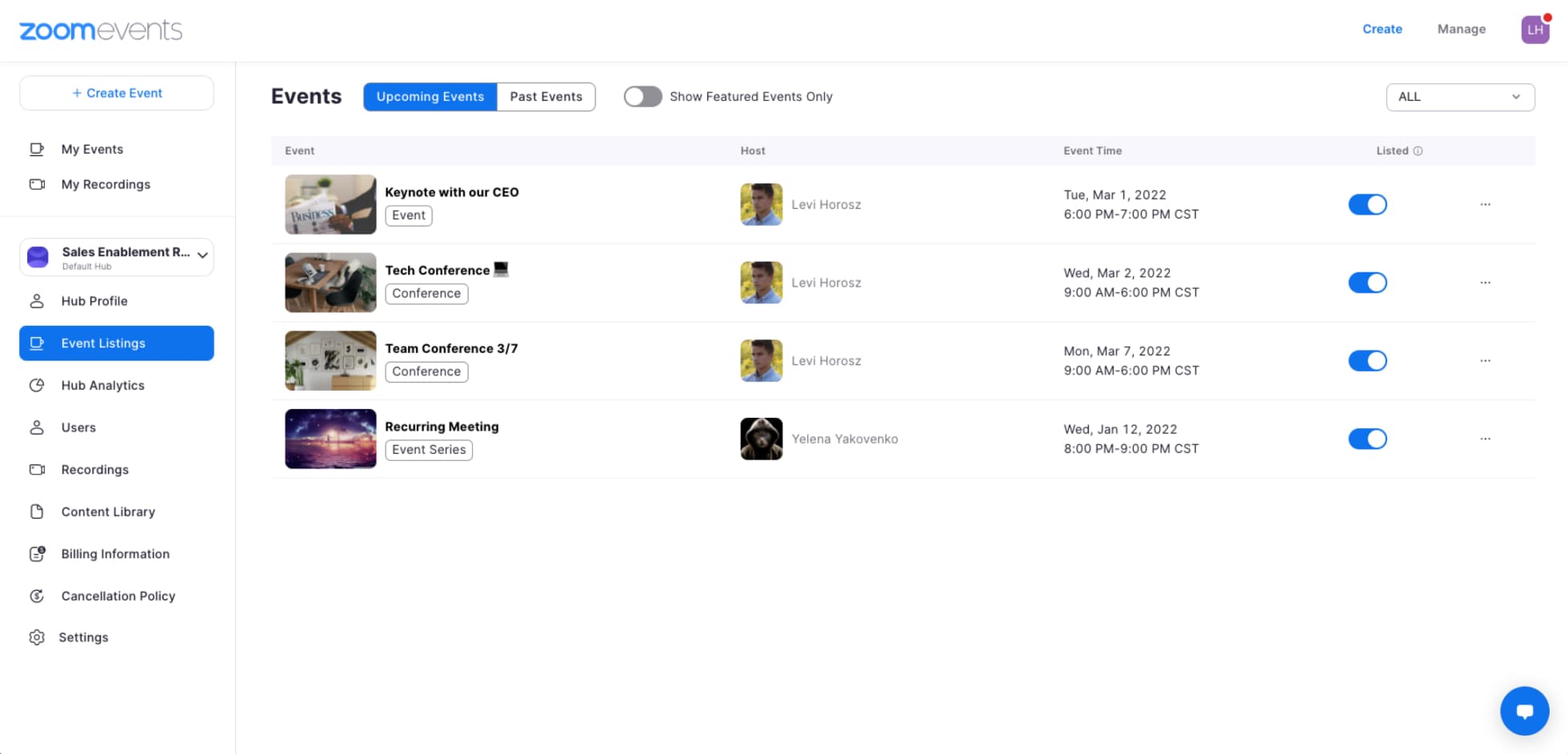
Image credit to Zoom Events
Zoom is renowned for its widely used video conferencing capabilities. With Zoom Events, you can seamlessly integrate your virtual or hybrid event with any Zoom meetings, making it an excellent choice if you’re already familiar with the Zoom platform. However, if you’re new to the Zoom platform, learning how to use Zoom Events can be challenging.
Features
- Multi tier ticketing for event access.
- Lobby chat and individual session chat.
- Use Zoom Meetings and Zoom Webinar to host interactive sessions.
- Live event support
- Post recordings of event’s live streaming after event.
Pros
- Usage of Zoom Meetings makes user experience easy and familiar.
- Direct live support for live sessions.
- Instant analytics for attendance on each session.
Cons
- Event networking and gamification features are limited.
- Limited customizations for meeting rooms and RSVP pages.
- Scaling event can get expensive.
Pricing
Zoom Events pricing depends on the number of attendees as well as type of subscription plan (monthly/annual). For example an annual subscription of 500 attendees is $415.83 monthly with an annual total price of $4980. There is also a plan to pay per attendee which for example can cost $1,200 for 600 attendees.
Best for
Live streaming session focused or webinar focused events that rely most of the time on the value of the sessions.
3. ON24
Overall rating: 4.3 out of 5
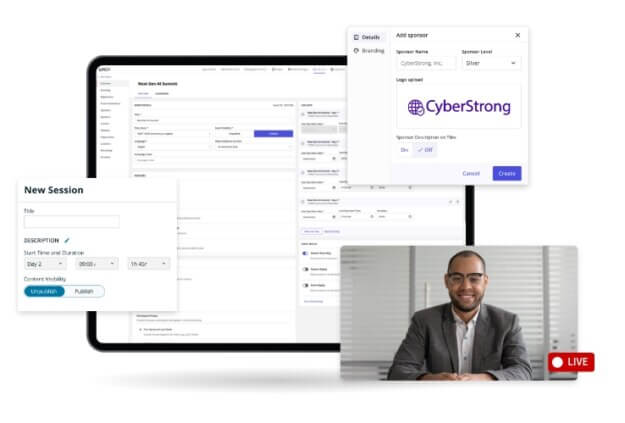
Image credit to ON24
ON24 comes equipped with all the necessary features of a virtual event platform, including analytics, personalized content recommendations, and engagement tracking. It is one of the more robust platforms, making it suitable for large conferences with multiple speakers and networking sessions.
Features
- Flexible chat and polls
- Breakout sessions, group chat and video chat
- Customize virtual event backgrounds
- On-demand content hubs and simulive sessions
- Dynamic user recommendations for sessions, content and networking opportunities
Pros
- Good tools for in session engagement with polls and chat
- Translation tools for more than 20 languages
- Post event content repurposing with AI-powered tools
Cons
- Steep learning curve for setting up event
- Expensive price for a webinar/event tool
Pricing
No public pricing and requires getting a quote.
Best for
Webinars and content marketing for large-scale professional events. Great for enterprise marketing and sales team for lead generation.
4. Hubilo
Overall rating: 4.6 out of 5
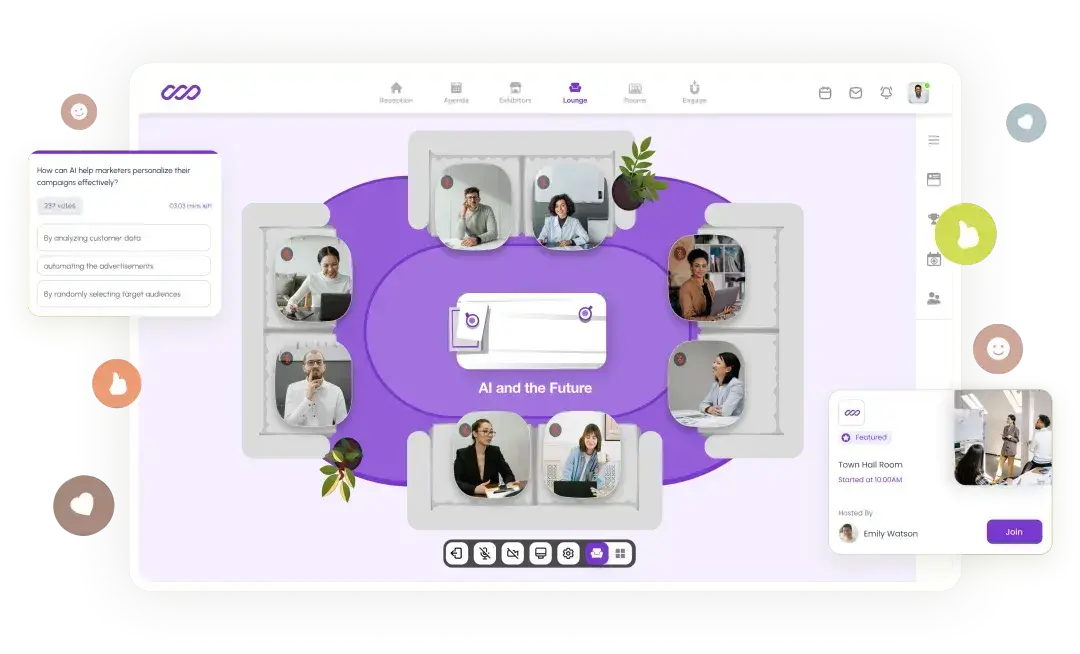
Image credit to Hubilo
Hubilo is an engagement-driven virtual event and webinar platform designed to help brands create polished, interactive digital experiences. It blends high-quality streaming with networking and gamification to keep audiences active throughout your event.
Features
-
Live and pre-recorded sessions, Q&A, polls, chat
-
Gamification tools (leaderboards, quizzes, badges)
-
1:1 and group networking options
-
Advanced analytics and branded event pages
Pros
-
Strong engagement features
-
Great branding flexibility and analytics
Cons
-
Pricing skews toward mid-market and enterprise
-
Customizations can require support
Pricing
- Webinar Plus: $800/month billed annually. Ideal for one webinar per month
- Webinar Multiply: $1,200/month billed annually. For 2-3 events per month
- Enterprise: Custom pricing. For large-scale conferences
Best for
Large-scale webinars, summits, and events that require high attendee engagement.
5. Remo
Overall rating: 4.5 out of 5

Image credit to Remo
Remo has a one-of-a-kind spatial layout that mimics a real-world networking experience. Attendees can move between virtual tables (like you would at a speed-networking event) and foster organic interactions. The company emphasized recreating in-person networking dynamics, making it a suitable choice if your virtual event has a heavy networking element to it.
Features
-
Interactive floorplans with table-based video chats
-
Breakout areas, whiteboards, and presentations
-
Exhibitor tables and sponsor visibility
-
SSO, captioning, and add-on upgrades
Pros
-
Exceptional small-group and networking experience
-
Natural, intuitive event layout
Cons
-
Less suited for broadcast-style main-stage events
-
Add-ons increase total cost
Pricing
- Starter: Starting at $299/month. For recurring events with engagement requirements.
- One-time events: Starting at $699.
- Enterprise: Custom quote
Best for
Networking-heavy events, workshops, meetups, and community gatherings.
6. Airmeet
Overall rating: 4.6 out of 5
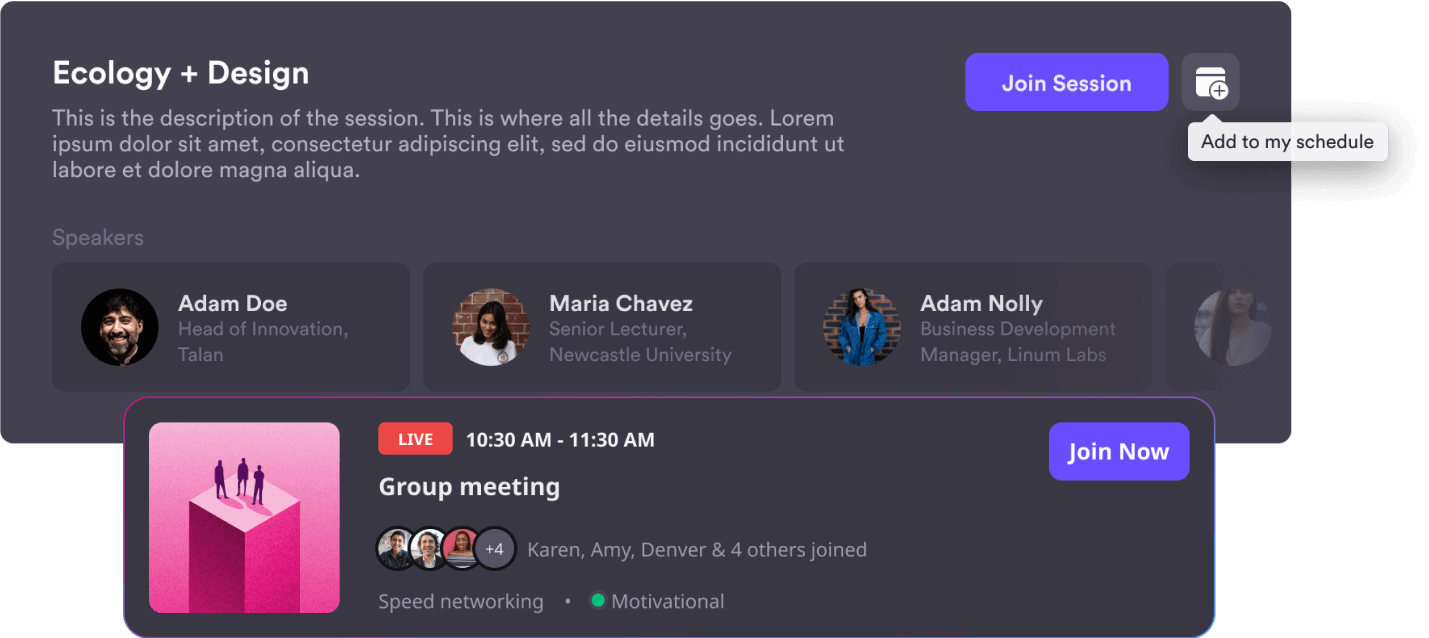
Image credit to Airmeet
Airmeet is a top-notch platform that caters to a variety of virtual event formats. It is also available in multiple languages and offers features that enhance customer experience, interactivity, and networking.
Features
-
Mainstage sessions, breakout rooms, networking lounges
-
Expo booths and exhibitor tools
-
Attendee engagement (polls, emojis, Q&A)
-
Registration, branding, and analytics
Pros
-
Strong balance of broadcast and networking
-
Flexible for conferences, career fairs, and summits
Cons
-
Pricing tied to attendee caps
-
Some features available only on higher tiers
Pricing
- Premium webinars: Starts at $167/month.
- Events: Custom pricing but has free plan with up to 100 registrations and 90-minute sessions.
Best for
Mid-to-large conferences, expos, job fairs, and multi-track virtual events.
7. Notified
Overall rating: 4.4 out of 5
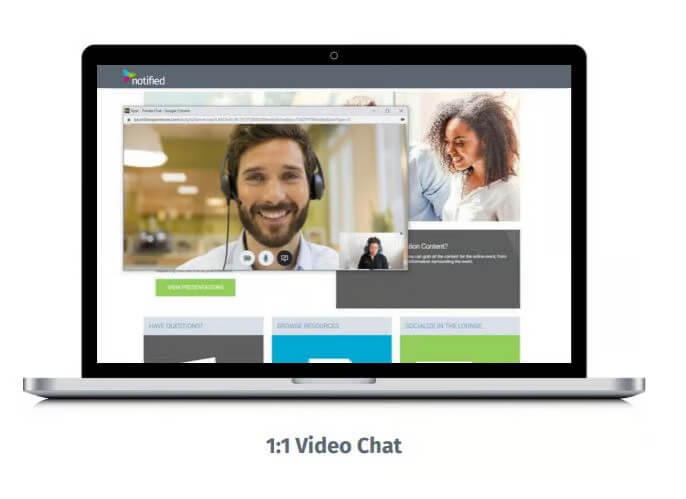
Image credit to Notified
Notified offers a feature-rich virtual event platform with engagement tools and analytics at your fingertips. The platform is specifically designed to create immersive online experiences, which makes it suitable for organizers looking to increase their attendee engagement. While lacking a G2 rating, the company’s focus on feature-rich offerings makes it stand out in the virtual event landscape.
Features
-
Secure and modern IR webcasting
-
Integrated streaming and moderated Q&A capabilites
- Multi-language capabilties
- Enterprise-grade security and SOC 2 certification
Pros
- Enterprise reliability
- Great focus in corporate events for financial results presentations
Cons
- Lack of support for branding and customizations
- No networking and engagement features
Pricing
Need to request custom quote.
Best for
Investor days, large corporate events, product launches, and regulated industry use cases.
8. Pigeonhole Live
Overall rating: 4.7 out of 5
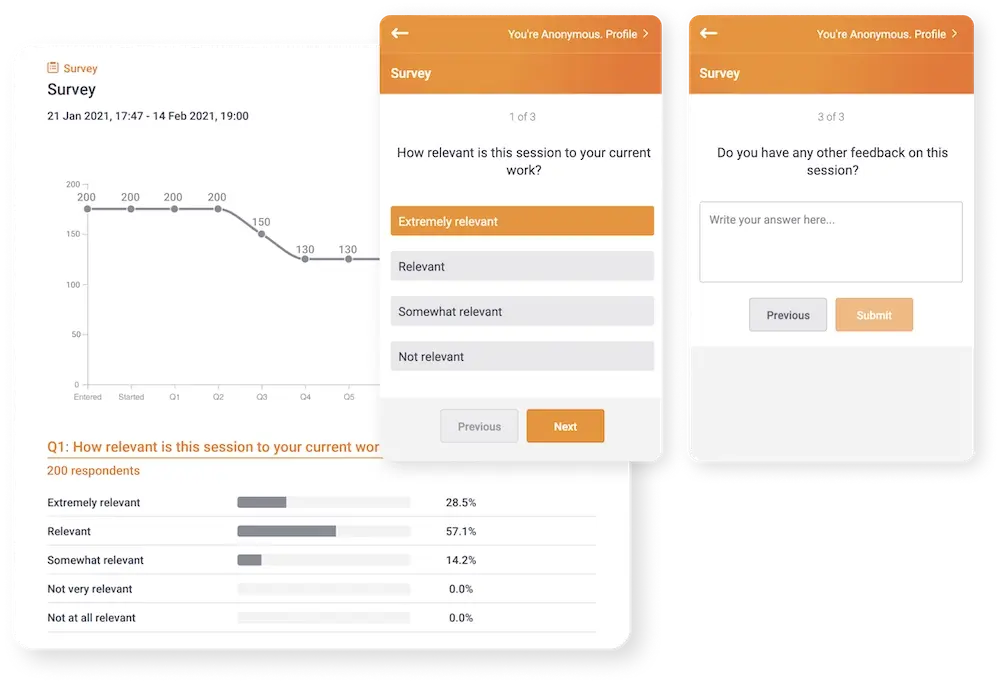
Image credit to PigeonHole Live
Pigeonhole Live is known for its simplicity and effectiveness in fostering participant interaction. It’s a versatile virtual event platform offering features like audience engagement tools, live Q&A sessions, and real-time polls.
Features
-
Live Q&A with moderation
-
Polls, quizzes, surveys, and insights
-
Integrations with Zoom, Teams, Webex, and more
-
Custom branding options
Pros
-
Easy to use and affordable
-
Excellent for moderated Q&A
Cons
-
Not a full event platform
-
Limited beyond audience interaction
Pricing
- Basic: $0. Up to 100 participants and limited feature access
- Engage: $100/month billed $1,200 annually. Up to 1000 participants
- Captivate: $225/month billed $2,700 annually. Up to 5000 participants
Best for
Webinars, town halls, panel discussions, and meetings that need professional-grade audience interaction.
9. Livestorm
Overall rating: 4.4 out of 5
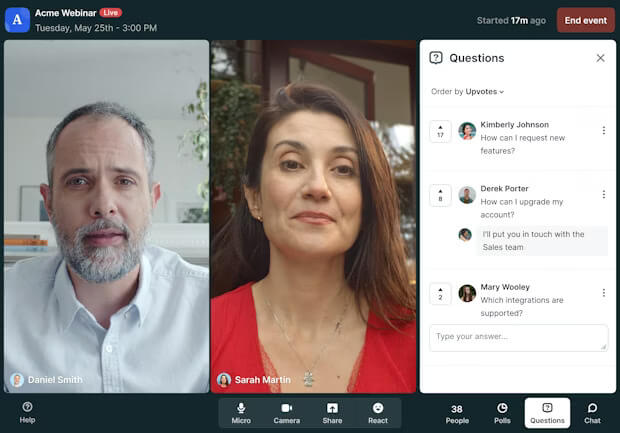
Image credit to Livestorm
Livestorm provides a comprehensive solution for virtual events with offerings like end-to-end video engagement features, email delivery tracking, social sharing, and more. If you’re looking for a platform that covers various aspects of virtual event engagement and would like to brand your event with customizable marketing materials, Livestorm may be able to help you.
Features
-
Live, automated, and on-demand webinars
-
Registration and email automation
-
In-webinar chat, Q&A, and polls
-
CRM and marketing tool integrations
Pros
-
Very easy to set up and run
-
Great to pair with marketing workflows
Cons
-
Usage-based pricing can be confusing
-
Not built for expo-style events
Pricing
- Free plan with up to 30 active contacts/month
- Pro plan up to 9000 annual active contacts for $825/month billed annually $9900
- Business and enterprise plans require contacting sales
Best for
Marketing webinars, demos, and lead-generation events.
10. Vfairs
Overall rating: 4.7 out of 5
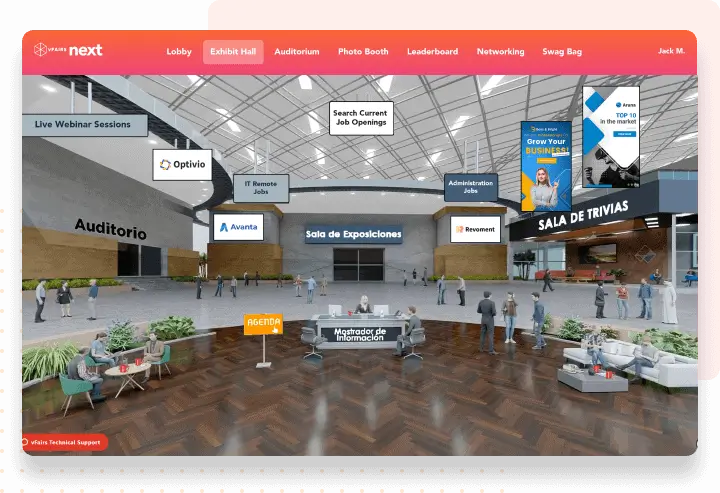
Image credit to Vfairs
vFairs is your go-to platform when you need to host a big virtual event that feels organized and visually impressive. It’s especially popular for career fairs and expos because it gives exhibitors tons of ways to stand out and connect with attendees.
Features
-
Virtual booths, exhibitor dashboards, and lead capture
-
Registration and badge management
-
Virtual 3d hall and space with live help desk
-
Analytics and custom design options
Pros
-
Highly customizable event halls and booths
-
Strong for large-scale, exhibitor-heavy events
Cons
-
Custom builds can increase cost and prep time
-
More complex setup
Pricing
Custom quote after contacting sales
Best for
Career fairs, expos, university events, and trade shows.
11. InEvent
Overall rating: 4.5 out of 5
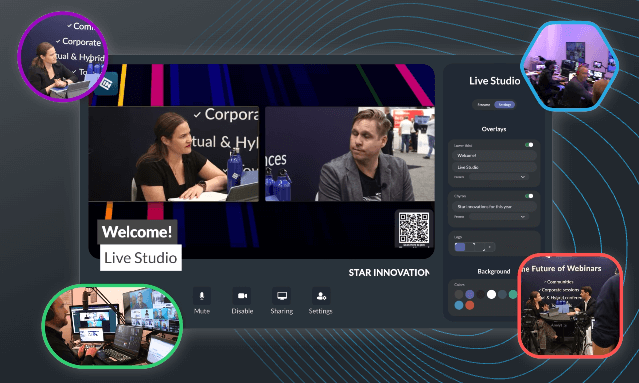
Image credit to InEvent
InEvent incorporates features for virtual booths, sponsorships, and interactive sessions. The platform focuses on providing a comprehensive platform, making it a potential solution for organizations seeking an all-in-one virtual event experience.
Features
-
Registration, ticketing, CRM, and check-in
-
Built-in studio for streaming
-
Mobile app, badge printing, and onsite tools
-
Analytics and integrations
Pros
-
Covers the full event operations workflow
-
Flexible for multi-format events
Cons
-
Can feel overbuilt for simple webinars
-
Requires onboarding for new users
Pricing
Starting from $6000 for single event or $9000 for annual subscription. Prices might increase based on provided virtual features and onsite support / hardware.
Best for
Enterprise teams managing frequent hybrid or multi-format events.
12. RingCentral Events (Formerly Hopin)
Overall rating: 4.6 out of 5
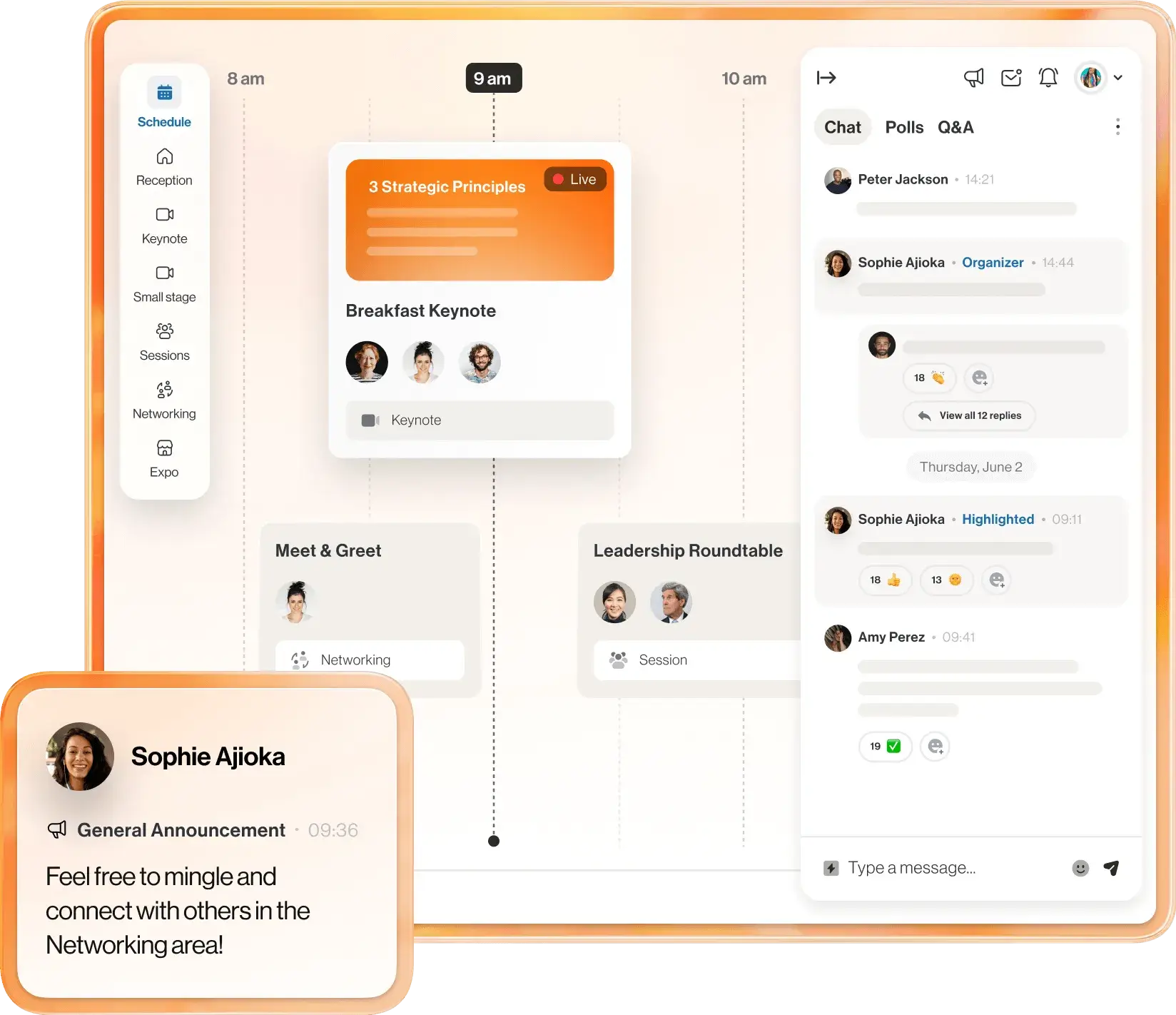
Image credit to RingCentral
RingCentral caters to a wide range of virtual event formats with special features like virtual stages and customizable event spaces. Its customizations allow the organizers to use the platform for a variety of event formats, including small meetings, trade shows, and large conferences. This is a suitable platform for event organizers looking for some flexibility and a unique way to engage their audience.
Features
-
Mainstage, breakout sessions, expo booths, and networking
-
Registration, analytics, and branding tools
-
Studio-quality streams
- Automatic generation of AI-powered highlight clips
-
Scalable for large events
Pros
-
Great for multi-track, high-attendance events
-
Strong live streaming and content repurpose capabilities
Cons
- Not very intuitive platform
- Enterprise features often require support
Pricing
- Events Pro: $99/organizer/month billed annually
- Events Pro+: $199/organizer/month billed annually
- Events Enterprise: $299/organizer/month billed annually
Best for
Large conferences, webinars, and multi-session community events.
Elevate Your Virtual Event
Choosing the perfect virtual event platform depends on several factors, including your event needs, the number of attendees, your vision for branding and networking, the number of speakers, and more. Each platform listed has its strengths – whether it’s user-friendly interfaces, customizable email marketing features, social first approaches, powerful event registration capabilities, or the ability to scale up and down based on your event needs.
If you’re looking for a dependable, well-rounded virtual event platform to host your next virtual or hybrid event, consider exploring Whova with a free live demo. Whova provides Intelligent Event Technology Solutions by creating authentic participation and engagement by simplifying the entire event process from planning to registration, networking, and follow-up. Their proprietary technology is cost-effective, reliable, and easy to use, and won the Event Technology Awards in for many years.
Whova stands out with its exceptional features, intuitive interface, and seamless integration with Zoom meetings. A live demo allows you to experience firsthand how Whova can elevate your virtual events and create memorable experiences for both organizers and attendees. Click here to discover the potential of Whova for your virtual events.
FAQ
What are virtual conference platforms?
Virtual conference platforms are software solutions that allow event organizers to host live, interactive events online. They provide digital venues where attendees can watch presentations, network with each other, and engage with speakers or exhibitors. Most platforms include tools such as video streaming, live chat, Q&A, and analytics to provide a complete virtual experience.
What are key features of virtual conference platforms?
Key features of virtual conference platforms typically include:
-
Live and on-demand video streaming for keynotes, panels, and presentations
-
Interactive tools like chat, polls, Q&A, and reactions
-
Networking functions such as 1:1 meetings, breakout rooms, or AI matchmaking
-
Expo or exhibitor booths for sponsors and vendors
-
Registration and ticketing systems
-
Analytics and reporting to track attendance, engagement, and leads
-
Branding and customization options for event pages and virtual venues
What is the difference between a webinar and a virtual conference?
A webinar is typically a shorter, presentation-style session hosted for an online audience with limited interaction. A virtual conference is a larger, multi-session event that often includes keynote stages, breakout rooms, networking areas, and expo halls. Webinars focus on broadcasting information, while virtual conferences emphasize interaction and engagement among attendees across multiple sessions.
What is the difference between a webinar and a conference call?
A webinar uses video and slides to present content to a large online audience with interactive tools such as Q&A, polls, and chat. A conference call is more of a virtual meeting where participants enter the meeting to discuss and connect with other participants.