
Author: Whova Team | Last updated: June 24, 2026

If you are tired of losing a huge chunk of your ticket sales to Eventbrite’s high percentage fees, you are not alone. Thousands of event organizers are actively looking for alternatives that offer lower costs, faster payouts, and real customer support when things go wrong.
Finding the right Eventbrite competitor depends entirely on the type of event you are planning. Some platforms only give you a basic ticket checkout link, while other all-in-one ticketing platforms provide full event apps, badge printing, and tools to help your attendees network.
To save you time, we analyzed the top event management and ticketing tools on the market. Here is a look at the best options to help you protect your profits and run a successful event this year.
Quick Summary: The Best Eventbrite Alternatives at a Glance
If you are on a tight timeline, here is how the top choices on our list compare based on your specific event goals:
- Best for Conferences, Corporate Events & Trade Shows: Whova (built directly for complete event management, registration, mobile app, and networking).
- Best for Simple, Low-Cost Ticketing: Ticket Tailor or Ticketbud (ideal for smaller meetings or gatherings where you just need a professional payment page).
- Best for Virtual Webinars: Zoom Events (perfect for basic online events that run entirely online).
- Best for Specific Programs & Camps: Regpack (features custom conditional logic built for attendance tracking and camp check-ins).
Why Event Organizers Are Leaving Eventbrite
The event industry shifted when Bending Spoons (A private technology company in Italy, according to Wikipedia) bought Eventbrite. If you have ever used tools like Evernote or Meetup, you already know what tends to happen after these buyouts. New owners introduce potential new changes such as price adjustment, shifts in customer service quality, revamped product features and technological issues due to personnel and technology changes.
Because of this, planners are looking for alternative software to protect their ticket revenue and ensure their events run smoothly. The main complaints driving people away from Eventbrite are:
- Expensive Percentage Fees: If tickets cost a lot, thousands of dollars re handed over just for a simple registration checkout page.
- Delayed Payouts: Users have reported that Eventbrite often holds onto their ticket revenue until after the event ends, which can ruin cash flow needed to pay vendors.
- Lack of Real Support: When something goes wrong on the event day, users have reported difficulty reaching live support on the phone. A chatbot or an email form would not be enough for crucial moments.
- Limited Customization and Features: While Eventbrite offers various tools for event ticketing, customization options and event management tools are not comprehensive for all event types, specially for larger events.
Eventbrite Key Features
Eventbrite is mainly an event ticketing and registration platform that hosts events from a variety of industries such as music, business, hobbies, and more. It’s an accessible platform for organizers since you can start setting up your event as soon as you sign up for an account. Main features include:
- Event discovery: Events hosted in Eventbrite can instantly be shared in the main homepage for any user to find. This can increase the event’s visibility to allow interested attendees to register.
- Free/Paid tickets: Eventbrite allows you to setup both free and paid tickets with free event publishing.
- Reporting and analytics: Organizers are able to see real-time analytics of ticket sales.
- Marketing tools: Expand your event’s marketing with email campaigns and social media sharing.
- Form customization: Question forms can be customized with custom questions.
How Are Eventbrite Fees Structured?
For free tickets, Eventbrite does not charge any service or payment processing fee. For paid tickets, the fees vary depending on the country selected.
For United States, the service fee is 3.7% + $1.79 per paid ticket sold plus an additional payment processing fee of 2.9% of the total order. Keep in mind that payment processing fees are calculated after including service fees and tax. For example, for selling 5 tickets of $100, you would be paying a service fee of $27.45 plus a payment processing fee of 2.9% of the total $527.45 + tax.
Eventbrite Alternatives Breakdown: Features, Reviews, and Costs
Here’s a table summarizing the 15 best Eventbrite alternatives including their pricing, ticketing options, and key features. Find more about each feature in the list provided under the table.
| Pricing | Ticketing Options | Best For | |
| Whova | + 3.0% + $0.99 per paid ticket
+ $0 for free tickets |
+ Free and paid tickets with customization for multiple ticket types (group tickets, invite-only tickets) and tiers | + All types of professional events including trade shows, conferences, non profit events, symposiums, expo shows and more |
| Zoom Events | + Monthly subscriptions/ yearly subscription/pay per attendees plans.
+ Range from $149/month (100 attendees) to $26,490/year (3,000 attendees) |
+ Free and paid tickets for virtual events with built-in ticketing options | + Smaller, virtual events or webinar series that may not need other event software features |
| RegPack | + Starter pack: $125 / month per seat + $1,000 Setup Fee
+ *SMB pack: $40 / month per seat + *Enterprise pack: $25 / month per seat *Enterprise pack and SMB packs have a 12 month term and annual renewal |
+ Free and paid registration with conditional logic forms | + Events like camps, concerts or experiences |
| Ticketbud | + 2.9% + 30c per ticket.
+ $0 for free tickets |
+ Paid and free tickets with add-on and group tickets | + Best for gatherings who really only need registration software like a small company meeting or a free yoga class |
| Stova | + Minimum commitment of 1000 registrations per year.
+ *Starting price of $10000 per year. *Contact company for more accurate pricing |
+ Paid and free tickets | + Best for virtual events that need more than just registration features |
| Facebook Events | + N/A | + Only free tickets and registrations | + Best for events open to the public or a certain neighborhood event |
| TicketMaster | + No price announced publicly. Contact Ticketmaster directly to get pricing information | + Mostly paid tickets for the events | + Best for larger social events that only need help with ticketing and are not on a budget, like a concert or a festival |
| Eventbee | + Basic: $1 per ticket + credit card processing 4.95% + 50c + 1% booking fee
+ Pro: $1.5 per ticket + credit card processing 4.95% + 50c + 1% booking fee + Advanced: $2.5 per ticket + credit card processing 4.95% + 50c + 1% booking fee + Business: $3.50 per ticket + credit card processing 4.95% + 50c + 1% booking fee |
+ Paid and free tickets | +Best for events on a budget such as a smaller non profit conference or an annual company meeting |
| Eventcube | + Free plan: 5% fee of the transaction total
+ Pro plan: $99 / month + 3% of the transaction total. + Default 10% booking fee or a custom booking fee. |
+ Paid and free tickets | +Best for events that handle only registration and also benefit from membership managements. |
| Eventify | + Register plan: $399 / month + $1 fee per attendee + taxes + payment gateway fee
+ Engage plan: $999 / month + $1 fee per attendee + taxes + payment gateway fee + Advance plan: $1499 / month + $1 fee per attendee + taxes + payment gateway fee + Ultimate plan: Need to contact sales |
+ Paid and free tickets | +Best for events that require more than just registration will benefit from Eventify’s plan to take advantage of different event management features. |
| Ticket Tailor | + Free events have no fees up to 5,000 free tickets per year
+ Prepaid ticket credits have $0.30 fee per ticket + Pay as you sell tickets have a fee of $0.85 per ticket. |
+ Paid and free tickets | +Best for social events that want their events to have a visually appealing and professional registration page. |
| Rsvpify | + Tickets have a fee of 1.95% + $0.90 per ticket + credit card processing fees.
+ For business and non profit events, you can access more features and benefits with four different plans: – Starter: $39 / month has 150 registrations per month – Plus: $125 / month has 500 registrations per month – Professional: $409 / month has 1,500 registrations per month – Enterprise: Need to contact sales
|
+ Paid and free tickets | +Best for small, personal events or non profit events that do not require more than thousands of registrations. |
| Jotform | +Free Plan: Limits on form count, submission and storage
+ Bronze: $39 / month with 1,000 monthly submissions + Silver: $49 / month has 2,500 monthly submissions + Gold: $129 / month has 10,000 monthly submissions + Enterprise: Custom pricing |
+ Paid and free tickets | + Best for smaller events that mainly require customization of the registration form and conditional logics. |
| Regfox | + Standard: $0 / month with $0.99 + 1% fee per registrant
+ Premium: $0 / month with $1.99 + 1% fee per registrant + Professional: $499 / month with $1.99 + 1% fee per registrant. |
+ Paid and free tickets |
+ Best for event organizers looking for low fees and limited registration features such as conditional logic, registration page branding and good customer support. |
| TicketSpice | + Paid tickets: $0.99 per ticket + 2.9% + $0.30 in credit card processing fees.
+ Free tickets: $0.99 per ticket for new users |
+ Paid and free tickets | + Best for concerts, fairs, attractions and experiences looking a low flat fee per ticket. |
15 Eventbrite Alternatives: Features, Reviews, and Pricing
*All review ratings are an average of G2, Capterra and TrustRadius
Best for Large Conferences and Corporate Events
1. Whova
Whova’s event registration software effortlessly integrates with its all-in-one event management software to manage your registration process from setting up tickets to receiving instant payment with no roadblocks in between.
Overall Rating: 4.8 out of 5.0 (4,621 Reviews)

Considered by many event planners as a top alternative to Eventbrite, Whova’s ticketing software provides a dynamic set of features, including customizable registration form questions for different ticket types, personalized registration pages and exhibitor registration booth selection.
Whether it’s for events with free or paid tickets, Whova allows organizers to create their own branded registration page that can be shared through email campaigns, embedded through widgets and tracked through data analytics.
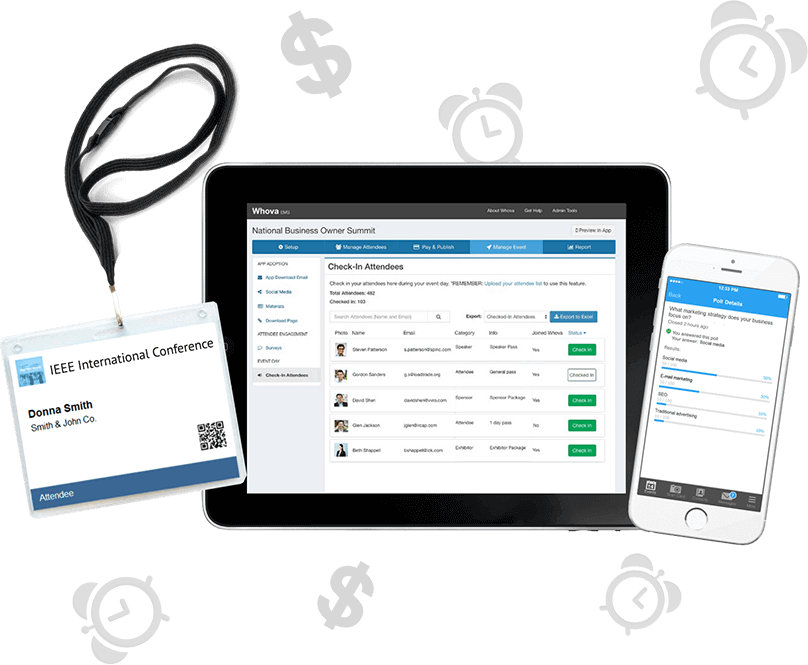
Unlike Eventbrite, Whova can use different ticket types to provide exclusive access of content to specific attendees to further enhance your event experience. Furthermore, Whova’s registration features integrate seamlessly with the all-in-one event management platform’s event app, event website builder, event management tools, mobile check-in and onsite name badge printing.
Compared to Eventbrite, Whova can provide instant payout to your Stripe account so you can get your funds to cover your expenses immediately all the while ticket sales keep going up.
Whova’s all-in-one event platform received the People’s Choice Award and the Best Event App Award from the ‘Oscars’ of the event industry (i.e., Event Technology Awards). It was also one of G2’s Top 50 Software Companies. It has been used by over 50,000 conferences, summits, conventions, trade-shows, career fairs, community and networking events, with 13 million attendee, and still continues to grow to this day.
Top Features
- Branded attendee registration process with customizable event logo, description and color
- Exhibitor and sponsor registration with booth selection and a la carte sponsorship opportunities
- Secure and instant payment processing
- Custom event registration forms for different ticket types and attendee segmentation
- Automatic email reminders for abandoned registrations to recover sales
- Ticket marketing tools including targeted email campaigns, social sharing and campaign tracking links
- Post event analytics for both your ticket sales and event performance
- Mobile check-in
- Excellent customer support team
- Name badge generation with QR code for attendee check-in and lead generation

Pros
All-in-one event management software that can handle registration, session management, check-in, networking and post-event reporting
Cons
Not ideal for social gatherings or casual events.
Pricing
Whova’s ticket fee is lower than Eventbrite at 3.0% + $0.99 per paid ticket on top of the Stripe fee ($0 if your tickets are free!)
Why Whova’s model saves money for professional planners
With Eventbrite, organizers usually have to purchase other software to handle attendee apps, check-in scanners, name badge printing, and email marketing. Those extra costs can add up fast. Additionally, if the event is selling high-priced tickets for an event such as a professional conference or trade show, Eventbrite’s uncapped fees can pile up to thousands of dollars by the time registration closes.
With Whova, organizers get a complete event management platform that includes registration and ticketing which covers all the fees for separate platforms. On top of that, ticket registration fees are kept low at 3.0% + $0.99 per paid ticket, and free tickets cost nothing. By combining event management tools and lowering the per-ticket transaction costs, the event’s cash flow is protected and the registration revenue instantly goes to the organizer’s account.
Best For
Whova’s event software is best for all types of professional events including trade shows, conferences, non profit events, symposiums, expo shows and more!
2. Stova
Overall Rating: 4.2 out of 5.0 (301 Reviews)
Stova is an event management platform that can provide a professional look to your event registration and handle event management tasks such as check-in and name badge creation.
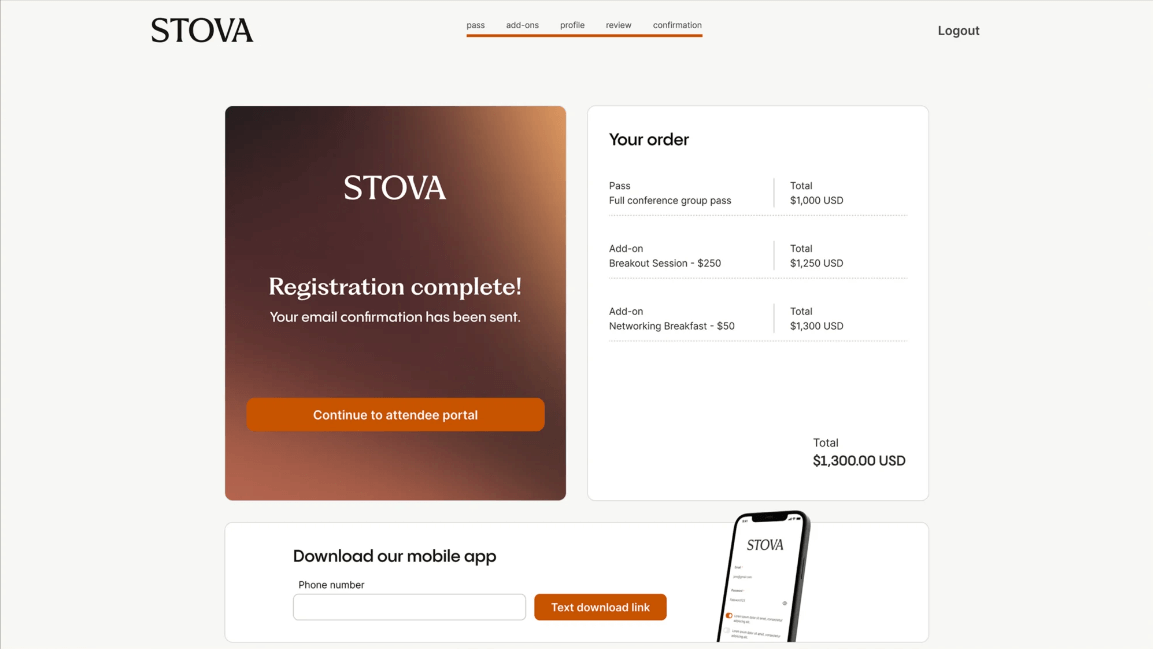
image credit to Stova
Stova is a full service event management platform for in-person, virtual, and hybrid events. The platform aims to provide an end-to-end event solution so organizers create valuable and engaging event experiences, expand brands, and improve business objectives.
Stova offers ways to get attendees connected and engaged through virtual tools like networking, online vendor booths, venue sourcing and session management. Stova also provides an attendee registration system, which can be used as an alternative to Eventbrite’s ticketing functions.
Top Features
- Branded registration pages
- Integration of registration with email campaign lists
- Custom event badges
- Integration with multiple payment gateways for secure payment
- Connect registration page with other Stova features
Pros
Supports branded registration with personalized flows connected to Stova backend.
Cons
Platforms has been mentioned to be not intuitive and slow in some occasions.
Pricing
Prices vary per registration and prices drop as volume increases. There is minimum commitment of 1000 registrations per year.
According to Capterra, there is a starting price of $10000 per year. For more accurate pricing information depending on your needs, it will be best to contact the company directly
Thinking of using Stova? Explore other Stova competitors to make the best choice before locking in
Best For
Stova is best for virtual events that need more than just registration features.
3. Eventify
Overall Rating: 4.8 out of 5.0 (53 Reviews)
Eventify is another platform that goes beyond registration, providing features for hotel management, gamification and attendee check-in.
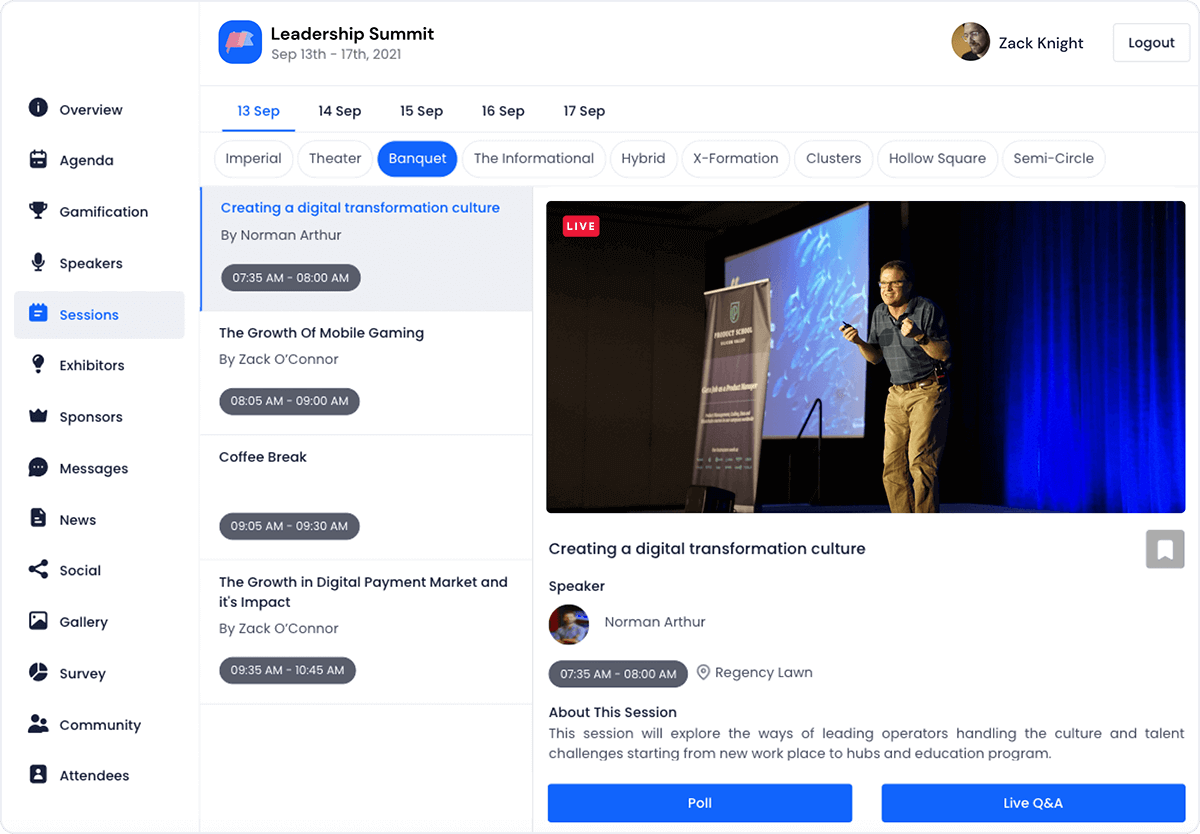
image credit to Eventify
Eventify is an all-in-one event management platform that handles both in-person and virtual conferences. Similar to Whova, it’s able to handle different aspects of the event management process such as registration, badge printing and check-in.
For registration, Eventify provides branded registration forms with customizable fields and layouts. With the ability to create different ticket groups, organizers will be able to provide unique registration experiences for attendees, speakers, exhibitors or sponsors.
The platform also comes with ticketing sales tracking and metrics to get instant insights on ticket sales. Those registrations are added into the software so they can be connected with other features such as event marketing or attendee networking.
Top Features
- Custom registration fields and forms
- Branded registration page
- Ticket sales tracking
- On-site badge printing
- Event check-in
Pros
Eventify is able to handle the basic registration features while also providing separate experiences depending on the ticket groups you create. Additionally, the integration with other event management tasks could be beneficial such as check-in and on-site badge printing.
Cons
Despite its current branding and customization features, the UI is not as intuitive as other platforms with multiple features overwhelming the user. Additionally, the membership pricing plan could be unfavorable depending on how events are organized.
Pricing
There are 4 different plans for single events:
- Register plan: $399 / month + $1 fee per attendee + taxes + payment gateway fee
- Engage plan: $999 / month + $1 fee per attendee + taxes + payment gateway fee
- Advance plan: $1499 / month + $1 fee per attendee + taxes + payment gateway fee
- Ultimate plan: Need to contact sales
Best For
Events that require more than just registration will benefit from Eventify’s plan to take advantage of different event management features. Smaller single events might find the pricing and the features a bit above their budget.
Best Software for Virtual Meetings and Online Webinars
4. Zoom Events
Overall Rating: 4.4 out of 5.0 (6595 Reviews)
Zoom Events is ideal for events that rely heavily in virtual conferences or webinars that only require basic registration for attendees.
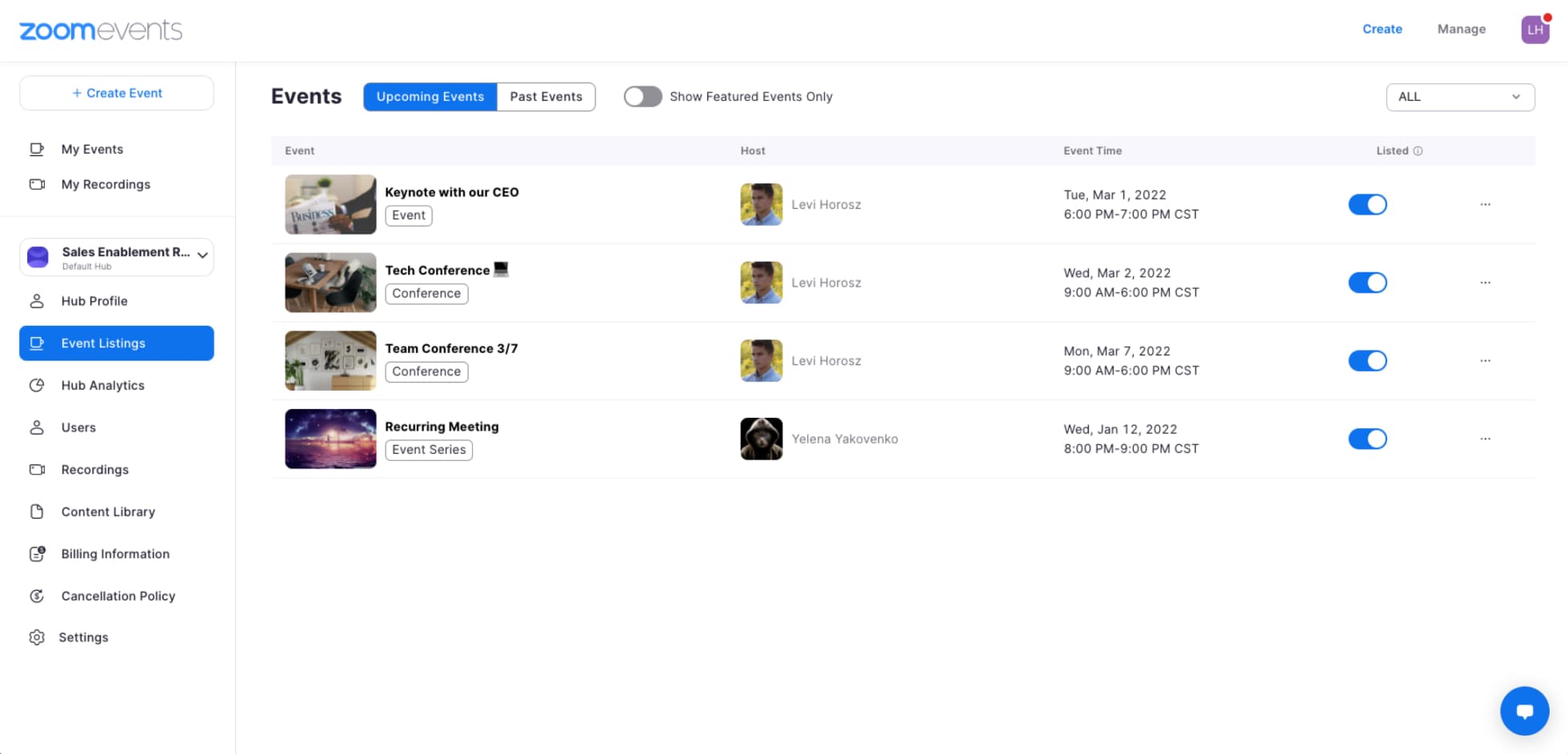
image credit to ZoomEvents
For hosts of small-scale virtual and hybrid events or webinars, Zoom Events is a good alternative to Eventbrite, as a one-stop-shop for virtual event creation.
Through Zoom Events, organizers can facilitate interactive sessions or one-to-many presentations using Zoom Meetings and Zoom Webinars, set up multiple sessions across multiple days, and customize registration with both free and paid tickets.
Unlike Eventbrite, Zoom Events is predominantly used by smaller virtual courses and webinar series. For larger conferences or events, Zoom Events may not be the right fit, as it lacks some of the more advanced features other event registration platforms offer, like spotlight for sponsors and exhibitors, attendee engagement, content access control.
Top Features
- Hybrid and virtual platform to host multi-day, multi-session experiences
- Branded event hub
- Event ticketing and registration management
- Live event support
Pros
Good for virtual webinars that heavily rely on virtual livestreams with basic registrations
Cons
Only supports basic registration features for attendees and does not handle exhibitor or sponsor registration.
Pricing
They have monthly subscriptions, yearly subscription or pay per attendees plans ranging from $149/month (100 attendees) to $26,490/year (3,000 attendees)
Best For
Zoom Events is best for smaller, virtual events or webinar series that may not need other event software features.
Cheap and Low-Fee Alternatives to Avoid Heavy Ticket Fees
5. Eventcube
Overall Rating: 4.7 out of 5.0 (62 Reviews)
Eventcube provides great customization of ticketing pages and capability to host virtual events using third-party integrations.

image credit to Eventcube
Eventcube is prided for its white label event ticketing that provides customization of ticketing pages for both mobile and desktop versions. The software is able to handle multiple event types such as conferences or concerts.
Similar to Eventbrite, ticketing is the strongpoint and main focus of the platform. For virtual events, it’s still able to provide a virtual platform to host video sessions with integrations of popular services like Zoom and Youtube.
For an alternative to Eventbrite that has a different price structure and is able to host virtual events, Eventcube might be worth taking a look. But it is still not recommended for events that might require more features that cover other event management tasks such as attendee, speaker and exhibitor management.
Top Features
- Free/paid ticket registration
- Ticketing page customization
- Promotion and social sharing features
- Video integration with services such as Zoom or Youtube
- Seasonal and membership management
Pros
Simple and easy to setup registration pages that can handle multiple ticket types or ongoing memberships.
Cons
Does not handle exhibitor or sponsor registrations and could lead to higher fees than other platforms.
Pricing
With a free plan, there is 5% fee on the transaction total. With a Pro plan ($99 / month), the fee is reduced to 3% of the transaction total. Organizer will charge customers a default 10% booking fee or a custom booking fee. Additionally, organizer will pay for the Stripe fees that vary depending on the country.
Best For
Best for events that handle only registration and also benefit from membership managements. Not ideal for big conferences or associations looking for an all-in-one event management solution.
6. Regfox
Overall Rating: 4.75 out of 5.0 (692 Reviews)
Regfox is an affordable online event registration platform known for its ease of use, low-cost and customization.

image credit to Regfox
Top Features
- Conditional logic and dynamic pricing for early bird and group discounts
- Registration page branding
- Drag and drop editor for registration page
- Add-on and merchandise upselling
Pros
Cost effective ticket fee pricing with easy to create registration forms and conditional logics.
Cons
Features may be limited beyond registration with no comprehensive set of tools for other event management tasks such as surveys or follow-up emails.
Pricing
- Standard: $0 / month with $0.99 + 1% fee per registrant
- Premium: $0 / month with $1.99 + 1% fee per registrant
- Professional: $499 / month with $1.99 + 1% fee per registrant.
All plans have a credit card processing fee of 2.9% + 30¢ when using the in house payment processor (Webconnex Payments).
Best For
Regfox is best for event organizers looking for low fees and limited registration features such as conditional logic, registration page branding and good customer support.
7. Ticket Tailor
Overall Rating: 4.7 out of 5.0 (700 Reviews)
Ticket Tailor is a great option for simple and beautifully looking registration pages for organizers that want to showcase their event before it starts.

image credit to Ticket Tailor
Ticket Tailor is a registration and ticketing platform that prides itself in it’s simplicity and capability to handle registration for all event sizes. The platform is particularly designed to keep it simple for non technical organizers with just a few steps to setup.
Organizers can create a branded registration page from eligible templates that allow flexible layouts. Additionally, the platform allows creating ticket groups, reserve seatings through seating charts, add custom fees, sell add-ons, and offer donation option at checkout.
Although it doesn’t include other advanced event management features, the platform can still help with features such as reporting and analytics, and mobile check-in to assist in making the event as smooth as possible.
Top Features
- Event registration page creation and customization
- Registration embedding in website
- Reserved seating charts
- Multiple ticket types
- Season pass creation
Pros
Professional and visually appealing registration and event page that puts big emphasis in good user experience and event branding. It also provides options and discounts for charities.
Cons
People have been mostly confused about the pricing fees and plans which has resulted in unexpected spendings. Also despite the customization in looks, there are limitations in customizations for ticketing and question forms.
Pricing
Free events have no fees up to 5,000 free tickets per year. If you buy prepaid ticket credits, it would cost $0.30 per ticket. If you pay fees as you sell tickets, the fee is $0.85 per ticket. Additionally, you will pay for payment processing fees depending on the payment processor used. Consult Ticket Tailor for more details.
Best For
Best for events that want their events to have a visually appealing and professional registration page. Social and cultural events such as workshops, festivals, or charities might benefit best.
8. TicketBud
Overall Rating: 4.3 out of 5 (54 reviews)
TicketBud is a simpler registration software that can handle ticketing and marketing with a cheaper ticketing fee.
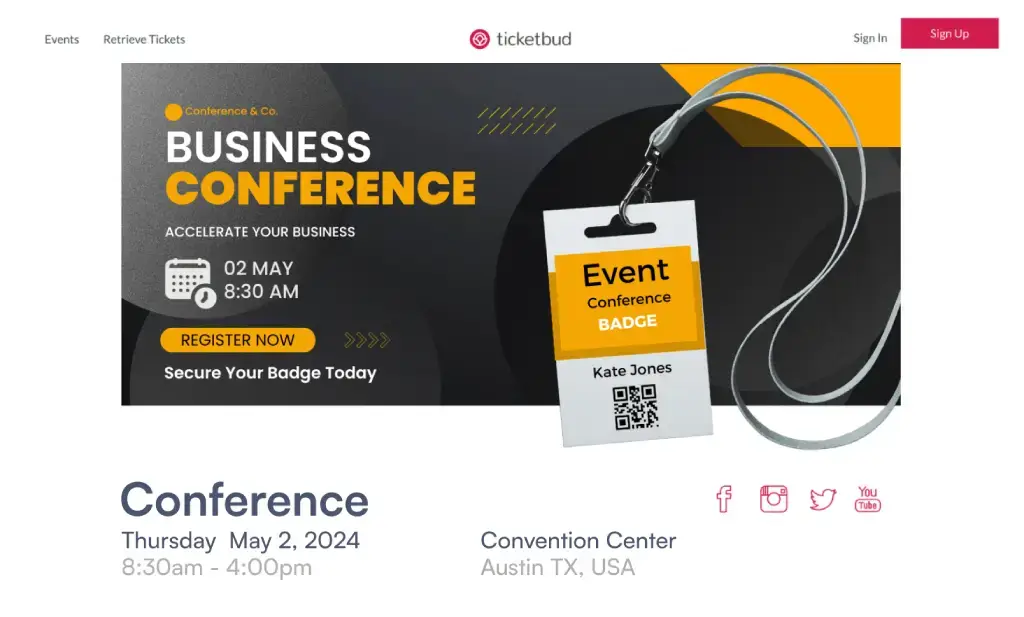
image credit to Ticketbud
Similar to Eventbrite, Ticketbud, is typically used by organizers of small-to-large festivals and community fundraisers. The platform allows organizers to create pages for their events and manage ticket sales.
It also supports social media promotion through integration with Facebook, tracking registration analytics, as well as certain event branding options for your registration page and event website.
Ticketbud can be a good choice if organizers are looking for customizable registration forms. Organizers can create an event registration page, promote their event, and use a contactless QR scanner to check attendees in on the event day.
Similar to Eventbrite, Ticketbud has a strong focus on registration and ticketing, but falls short on the additional event management features that other Eventbrite competitors such as Whova have.
Top Features
- Registration page creation and ticket sale management
- Social media promotion
- Invitation emails
- Mobile Check-in
- Real-time analytics
Pros
Customizable registration with strong branding options for events like festivals and fundraisers.
Cons
If you require event networking or session management based on tickets, the platform might be a bit limited.
Pricing
For paid tickets, there is payment processor fee of 2.9% + 30c per ticket (with free tickets being $0)
Best For
Ticketbud is best for gatherings who really only need registration software and not other features of event software, like a small company meeting or a free yoga class.
9. TicketSpice
Overall Rating: 4.8 out of 5.0 (420 Reviews)
TicketSpice is a ticketing platform that charges a flat fee of 99 cents per ticket that is best for events like festivals, farms, fairs, concerts, and museums.

Image credit to TicketSpice
TicketSpice is a highly customizable event ticketing platform designed to let organizers keep control over their event page design and data. Unlike other ticketing platforms that take a percentage of the ticket sales, TicketSpice relies on a simple flat fee structure that could save organizers thousands of dollars on high-volume ticket sales.
Top Features
- Fully customizable ticketing page builder with custom branding.
- Box office app for fast on-site ticket scanning and sales.
- Conditional logic rules to upsell merchandise or add-on experiences.
- Daily deposit options to get your cash immediately.
Pros
- Low, transparent flat-rate pricing per ticket instead of a percentage cut.
Cons
- Focuses primarily on ticketing and registration and does not offer built-in native networking tools, agenda scheduling or attendee management other all-in-one platforms do.
Pricing
- $0.99 per paid ticket + standard credit card processing fees. Free tickets are $0.99 per ticket for new users or waived for returning customers.
Best For
- TicketSpice is best for large public events, festivals, or fairs that want a ticketing setup without giving away a large percentage of their revenue.
10. Eventbee
Overall Rating: 4.0 out of 5.0 (24 Reviews)
Eventbee is a lightweight registration software that provides relatively lower price packages and still powerful registration features.
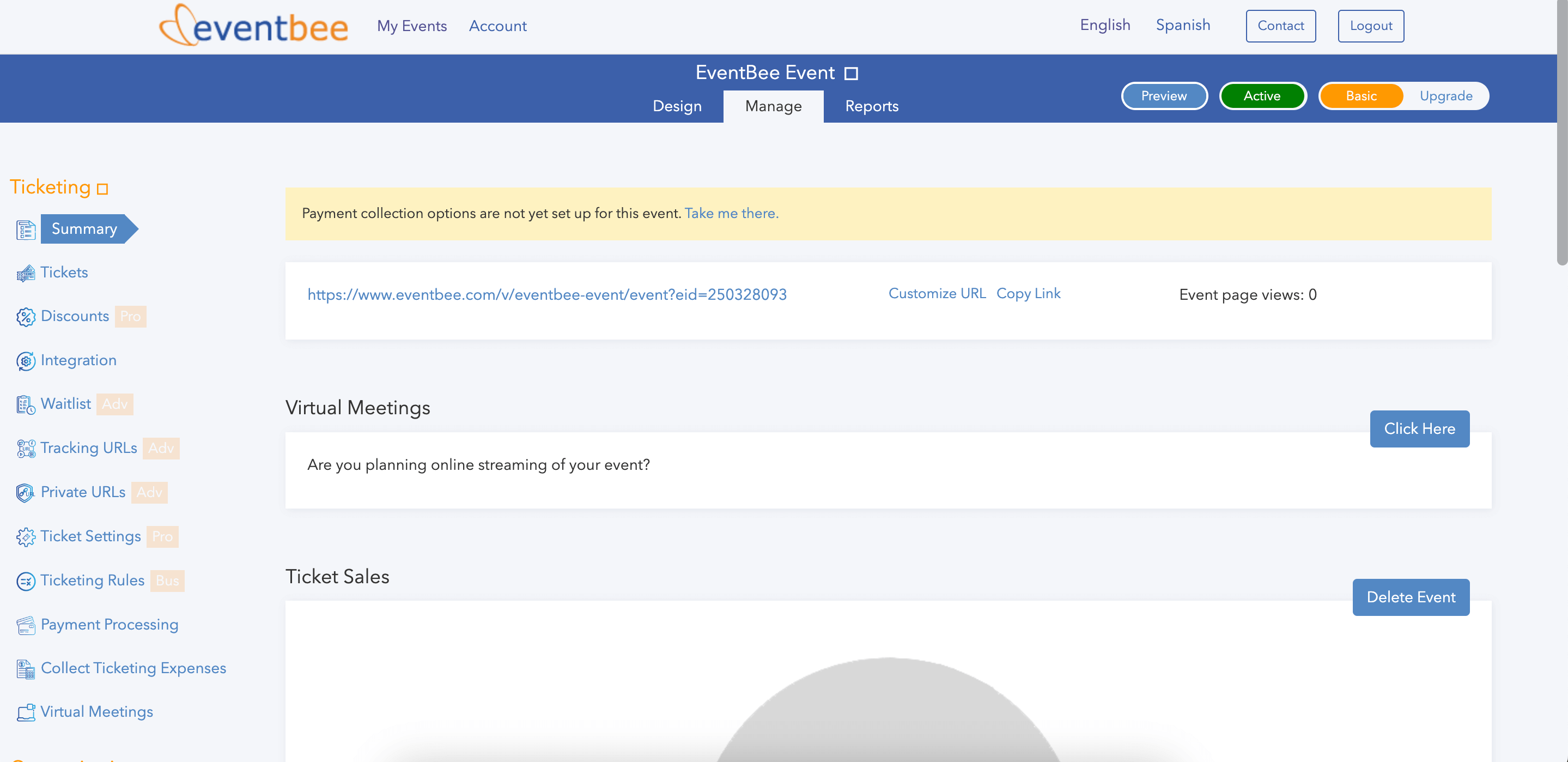
image credit to Eventbee
Eventbee is an alternative ticketing solution to Eventbrite that offers a strong set of registration and attendee management features.
The Eventbee platform allows organizers to set up an event page with multiple ticket and reservation types with a sharable, custom branded registration page and flexible payment collection options. It is also designed to help organizers manage events with task delegation and automated email reminders, attendee check-in, and attendee data reporting.
Eventbee has a selection of price packages to cater to your event’s needs, all of which are relatively low compared with Eventbrite.
Top Features
- Dynamic registration form
- Flexible credit card processing
- Attendee data export and sales reports
- Event tickets widget to integrate in event website
Pros
Platform can handle registration with integrated check-in as well as flexible ticket fees depending the plan.
Cons
Not a very user-friendly platform as well as slow customer support response.
Pricing
There is a range of fees from Basic which $1 per ticket to Business which is $3.50 per ticket. There is also credit card processing fee with EventBee of 4.95% + 50c aside from the recently added 1% booking fee charged to attendees due to inflation
Best For
Eventbee is best for events on a budget that only need help with registration such as a smaller non profit conference or an annual company meeting.
Best Platforms for Managing Classes, Camps, and Workshops
11. Regpack
Overall Rating: 4.1 out of 5.0 (445 Reviews)
Regpack is a great registration platform for smaller attendance events such as camps and trips that rely on good attendance tracking.
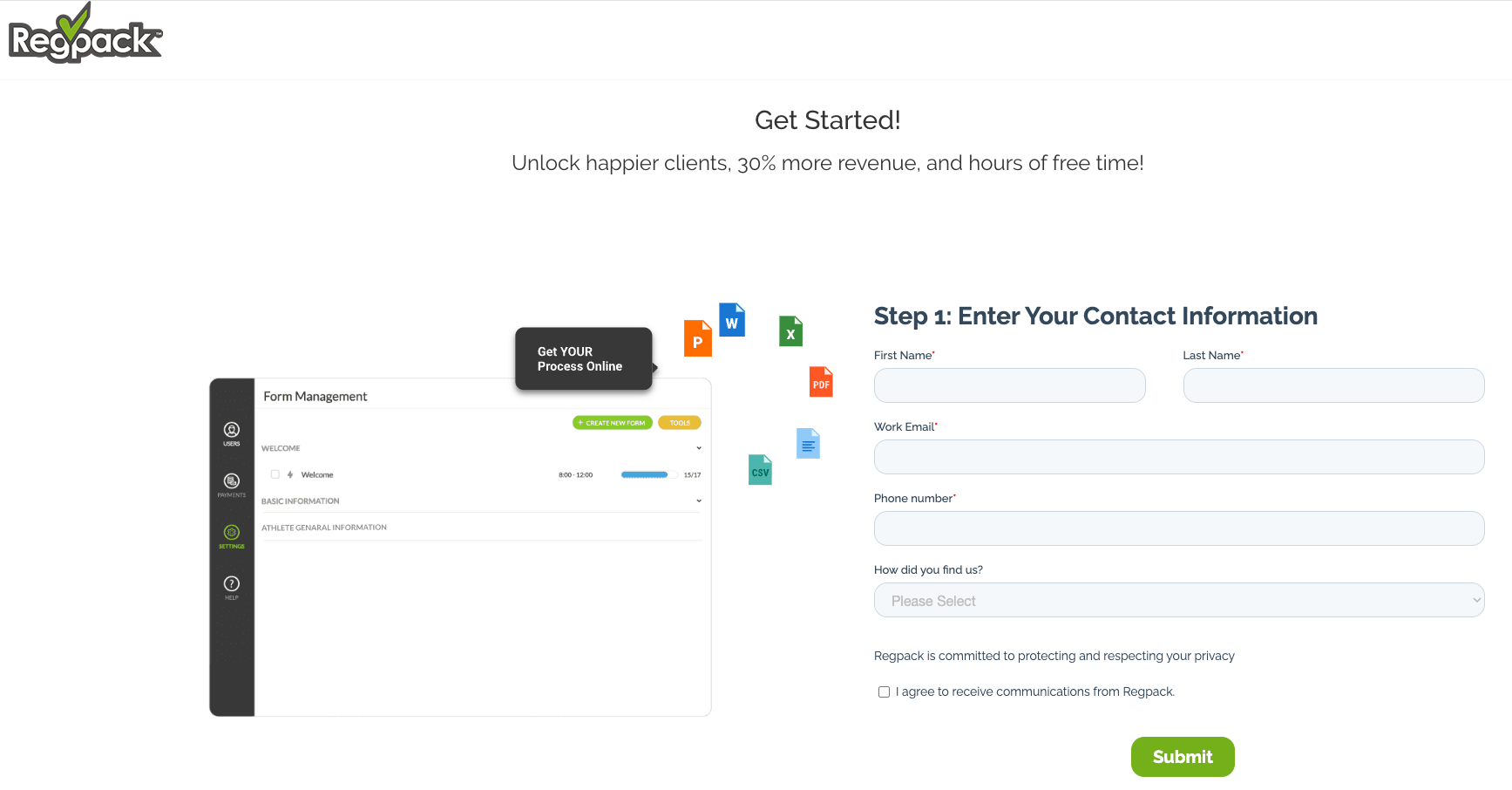
image credit to Regpack
The Regpack supports registration templates, embeddable registration forms, event session and attendance tracking, and flexible payment plans and options. Additionally, the platform provides tools for different payment schedules, registration reporting and email communication to help organizers efficiently manage workflow and event data. Regpack’s solution also includes built-in conditional logic, making it easy for organizers to create a customized ticketing experience for their registrants. Outside of events, the platform is most commonly used to register people for camps, trips, and experiences of the similar caliber.
Top Features
- Registration templates
- Event session and attendance tracking
- Customized registration forms
- Online payment processing
Pros
Great software for customizable registration forms with attendance tracking.
Cons
Platform is mainly tailored for specific set of events such as camps or trips which limits it for other professional events.
Pricing
They have $125/month per seat + $1,000 setup fee starter pack that includes their basic package of unlimited applicants. There are two more tiers: SMB Pack and Enterprise.
Best For
Regpack is best for events with an emphasis on registration like camps, concerts or experiences.
12. Jotform
Overall Rating: 4.55 out of 5.0 (7476 Reviews)
Jotform is a flexible online from builder that allows event organizers to create drag-and-drop registration forms with high customization.
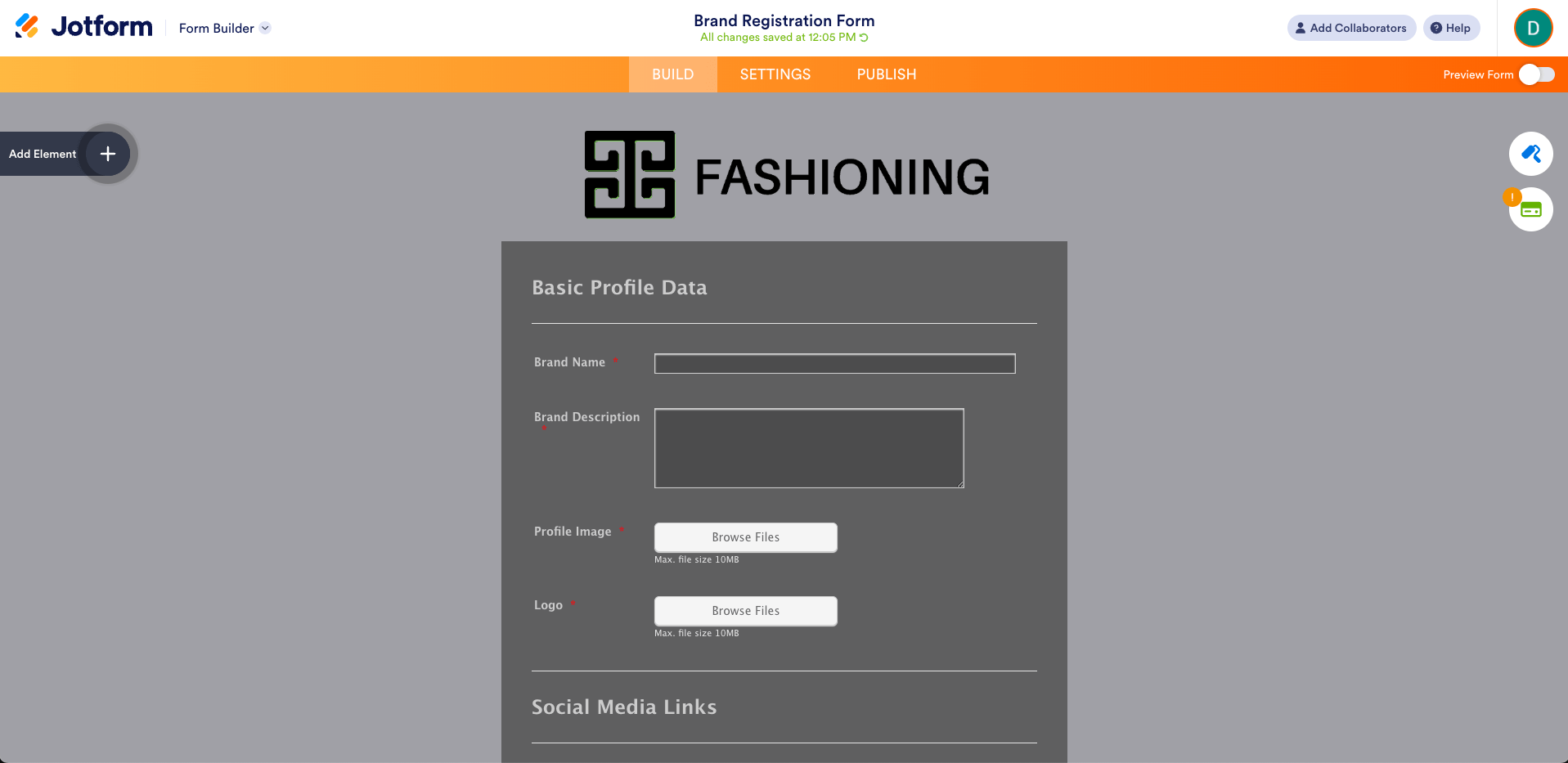
image credit to Jotform
Top Features
- Conditional logic for dynamic forms
- 10,000 + free form templates for different categories
- Payment gateway integration
- Drag-and-drop builder
- Report builder to analyze submissions
Pros
Free plan available with good form customization and multiple email marketing, CRM and project management tools integration capabilities.
Cons
Not specific for events which can make the registration process too simple for more complex events that need effective promotion tools and further attendee list management.
Pricing
All paid plans are billed annually which means that payment
- Free Plan: Limits on form count, submission and storage
- Bronze: $39 / month with 1,000 monthly submissions
- Silver: $49 / month has 2,500 monthly submissions
- Gold: $129 / month has 10,000 monthly submissions
- Enterprise: Custom pricing
Best For
Jotform is best for smaller events that mainly require customization of the registration form and conditional logics.
13. Rsvpify
Overall Rating: 4.58 out of 5.0 (481 Reviews)
Rsvpify provides unique ticketing experiences with ticket tiers and can help collect more funds with gift and donation collection features.

image credit to Rsvpify
Eventify is another modern-looking registration and ticketing platform that looks to simplify the process for the organizer. The platform is able to handle all different stages of registration management. The website builder provides customization and branding to host your registration page. Organizers can create pricing tiers and VIP offerings to also handle more unique ticketing experiences. Additionally, event check-in and event communication tools will help run the event on the day.
Similar to Ticket Tailor, the platform also has features to help collect gifts and donations within the RSVP process. The platform also offers some basic features to handle attendee organization with a seating chart maker or appointment scheduling.
With its strong basics for handling registrations and ticketing, the platform still lacks more advanced features for event management such as exhibitor management, speaker management or attendee engagement.
Top Features
- Event website builder
- Custom questions in registration forms
- Automated confirmation & reminder emails
- QR code check-in
- Free event setup
Pros
Easy to setup and start registration especially with free tickets. Simple and efficient UI for handling different types of tickets.
Cons
The free tier might have limitations in customization and pricing for larger events might be expensive.
Pricing
There are multiple plans depending on the functionalities you want. Tickets have a fee of 1.95% + $0.90 per ticket + credit card processing fees. For business and non profit events, organizers can access more features and benefits with four different plans:
- Starter: $39 / month has 150 registrations per month
- Plus: $125 / month has 500 registrations per month
- Professional: $409 / month has 1,500 registrations per month
- Enterprise: Need to contact sales
Best For
The platform is best for small or personal events that do not require more than thousands of registrations. Non profit events can also benefit from specific donation collection features and special discounts.
Tools for Public Events, Concerts, and Festivals for Maximum Reach
14. Facebook Events
Overall Rating: N/A
Facebook Events provides a free platform to easily share your event to a wider audience through one of the biggest social media platforms.
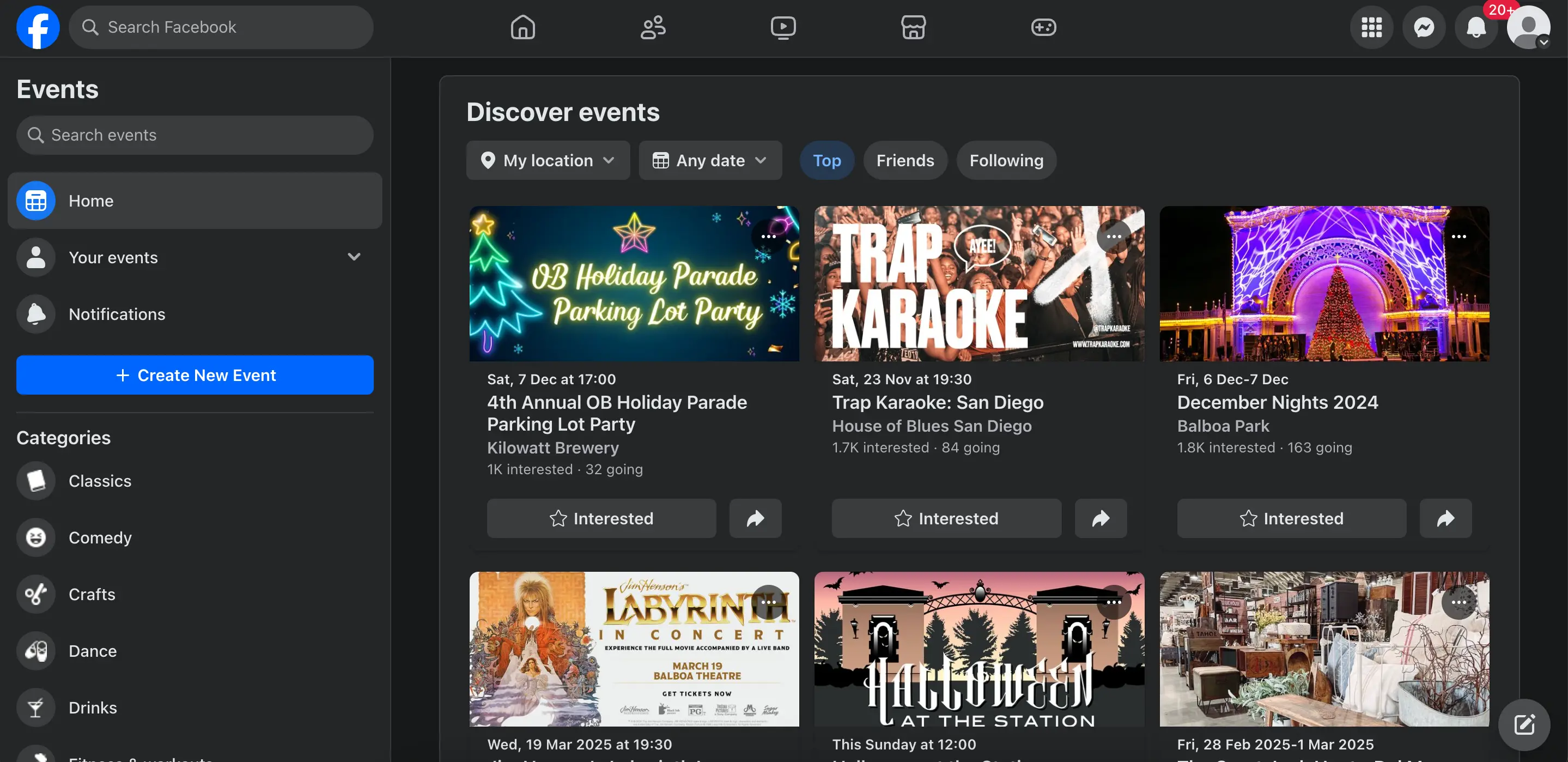
image credit to Facebook Events
Listing organized social gatherings in Facebook allows anyone on the app to create events and invite Facebook friends, group members, or followers of a page. This allows organizers to decide if their event will be listed privately (only for invited guests to see) or publicly accessible to all Facebook users, which can be useful for getting the word out about events with large audiences, like concerts, festivals, or local fairs. The public event listing option through Facebook Events serves a similar function to Eventbrite, and many organizers of such events use both of these platforms together in order to maximize outreach.
Beyond simply listing the event within the social media app, Facebook Events provides a number of tools to notify groups, track attendance, and directly send invites. But if the event is professional or business-oriented, such as a end-of-year software company conference, a convention of an association for teachers, a symposium on ancient Greece, or trade show for marketing exhibitors, Facebook Events may not provide you with the best feature options.
Top Features
- Free public event listing
- Group notifications
- Attendance tracking
- Easy to use
Pros
Free platform to post events publicly and register attendees for free.
Cons
Platform is mostly informal and only supports simple registering of attendees.
Pricing
There is no pricing as you cannot create paid tickets in this platform
Best For
Facebook events is best for events that are looking to post their event information somewhere on a social wall to attract potential attendees such as an event open to the public or a certain neighborhood event.
15. TicketMaster
Overall Rating: N/A
TicketMaster is one of the most popular entertainment ticketing and registration platforms that fit best for events in categories such as sports or music.
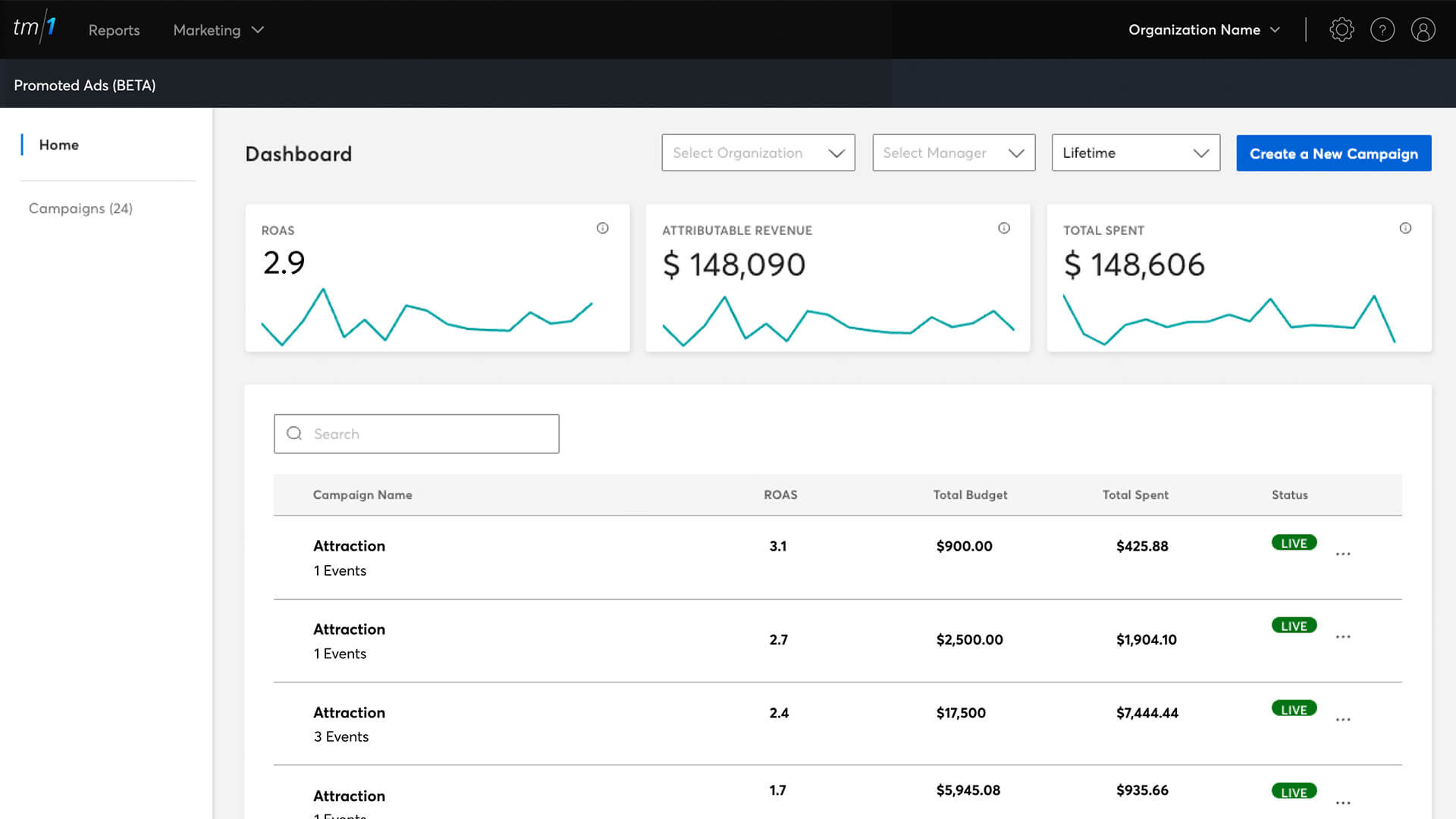
image credit to TicketMaster
For organizers of sporting or entertainment events, there’s no doubt Ticketmaster is one of the best event ticketing system alternative to Eventbrite. TicketMaster is the Official Ticketing Partner of the NFL, NBA, NHL, and USTA. It also has exclusive partnerships with thousands of venues, artists, bands, theater tours, and broadway shows which can help sell tickets to millions of audiences. Sporting event goers can secure the perfect seats to the live events and shows that they love through the website. Ticketmaster gives attendees access to millions of live event tickets and makes it easy for them to buy, sell, transfer, and enter your event.
Top Features
- Venue configuration with integration with instant order fulfillment
- Reusable event templates
- Event marketing in TicketMaster platform
- Automated marketing email and app notifications
Pros
Renowned ticketing platform for entertainment events such as sports and concerts with venue map integration.
Cons
High registration fees for attendees as well as limitation to only ticketing can be restrictive to other types of events.
Pricing
There is no publicly announced price as TicketMaster works with organizers to setup the event but it’s estimated to be a higher fee price per ticket than Eventbrite
Best For
TicketMaster is best for larger social events that only need help with ticketing and are not on a budget, like a concert or a festival.
How to Choose the Right Eventbrite Alternative
In order to make the correct decision, it requires extensive research of the ticketing platform as well as understanding the tools you will need to make your own event succesful.
Do you need advanced ticketing features? Do you need custom registration forms? Will you be hosting multiple events in the future? Answers to these questions will guide you to pin down the right event registration platform among these.
Regardless, all these platforms offer diverse features so consider these basic requirements that will assist you to narrow down your list of alternatives.
Consider Event Type
Think about the type of event you will be hosting. Whether it’s in-person, virtual or hybrid event, some platforms might not be able to handle your specific needs.
For example, Zoom Events would be ideal for virtual events where you heavily rely on live webinars and recordings to engage the attendees. But for in-person events, you might be looking at other platforms that have more features to help with attendee management and booth locations.
Whova supports all in-person, virtual or hybrid events with access to all other features in registration, attendee management and networking.
Evaluate Pricing Models
There is a variety of pricing models for each event ticketing software. Some include tiers and contracts with monthly and yearly subscriptions. Some have prices per event and per ticket sales which depends on your event’s success.
Not to mention that some platforms have extra fees for processing the tickets and sending the payments to you. Always check for the pricing and speak with the company directly to properly get a quote based on your exact needs.
Whova provides free demos so that you can experience the registration platform and visualize your own event’s potential with no commitments.
Eventbrite Alternatives & Competitors – Summary
We hope this comparative review helped narrow down your choices for Eventbrite alternatives and find the best fit for your event.
Remember to prioritize your needs as an organizer when selecting an event registration platform, whether that’s finding the right cost, or using a platform with time-saving feature functionality, like attendee check-in, name badge generation, and boosting attendee participation.
If you are running conferences/conventions, expos, or community/networking events, and you’re looking for a trustworthy Eventbrite alternative, click here to request a free demo and see why over 50,000 events and conferences have used and loved Whova. After the demo, you can test drive the platform with your colleagues!
FAQ
How does Whova compare to other event management platforms?
Whova stands out with its comprehensive features like customizable registration, mobile check-ins, ticket marketing tools, and post-event analytics. It also offers a more competitive fee structure than Eventbrite.
What are the best features of an Eventbrite alternative?
Key features to look for include customizable registration forms, multiple ticket types, mobile check-in, social media integration, attendee engagement tools, and analytics
How should you pick an Eventbrite alternative?
Consider your event type (in-person, virtual, or hybrid), required features (e.g., advanced ticketing, branding), pricing structure (per ticket, subscription, or volume-based), and the level of customer support needed.
What are the best Eventbrite alternatives for nonprofit events?
Whova is a strong alternative for nonprofit events due to its lower fees and extensive event management tools, including customizable registration forms and attendee engagement feature.