
October 19, 2026
Looking for a new way to give sponsors more visibility in front of attendees?
Sponsors want more than a logo on a page – they want meaningful opportunities to get in front of attendees throughout the event. For organizers, creating those opportunities can make sponsorship packages more valuable, open up new sponsorship revenue, and give sponsors more reasons to return year after year.
Whova already gives organizers many ways to put sponsors in the spotlight throughout the attendee journey. You can showcase sponsors with rotating sponsor banners across the mobile and web app, and take advantage of additional sponsor banner placements in high-traffic places such as announcements, surveys, registration pages, and registration confirmation emails. You can also display rotating sponsor logos on venue screens with the Announcement Wall, or feature a sponsor directly within a session sponsorship across the agenda, session details, and video stream.
Now, we’re adding a new sponsorship opportunity by connecting sponsors with one of Whova’s most popular and well-loved attendee engagement features: the Leaderboard Contest.
The Leaderboard Contest turns event participation into a fun, friendly competition. Attendees earn points for activities such as participating in polls and surveys, joining discussions, providing session feedback, and engaging with other parts of the event. At many events, attendees enthusiastically compete to climb the rankings, return again and again to see where they stand, and celebrate when they reach the top. Hundreds of attendees have even shared their leaderboard rankings on social media, showing just how much fun they have with the experience.
That enthusiasm creates a natural opportunity for sponsors.
With our new Leaderboard Contest Sponsorship, organizers can feature a sponsor prominently throughout the Leaderboard Contest experience. As attendees earn points, check their rankings, and compete with one another, they’ll see the sponsor’s branding along the way. Instead of being just another logo attendees pass by, the sponsor becomes associated with an experience attendees are actively participating in and enjoying.
Even better, the sponsor can provide the prizes for contest winners. This gives sponsors another way to be part of the fun while helping organizers offset prize costs and making the sponsorship even more memorable.
With this update, you can:
- Add value to sponsorship packages: Offer Leaderboard Contest sponsorship as an additional benefit that can make a sponsorship package or tier more valuable.
- Create a new à la carte opportunity: Create another way to generate sponsorship revenue by offering the Leaderboard Contest as an add-on sponsorship opportunity.
- Give sponsors repeated visibility: Put sponsor branding in front of attendees as they participate, earn points, and repeatedly return to check their rankings.
- Let sponsors provide the prizes: Give sponsors an opportunity to contribute prizes for leaderboard winners, strengthening their connection to the contest while helping reduce event costs.
By connecting sponsors with an activity attendees already love, you can create more than another sponsor placement—you can make sponsors part of one of the most engaging and memorable experiences at your event.
Keep reading to see how Leaderboard Contest Sponsorship works and how you can use it to create more value for your event, your sponsors, and your attendees.
Add a Leaderboard Contest Sponsor During Setup
Whova makes it easy to connect a sponsor directly to your Leaderboard Contest. Whether you’re creating a new sponsorship package or offering the opportunity to an existing sponsor, you can highlight their brand in just a few steps.
To get started, navigate to the Engagement tab and open the Gamification page in your Whova event dashboard. Under the Leaderboard Contest section, click Get started.
Next, choose your preferred contest format:
- Raffle drawing: Attendees turn leaderboard points into raffle entries for a chance to win a prize.
- Rank-based winners: Award a prize to attendee(s) who earn the most points and finish at the top of the leaderboard.
After selecting your contest format, write a prize description and set the contest end date and time. The contest automatically begins once your event app is published.
Below these required fields, you’ll find the new “Highlight a Leaderboard Contest sponsor” dropdown menu.
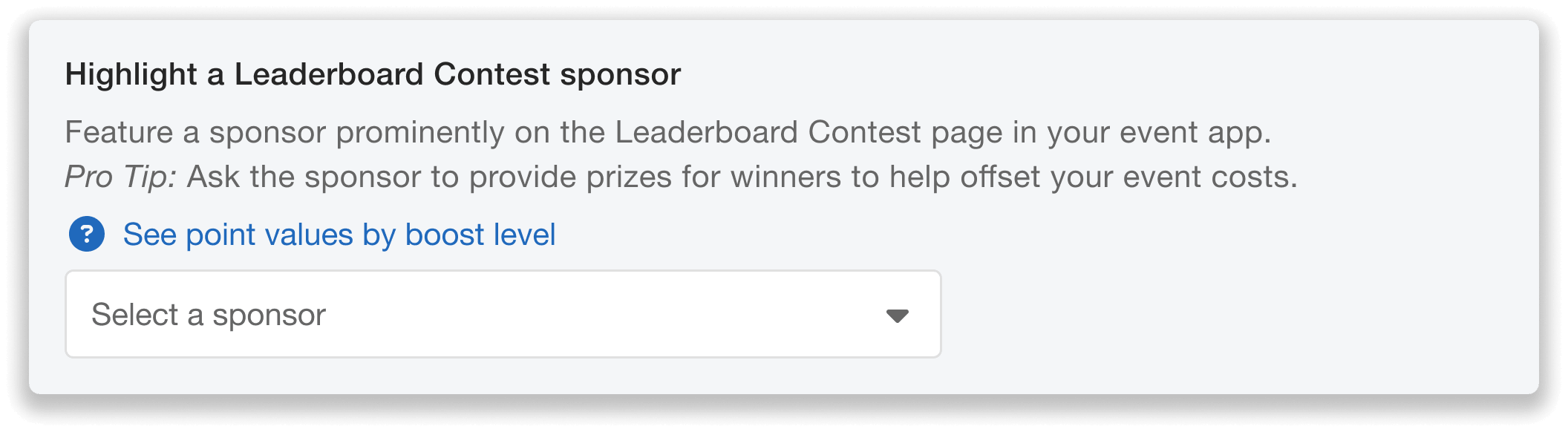
Choose one of your paid sponsors to highlight on the Leaderboard Contest.
Simply choose from the list of paid sponsors you’ve already added to your Sponsor Center in the dropdown. Once you’ve selected your contest sponsor and customized the contest settings, click Enable to finalize your setup.
You can also coordinate with your selected sponsor to provide the contest prize, which gives sponsors another way to participate in the event while helping you offset the cost of providing prizes.
Need to make a last minute change? You can adjust your Leaderboard Contest sponsor up until the contest starts.
Your Sponsor’s Banner Appears on the Live Leaderboard
Once you’ve set up your Leaderboard Contest and selected a sponsor, their branding will appear prominently on the contest page.
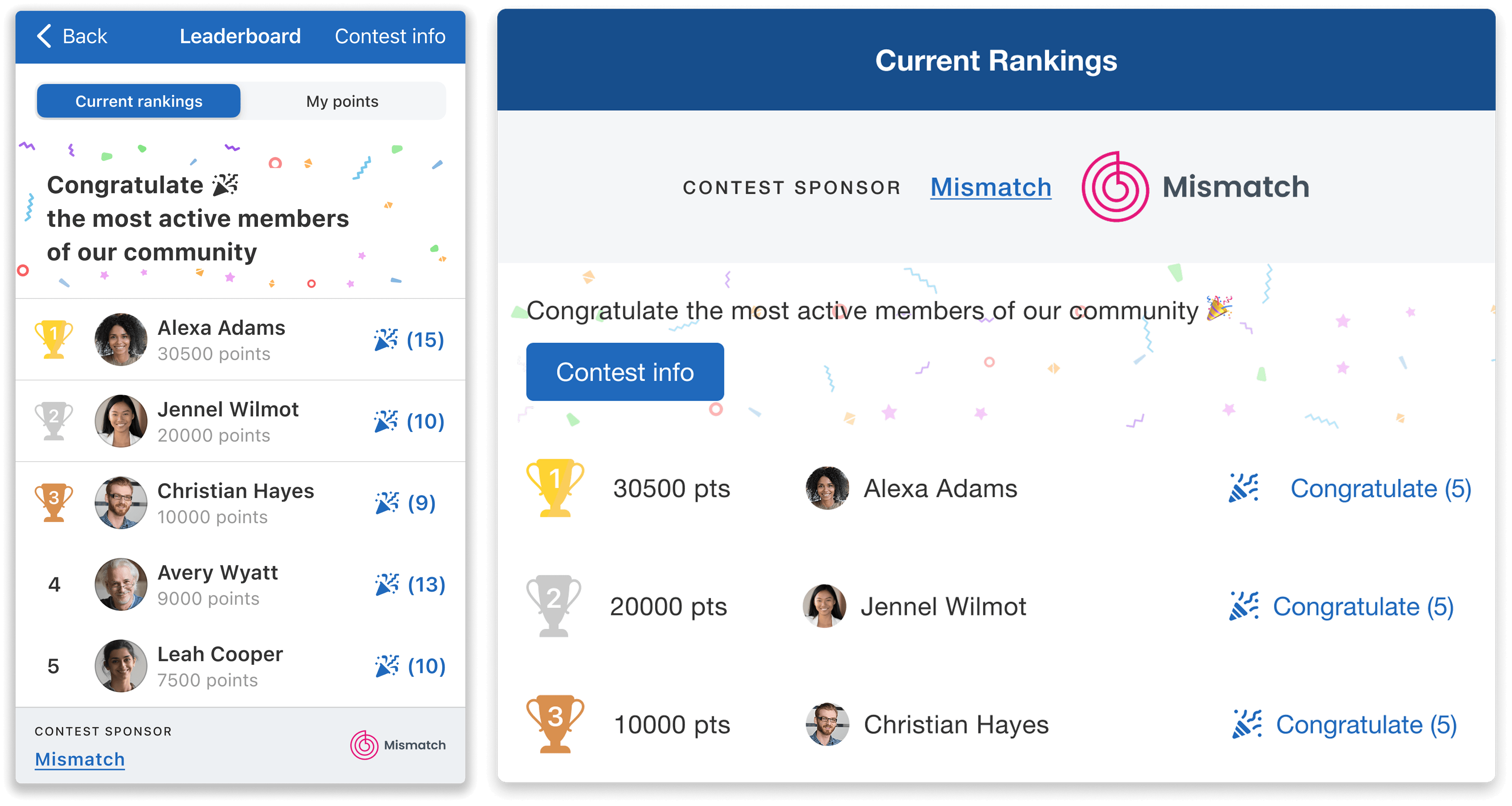
A sponsor banner will be featured on both the web and mobile app.
A banner featuring the contest sponsor’s name and logo will appear on both the Whova mobile and web app Leaderboard Contest page. This guarantees continuous brand exposure as participants check their ranking, track their progress, and compete for prizes.
Additionally, the banner will appear on the contest’s prize details page, ensuring extra visibility as attendees explore what they can win.
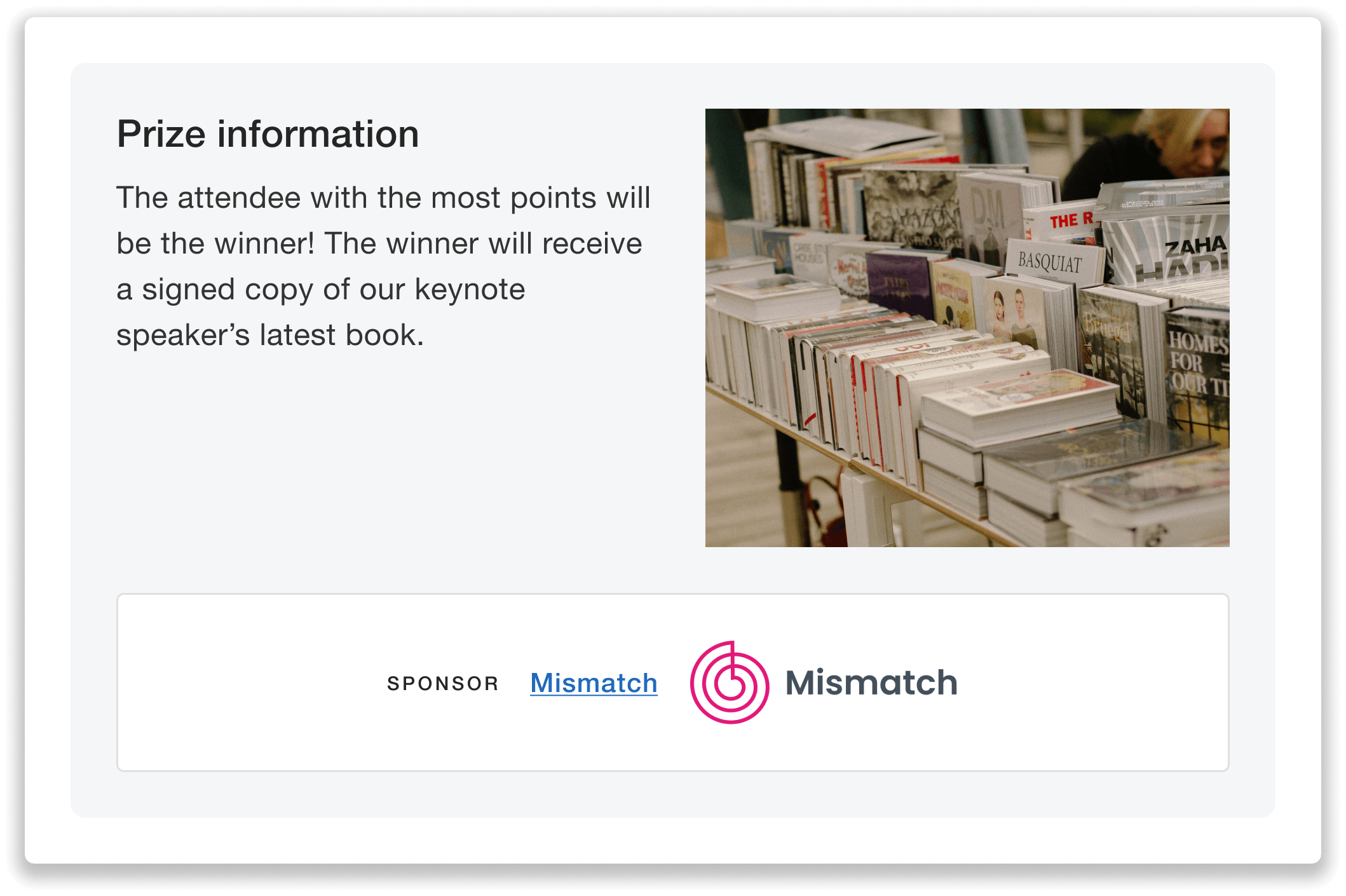
A sponsor banner appears alongside the contest prize details.
Since the Leaderboard Contest features only one sponsor, offer this placement as an exclusive sponsorship opportunity. Whether it’s included in a premium sponsorship tier or offered as a separate add-on, this exclusivity can help differentiate your sponsorship packages.
Planning Tip: Ask your selected sponsor to contribute the contest prize! A sponsor-provided prize gives them another way to be involved in the event, while also helping reduce your event expenses.
Set Up Point Values for All Engagement Features With One Click
In addition to the new sponsorship option, Whova is also making it easier to choose how attendees earn points during the Leaderboard Contest.
Instead of setting up point values separately, you can now quickly adjust point values for multiple engagement activities at once with a single selection on the Leaderboard Contest setup page.
Simply select Default (1x points), Moderate Boost (2x points), or Maximum Boost (3x points) when customizing your point values. Your selection will apply automatically across all enabled engagement features where attendees can earn points, such as Surveys, Session Feedback, and Live Polling.
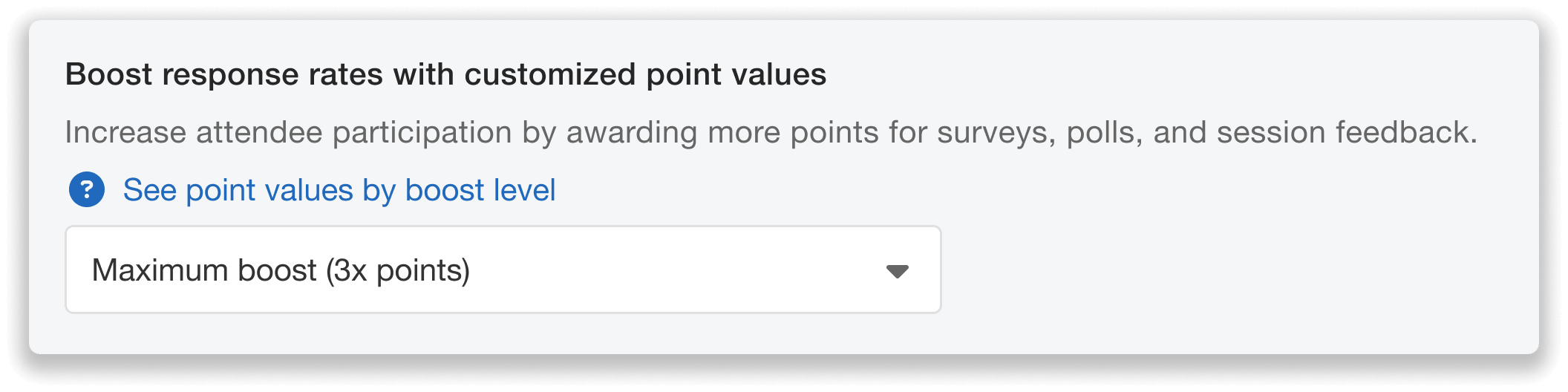
Customize the point values for each engagement feature with a single click.
Once you’ve chosen your desired contest settings, click Enable to finalize your setup.
Want to adjust your point values later? You can come back and change your point value selection at any time before the Leaderboard Contest begins.
Any updates will immediately sync across all enabled engagement features, keeping point settings consistent across the contest.
Create More Valuable Sponsorship Opportunities With Whova
With Whova’s new Leaderboard Contest Sponsorship, you can turn one of your event’s most engaging activities into an additional opportunity for sponsor visibility and revenue.
By featuring a sponsor on the live leaderboard and prize details page, you can give their brand repeated exposure as attendees participate in the contest. Offer your sponsors an exclusive placement, let them contribute a prize, and add more value to your sponsorship packages.
Ready to increase sponsorship value at your next event? Reach out to your Whova account representative or schedule a demo with our team today.