
By: Whova Team | Last Updated: June 29, 2026

Event platforms can save nonprofits thousands in fees and hours of staff time every year. The best ones keep registration, donor data, and on-site logistics in one place — and don’t take a huge cut of revenue you need to sustain your mission.
If you are searching for the best nonprofit event software in 2026 or trying to understand which event management software for nonprofits balances affordable registration fees with time-saving event management tools, this guide breaks down five of the most widely used platforms.
Nonprofit Event Software Comparison Matrix
You don’t want to spend time managing software that only does half the job. That’s why feature completeness tops the criteria here, alongside ease of use for non-technical teams, donor database integrations, and sponsor management capability.
Key Takeaways
Whova holds a 4.8 out of 5 rating on Capterra and consistently ranks among the top platforms across G2 user reviews. It’s a great fit for nonprofits that need a single system to handle online registration and ticketing, on-site check-in, speaker management, and attendee engagement.
Neon One and Bonterra are better suited to organizations where the priority is maintaining a donor management system (CRM) rather than managing complex, real-time event operations.
And OneCause and RegFox both serve specific use cases rather than the full event lifecycle. OneCause is built for charity auctions and galas; RegFox for teams that need flexible, low-cost registration forms without the broader toolset.
Why Is Dedicated Event Management Software Helpful for Nonprofits?
Most nonprofits don’t start out with a fragmented tech stack on purpose. The tools just accumulate. One platform handles online registration and ticketing, a separate tool manages emails, and somewhere there is a spreadsheet tracking the schedule. When data lives in three places, the discrepancies are harder to catch and costlier to fix.
Staff spend hours chasing speaker bios over email and manually formatting name badges. The morning of the event, someone is still reconciling registration lists against check-in sheets. Consumer-grade ticketing platforms also add to the pressure — charging high processing fees or flat service charges that reduce fundraising revenue before it ever reaches the organization.
Transitioning to a dedicated, unified platform removes these issues.
Eliminating Manual Administrative Overhead
Some platforms, like Whova, let attendees handle their own registration and ticketing directly, with details feeding straight into the interactive agenda builder and the attendee mobile app without anyone manually copying them across.
On the day itself, an on-site check-in app and automated name badge printing pull directly from that same registration list. There’s no pre-printing the night before, no handwritten badges for walk-ins, and no spreadsheet to reconcile at the door. For Brenda Rigdon, Executive Director of the Michigan Historic Preservation Network, Whova cut her team’s labour by over 200 hours per event.
Bypassing Cost-Prohibitive Ticketing Margins
Consumer ticketing platforms are not priced for nonprofits. Eventbrite charges 3.7% plus $1.79 per ticket in service fees, with an additional 2.9% payment processing fee per order. On a $50 ticket, that is just over $5 going to the platform rather than the mission.
Whova charges 3.0% plus $0.99 per ticket, with payments handled through direct Stripe processing. Free tickets carry no fee at all. Organizers can also choose to pass fees on to attendees, meaning the nonprofit keeps every dollar raised. On an event with several hundred paid registrants, that difference can add up.
Driving Attendee and Member Retention
According to Q4 2024 data from the Fundraising Effectiveness Project, repeat donors had a retention rate of 69.2%. An annual conference is where first-time donors become regulars — members align on priorities, build working relationships, and leave with a clearer sense of shared purpose.
Event platforms that include community forums, icebreaker threads, and live session interaction give attendees structured ways to engage before, during, and after the event itself, keeping donors connected to the mission well past the closing session.
How Should Nonprofits Evaluate Event Software Options?
Not every nonprofit event software platform that handles event registration will hold up through a full conference cycle. Before committing to a system, it is worth pressure-testing it against four practical criteria.
Ease of Use and Support
Rotating volunteers and non-technical staff are the reality for most nonprofit event teams, so the platform has to work for everyone without a steep learning curve. When something breaks on event day, responsive customer support is what gets you through it. G2 user reviews are worth reading early in the process for an honest sense of how event management software for nonprofits performs in practice.
Feature Completeness
Stitching together separate tools for each stage creates extra work for teams that already have limited capacity. The best platforms cover the full event lifecycle from a single dashboard: online registration and ticketing, an on-site check-in app, an interactive agenda builder, an attendee mobile app, and automated name badge printing. Checking whether a platform handles all of this natively is one of the more important questions to ask before committing.
Sponsor Valuation Tools
Retaining corporate sponsors depends on being able to prove what their investment produced. Platforms with dedicated corporate sponsor centers and built-in interaction analytics make that case for you, giving sponsors concrete engagement data rather than a rough headcount and a logo placement. That shifts the renewal conversation from a pitch to a debrief.
Data Portability and Integrations
When registration data doesn’t talk to the rest of your systems, someone has to reconcile it manually after the event. A platform like Whova connects to your existing Association Management System (AMS) or donor management system (CRM) to check member IDs during registration, so the right people get the right registration flow and pricing from the start.
Which Are the Best Nonprofit Event Software Platforms?
Event management software varies widely in focus and capability. These five platforms represent the strongest options for nonprofit and association teams
1. Whova
Quick Verdict: A comprehensive event management suite that balances flexible, low-fee registration with agenda scheduling, sponsor management and top-rated attendee engagement.
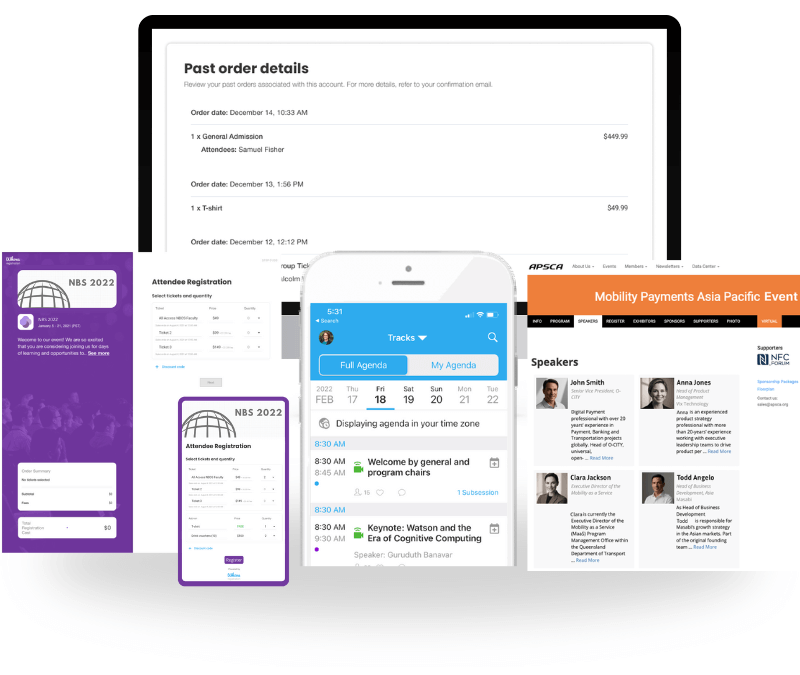
Whova runs the full event lifecycle from a single dashboard. In-person, hybrid, and virtual formats are all supported. For nonprofits and professional associations, that means replacing the spreadsheets, email chains, and disconnected tools with one platform.
Its standard feature set covers customizable ticket tiers, group tickets, conditional registration forms, and automated email communication.
Sole Advantage Categories
Where it goes beyond most donor management systems is its native event execution stack. A centralized dashboard controls registration, the on-site check-in app, agenda scheduling, volunteer management, and sponsor management without requiring external plug-ins or extensions.
Automated Name Badge Printing
Whova automatically draws attendee details from the registration list to print professional, QR-coded badges instantly on-site, saving teams from manual pre-printing or handwriting walk-in badges.
Corporate Sponsor Centers
Dedicated corporate sponsor centers give sponsors a digital presence inside the event itself, with lead retrieval tools and engagement analytics built in. Whova also generates a post-event report covering sponsor impressions, lead volume, and engagement data. When renewal time comes, organizers can show exactly what the sponsorship produced.
AMS Integrations
Whova syncs directly with major Association Management Systems including WildApricot, iMIS, and Glue Up, so membership data seamlessly integrates with the platform’s registration process.
Attendee Engagement Ecosystem
The attendee mobile app features a native Community Board, direct attendee matchmaking, and icebreaker contests that drive strong participation before the event begins. For example, the International College Learning Center Association’s annual conference had 92 online discussion rooms and nearly 1,600 private messages across four days for participants to actively discuss.
Why Nonprofits Should Consider Whova
Registration details feed automatically into the attendee list to streamline name badge printing and check-in, creating a unified workflow that saves time for smaller teams. Whova consistently ranks highest for ease of use and responsive customer support across major review databases, including G2 user reviews and Capterra.
Why Nonprofits Shouldn’t Consider Whova
The depth of the features might be better suited to single-day/multi-day conferences and association events than simple, short community meetups.
Pricing format
Custom quoted per event, offering an affordable ticket fee model ($0 for free tickets) that helps non-profits keep more of their proceeds.

2. Neon One
Quick Verdict: A strong software ecosystem designed for non-profits that want to prioritize continuous donor database records over complex, real-time event logistics.
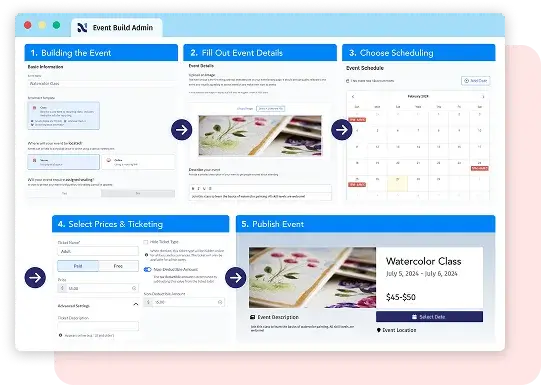
Image credit to Neon One
More than 30,000 nonprofit organisations run on Neon One, built around donor tracking and fundraising management at its core. Online registration and ticketing exist within the platform, but as an extension of the donor management system rather than a standalone event execution tool.
Specific Feature Comparison
The platform handles donor profile syncing, fundraising progress tracking, automated contribution records, and email blast workflows well, but it falls short when it comes to on-site capabilities.
There is no native attendee mobile app, no interactive agenda builder, and no automated name badge printing. Teams managing bigger conferences will need secondary tools to fill those gaps.
Key Features
- Email blast workflows
- Donor profile syncing
- Fundraising progress tracking
- Automated contribution records
Why Nonprofits Should Consider Neon
Neon One keeps event registration history and recurring donor files organized within a single central database. That consolidated view feeds directly into comprehensive fundraising performance reports that executive boards can act on.
Why Nonprofits Shouldn’t Consider Neon
Teams that need a native event management tool such as attendee mobile app, on-site check-in app, or attendee networking will need to budget for secondary apps alongside Neon One.
Pricing Format
Tiered subscription structures are billed monthly or annually, based on record volume and organizational revenue.
3. Bonterra
Quick Verdict: A comprehensive system designed for larger non-profits managing broad digital fundraising campaigns and donor communication lists.
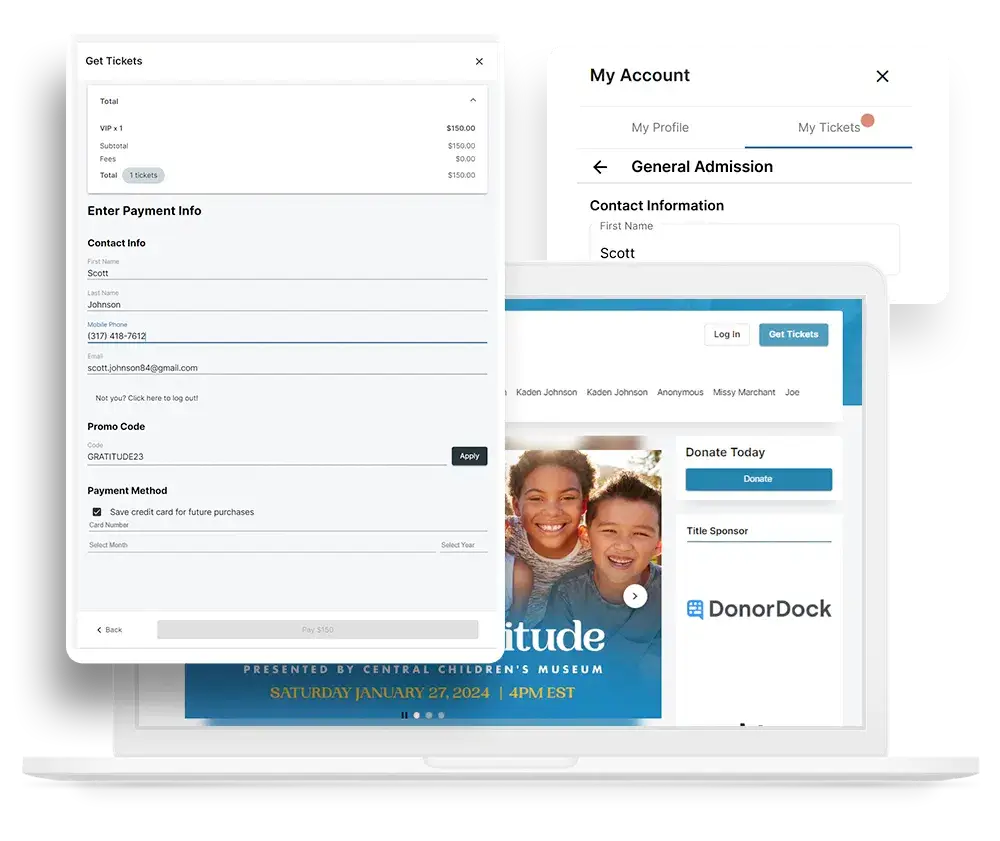
Image credit to Bonterra
Bonterra acquired EveryAction and Network for Good, rolling them into one enterprise platform. Large nonprofits running multi-channel donor campaigns gravitate toward it because the infrastructure is built to manage the full supporter lifecycle at scale.
Specific Feature Comparison
The platform does not include native tools for complex event schedules, multi-track agendas, interactive agenda builders, or corporate sponsor centers with lead generation capability. The ecosystem can also feel fragmented, a byproduct of being built through acquisitions, and pricing tends to be steep for smaller organizations.
Key Features
- Online donation forms
- Strategic donor analytics
- Multi-channel list segmentation
- Automated email outreach campaigns
Why Nonprofits Should Consider Bonterra
Bonterra is built for development teams managing large donor bases. Using natural language prompts, teams can build precise donor segments from giving behavior and engagement history, benchmarked across over 90,000 campaigns. Lapsed donors, high-net-worth individuals, and LYBUNT segments are all trackable. For capital campaign planning, that level of granularity is hard to find elsewhere.
Why Nonprofits Shouldn’t Consider Bonterra
The complex interface has a steep learning curve and a lengthy setup process.
Pricing Format
Custom enterprise contracts generally require long-term annual commitments.
4. OneCause
Quick Verdict: A specialized application designed for non-profits whose primary focus is charity auctions, donor galas, and text-to-give campaigns.
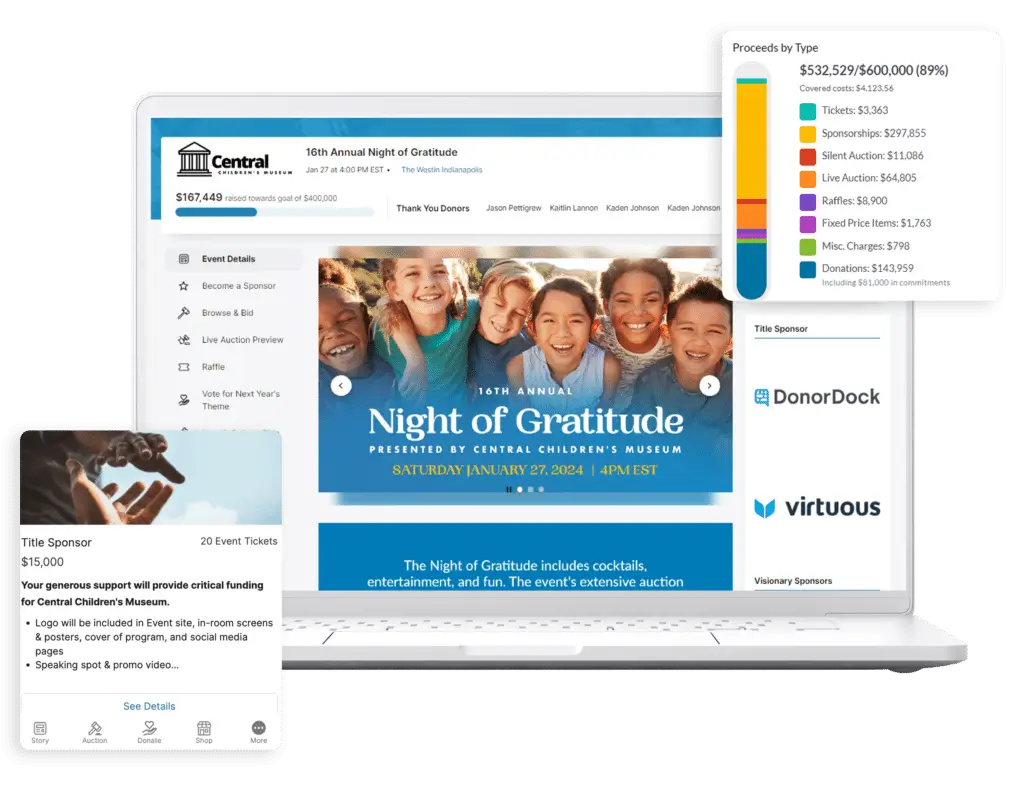
Image credit to OneCause
OneCause was designed for live fundraising events. Mobile bidding, real-time donation tracking, and peer-to-peer campaign tools drive the platform, making it a strong fit for galas, silent auctions, and benefit dinners. Organizations that run a few high-stakes events a year and need those events to perform will find more here than in a general-purpose tool.
Specific Feature Comparison
OneCause handles mobile bidding and live auction tracking well. The tradeoff is scope — there’s no native attendee networking, no speaker center, and AMS integrations are limited compared to platforms built for conference management.
Key Features
- Live mobile bidding
- Text-to-give tracking links
- Projected fundraising scoreboards
- Peer-to-peer event page creation
Why Nonprofits Should Consider OneCause
Gamified progress bars and real-time scoreboards push donor participation higher as the auction runs, turning a giving moment into a competitive one. On the planning side, item procurement and inventory logging are handled in one place, which keeps the administrative load manageable for staff.
Why Nonprofits Shouldn’t Consider OneCause
OneCause has limited utility for professional conferences or multi-day association events that require multi-track agendas and speaker scheduling.
Pricing Format
Tiered annual subscription models based on selected feature packages.
5. Regfox
Quick Verdict: An affordable online registration tool known for its easy, highly flexible form building and conditional logic.
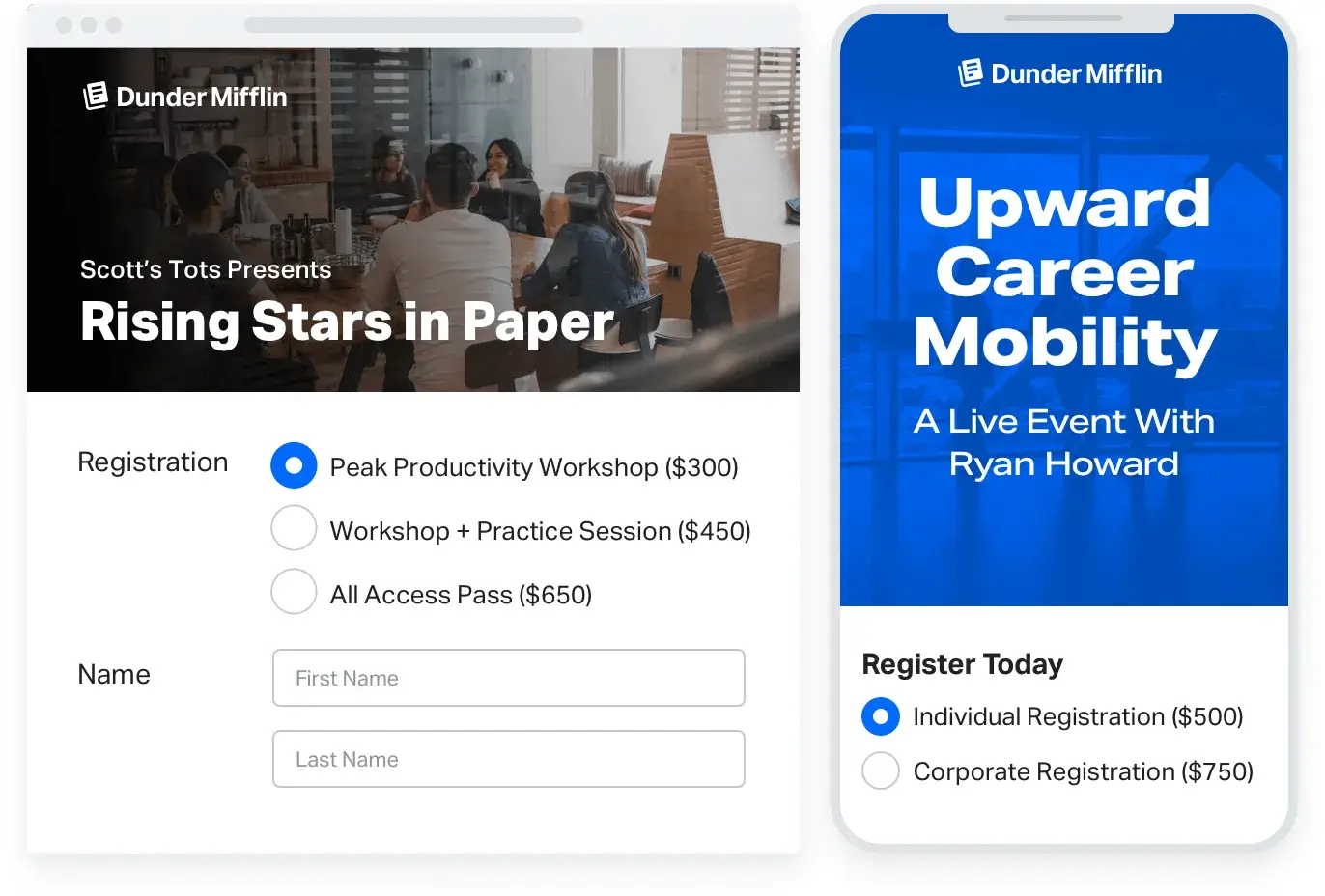
Image credit to Regfox
RegFox has processed over $3.4 billion in registrations across more than 60,000 organizations. The draw for organizers is form-building flexibility — granular control over checkout pages, conditional logic, and data collection — without the costs that come with all-in-event management platforms.
Specific Feature Comparison
Regfox is highly customizable on the front-end registration page, allowing teams to add merchandise options and upsell easily. However, it does not include features for year-round speaker portals, direct corporate sponsor centers or attendee networking.
Key Features
- Basic check-in scanning
- Dynamic early-bird discount rules
- Conditional logic question pathways
- Drag-and-drop registration form builder
Why Nonprofits Should Consider Regfox
At 99 cents plus 1% per paid registrant, capped at $4.99, the fee structure works well for single-day events where the budget is tight. The conditional logic engine also lets organizers collect different information from different attendee types without building separate forms for each one.
Why All Nonprofits Shouldn’t Consider Regfox
The platform’s utility decreases once registration is complete. There are no tools for managing speakers, sponsors, or volunteers, no automatic badge generation, and no attendee mobile apps. Data reporting is also limited, pulling mostly from event registration rather than giving a broader picture of attendee engagement.
Pricing Format
A low flat fee per registrant combined with standard credit card processing percentages.
Which Nonprofit Event Software Is Right for Your Organization?
Choosing the right nonprofit event software comes down to what your organization needs to achieve during the event.
Running a multi-day conference or hybrid association meeting means coordinating registration, check-in, an interactive agenda builder, and corporate sponsor centers across a single system. Fragmentation costs time that most nonprofit teams do not have. It is why organizations like the Mastercard Foundation and the NIO Summit chose Whova.
Neon One and Bonterra suit organizations where donor tracking drives everything. Both centralize donation history, donor profiles, and fundraising data within a donor management system. Complex on-site execution sits outside their focus, but for CRM-first teams, that is often a reasonable trade.
OneCause is purpose-built for charity auctions and galas. Mobile bidding and text-to-give drive real results in those environments whereas organizations that need flexible online registration and ticketing without the broader toolset will find RegFox a practical, low-cost option for simple, single-day events.
Ready to see what a unified event platform looks like in practice? Request a demo and find out why over 50,000 events have chosen Whova.
Frequently Asked Questions About Nonprofit Event Software
Can nonprofit event platforms integrate with our current member CRM or AMS?
Yes, and it is worth checking this before committing to any platform. Most modern nonprofit event software connects directly with Association Management Systems like WildApricot and iMIS. Attendee data and registration details stay current across both systems. No manual exports required.
How do event management tools help nonprofits save on processing fees?
Consumer ticketing platforms like Eventbrite stack their own fees on top of standard Stripe processing fees, eating into event revenue. Dedicated event management software for nonprofits uses direct payment gateway integration with more competitive rates, and organizations can choose to pass processing costs to attendees.
Why should a nonprofit look for an all-in-one system over single-use ticketing tools?
Single-use tools create data reconciliation work and increase the risk of manual error. An all-in-one platform solves this by keeping online registration and ticketing, the attendee mobile app, interactive agenda builder, on-site check-in app, and automated name badge printing on a single dashboard with automatic data sync across every component.