Table of Contents
• What is Event Management Software?
• What Are The Key Features of An Event Management Software?
• What Are The Benefits of Using An Event Management Software?
• How to Choose the Right Event Management Platform For Your Event?
• What Are The Pricing Models For Event Management Software?
• Event Management Platforms Review
• Best All-in-one Event Platforms
• Best Event Engagement and Feedback Tools
• Best Online Event And Webinar Hosting Software
20 Best Event Management Software & Tools in 2026
Author: Whova Team | Last updated: October 01, 2026
An event management software helps streamline the planning, promotion, and execution of in-person, virtual, and hybrid events by providing tools to facilitate registration, marketing, on-site logistics, attendee engagement, speaker management and analytics.
The global event management software market is expected to reach USD 36.8 billion, reflecting growing demand for technology that helps organizers manage events more efficiently. As the market expands, event organizers have access to an increasingly broad range of platforms and specialized tools.
Some platforms claim to be the best event management software while other focus on more specific features such as registration or speaker management.
Quick Summary
- When looking for the best event management software, the key benefits are: reliability, ease of use, all-in-one capabilities and high quality customer support.
- Some platforms provide a wide range of functionalities such as event marketing, registration and networking. Others focus solely on certain aspects of event planning such as communication, ticketing and attendee management.
- Top event management software to consider include Cvent, Whova, Bizzabo and Eventmobi.
What is Event Management Software?
Event management software is an online platform that helps organizers plan, execute and manage events efficiently by streamlining tasks such as registration, marketing, check-in, speaker management, attendee engagement, name badge creation and event analytics. Most event management systems are able to host in-person, hybrid and virtual events for conferences, expos, tradeshows, association events and fairs.
What Are The Key Features of An Event Management Software?
The most commonly used event management software features are:
- Registration & ticketing
- Abstract/speaker submission
- Agenda builder and management
- Event website and landing pages
- Event marketing with email campaigns and promotions
- On-site Badging & Check-in
- Event app
- Live Survey & Polling
- Analytics and post event reporting
What Are The Benefits of Using An Event Management Software?
The main benefits of using an event management platform are:
- Saves time by reducing manual work: Automated email confirmations after registration, access to specific tickets, personalized scheduled announcements or self-serve check-in processes can eliminate manual procedures for more efficient events.
- Centralizes all event data: You will be able to implement more streamlined workflows with access to all attendee info, payments, registration, speaker information and feedback in one central platform.
- Stronger analytics and reporting: Event data can quickly be used to track ticket sales, compile feedback and show attendance rate for sessions to help improve future events.
- Engagement tools: Event management platforms provide engagement tools such as community boards, meeting schedulers and gamification features to keep your attendees alive in the event.
- Built-in marketing tools: You will be able to track different email campaigns and build your own branded registration page.
How to Choose the Right Event Management Platform For Your Event?
While working with over 50,000+ conferences and tradeshows in the past 10+ years, we’ve heard repeatedly from event organizers on what an ideal event management platform should look like.
Start With Your Requirements
Before evaluating platforms, make sure to note down the basic requirements of your event. Having clear requirements will help narrow down platforms that closely match your event needs
- Event type and format: Decide if your event will be in-person, virtual or hybrid. Additionally, decide if it's going to be academic conference, trade show, exhibition, expo, association event or any other format.
- Required capabilities: Decide what processes and capabilities your event will have, for example, a call for speakers, public registration, or floor plan management.
- Event size: Determine how many attendees, exhibitors, speakers and staff members will be on the event. This will determine how much the platform will need to handle and the pricing tier.
- Event Budget: A clear budget will help narrow down options for the ideal pricing model such as subscription plans, per event pricing, charges per ticket or enterprise contracts.
- Existing CRM/marketing/accounting integrations: Platforms that integrate with your current platforms will ensure your current processes are smoothly connected.
Evaluate With Core Features
After noting your basic requirements, evaluate the event management platform with at least these 4 core features:
- Robustness and reliability: Choose a reliable event platform with an uptime of 99.9% and quick responsive interface.
- Easy to use: Look for event management software that is much more intuitive and easy to use for admins, attendees, volunteers and vendors. Avoid fancy and complicated set ups.
- All-in-one: All-in-one platforms allow you to handle registration, event app, abstract, website, name badge, check-in, attendance tracking and more in one single place without needing to switch between platforms.
- High quality customer support: Look for providers with multiple channel supports (phone, chat, email) so you can quickly contact to resolve unexpected problems.
What Are The Pricing Models For Event Management Software?
Event management pricing models range from free options to enterprise-grade custom quotes. Be aware of other hidden costs such as setup charges, costs per admin account, paid customer support upgrades or on-site hardware rentals.
| Pricing Model | Use Cases |
|---|---|
| Per-ticket transaction fees | Ticketed or public events that only want to pay for tickets sold |
| Monthly/annual subscriptions | Teams running recurring events with similar formats |
| Enterprise custom contracts | Large organizations or complex event programs |
| Custom quote per event | Organizers that need flexibility to use different features per event |
Selection Criteria
We've evaluated platforms accounting both negative and positive reviews in reliable review platforms such as G2 and Capterra. These served as a base to take into account the pros and cons of real event organizers and users.
Additionally, we've considered the different features and pricing models for each software in their official website to strive for a complete overview. These aspects should help the readers be more informed and confident before choosing one of the platforms.
Event Management Platforms: Comparison & Review
Here is a table to summarize the platforms ratings and main criteria. Skip to detailed reviews
| Platform | Rating* | Best For | Customer Support |
|---|---|---|---|
| Cvent | 4.3/5 | Enterprise-grade events that require event marketing, venue sourcing, attendee engagement tools, and event analytics | Phone (24/7), online ticket, community, and knowledge base |
| Whova | 4.8/5 | Professional conferences and association events needing integrated registration, abstract collection, check-in, networking, and analytics | Multi-channel support (phone, live chat, email) and dedicated account manager |
| Eventmobi | 4.63/5 | Events and conferences that need high attendee engagement tools such as gamifications and leaderboards | Phone, email and dedicated success manager |
| Swoogo | 4.8/5 | Organizers that need customizable registration with advanced conditional logic | Live chat, email, and in-app support |
| Vfairs | 4.75/5 | Hybrid & virtual expos that require immersive 3d environments and virtual booth capabilities | 24/7 live support, phone, email, and dedicated project manager |
| Bizzabo | 4.03/5 | Marketers and organizers that need integrated event marketing automations and attendee tracking through smart badges | Tiered support (24/7 for enterprise), email and onboarding center |
| Eventbrite | 4.3/5 | Events that need public event discovery and flexibility for ticketing | Email, live chat, phone (varies by plan) |
| eShow | 4.4/5 | Trade shows and exhibitions that require specialized logistics for floor plan management and exhibitor management | Phone, email, and knowledge base |
| Slido | 4.7/5 | Creating Q&A and polls to increase attendee engagement | Help center, community,email and live chat (paid tiers) |
| Poll Everywhere | 4.5/5 | Supporting different types of poll questions for audiences through web or mobile | Phone (M-F), email, and online ticketing system |
| Zoom Events | 4.5/5 | Virtual meetings and conferences that require live streaming, online chat and simple interactions | Phone, live chat, knowledge base, and community |
| RingCentral Events | 4.4/5 | Multi-track virtual events that use live video, registration and ticketing | 24/7 technical phone, live chat, and case submission |
| BrightTALK | 4.0/5 | Professional webinars that are focused in B2B demand generation | Email, support forum, and online knowledge base |
| Tripleseat | 4.4/5 | Private or large party events that need venue floor and catering management | Live chat, phone, email |
| Airtable | 4.6/5 | Teams that need event planning and project logistics management through workflow automations | Email, AI chatbot, and help center |
| Slack | 4.5/5 | Event teams that require streamlined staff coordination through multiple private channel chats, video calls, file sharing and automation workflows | Tiered support (24/7 for Business+), email, and chat |
| ProjectManager | 4.1/5 | Scalable teams that need planning & scheduling through multiple visual dashboards like Gantt charts and real-time dashboards | Email, support form, and knowledge base |
| BaseCamp | 4.1/5 | Events that need help with team collaboration with user-friendly hub for file sharing and task management | Email and chat |
| Trello | 4.4/5 | Event teams that prefer Kanban task tracking for managing event logistic tasks | Email, tickets, chat (tier dependent) |
| Asana | 4.3/5 | Event organizers needing robust task timeline tracking for long planning cylces | Live chat (paid plans), support forum, and in-app help |
Below are the 20 options we've reviewed with each category in mind.
*All review ratings are calculated using ratings from G2, Capterra and TrustRadius for a custom overall rating
Best All-in-One Event Management Platforms
1. Cvent
Rating: 4.3 (3,273)
Key Takeaway: Cvent is an enterprise grade event management system that provides a wide range of tools in venue sourcing, event marketing and attendee management. One main downside is its steep learning curve for utilizing the software which requires previous expert knowledge or constant learning.
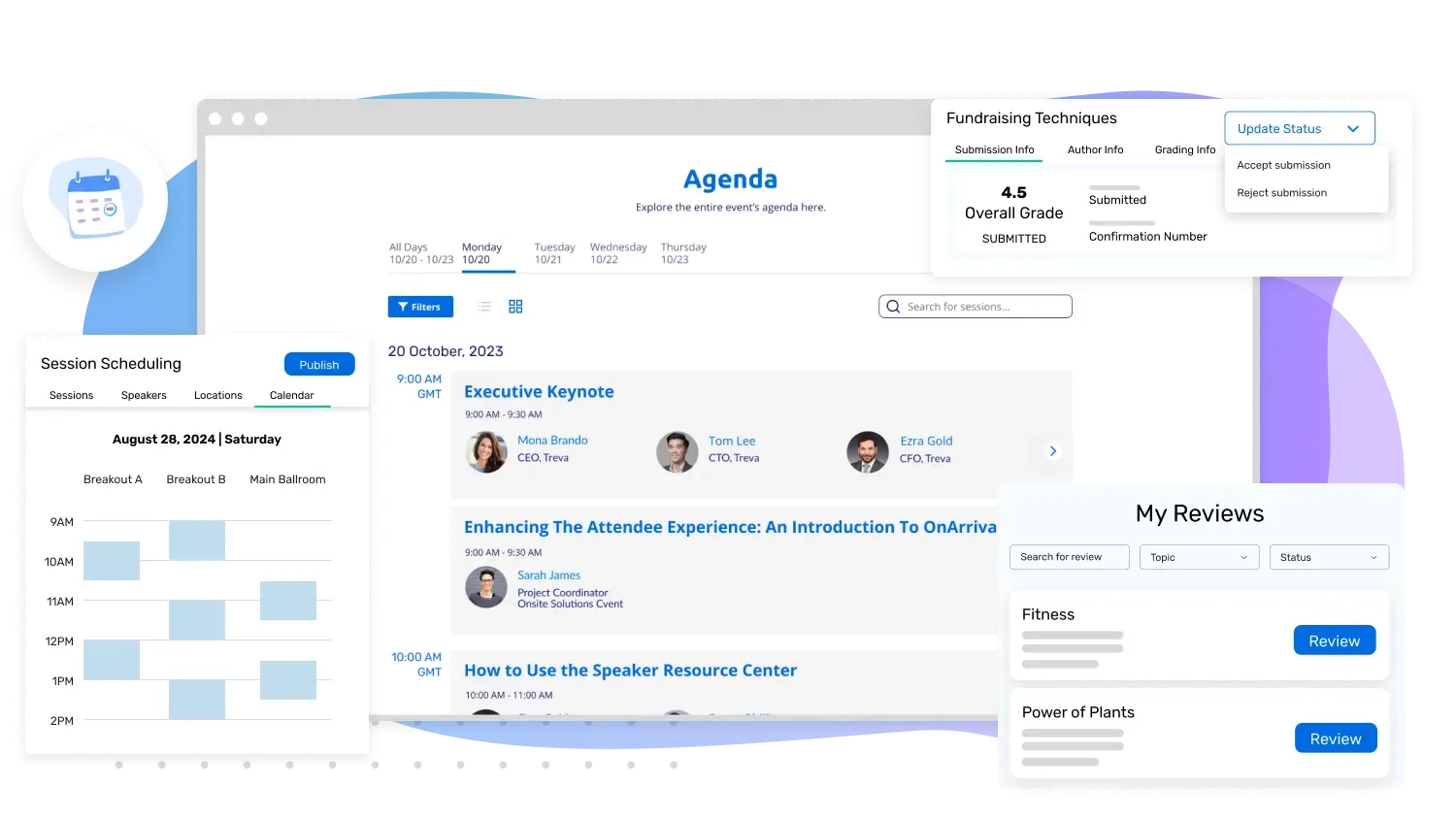
Image credit to Cvent
Cvent is an enterprise-grade event management system offering a wide array of features, such as event marketing, venue sourcing, attendee engagement tools, and event analytics.
Organizations with specialized event planning teams often find its depth valuable, though smaller teams may find the interface more complex than other streamlined alternatives.
Features users love:
- Event diagramming through 3d walkthroughs
- Venue sourcing/RFP
- Event reporting with attendee tracking and comparison reports
Pros
A large variety of features and tools designed to assist organizers in running large-scale enterprise events. The platform has features to assist with venue and hotel room bookings for events with higher budgets.
Cons
Users have noted some drawbacks of using Cvent, such as a sharp learning curve and varied response times from support. Smaller or medium size events might find the price a bit higher without being able to fully use all features.
Pricing
Contact Cvent for pricing.
2. Whova
Rating: 4.8 (4,621)
Key Takeaway: Whova is an easy to use end-to-end event management platform for conferences, trade shows, corporate events, expos and fairs that streamlines registration, speaker management, agenda scheduling, marketing, check-in, engagement and analytics for in-person, hybrid and virtual events.
Whova is an end-to-end, reliable and easy-to-use event management software offering registration, abstract/speaker management, onsite management, app engagement, event website and post event analytics.
It has hosted over 50 thousand events and over 15 millions of attendees, speakers and exhibitors. It is an event management software on G2's Global Top 50 Best Software and has received multiple awards in the "Event Technology Awards" such as People's Choice Award, Best Event Management Platform and Best Event App award.
Watch what real organizers are saying
Features users love:
- Event registration & ticketing
- On site check in kiosk with integrated name badge printing
- Abstract management for academic papers or poster presentations
- Speaker management through accessible speaker forms
- Complete event website with agenda schedule
- Event marketing with email campaigns, social media promotions and
- Event app for engagement, networking and on site management
- Live polling and surveys for live session engagement
- Exhibitor management with QR code lead retrieval
- Post-event report and analytics
- Request demo for specific features you need
Pros
Easy to use interface to cover end-to-end event management and engagement using registration, event marketing, speaker management, check-in, attendee engagement and post event report.
Cons
Whova is not a fit for smaller events with under 100 attendees, or sports/entertainment events.
Pricing
Per event pricing

3. EventMobi
Rating: 4.63 (432)
Key Takeaway: EventMobi has an easy to use event management software that emphasizes in attendee experience. It might not be the best solution if your event requires more complex ticketing and robust event app.
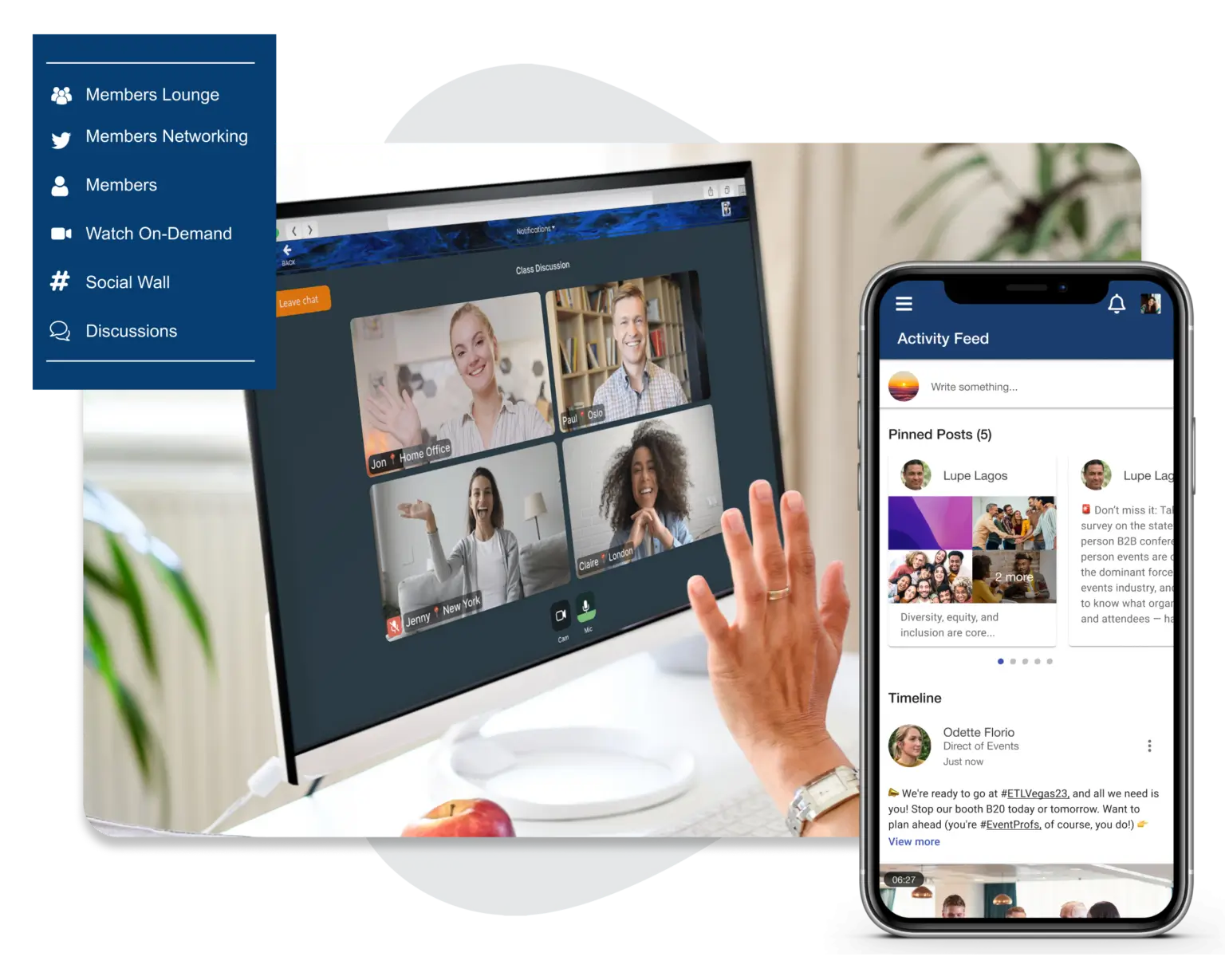
Image credit to Eventmobi
Eventmobi is an event management platform that streamlines event planning through connections with 1000+ applications for registration, crm, project management, and messengers. It is an excellent choice for event planners who want to keep participants involved and entertained.
Features users love:
- Gamification & leaderboards
- Interactive Live Polls & Surveys
- Session Real Time Update in Mobile App
- Live Streaming
Pros
EventMobi is great for virtual conferences with live streaming and attendee engagement. Organizers enjoy utilizing basic features such as online registration and attendee management.
Cons
Despite its engaging features, EventMobi might lack in customizations as well as accessibility, mainly the limited data export flexibility
Pricing
Contact EventMobi for ticket fee pricing.
4. Swoogo
Rating: 4.8 (342)
Key Takeaway: Swoogo is a flexible platform with customizable registration forms and event websites. Despite its clean design, the pricing model might be more fit for organizers with multiple events in a year.
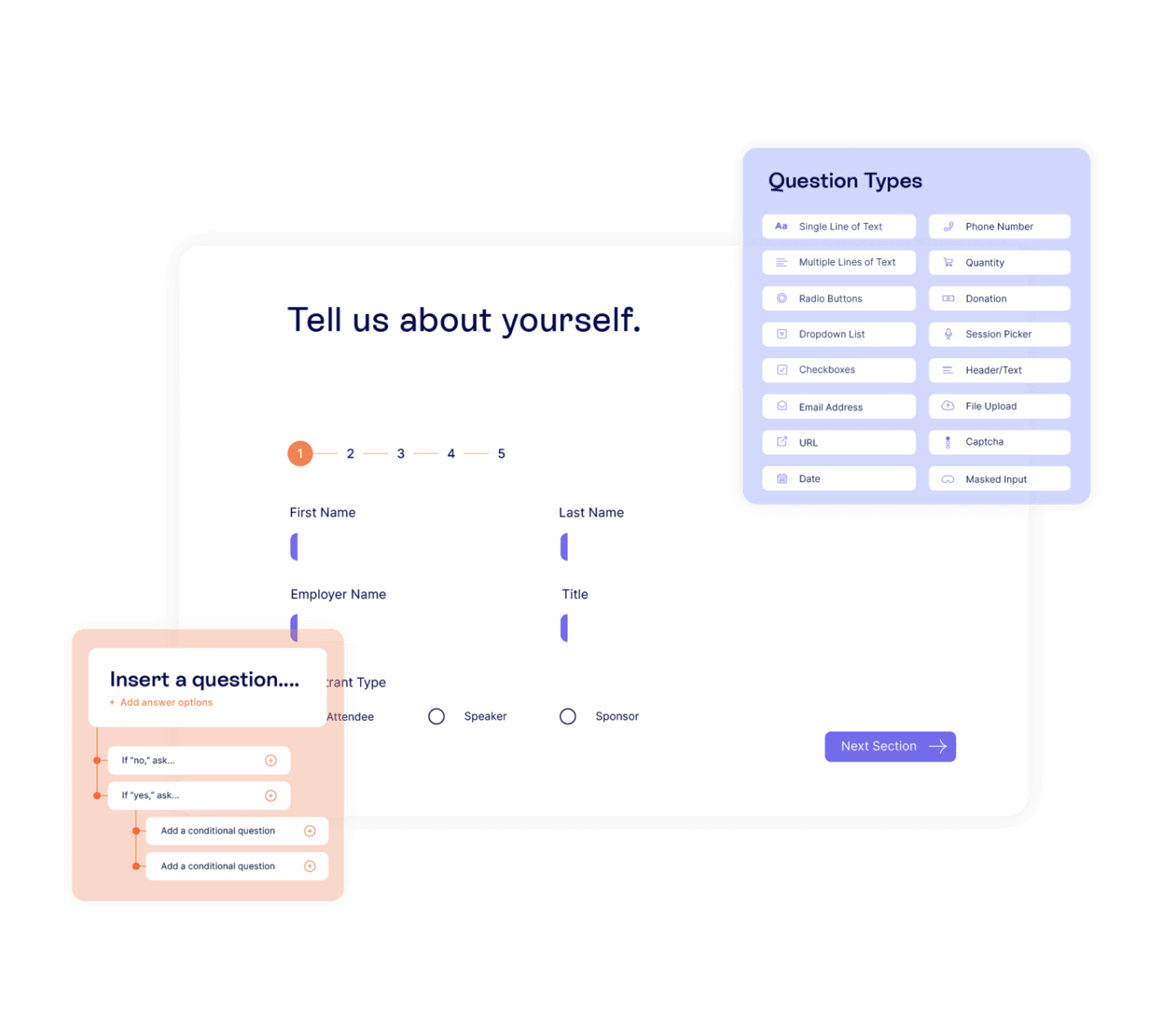
Image credit to Swoogo
Swoogo is a popular event management platform that allows organizers to create flexible registrations forms to accomodate in-person and virtual events. Organizers like the ease of use of its platform as well as readily available support.
Features users love:
- Customizable registration with conditional logics and branding
- Attendee Tracking
- Drag and Drop Event Website Builder
- Hotel Booking Management
Pros
Swoogo is ideal for organizers that need high customization for their registration forms including integration with hotel bookings. With great customization in event website, organizers can provide clean and enticing designs to attract attendees.
Cons
Despite the high customization for branding, it might require more technical proficiency. Organizers will also have limitations in tools to manage exhibitors.
Pricing
Contact Swoogo for ticket fee pricing. The plan can have a starting price from $11,800 per user, per year.
5. Vfairs
Rating: 4.75 (2277)
Key Takeaway: Vfairs is an event management software that specializes in immersive 3d virtual spaces for virtual and hybrid trade shows, expos and exhibitions. Despite its attractive design, customers have complained about the lack of features and technical issues on the mobile app.
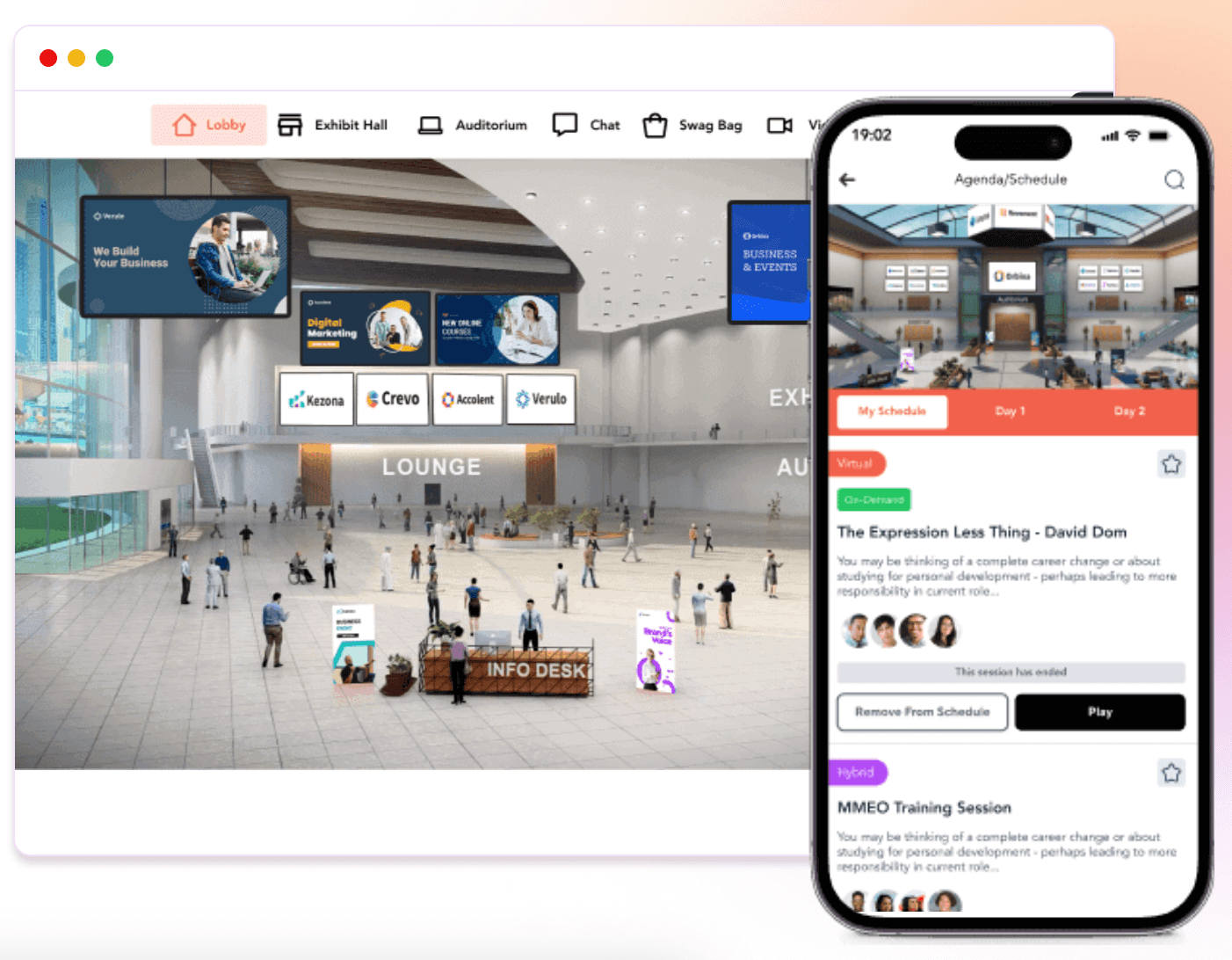
Image credit to Vfairs
Vfairs focuses heavily on virtual and hybrid events, especially offering a unique immersive 3D experience for trade shows and conferences. The product aims for organizers to provide visually appealing and memorable events.
Features users love:
- 2D or 3D immersive virtual environment
- Great customer support
- Branded and customizable event webpage
- Online registration
Pros
If you have a high emphasis on how your event looks, Vfairs can provide the virtual tools to engage in-person and virtual attendees equally. Customizable registrations, webpages and 3D venues can integrate virtual attendees seamlessly into your event.
Cons
One of the higher cost-per-user compared to standard webinar tools. Data exports and mobile app managemenrt are limited.
Pricing
For tickets, no registration fees up to 500 attendees. Contact Vfairs for detailed pricing.
6. Bizzabo
Rating: 4.03 (666)
Key Takeaway: Bizzabo is an accessible event management software that expands your event marketing and ticket sales with CRM integrations, smart badge tracking and branded event websites. The lack of comprehensive event management features and the subscription based pricing model might not be ideal for event organizers looking for an all-in-one solution.
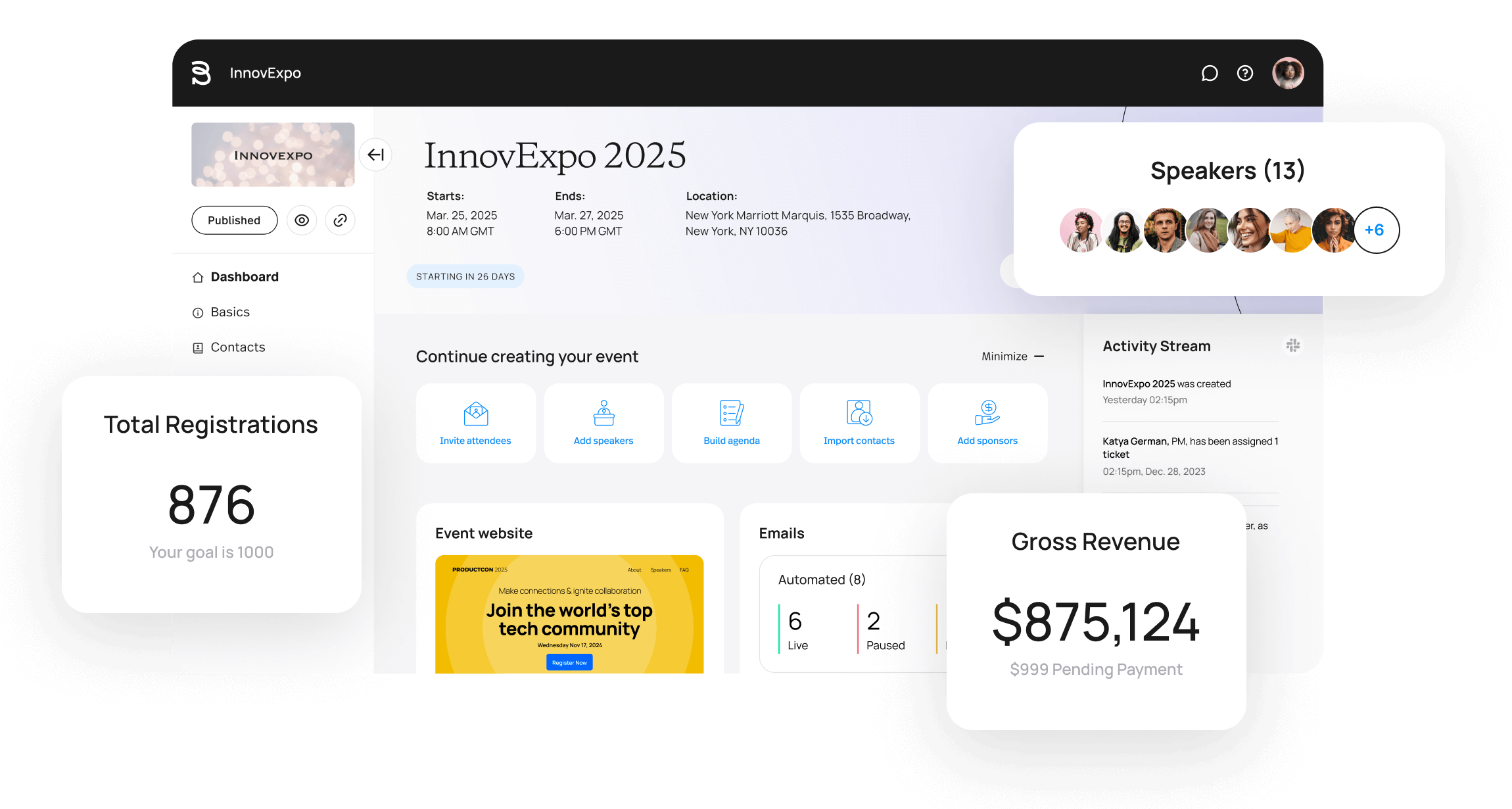
Image credit to Bizzabo
Bizzabo is a user-friendly event management software that allows marketers and organizers to manage events with any size or format. The platform is designed for flexibility and scale for virtual and in-person events.
Features users love:
- Event Registration
- Room Block Management
- Email Marketing
- Calendar Management
Pros
Bizzabo has a strong comprehensive tool set for event marketing which includes email campaigns, branded event websites and integration with third party marketing automations. Also its unique smart badge increases attendee engagement through easy contact exchange, check-in and session tracking.
Cons
Bizzabo which focuses mostly on marketing and branding elements of your event might not be a comprehensive event management tool. Only premiums tiers have access to some essential management tools.
Pricing
No information on ticket fee pricing. Starting price of $17,999 flat rate, per year.
Best Event Registration Software
7. Eventbrite
Rating: 4.3 (5,885)
Key Takeaway: Eventbrite is a well-known event ticketing software that provides free public ticketing, event discovery space, email marketing and analytics. It might not be the best fit if your event requires more than just ticketing and registration features.
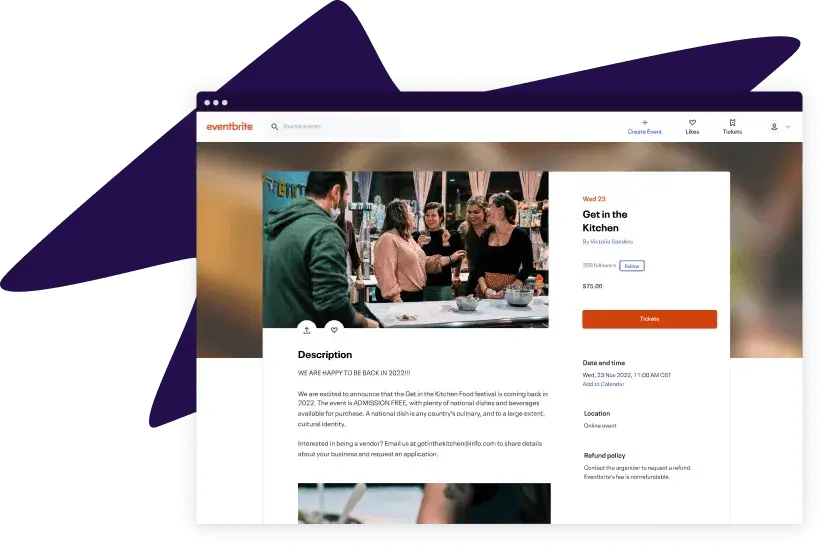
Image credit to Eventbrite
This is a popular ticketing solution for events ranging from small meetups to large concerts. The system is customizable and can also be used to send email marketing campaigns, confirmations and reminders. It also allows people to register from both their phones and computers.
They charge an extra 3.7% of the ticket price plus $1.79 per paid ticket. While Eventbrite is well-known, some organizers think the fee is a bit high.
Features users love:
- Quick, free setup of the registration forms
- Waitlist management
- Social media integration
Pros
Popular for smaller or entertainment events that mostly need help with ticketing and registration. It can be considered a great free event planning software for nonprofits as the ticketing setup can be done without a cost.
Cons
Per-ticket fees are high compared to other registration tools and all-in-one event planning software. Lack of attendee engagement and speaker management tools. Limited design customization for registration landing pages.
Pricing
$0 for free tickets. Service fee of 3.7% + $1.79 per sold ticket and payment processing fee of 2.9% of the total order for paid tickets.
Still think Eventbrite is the best option? Check out more relevant Eventbrite competitors before commiting your event
8. eShow
Rating: 4.4 (51)
Key Takeaway: eShow offers solutions for virtual, hybrid and in-person events with tools for registration, event website creation and conference management. The platform may not be as intuitive or provide a wide range of tools as other platforms.

Image credit to eShow
eShow provides web-based tools and solutions for event management teams, such as registration, event websites, and abstract collection. It integrates with some AMS and CRM, and also offers a basic mobile app.
Features users love:
- Interactive floormap
- Lead retrieval
- Meeting logistics
Pros
Deep functionality for trade show and exhibitions with excellent personalized support.
Cons
Its interface may not be as intuitive as some other better rated platforms. Integration between specific modules can be complex to sync.
Pricing
Contact eShow for pricing.
Best Event Engagement and Feedback Tools
9. Slido
Rating: 4.7 (572)
Key Takeaway: Slido is a well known application that can help collect attendee questions and get feedback. Organizers looking for more event planning features might benefit from an all-in-one platform.
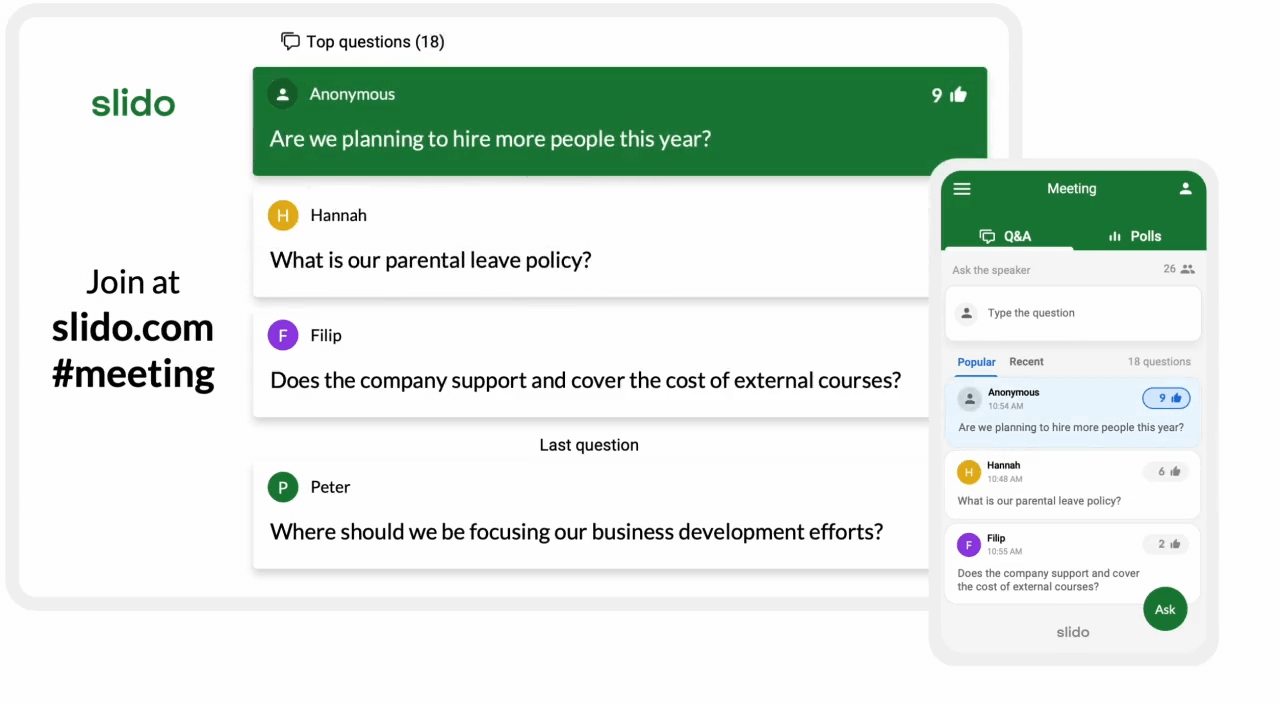
Image credit to Slido
A well-known Q&A and live polling tool, Slido enables users to crowdsource top questions in order to drive meaningful conversations. A live poll increases attendee engagement and participation, so many event apps and conference management tools also provide live poll features.
If you are hesitant to adopt Slido only for QA/live polls, first check whether your event app already offers these features. For example, all-in-one event management tools will display results on a big screen, provide numerous live poll question templates for easy setup, or support question ranking, auto-reminders, embedding Q&A into speakers' slides, etc.
Features users love:
- Real time Q&A
- Live polls and quizzes
- Surveys & feedback
Pros
Slido has a specialized mobile app that can collect attendees' questions or get feedback through live polling.
Cons
Mobile app does not include other event management tools such as personalized agenda, announcement, networking, gamification, document/photo sharing, and more. Events are limited by duration.
Pricing
From $0 basic plan of up to 100 participants to $200/month enterprise plan of up to 5,000 participants.
10. Poll Everywhere
Rating: 4.5 (92)
Key Takeaway: PollEverywhere is a reliable software to manage questions and live responses during activities. Its limited features concentrated only on polls might limit its potential usage during events.
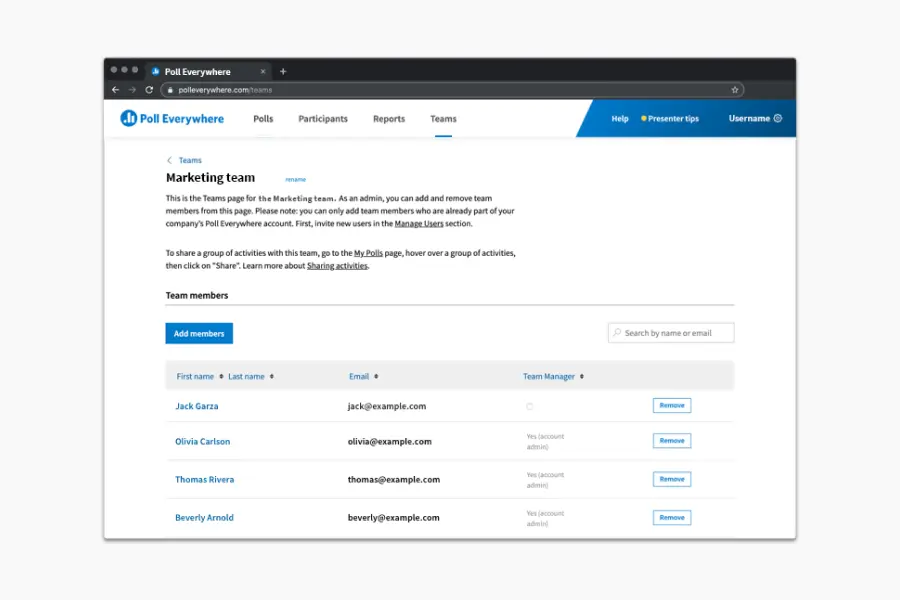
Image credit to Poll Everywhere
Poll Everywhere is also an audience response software suitable for events. Attendees can use their smartphones to submit live responses to your activities. It supports multiple choice questions, Q&A sessions, word clouds, rankings, competitions, and more. The platform includes a web app, mobile app, and integrates with PowerPoint, Google Slides, and Keynote.
Features users love:
- Live polling
- Multiple choice questions
- Q&A sessions
- Anonymous participation
Pros
Poll Everywhere is a powerful tool for enhancing audience interaction and engagement across various settings.
Cons
Similar to Slido, this is a specialized software focused on polling. Visual design and UI might feel outdated.
Pricing
From $0 Intro plan to $84/month Teams plan. Contact Poll Everywhere for a Custom plan.
Best Online Event And Webinar Hosting Software
11. Zoom Events
Rating: 4.5 (5,934)
Key Takeaway: Zoom Events is a great fit for virtual events or webinar series that require heavy reliability in online video services. On the other hand, it lacks other event planning features such as exhibitor management or networking tools.
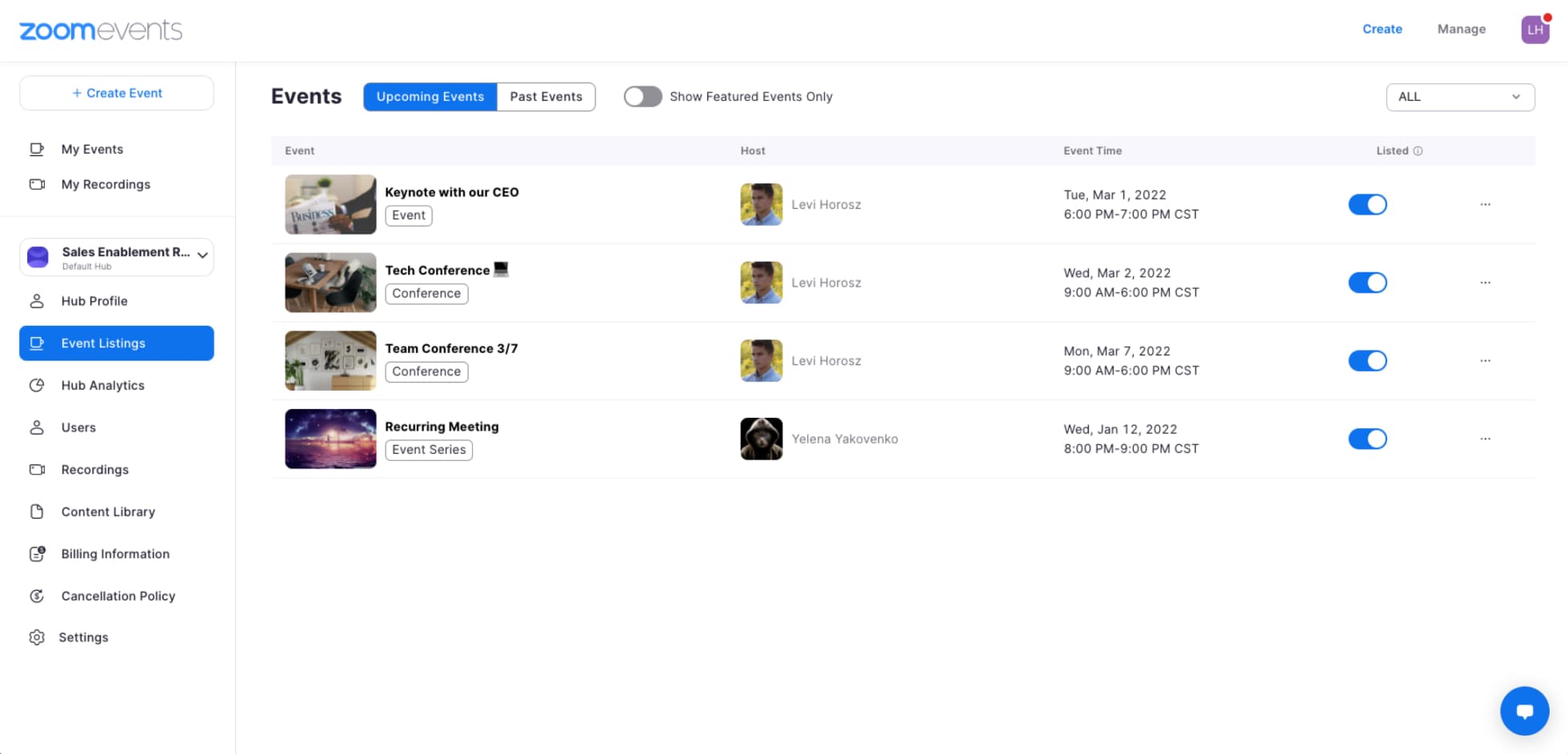
Image credit to Zoom Events
Chances are you're already familiar with Zoom and how to use it, making their virtual event/webinar system, Zoom Events, an intriguing option. The platform is meant to help organizers run events online, such as hosting sessions via streaming, helping share events and manage ticketing, and more.
However Zoom Events has mostly been focused on smaller courses and webinar series. It also lacks some of the more advanced features other platforms might have, like digital booths for sponsors and exhibitors, so if you're planning a bigger conference or event, this may not be the right fit.
Features users love:
- Q&A sessions
- Polls
- Live streaming and chat
Pros
Zoom Events combines a few different steps of the virtual event planning process, and is worth considering if you’re planning a small-scale virtual event that won’t need all the features that all-in-one event planning software can provide.
Cons
Networking and engagement features are less immersive than other virtual event platforms. Strict template constraints on branding.
Pricing
Monthly subscriptions, yearly subscription or pay per attendees plans ranging from $149/month (100 attendees) to $26,490/year (3,000 attendees).
12. RingCentral Events
Rating: 4.4 (952)
Key Takeaway: RingCentral Events has an engaging product that caters virtual and hybrid events with tools in video conferencing, attendee engagement and registration. But its heavy bandwidth in virtual tools can sometimes result in glitches and performance issues.
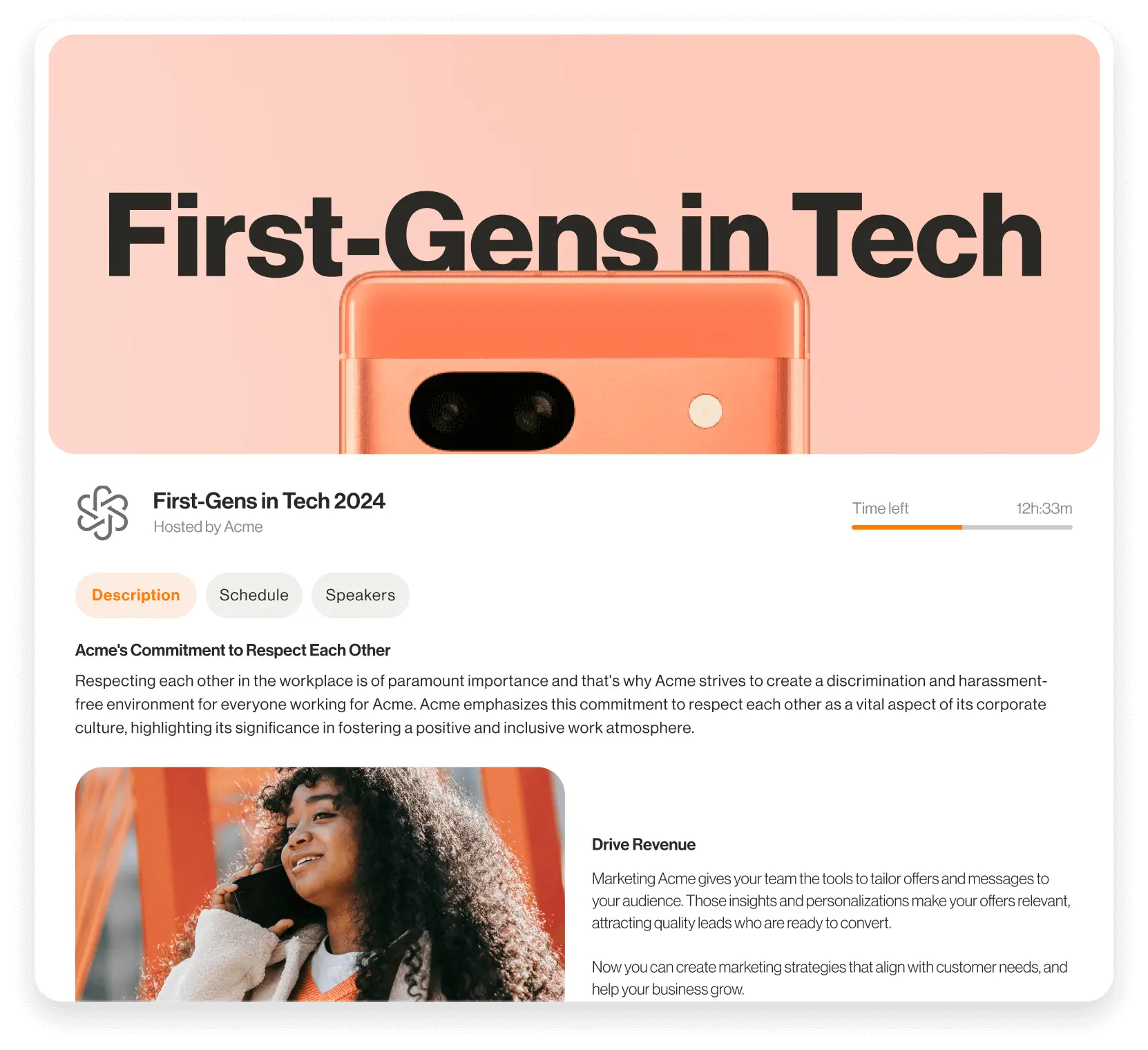
Image credit to RingCentral Events
RingCentral Events (formerly Hopin) is an event management software for organizers to create, host and manage virtual events. Its virtual venue connects attendees with live video, helping them learn and interact remotely. It also offers an event registration and ticketing component. Similar to Zoom Events, RingCentral Events was built for virtual events and webinars.
Features users love:
- Webinars and livestreams
- Virtual events
- Virtual lounges
Pros
Professional built-in broadcast studio for high quality virtual events. Highly customizable appearance.
Cons
Lacks some other event management features such as web page generation, check-in, badge, and certificates generation. Ticket sales lack detailed invoicing and expo booths might be simplistic.
Pricing
From $1490/year for 100 attendees to $9,490/year for 1,000. For 2,000+ attendees, contact RingCentral Events directly.
13. BrightTALK
Rating: 4.0 (134)
Key Takeaway: BrightTALK has a robust platform for webinars and virtual events. It might not be the best choice for in person events with a lot of event management features missing.

Image credit to BrightTALK
BrightTALK is a technology platform businesses use to host webinars, virtual events, and episodic series. The robust platform is geared towards lead generation and works best if you want to generate revenue from recorded virtual sessions.
Features users love:
- Webinars
- Virtual events
- Lead generation
Pros
Best suited to corporations or educational institutions that provide knowledge workshops or seminars with its virtual video hosting features.
Cons
No in-person event management tools. Lacks real-time collaborative comment board for engagement.
Pricing
From $500/month to $1000/month. Contact BrightTALK for custom pricing.
Best Event Schedule and Organization Tools
14. Tripleseat
Rating: 4.4 (496)
Key Takeaway: Tripleseat is a comprehensive hospitality & event management software mainly focused for restaurants, hotels, and event venues. While the software can be a perfect fit for those types of events, some specific financial and reporting features may be lacking.
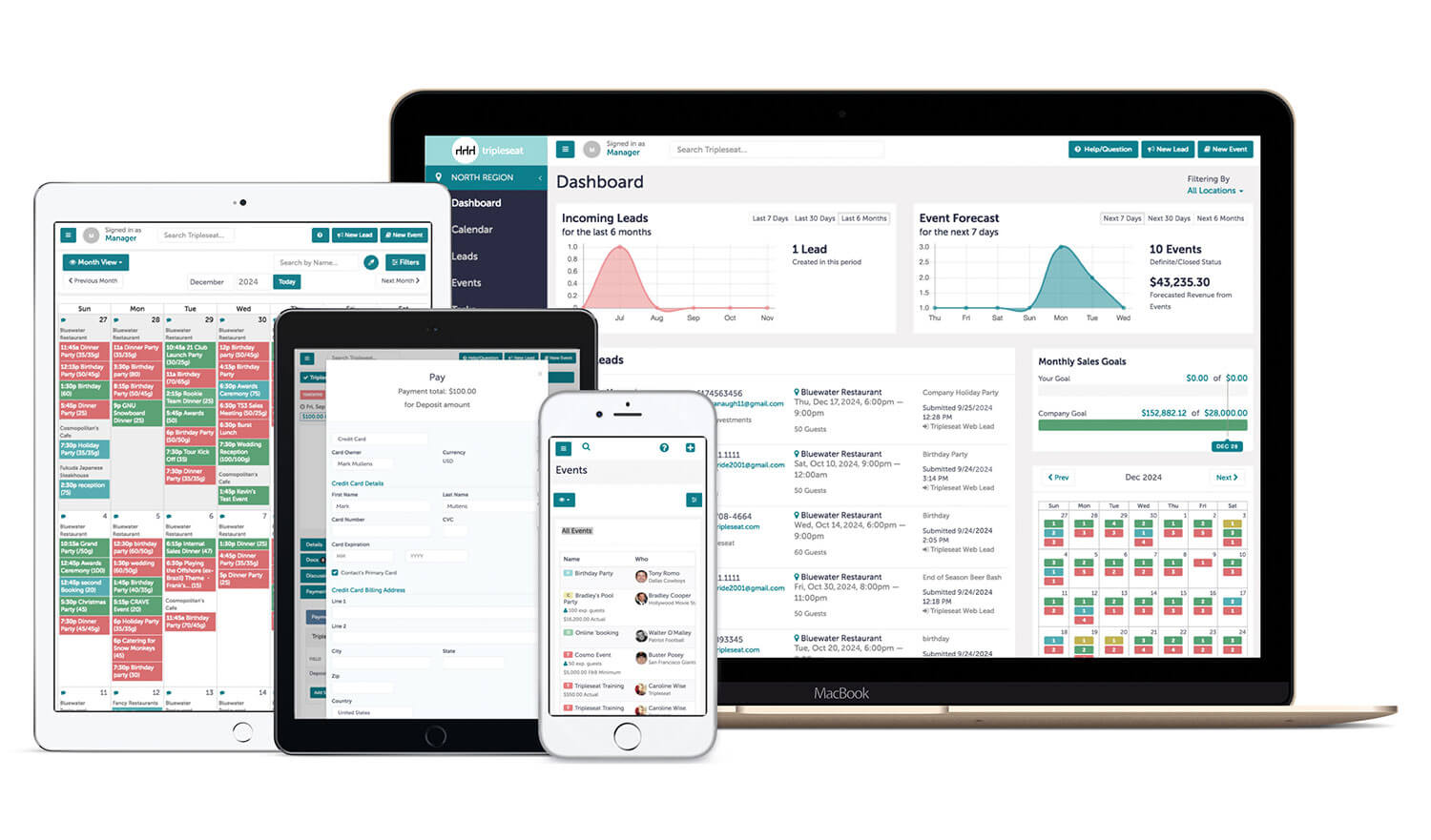
Image credit to Tripleseat
TripleSeat is an event management software designed for the hospitality industry. As a direct event booking platform, it caters to on-premise private events, off-premise catering, and large party reservations. It offers accurate and detailed event mapping, access to in-depth reports and analytics, customizable branding, and credit card payment processing.
Features users love:
- Booking and CRM
- Calendar management
- Client portal
Pros
Specialized for hospitality and venue sales to keep the chef, manager, and staff up-to-date. Streamlines contract signing and deposit payments.
Cons
For regular event organizers who do not own or manage venues, this platform might lack other general event management tools. Built-in email tool lacks advanced formatting. Room-mapping setup is highly sensitive to detail.
Pricing
Need to contact directly for exact pricing.
15. Airtable
Rating: 4.6 (4,266)
Key Takeaway: Airtable is a collaboration platform that focuses in event planning and task management. Event organizers looking for a more complete platform to manage their event might find this product too simple.
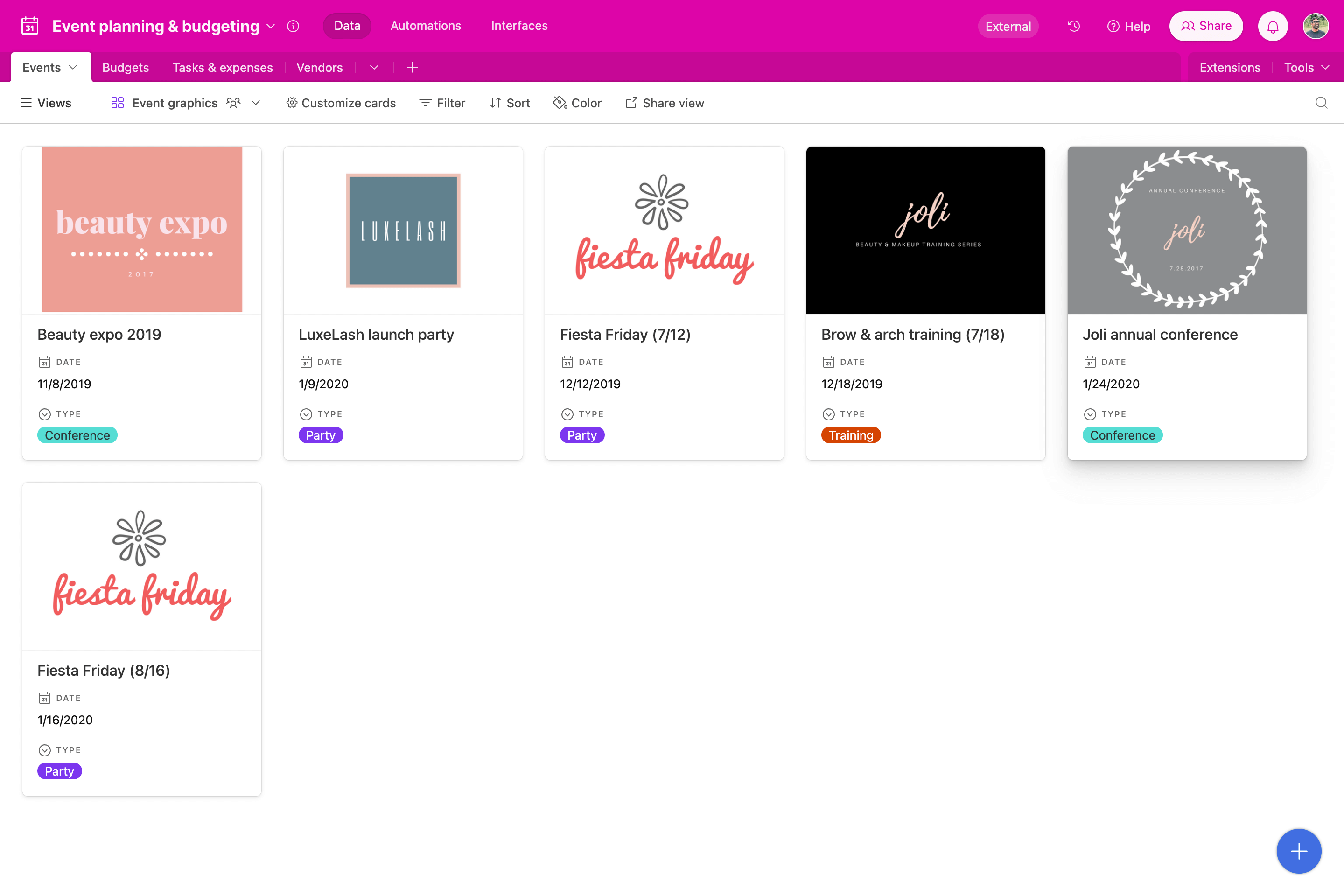
Image credit to Airtable
Airtable is a cloud-based collaboration platform that allows individuals and teams to organize and manage information in a spreadsheet-like database. It combines the ease of use of a spreadsheet with the power of a database to help users organize, track, and manage their work in a flexible and customizable way.
Airtable can be used for a variety of purposes, such as event planning, project management, customer relationship management (CRM), inventory management, and more. It also integrates with various other tools and services, such as Zapier, Slack, and Google Drive, to further enhance its functionality.
Features users love:
- Workflow automation
- Third party integrations
- Readily available templates
Pros
Native AI-powered workflow suggestions. Excellent for managing complex speaker/session data.
Cons
Lacking dedicated event management features such as check-in, badging, event schedule, etc. Cost scales aggressively by user and record volume. Reporting requires third-party extensions
Pricing
From $0 for basic features to $45/month for the business plan. Contact Airtable for Enterprise scale plans.
16. Slack
Rating: 4.5 (55,930)
Key Takeaway: Slack is a great communication tool that can help coordinate your event planning team as well as allow attendees to connect with each other. Like previous mentioned platforms, it does not provide a complete set of tools for event management.
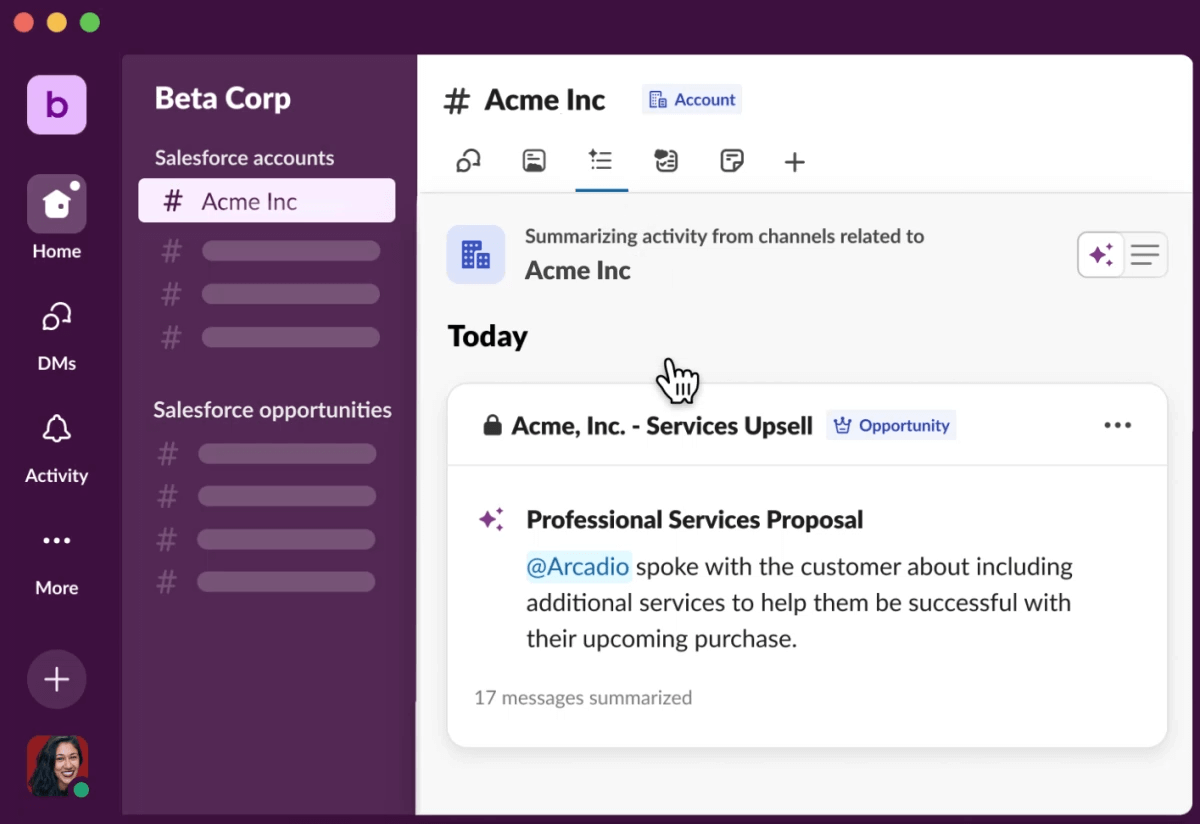
Image credit to Slack
This popular resource for team communication has also been used for session interaction within events. Slack allows you to create different channels for various topics within one workspace; so you can have private channels for your team to communicate, or public ones for attendees to use as discussion topics throughout the event.
In addition to group conversation, users can also message each other one-on-one, make video and voice calls, and share files through the app.
Features users love:
- Group conversations
- File sharing
- Communication channels
Pros
Industry-leading speed for real-time team alignment. Massive integration ecosystem. A great way to get in touch in the moment for event organizers, especially during the planning process and at the event day. Channel creation for attendee communication and engagement.
Cons
High risk of information fragmentation in busy channels. Difficult to manage long-term tasks. No integrated event specific features such as check-in, registration or agenda.
Pricing
From $0 for basic features to $15/month for Businses+ plan. Contact Slack for an Enterprise Grid plan.
17. ProjectManager
Rating: 4.1 (432)
Key Takeaway: ProjectManager is a project management software that can help organize schedules and tasks despite not being specifically designed for event management.
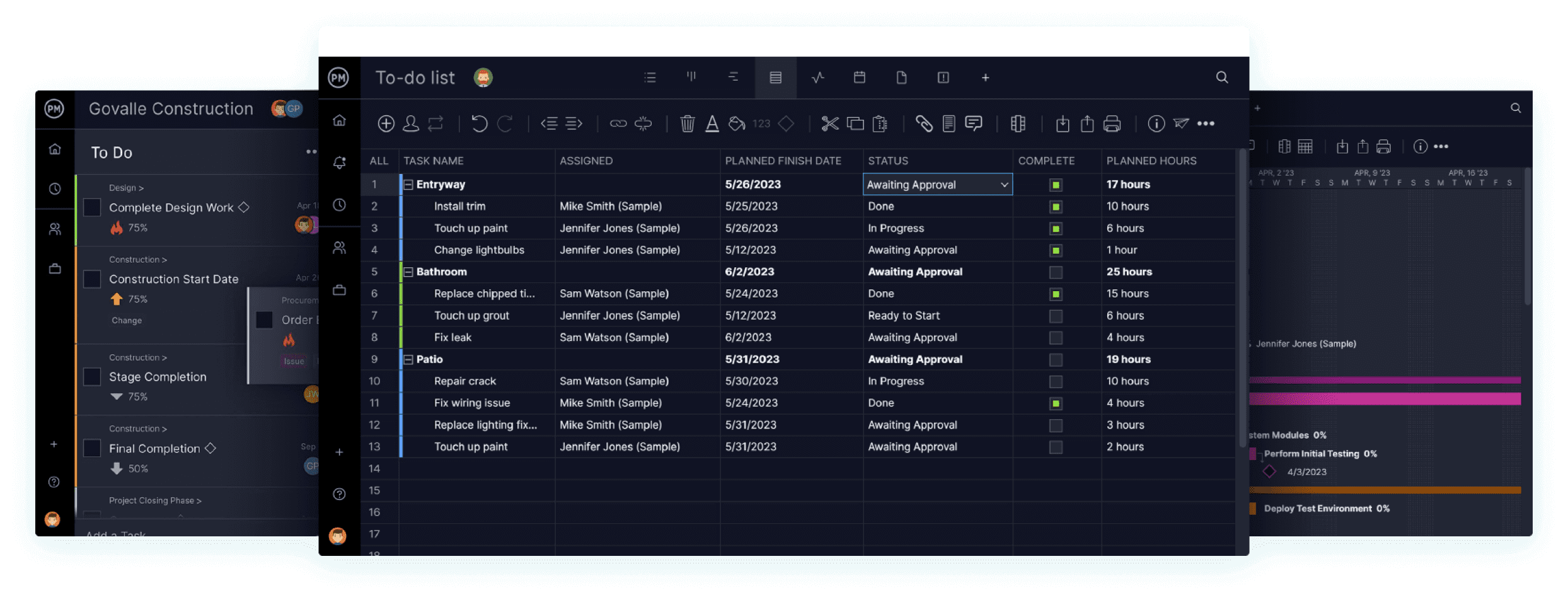
Image credit to ProjectManager
ProjectManager.com is a cloud-based project management software, scalable to teams and businesses, that provides an approach to organizing, collaborating, and accelerating project delivery. For those in search of a solution that focuses on team efficiency and project organization, ProjectManager is definitely an option worth considering.
While ProjectManager is not designed specifically for events, it offers a centralized interface of tools for event organizers to manage schedules, tasks, and collaboration.
Features users love:
- Gantt charts
- Real-Time dashboards
- Task management
Pros
Great option for project management needs. Multiple views (Gantt, Kanban, Dashboard) for different roles. Strong M365 integration. Library of industry-specific planning templates.
Cons
Lack of comprehensive event management features in comparison to other event management software solutions. Notification settings have limited customization. Interface can be overwhelming for beginners.
Pricing
From $13/month for Team plan to $24 for Business plan. Contact ProjectManager for Enterprise pricing.
18. BaseCamp
Rating: 4.1 (19,732)
Key Takeaway: Similar to ProjectManager, BaseCamp also provides a project management software that might not necessarily be fit for event planning but can help organize to-do lists and coordinate tasks using calendars.
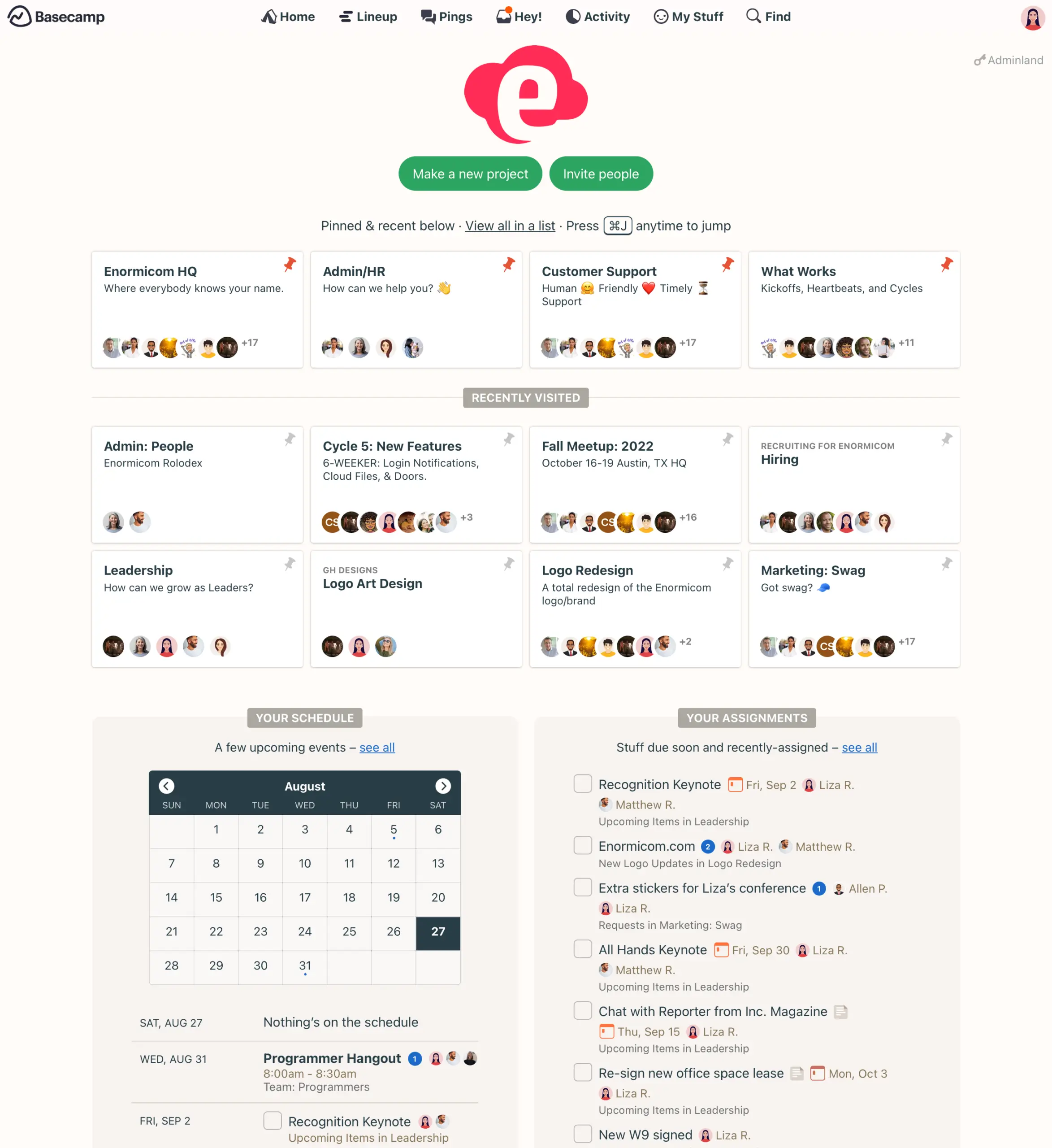
Image credit to BaseCamp
Basecamp is another powerful project management software useful for event planning teams. It combines message boards, calendars, to-do lists, documents & file storage, and more into one single streamlined and organized place. Every event staff will know what to do.
Features users love:
- To-Do lists
- Message boards
- Document and file storage
Pros
Basecamp is another useful project management tool for your event planning team to get things organized and well coordinated. Consolidated "one-page" project views. Effectively reduces reliance on internal email.
Cons
No interface for participants (such as attendees, speakers, sponsors and exhibitors) to access information. Lacks advanced planning tools (Gantt/dependencies). Messaging is more "forum-style" than real-time.
Pricing
From $15/month for BaseCamp plan to $299/month for Pro Unlimited plan.
19. Trello
Rating: 4.4 (36,752)
Key Takeaway: Trello can be a lightweight project management software that can help streamline your event tasks through different stages until they reach completion.
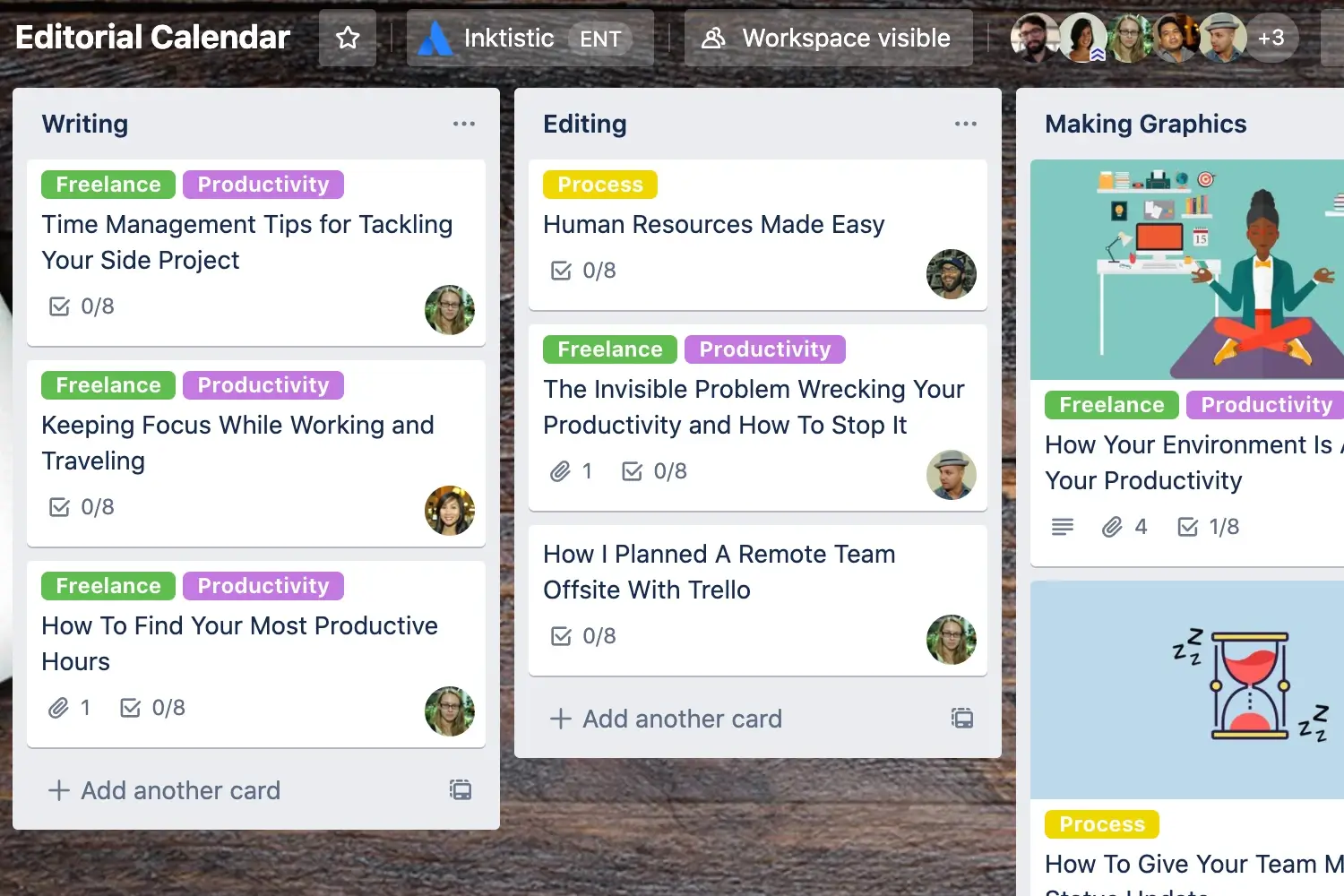
Image credit to Trello
Trello (by Atlassian) uses a "card-design" to help you manage your event tasks. Users love how easy it is to start using this software when compared to other more heavyweight event planner software. Trello's design and user-friendly interface makes this software not only extremely effective, but also visually pleasing.
Features users love:
- Kanban boards
- Card customization
- Collaboration tools
Pros
Trello is a lightweight project management software with an easy to use interface. Unique card design to define multiple stages of tasks and keep track of event logistics. Great for small, high-velocity teams.
Cons
No dedicated interfaces for attendee access to event information, such as the event app and web pages. Becomes difficult to manage as projects grow beyond 50+ tasks. Lack of native dependency mapping.
Pricing
From $0 for Free plan to $17.50 for Enterprise plan.
20. Asana
Rating: 4.3 (22,794)
Key Takeaway: Asana is a management tool that connects work and automates workflows to ultimately reach company goals. As an event organizer, you can utilize this platform to integrate with communication tools, CRMs and even emails to automate attendee management and event marketing.
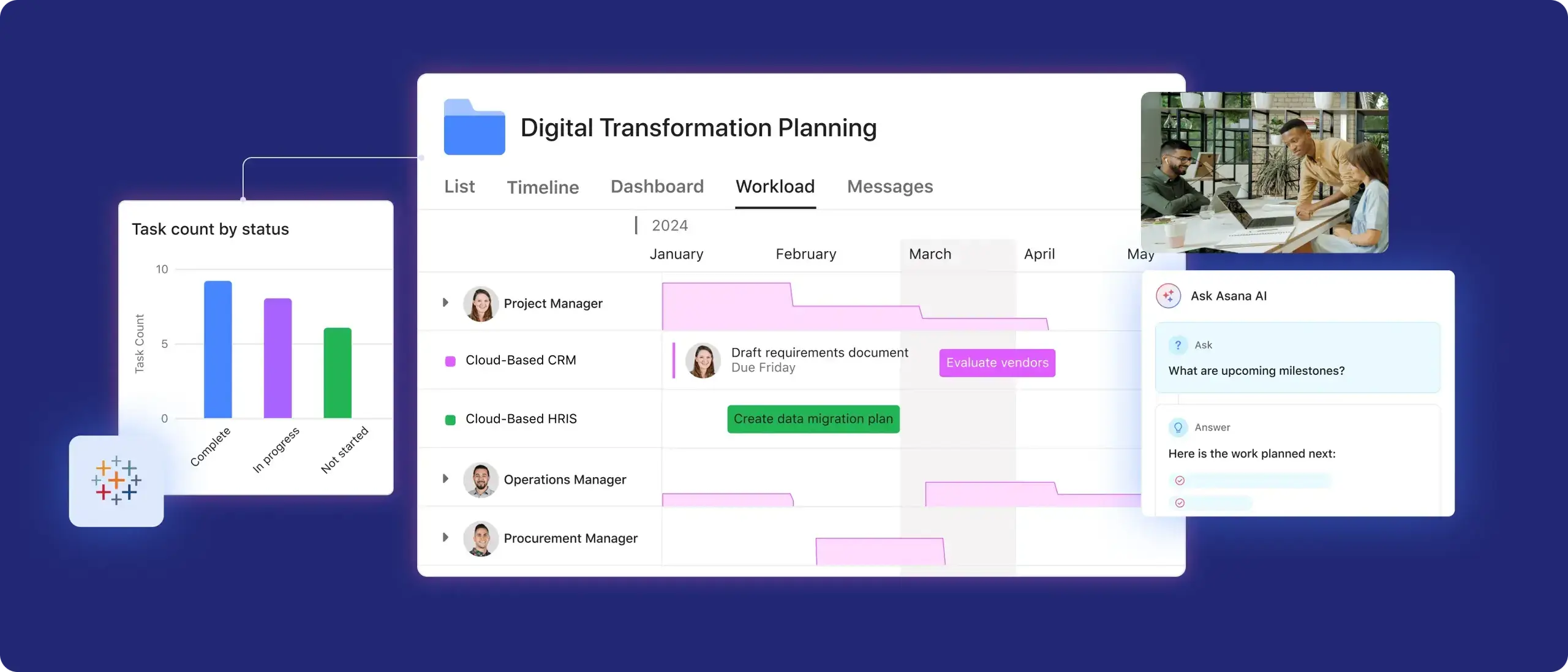
Image credit to Asana
Asana’s flagship service is a web and mobile “work management platform” that creates a main project board where you can track tasks and deadlines and collaborate with team members and stakeholders.
This software company offers pre-made templates for common event types, like workshops and virtual events, to ensure consistent and cohesive planning. Asana also integrates with popular apps like Outlook, Slack, and Gmail, so you can turn messages and emails into actionable tasks.
Features users love:
- Task management
- Project views
- Workload management
Pros
Real-time tracking and delegation features. Clear alignment between daily tasks and high-level milestones. Robust task-dependency mapping.
Cons
Lacks event specific tools such as an event app, event web pages, check-in and name badge generation. Deep feature set necessitates a longer training period. System can feel "rigid" for creative teams. Core automations are locked behind high tiers.
Pricing
From $0 for Personal plan to $30.49/month for Advanced plan.
Next Steps - Live Demo & Trial Account
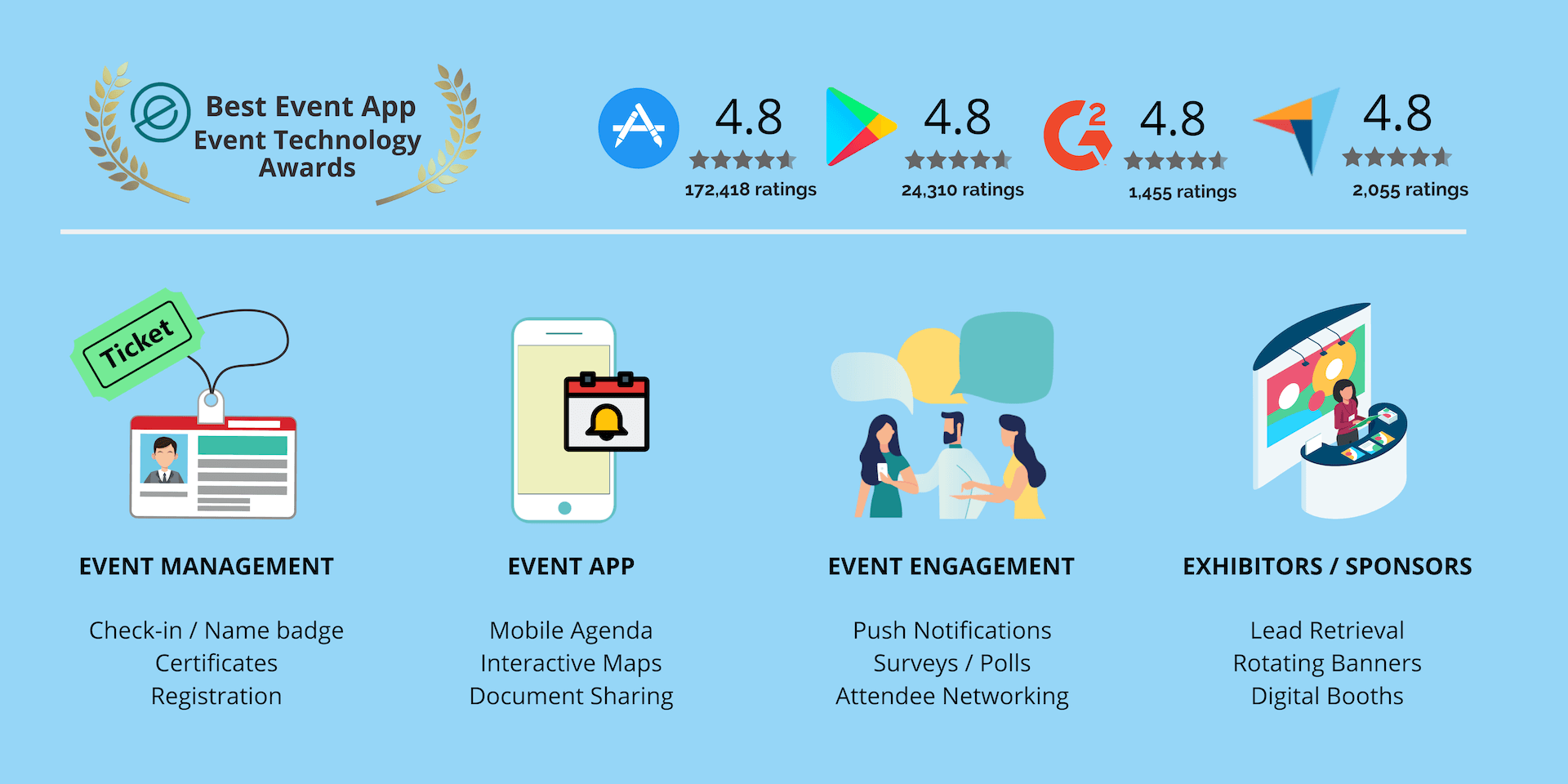
As you can see, there is a wide variety of tools and softwares that can assist your event planning process. You must first assess what your event needs and then allow yourself to explore more opportunities that can lead to a bigger event success.
The most recommended ones are the all-in-one softwares such as Whova since as an event organizer, you will require help in more than just simple registrations or task management. But keep in mind that the "best" event software isn't the same for everyone.
Try out our trial account or request a demo so that you can truly see for yourself how your event can take off with the help of Whova.
Click here to request a live demo & a trial account from Whova.
FAQ
- Registration and Ticketing: Online registration forms, ticket sales, and attendee management
- Attendee Management: Safely and efficiently manage check-ins, personal information, and session attendance
- Event Marketing: Assistance in marketing tools will increase your event's visibility and success
- Integration Capabilities: Connection with other platforms will help maintain your current processes seamlessly
- Customer Support: High quality customer support is necessary to get assistance before, during and even after the event
- Usability: The platform should be easy to use for anyone on your team
There are some key aspects where Whova stands out compared to other event planning tools:
- Cost-effective: Whova does not charge expensive subscriptions or fees per administration account. Organizers will get an affordable set price for only the features that they need to complete and succeed in their event
- Easy To Use: With a low learning curve and intuitive user experience, the platform can be used by any member of the organizing team with minimal training
- All-in-One platform: The platform offers features in various aspects of event management including registration, marketing, attendee management, engagement & networking and analytics
- High quality customer support: Organizer will be assisted with a customer support team that will always look to bring the best outcome from any problem
- Award winning app: Aside from the backend platform, the free Whova app will allow organizers to manage their event in their pockets and attendees to fully explore the event
Appendix: Full List of Event Management Software Features
Below is a comprehensive list of event management tools to look out for:
- Registration & Ticketing
- Event App
- Event Website
- Abstracts/Speaker Submissions
- Agenda Management
- Attendee Profiles & Attendee Management
- Speaker Profiles
- Badge Design & Printing
- Mobile Check-in
- Self Check-in
- Push Notifications
- Real-Time Updates
- Email Blast
- Lead Capture/Retrieval
- Exhibitor Booth Profiles
- Sponsor Banners
- Exhibit/Vendor Management
- Exhibitor/Sponsor Tiers & Payment
- Appointment Scheduling
- Waiver/Release Form
- Event Maps
- Social Media Promotion
- Messaging Between Attendees
- Matchmaking
- Speed Networking
- Attendee Ride-Sharing
- Business Card Scanning
- Volunteer Support
- Survey/Poll Management
- Certificates
- Posters / Pitches / Art Galleries
- Gamifications
- Virtual Event
- Hybrid Event
- Community
- Offline Access
- Attendance Tracking
- Reporting/Analytics
- Session Cap (Seat Limit)
- Session-Based Survey/Feedback